

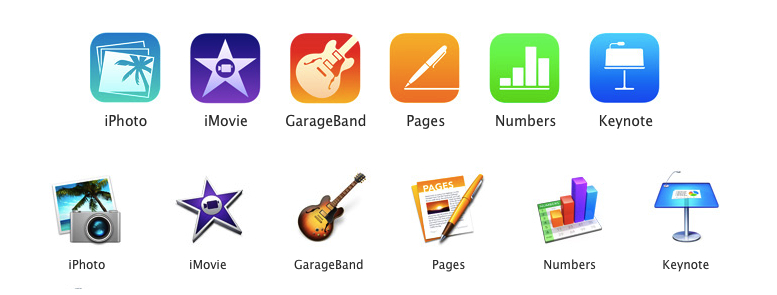
Perhaps today’s most interesting announcements weren’t new iPads or Macs, but Apple’s range of software. It’s been a while since the iWork suite of apps have received updates on the desktop, and iLife apps such as iPhoto, iMovie, and GarageBand looked outdated as soon as iOS 7 arrived on iOS devices in September. You’re probably wonder what the skinny is around all the new apps and whether you qualify to get those apps for free. This won’t be an exhaustive overview, but ask and you shall receive.
Posts tagged with "app store"
Overview: Apple Updates iLife and iWork Apps, Makes Them Free for New Customers
Lucius Kwok On The App Store’s Gold Rush→
Even after the gold rush is over, there’s still gold in the hills. It’s just harder to make a successful app that gets noticed, and requires teams with the specializations and experience to quickly and efficiently release one, the same way that the remaining gold requires geologists who know the land and heavy machinery to get to it.
And later in the same post:
Free with in-app purchase or subscription pricing looks more sustainable than paid apps. We may need to form ourselves into small teams, because being independent doesn’t mean you have to do everything yourself. I see this as a challenge to figure out what’s next.
I still think that In-App Purchases don’t work for some niches of the App Store, and I wouldn’t want to see developers switching to the IAP model in what may be a self-fulfilling prophecy. But with Apple leading by example, I believe we’ll see a lot of developers trying IAPs for productivity apps and utilities before next year’s WWDC.
GarageBand For iOS Going Free with In-App Purchases→
Aside from the new icons, the updated page also reveals in a footnote that GarageBand will become a free basic download for all iOS 7 devices, joining the other five iLife and iWork apps that became free alongside the release of iOS 7.
GarageBand will, however, include in-app purchase content from Apple, with additional instruments and sounds available for a fee. Licensing fees associated with some of those sounds had been the presumed reason why GarageBand was left out the original move to make Apple’s iLife and iWork apps for iOS free of charge, and it appears that the company has settled on in-app purchases as a way around this issue, offering basic functionality for free and then premium content through the paid upgrade options.
The icons and text have been pulled by Apple since last night, but it seems fairly safe to assume this change will be officially confirmed tomorrow.
It’s interesting to see Apple switching to a freemium model while so many third-party developers are discussing new approaches to selling apps after five years of App Store. Also worth noting is how with iOS 7 they added support for new purchase receipts to automatically unlock IAPs for customers who already bought an app – I assume, likely what they’ll be doing with GarageBand and IAPs for old customers so they won’t have to buy the new IAPs again.
What parts of GarageBand will be free? Will Apple redesign the iWork apps (besides icons) and add IAPs to those as well (they already went free). And what does this change mean for education customers? I’m looking forward to tomorrow’s event.
CameraSync Updated for iOS 7
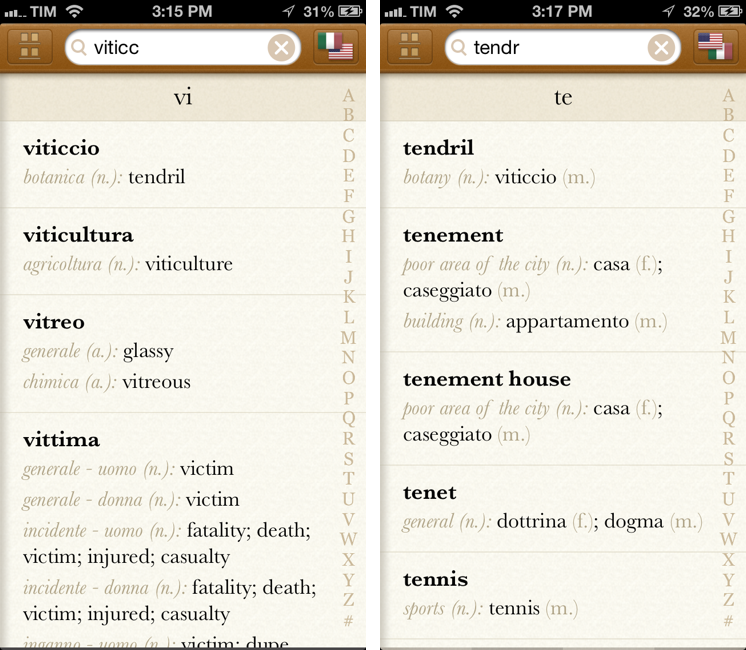
In my Boxie review yesterday, I mentioned the role of the official Dropbox app on my devices:
Boxie is so feature-rich, I want more from it: there’s no iPad app at this point, and I would love for Tapwings to consider an automatic upload feature for photos that would allow me to completely eschew the official Dropbox app. Right now, the only reason I keep Dropbox on my devices is for the iPad client and automatic background uploads, but, for everything else, I’m doing just fine with Boxie and I enjoy the increased efficiency made possible by the app’s feature set.
I should clarify two points: the Dropbox app is also the easiest way to authenticate with your credentials for third-party Dropbox-enabled apps; and, in a sweet coincidence, CameraSync has been updated today with a new design and bug fixes for iOS 7, which means I have turned off Camera Uploads from the Dropbox app again. Read more
Boxie Review: An Alternative Dropbox Client for Power Users
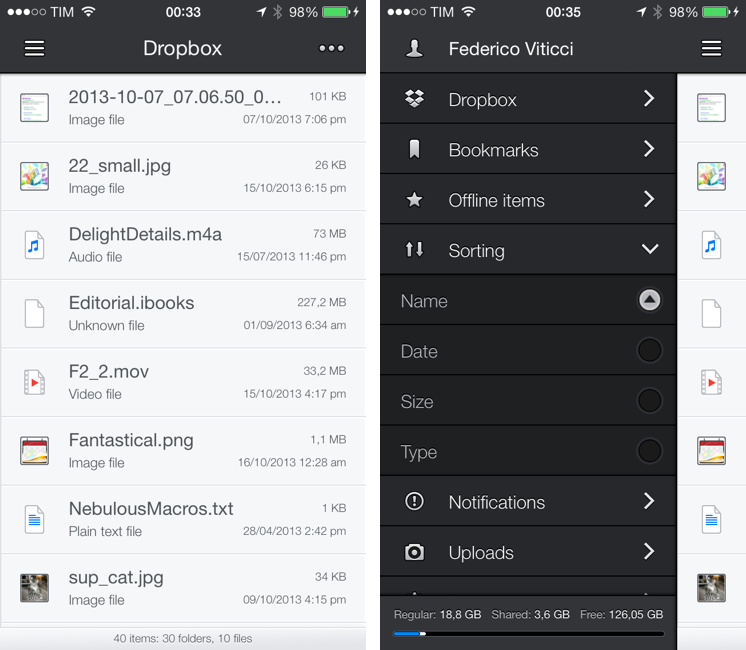
Dropbox is my filesystem. Every file that I need to have available across devices and that doesn’t require the rich text and search capabilities of Evernote goes into my Dropbox account: screenshots that I share with coworkers; PDF copies of my receipts and invoices; articles written in Editorial are stored in Dropbox. Even my photo backup workflow relies on Dropbox as an archival system that’s always in the cloud, readily available and easily shareable. With the Packrat feature, a $39 yearly add-on, I get access to the full history of my deleted files and file revisions, which have saved me on several occasions in the past.
The official Dropbox app for iOS is good, but it’s not great for power users and it hasn’t been substantially enhanced for iOS 7 yet. That’s what Italian developers Matteo Lallone and Gianluca Divisi (together, Tapwings) want to fix with Boxie, a $1.99 third-party Dropbox client for iPhone packed with advanced features and navigation options. I’ve been testing Boxie for the past month, and I think that it’s off to a solid start. Read more
Weather Line Review
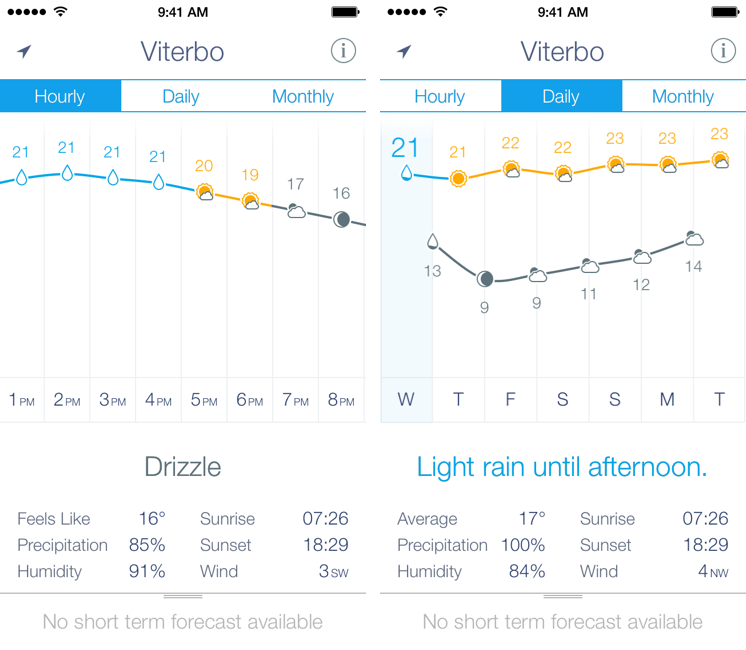
I am not a weather nerd. I don’t commute to work[1] and I don’t need to know the percentage of precipitation and humidity for the next three weeks. I spend most of my days in Viterbo and Rome, where the weather isn’t particularly crazy; I never get to try the fancy weather apps with Dark Sky integration and “radars” because those features don’t work here. You may argue that I’m forced to be a casual user of weather apps; I honestly believe that I don’t need to know everything about the weather to have a good day. I don’t travel much, and therefore I rarely need to plan my trips according to weather conditions. I enjoy simple weather apps like Today, Yahoo Weather, and even Apple’s built-in Weather app for iOS 7 because they display all the data I need without overwhelming me with terminology I don’t understand.
This is why I was curious to try Ryan Jones’ Weather Line when he emailed me a few weeks back. His pitch was simple: “I had this idea for a weather app, and I’m great at making charts”. Sure enough, I remembered Jones’ work on the iPad mini “price umbrella” chart from last year, and he seemed confident enough in his app to convince me to try it. Weather Line is available today at $2.99 on the App Store, it’s iPhone-only, and it is one of the nicest and most unique weather apps I’ve tried lately. Read more
Terminology 3 Review
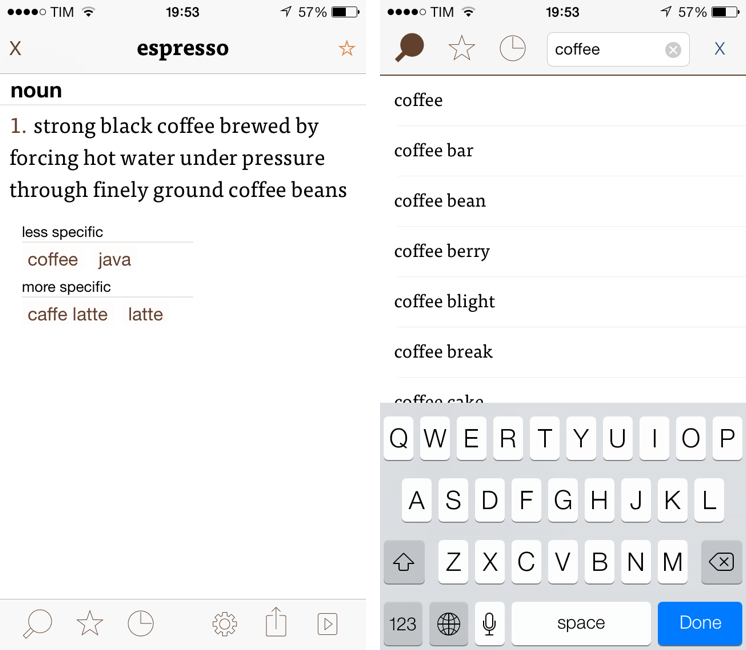
Less popular than Drafts but equally impressive in terms of functionality and inter-app communication, Greg Pierce’s Terminology, a dictionary and thesaurus app for iOS, is relaunching today for iOS 7 with a new Universal app that adds sync, configurable actions, and a redesign that matches iOS’ new general aesthetic. I have been testing Terminology 3 for the past few months, and this new version holds up to expectations by honoring Terminology’s tradition of simplicity and bringing powerful new features.
We first reviewed Terminology in 2010, when it was an iPad-only app that already showed how developer Greg Pierce wanted to focus on words and definitions rather than heavily custom graphics and fancy effects. A few months after the iPad version, Pierce released a standalone iPhone version, called Terminology Ph, that carried all the features of the tablet counterpart onto the smaller screen; a year after version 1.0, Terminology 2.0 was released, refining the user interface and adding new app integrations. Throughout 2011, 2012, and the better part of this year, Pierce maintained Terminology with compatibilty updates but otherwise focused on Drafts, which, as MacStories readers know, has contributed to redefining iOS automation and the idea of a “quick notepad” for iOS.
The new Terminology represents a break from the past, fully embracing iOS 7’s new design philosophy and offering customers an easier purchase experience with a Universal version. As a new app, you will have to buy Terminology again – something that is perfectly acceptable after three years of usage of the same app. Read more
Nike+ Move App For the iPhone 5S to Arrive on November 6th→
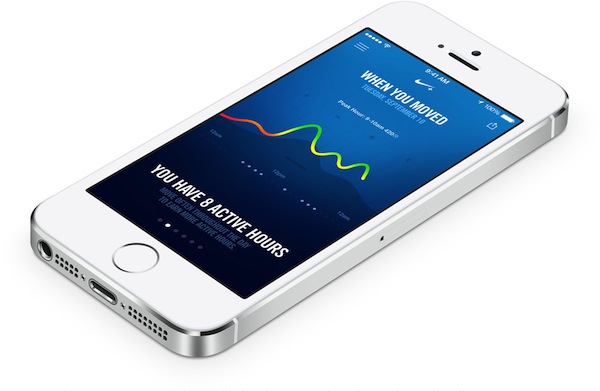
Announced alongside the new Fuelband SE was an update to Nike+ Running, and the new Nike+ Move app which Phil Schiller showed off during September’s iPhone 5c + 5s Keynote. The Nike+ Move running app is a sort of “Fuelband lite”, being previously detailed by Engadget as being an introductory experience into the Nike+ ecosystem. From today’s press release:
Nike+ Move App
Launched by Apple at their recent event, the Nike+ Move App is an introductory NikeFuel experience for iPhone 5S users. Nike+ Move measures when, where and how you moved and uses NikeFuel to motivate you. Nike+ Move then lets you compare your movement with that of your friends or other Nike+ Move users around you.
The Nike+ Move app will be free to download on the App Store.
Launch Center Pro 2.0 Review
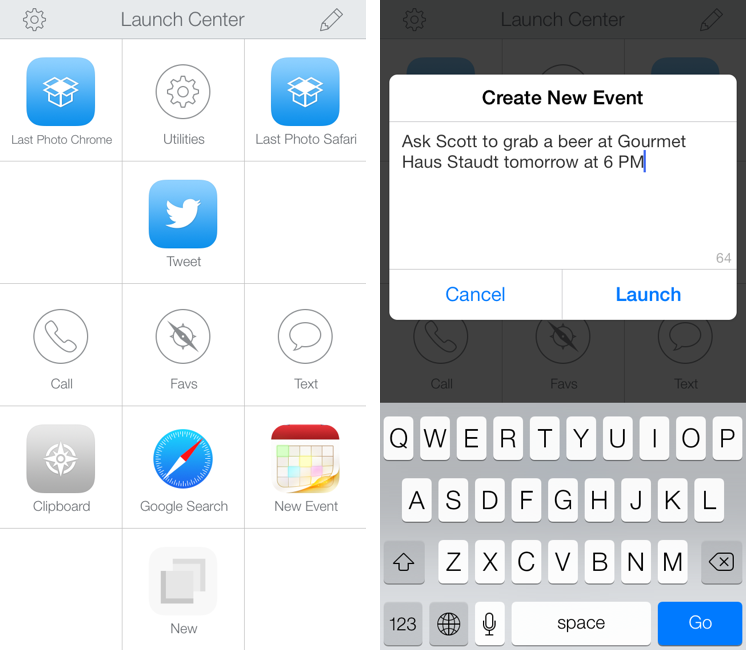
Launch Center Pro, developed by Contrast (née App Cubby), can be considered the app that spearheaded a small revolution among iOS power users. Initially envisioned as a Notification Center tool, following an Apple rejection in late 2011 the app was released as Launch Center; in the summer of 2012, App Cubby completely reworked the inner workings and design of Launch Center and turned it into Launch Center Pro, allowing users to create custom actions with personalized URL schemes and therefore kicking off a series of months that saw the apperance of several other apps focused on actions, URL schemes, and automated workflows. In looking back at the past year of iOS automation, I think that Launch Center Pro 1.0 was a major turning point in that it proved that many iOS users wanted to create actions and workflows to save time and be more productive.
In March 2013, App Cubby released Launch Center Pro 1.1, which focused on TextExpander integration in URL schemes, Action Composer tweaks, and deeper system integration with clipboard actions for text and more. The app’s library of supported third-party apps kept growing as more developers took the opportunity to address the interest sparked by Launch Center Pro to add URL schemes to their apps. I remember, however, that back then App Cubby’s David Barnard – the same developer behind the recently released and successful weather app Perfect Weather – started telling me about his plans for the future of Launch Center Pro and expanding to other supported services, apps, and devices.
With today’s Launch Center Pro 2.0 for iPhone, a free update for existing customers, Contrast wants to ask: in the era of Drafts actions and Control Center, can Launch Center Pro still have a spot on a user’s Home screen, and possibly in the dock? Read more