This Week's Sponsor:

Turbulence Forecast

Know before you go. Get detailed turbulence forecasts for your exact route, now available 5 days in advance.


Posts tagged with "app store"

Shazam for iOS 7

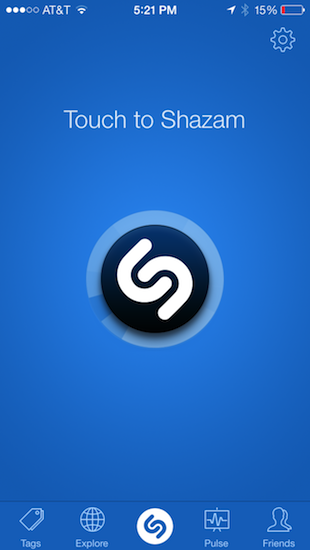
Much like Twitterrific’s update for iOS 7, Shazam has spruced up their app with flattened, descriptive wiry icons and simple color palettes that make the app feel at home on Apple’s new OS. Perhaps the only noticeable difference is that Shazam asks for Microphone access, a new requirement as of iOS 7, so that it can listen to what’s playing in the background to identify songs. It’s visually a nice update, but much of it is the same as before. It’s cleaner and more focused, with nice looking fades and animations as you switch between tabs.

The features added to iOS 7 revolve around social maps and Facebook. Eh. I don’t know how Shazam feels about people like me, but I’m not so intent on sharing songs with friends and seeing what people are listening to around me. I said the same thing when I took a look at the revamped iPad app earlier in the year, and I feel somewhat alienated since the only thing I really want to use Shazam for is ID’ing tracks playing at over loudspeakers, on the radio, or when some remixed version of a song pops up on a livestream somewhere. The social stuff… I don’t want any part of it. It’s cool. It’s just not for me.

Shazam currently sells a free version of Shazam, complete with advertisements that you can remove with an in-app purchase. For a few bucks you can straight up buy a version of Shazam with a darker blue icon free of ads. And then there’s a product RED version of the app that looks cool, and also removes ads. I’d rather see a single version of Shazam that’s free, with Lifetime (or Encore) as an IAP and RED as an optional theme, which you could also pay for. It’d remove a lot of the confusion about which version is which on the App Store. Regardless, if you’d like to give Shazam a try (the ID stuff is amazing — why don’t you have it?), you can download one of the following variants from the App Store:


Logacal: A Smarter Visualization Of Calendar Events

Logacal

Logacal

In the past few months, I’ve been obsessed with finding the best Calendar and Reminders clients for my iPhone and iPad. While I wouldn’t call myself a calendar power user, I do rely on iCloud Calendar to organize my daily appointments and events that require my complete attention, and I’ve been lured by the simplicity and immediacy of Reminders. As I noted in my article on living with iOS 7, I’ve also been liking the OS’ new Today view in Notification Center, which gives me a summary of all the things – events or reminders – I have to do today.

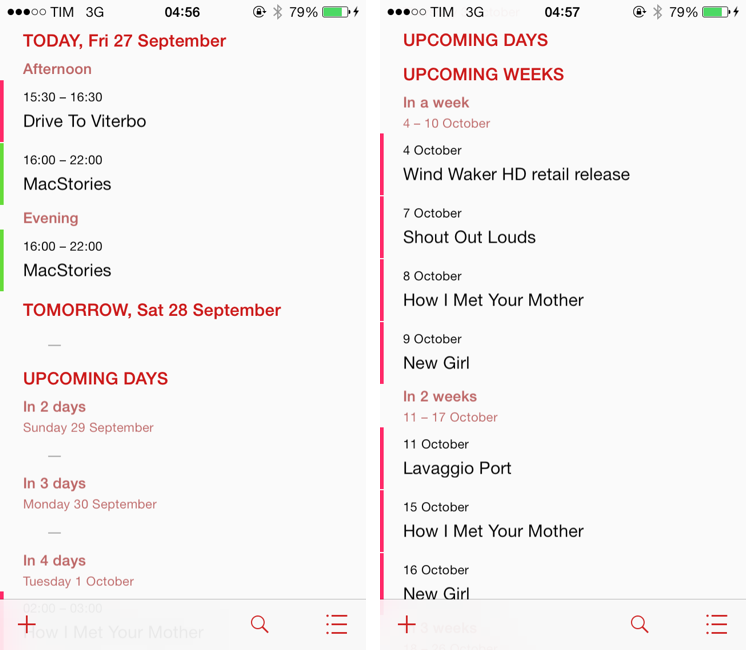
I don’t like calendar apps that are limited by old rules defined by physical calendars. For instance, what’s the point of showing a full month with past events when our devices know what the current day is? Why showing empty days in views that should list upcoming events? Our devices have a little, powerful silicon brain inside them, and yet so many calendar apps – supposedly, digital assistants for the modern age – are still stuck with concepts and metaphors of two decades ago. This is a topic that other smart people have also touched upon in the past, and I recommend reading this piece by Jason Snell.

Earlier this week I was browsing the App Store and I came across Logacal, a $2.99 iPhone app developed by Czech developer Pavel Doležal. I was intrigued by the app’s clean iOS 7 design and description:

Unlike traditional month, week or day-based calendars, Logacal doesn’t split time equally, but instead depending on how far in the future it is.

And:

Its design is vastly inspired by logarithmic scale that enables you to see and manage your calendar in a very natural and intuitive way.

Now, I’m no expert of logarithmic scales and other high level mathematical theories, but I’m good enough at clicking the Buy button in iTunes and doing some reading on Wikipedia. Apparently, some of our senses operate in a logarithmic fashion, and Pavel’s idea was to represent future days, weeks, months, and years on a scale that gets less granular as you move further in time. Read more


Steve Streza On Discounted App Upgrades

But people have no right to complain about an update that costs 99 cents/$2/$3/etc. when their iPhone cost hundreds of dollars!

This privileged point of view comes from people who love supporting developers and who have spare money. And while it’s noble, it doesn’t reflect how most customers think about apps. The toothpaste isn’t going back in the tube here; people are now used to free and cheap apps with updates. Your app isn’t why they bought an iPhone; it’s an accessory, one that can be discarded as easily as an iPhone bumper.

Steve Streza makes a compelling argument against the theory that Apple should allow paid upgrades on the App Store. The reality that Steve describes – apps as cheap, replaceable accessories – is sad and harsh, but true. None of my friends “care” about particular apps or developers – they just want their problems solved and their entertainment taken care of.

That said, paid upgrades or not, I hope that developers of fine, well-crafted apps will continue to find ways to stay in the business – perhaps by catering to a smaller audience that doesn’t mind paying more and more often.

Permalink

Twitterrific Revisited for iOS 7

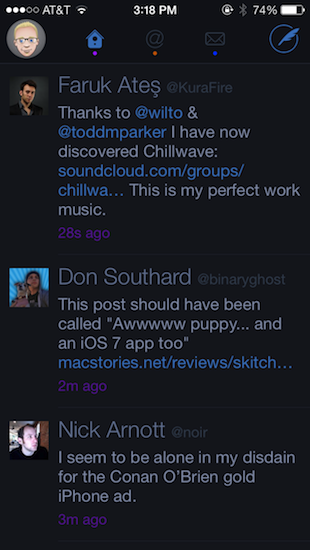
Twitterrific, for a long time, was my mainstay Twitter app. It’s beautiful, functional, and extremely fast, but I’ve found myself gravitating away towards Tweetbot and Twitter’s own app. It’s not that I don’t like Twitterrific, but I needed a change of scenery, and Twitter’s own Connect tab has spoiled me with a wealth of information such as follows, RTs, and yellow stars intermingled with mentions — things I swore I never cared about. I think the biggest killer for me has been the prolonged wait for an updated Twitterrific on the Mac, which feels outdated in comparison to its iOS counterpart.

The neat thing about Twitterrific was that it was practically already ready for iOS 7. At least visually, Twitterrific had already adopted thin fonts, bright neon colors that go great with the iPhone 5c, and a sleek barebones interface. This doesn’t even account for Twitterrific’s unique layout; much of the app doesn’t really conform to traditional iOS conventions anyway (consider the tab bar at the top of the screen rather than the bottom). With iOS 7 the visual updates are relatively minor, with wire-thin icons and small visual updates prevalent throughout. Not even Ollie changed too much in Twitterific’s new stark white icon.

Twitterrific’s biggest notable update is background refreshing (The Iconfactory calls it “fetching”). Streaming isn’t something Twitterrific has been known for, but as long as the app is kept in the background, it will load new tweets in so they’ll be ready to read when you open the app. That to me makes Twitterrific much more viable as a daily Twitter app.[1]

There’s lots of minor updates. You can tweet links directly from the in-app browser (great feature) and you can additionally opt to open links in Chrome. Various links are now tappable in bios. They’re all things that continue to make Twitterrific super friendly.

In fact, of all the current Twitter apps, I’d say Twitterrific is still the most friendly. Gestures are broad, sensible, and fast to execute. Twitterrific’s blazing performance continues to be stellar: tweets load unbelievably quickly as you swipe to view conversations. The core experience is about messages, whereas Twitter’s official app feels like it teeters on personal branding and brand engagement, while Tweetbot is dense with features but a little slower and not yet updated for iOS 7.

Twitterrific for iOS 7 is largely the same as its predecessors, but it continues to get faster in every iteration. I don’t know how much more performance The Iconfactory can wring out of their app before Twitterrific flies off the face of the phone. With refreshed graphics, speedy improvements, and gesture updates that better let Twitterrific mingle with iOS 7’s native gestures, you might want to consider taking another look at the blue bird if you haven’t already.

Twitterrific can be downloaded from the App Store for $2.99 for a limited time, 50% off the regular price.


  1. In fact, I almost don’t like Apple’s new multitasking interface for this reason. It encourages people to close apps, but if you do, those apps can’t perform background tasks. The new multitasking interface is perhaps misleading and counterintuitive for this reason. ↩︎

Skitch 3: Reimagined for iOS 7

Skitch 3

Skitch 3

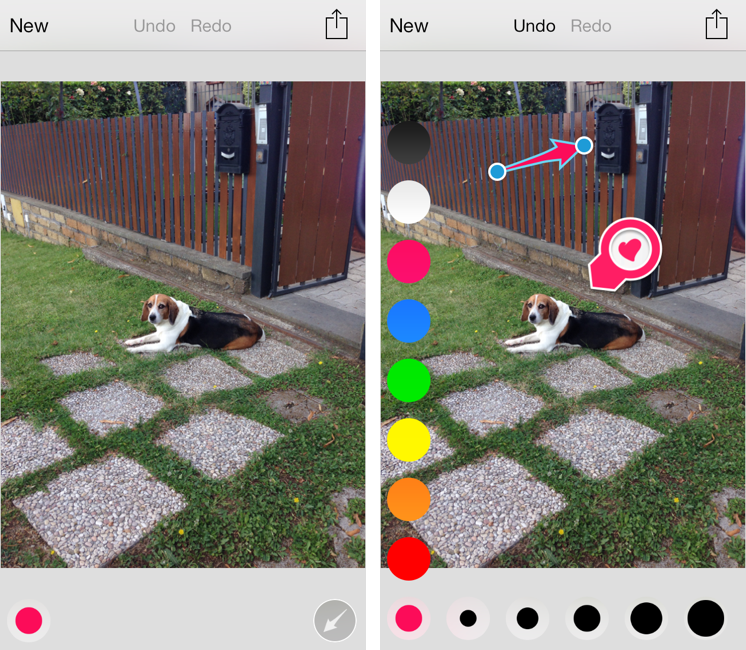
Released today during the third annual Evernote Conference, Skitch 3 is a complete redesign of the app that Evernote acquired in 2011 and started integrating into the main desktop and iOS apps. Skitch 3 has been redesigned and rebuilt for iOS 7, stripped away of the direct integration with an Evernote notebook, rebranded, and relaunched as a visual note-taking app focused on quick and fast markup. I have been testing Skitch 3 for the past few weeks, and, after an initial shock, I think it’s an excellent change. Read more


Instagram For iOS 7

Instagram’s first major update after iOS 7 doesn’t reimagine the app but brings edge-to-edge photos:

In this update you will find that we’ve increased the size of photos and videos in your feed so that they expand to the edges of your screen. We’re also happy to say that increased size means increased resolution, so photos and videos will be clearer and more vibrant than ever.

Not surprising considering what Facebook did, and what other big players opted for. I would love to know if Instagram saw usage of filters in the app decrease after the release of iOS 7 because of Apple’s new Camera app.

Permalink

GeniusCam for iOS 7

It’s been two years since Apple announced the iPad 2, and the company still thinks that bringing Photo Booth to the iPhone isn’t worth it. It’s also been two years since Italian developer Libero Spagnolini released FaceMan, but, unlike Apple, today he’s back with a sequel to his original Photo Booth alternative, GeniusCam.

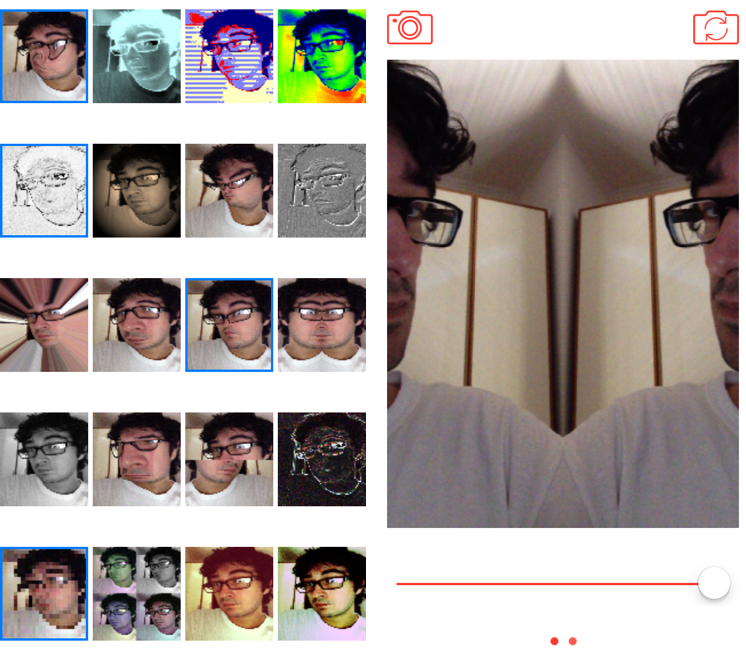
Made for iOS 7 and Universal, GeniusCam is, essentially, Photo Booth ported to the iPhone with some extra flair. There are 20 filters and effects to choose from, ranging from artsy ones like black & white and technicolor to fun ones like variations of Apple’s “Space Alien” and “Chipmunk” effects. You can see a live preview of the camera with each effect in the app’s main screen, which is a grid of live thumbnails; tap one, and the thumbnail turns into a larger camera view with the effect still applied, previewed live on screen. The animations and physics that power GeniusCam are sparse but constantly playful, and, together with the graphics and photo engines, they prove how developers can take advantage of the new iOS 7 APIs in cool ways.

GeniusCam’s camera interface is simple: at the top, you can switch between photo/video and front/rear facing camera, while at the bottom you’ll find a shutter button and a slider (you have to swipe to see the slider). In my tests, GeniusCam has been stable and fast with photos, but I have experienced crashes when saving videos. The slider allows you to tweak the intensity of effects in real time, and it’s cool to play around with it just to see your face morphing on the screen as you reduce or increase an effect’s intensity.

GeniusCam is a fun, impressive utility that provides a great follow-up to 2011’s FaceMan to take advantage of iOS 7. The app is free on the App Store but limited to 4 effects; you can unlock UI themes with a $0.99 In-App Purchase, all 20 effects for another $0.99, or buy the All Inclusive IAP for $1.99.


TED for iOS 7

I enjoy watching videos via the official TED app every once in a while. I’m especially a fan of the “Inspire Me” section, which lets you pick videos from categories such as “Persuasive” and “Informative”, further specifying how much time you can dedicate to a video.

For iOS 7, the TED app has been redesigned to have a cleaner look that focuses more on video thumbnails and descriptions. It’s not revolutionary in terms of design, but it’s still TED, and free on the App Store.

Permalink

Enhanced for iOS 7, Dispatch 1.2 Brings Background Fetch, Advanced Search, and Custom Salutations

Dispatch, which I first reviewed in June, is an innovative email client for iPhone that eschews social features and push notifications for more power user-oriented functionalities such as default salutations, snippets, and built-in app actions. Here’s how I described message actions:

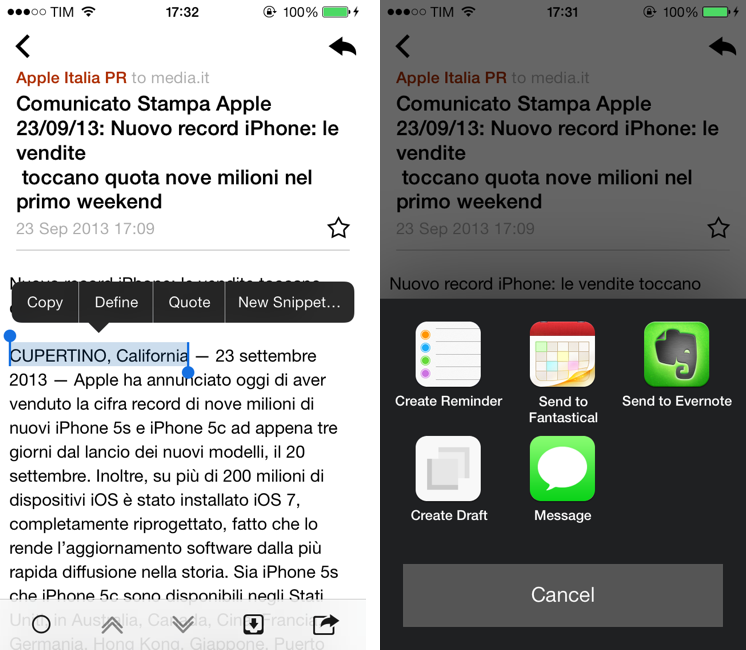
Dispatch has multiple sets of actions for message content and iOS data detectors – web links, dates and times, phone numbers and emails, and addresses can be tapped to bring up different actions. For third-party apps, Dispatch supports Due, OmniFocus, Things, Asana, Evernote, Drafts, Chrome, 1Password, Instapaper, and Google Maps; native iOS integrations include Messages, Maps, Reminders, Safari, Copy to Clipboard, Calendar, FaceTime, and Contacts. These actions are presented either by hitting the Share button in a message or by tapping a link or other bits of text that are recognized by iOS as, say, addresses or dates.

Being able to save a message to OmniFocus or directly into Evernote (preserving formatting) is incredibly handy, and I’m surprised that nobody else thought of this before. For years, I used Apple Mail and profoundly despised the round-tripping that it forced upon me to send text to other apps such as my task manager or text editor. Some email apps enable you to open links in other browsers, but Dispatch takes it to the next level with one-tap message sharing.

When I’m on my Mac, I can put together a Keyboard Maestro macro to archive a message for reference in Evernote, but when I’m on iOS, that’s a problem because there’s no native communication between Apple Mail and Evernote. The developers of Dispatch understand that people who work on iOS need to use multiple apps, and they’re trying to fix email’s inter-app communication problems with their own take on an email client.

I have been testing Dispatch 1.2, released last week alongside iOS 7, for a few months now, and I think it’s a good update that takes advantage of the new OS in interesting ways. Read more