This Week's Sponsor:

Turbulence Forecast

Know before you go. Get detailed turbulence forecasts for your exact route, now available 5 days in advance.


Posts tagged with "app store"

Apple’s Phill Schiller On App Store Curation and Promotion For Developers
Apple’s Phill Schiller On App Store Curation and Promotion For Developers

In an interview with The Wall Street Journal published yesterday, Apple’s Phill Schiller weighed in on App Store curation, promotion of third-party apps, and traditional retail selling space.

The opportunity is the best it has ever been for software developers,” Mr. Schiller said, adding that he thinks the app store is a far more democratic way to sell software than traditional retail stores with limited shelf space.

Mr. Schiller also pointed out that Apple promotes apps in multiple ways, such as popularity charts and featured app lists. “Every other day you hear about another app going off the charts,” he said. “You can still get discovered and get a hit overnight.

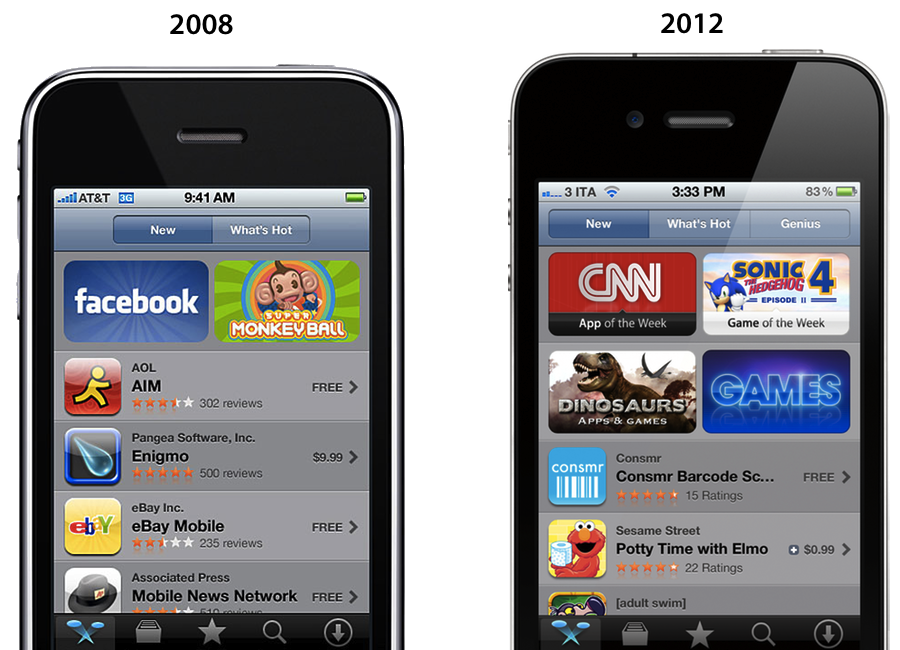
There’s no doubt Apple has done a “tremendous amount” (Schiller’s words) to help apps get discovered on the App Store. With the iPhone and the App Store, Apple created a new economy that, in the U.S. alone, has spurred the creation of over 200,000 jobs. But as I have outlined last month, the App Store of 2012 isn’t the same that launched in 2008 to 900 apps: there are over 650,000 apps on the App Store today, and while Apple has done a lot for developers, it could optimize the layout of the Store to do more and better. I wrote:

Custom sections provide a decent solution to browse titles Apple has previously “curated”; however, these sections aren’t usually updated as often as they are created — N.O.V.A. 3, a new shooter game by Gameloft, still isn’t listed under Benchmark Games: Stunning Graphics, whilst the majority of reviewers and publications have outlined the game’s remarkable graphic capabilities.

The IconFactory’s Craig Hockenberry also noted how Apple could bring its “personal touch” to the App Store to showcase great software with different methods than simple Top Charts, or “curated lists” that are often abandoned and never updated.

Instead of fighting for a short-term placement in the Top 100 lists, we’d fight for a long-term product review. Look at the amazing things developers do to earn an ADA and imagine if that happened once a week. Earning that “Apple approval” could ensure a product’s success for a long time. Which would be great for both customers and developers alike.

Hopefully Apple is thinking about this stuff. Earlier this year they acquired app recommendation service Chomp, and they revamped their “App of the Week” section with a new “Editor’s Choice” tag. The redesigned App Stores of iOS 6 come with Facebook integration and improved layout for descriptions and screenshots, something developers have been asking for. It’s too early to tell, but it seems like the iOS 6 App Store is on track to deliver great improvements for navigation and user interaction this Fall; to improve discoverability and promotion, however, Apple should also consider tweaking longstanding minor, yet important aspects such as filters, search, and Category sorting options.

Read the full interview with Schiller (who also confirms a new tracking tool for developers being discussed at WWDC sessions) here.
Permalink

Angry Birds Space Downloaded 100 Million Times in 76 Days

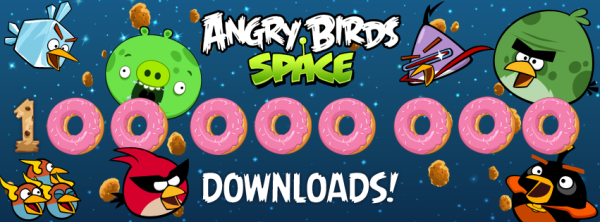
This morning, Rovio Entertainment (@RovioHQ) tweeted that their latest franchise hit, Angry Birds Space, has been downloaded 100 million times in just over a period of two months.

When we last heard from Rovio, Angry Birds Space was touted as the “fastest growing mobile game” after hitting 50 million downloads within the first 35 days, and 10 million downloads within the first 3 days. Comparatively, when Angry Birds first launched in December of 2009, it took until June, 2010, to reach 5 million downloads.

As the popularity of the iPhone and Angry Birds has exponentially increased, Angry Birds fans are more than happy to get a dose of the kid and adult friendly gameplay. Rovio recently reported that Angry Birds was downloaded one billion times in May, after reporting 648 billion downloads in December. Apple’s all time record charts noted Angry Birds as the top paid iPhone app, with an HD version on the iPad being the second top paid app.

When we looked at Angry Bird’s success last November, we charted its exponential growth and made note of its addictive gameplay. At the time, gamers were racking up more than 300 million minutes per day playing Angry Birds, putting in well over 200,000 years of pig crushing, crate smashing, and star collecting fun.

[Rovio via iDownloadBlog]


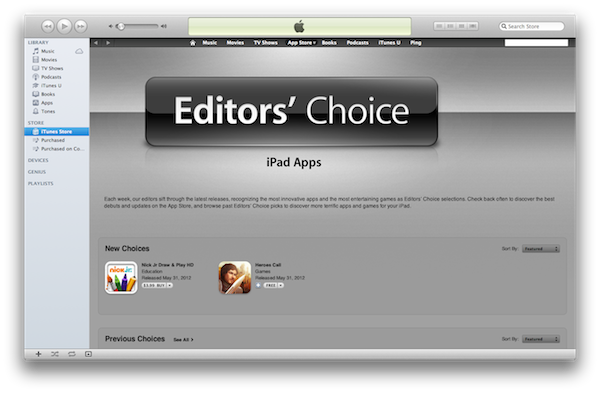
Updated Editor’s Choice Section Hand Picks Best of the Best

Last week’s App Store update introduced Editor’s Choice banners on the iOS and Mac App Stores that highlighted that week’s best apps. In turn, App of the Week became Apple’s way of promoting cherry picked apps while offering them for free (similar to app deals found on Amazon’s App Store for the Kindle Fire). This week, Apple has subsequently introduced a rebranded “App of the Week” as the Editor’s Choice section in the iOS App Store, showcasing both iPhone and iPad apps. The Editor’s Choice section of the App Store aims to showcase the highest quality and the most innovative apps on their store, with the showcase being divided into new and previous picks. Apple recommends that you check back often to check for new applications.

The Editor’s Choice section for the iPad can be found here, while the Editor’s Choice section for the iPhone can be found here.


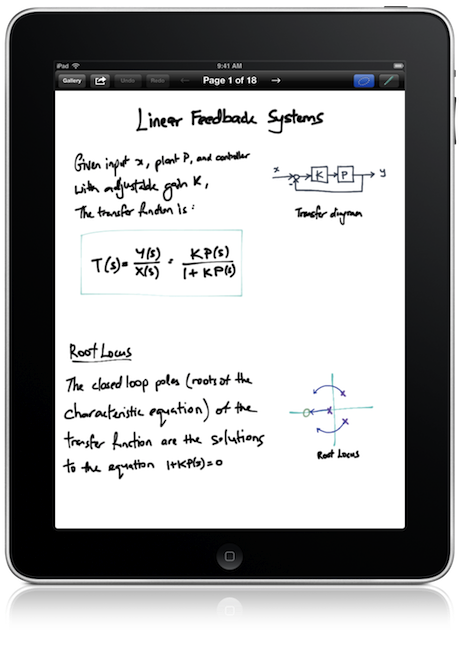
Inkflow Has One Great Idea

When we talk about hotly contested app markets for the iPad, we’re either talking about iOS text editors or sketching apps — today we’re focusing on the latter. Between Adobe, Autodesk, Paper, and Penultimate, something needs to be dramatically imaginative and different to make it stand out in a section of the App Store that is well contested and already populated with great apps. Sometimes an app like SyncPad stands out by providing new and interesting features (in this case it’s immensely useful for presentations), but very rarely does an app come along that can compete with these established tools on the iPad. Similar to how Instapaper and Pocket (once Read It Later) have captured the “read later” space, the aforementioned apps broadly cover everything you’d likely need or want when it comes to writing, drawing, and sketching.

Read more


A Web Developer’s look at Diet Coda

A Web Developer’s look at Diet Coda

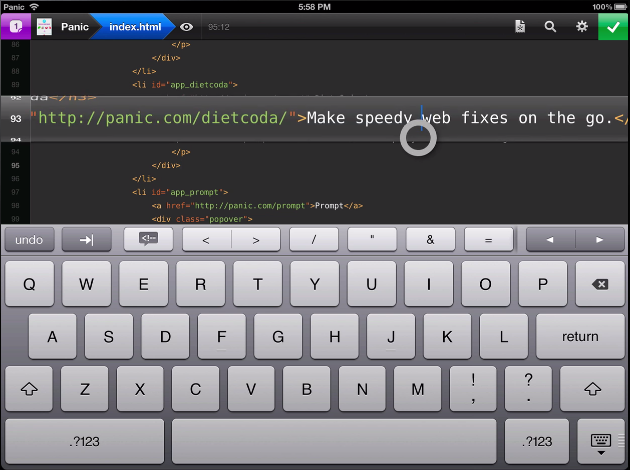
Diet Coda is great. Seriously. This app might not be your first choice to do serious work on (yet). However, if the only reason you’re taking your huge, heavy laptop with you on that otherwise relaxing vacation is just in case you get the 5-alarm-fire call from your boss because of a major bug that needs to get fixed RIGHT NOW (don’t they all?), Diet Coda and an iPad with an LTE/3G connection could be all you need.

Joesph Schmitt gives an honest perspective of the good, the bad, and what he’d like to see come down the pipeline for Diet Coda in the future. Diet Coda isn’t and shouldn’t be your replacement for a desktop app like Coda 2 or Espresso, but it is a fantastic companion touchscreen editor that it makes it relatively easy to dart around your projects and apply changes as needed. I’m trying not to take for granted having an always on-hand iPad app that lets me seamlessly implement changes as they come to mind — I think people forget that even having a tool like Diet Coda on the iPad is something special (especially when it has that quality Panic user interface behind it). If you’re looking for a reasonable review that weighs the pros and cons of Diet Coda, I’d say Schmitt does a good job of summarizing the praises and complaints — you’ll be well prepared as to what to expect concerning a mobile editor. As of now, Diet Coda is still $9.99 on the App Store, half-off during its initial launch period.

Permalink

Four Years of App Store: Developers Weigh In On Search, Discovery, and Curation

“The App Store is a grand slam, with a staggering 10 million applications downloaded in just three days”. That’s how Apple co-founder and late CEO Steve Jobs saluted the launch of the company’s new storefront for iOS (née iPhone OS) applications on July 14, 2008. Almost four years and over 25 billion downloads later, the App Store has evolved into a brand that spans two platforms (iOS and OS X), three different iOS devices (iPhone, iPod touch, iPad), a variety of Macs, and that hosts over 600,000 apps from more than 200,000 registered developers. Albeit minimal in terms of revenue for a company that makes billions off iPhones and iPads, the App Store created a new economy that nurtures an ecosystem ultimately aimed at selling more devices, as well as showing consumers that, nowadays, software is revolutionizing the way they approach work, entertainment, and other personal tasks. In spite of its tremendous growth, however, little has been done to improve a basic premise of the App Store: finding new apps.

“Discovery and search has been a huge concern of mine for a long time”, said Craig Hockenberry, Principal at design and development studio The Iconfactory. Hockenberry and his team were among the first developers to support the App Store in 2008 with Twitterrific, a Twitter client for iPhone that has expanded to the iPad and Mac, with different versions available on the App Store and Mac App Store. In 2009, a year after the App Store launched, Hockenberry offered a series of suggestions to Apple in order to improve certain aspects of the App Store – namely, following early discussions with developers that decided to sell software on the “iTunes App Store”, he noted how there was “still much room for improvement” to turn the App Store into a viable and reliable business platform for developers who weren’t simply interested in experimenting with it.

Hockenberry’s “Year two” post still rings true today, in spite of the functionalities that Apple fixed, improved, or brought to the App Store in the past four years. For instance, Apple created a “New and Noteworthy” section on the homepage of the App Store that is refreshed on a weekly basis to showcase apps Apple deems worthy of attention; promotional codes, which Hockenberry listed as one of the tools that had helped them sell more products, were made available internationally in late 2010; either on print, its website, or YouTube, Apple has kept pushing ad campaigns to educate iOS and Mac users on the importance and convenience of the App Store.

The very motto that started the app revolution, however, didn’t meet an equal amount of attention by Apple in terms of improvements for the infrastructure behind it. As Hockenberry wrote in 2009, “it’s incredibly hard to find the “that” in “there’s an app for that.” Between keyword spamming and the sheer volume of choices in each category, customers can’t find what they want”.

Read more


EdgeCase Stops Your Cursor Where Your Monitors Meet

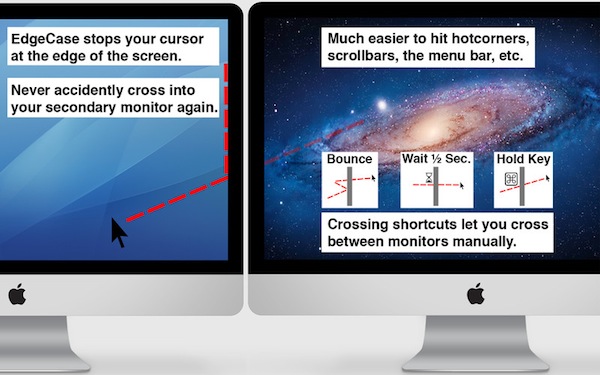
I don’t use more than an external display or my MacBook’s internal display since managing a multi-monitor setup isn’t practical with Lion, but in the rare occasions that I do, my cursor always finds a way of wandering off the display I’m working on. EdgeCase boxes your pointer in the current display by putting up a virtual barrier that prevents your cursor from crossing onto the other display unless you hold down a specific key or wait a half-second.

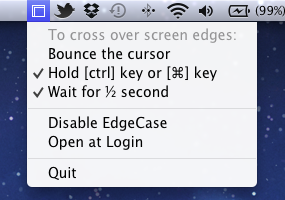
As a simple menubar utility, EdgeCase lets you disable and enable the utility and click one of a few options to get it up and running. By default, EdgeCase will require you to bounce your cursor when it reaches the meeting edge before it transverses displays, but you can turn it off if you desire. Holding down the ctrl key or command keys will grant you access to third party displays: command-dragging app windows will let you carry your application between displays.

I’ve been using EdgeCase to process email and write on one display while watching videos on the other: it’s pretty useful for keeping work and entertainment displays separate. EdgeCase is $4.99 from the Mac App Store.


Instacast 2.0: Still the Best Podcatcher, with Pro Features

It’s not hard to talk about the latest and greatest features of Instacast 2.0 when the developer has dutifully written his own epic walkthrough of his app’s new features. Instead of having to decipher release notes and a summary of bullet point features, Martin Hering of Vemedio has already published an in-depth write-up of everything “version two” has to offer, which includes a couple pro-tips here and there for those who aren’t skimming paragraphs and looking for bolded words. The mini-manual will be a handy reference for getting adjusted to Instacast’s tap-and-hold friendly UI and advanced features.

With the features already explained in great detail, I don’t feel the need to recap everything Instacast 2.0 has to offer or explain how it works, but I do want to share some of my experiences with the app post-upgrade. There are lots of little changes that have been made and thus lots of little habits that had to be relearned. While some of the changes take some getting used to, others have been improved upon so well that I could not think of going back to an older Instacast. Upgraded player controls, playlists, and bookmarks add a new pro-layer of control without dampening the player’s aesthetic or user experience. Additional sharing features strive to strengthen online discussion around podcasts thanks to commenting and an HTML5 audio player.

Read more


Playing Devil’s Advocate, Arguing Apple Should Change Their IAP Policy

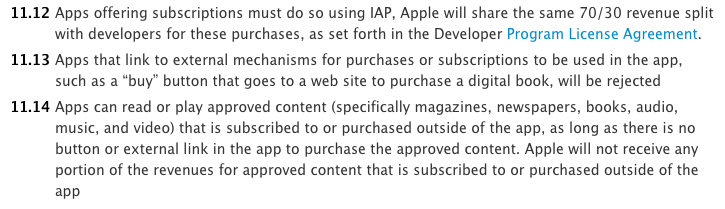
There’s been a lot of discussion in the past few days over Apple, its In-App Purchase (IAP) policy, and Dropbox after it rejected a few apps that employed Dropbox functionality because they offered links to the Dropbox website for signing up and logging in. At issue was that the option to buy a higher level of storage was also visible, and this contravened one of the App Store Review Guidelines. Some viewed this as Apple trying to kill (or at the very least, target) Dropbox – but as Federico explained, this was just Apple enforcing one of their existing policies.

After thinking about it for a while, I’ve come to the position that perhaps that policy isn’t the right one. So I decided to play the devil’s advocate, and try to argue the case for Apple adjusting their policy. Specifically my argument focuses on Apple’s policy going something like:

Apps may use external mechanisms for purchases or subscriptions to be used in an app, but only when those purchase mechanisms are undertaken in a web view within the app.

That could probably be further clarified in more simplistic language, but you get the general idea of what I’m proposing. The current policy prohibits any link to purchases or subscriptions that are undertaken through external mechanisms (ie. not IAP); I suggest that this should be allowed. So let’s quickly go through the benefits of the current policy and arguments for relaxing the policy. Read more