This Week's Sponsor:

Turbulence Forecast

Know before you go. Get detailed turbulence forecasts for your exact route, now available 5 days in advance.


Posts tagged with "app store"

iPad Users Have Downloaded 3 Billion Apps in One Year

Thanks to a rich marketplace, consistently good apps that are featured in the App Store, and the constant attention blogs like ours bring to developers and consumers, the iPad has had its fair share of owners downloading tons of applications. Not only did iPad users download more than 3 billion apps from the App Store since the iPad’s launch in 2010, developers published 120,000 apps specifically for the iPad in the third quarter of 2011. ABI Research notes that iPad downloads are only 19% of all the cumulative downloads by Apple users. With lots of choice and a device that just works, users are eager to try out the latest innovations in touch-based software.

In comparison, Android users have only downloaded 440 million applications. It could be that there simply aren’t as many Android tablets in consumers’ hands as there are iPads, or it could because that developers simply aren’t making apps formatted for the tablet experience like they are on the iPad.

According to Lim Shiyang:

Discounting all those apps that were originally developed for Android smartphones, Android still trails greatly behind the iPad in terms of its tablet app offerings. Many Android tablets in the market are still using older versions of Android, which disadvantages users from enjoying the better effects of apps produced from more advanced software development kits.

As for Android’s phone ecosystem, ABI Research expects Android users to rack up 58 billion app downloads by 2016, compared to only 27 billion by iPhone users.

I wonder how many of these downloads will be because of Angry Birds?

[ABI Research via GigaOM]

Launch Center: An Action and Shortcut Hub for your iPhone

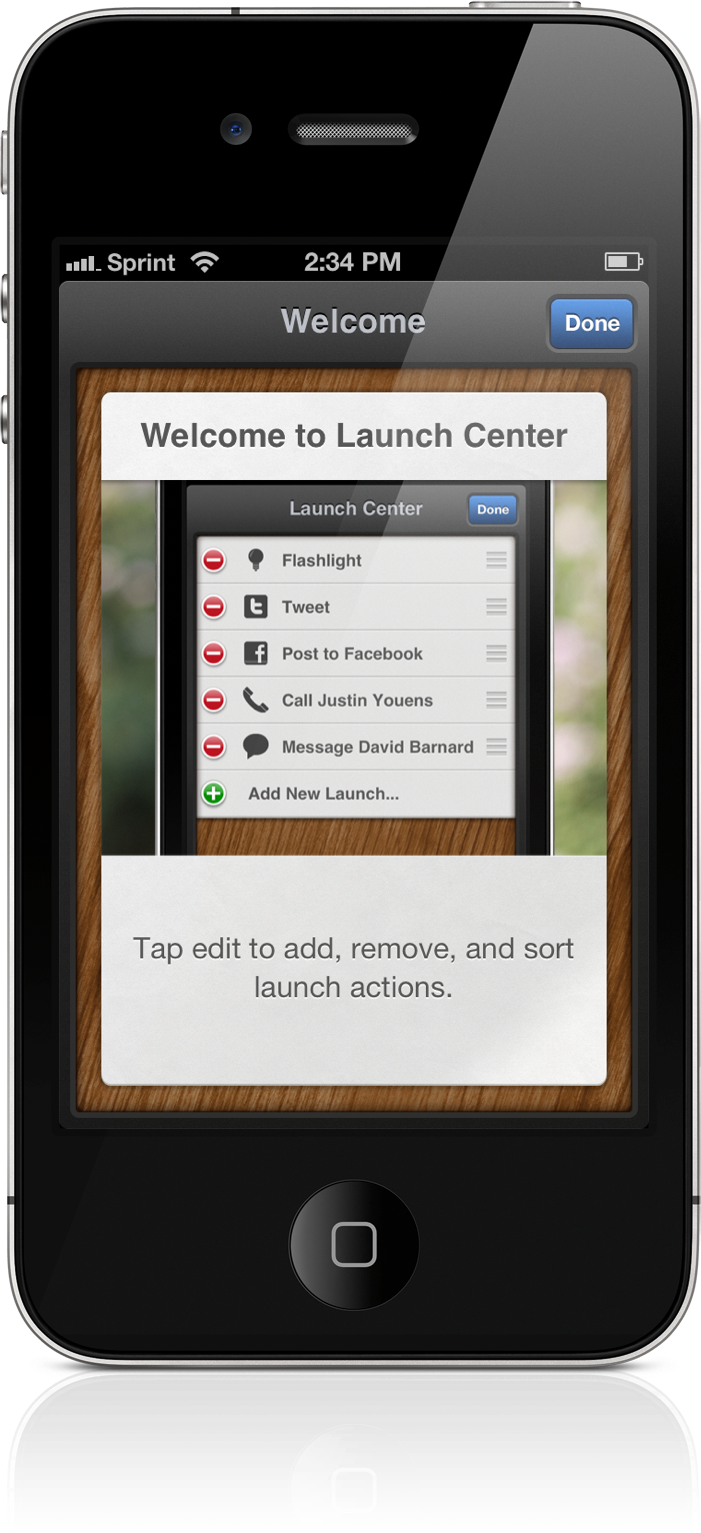
Shortly before the Christmas holiday, a few apps got a lot of attention in Apple media after being barred from the App Store for inappropriate use of the Notification Center. These apps, App Switcher, Launch Center, and Quickpick, were submitted with the intent of using the Notification Center as a way to access a list of customized commands (shortcuts) that take advantage of Apple’s and third party URL schemes. App Switcher and Quickpick were pulled, and Launch Center simply didn’t get approval. The three apps removed this feature and are now available on the App Store as standalone applications.

If you jailbreak your iOS devices, these apps probably aren’t going to find their way into your standard toolkit. Paid and free utilities available through Cydia will mirror features available on Android through widgets, the lock screen, and the Notification Center. Purists, however, could find some value in automating common tasks and reducing the time it takes to perform custom actions. Jeff Broderick’s Settings is free, but the icons are fixed and I decided I only want access to a few. There’s also Icon Project, but I have no desire to fiddle with making icons. Of the apps noted above, Launch Center looks polished and simply presents a clean list of actions.

Read more


Flud 2.0 Brings Social Interaction with a Revamped Interface

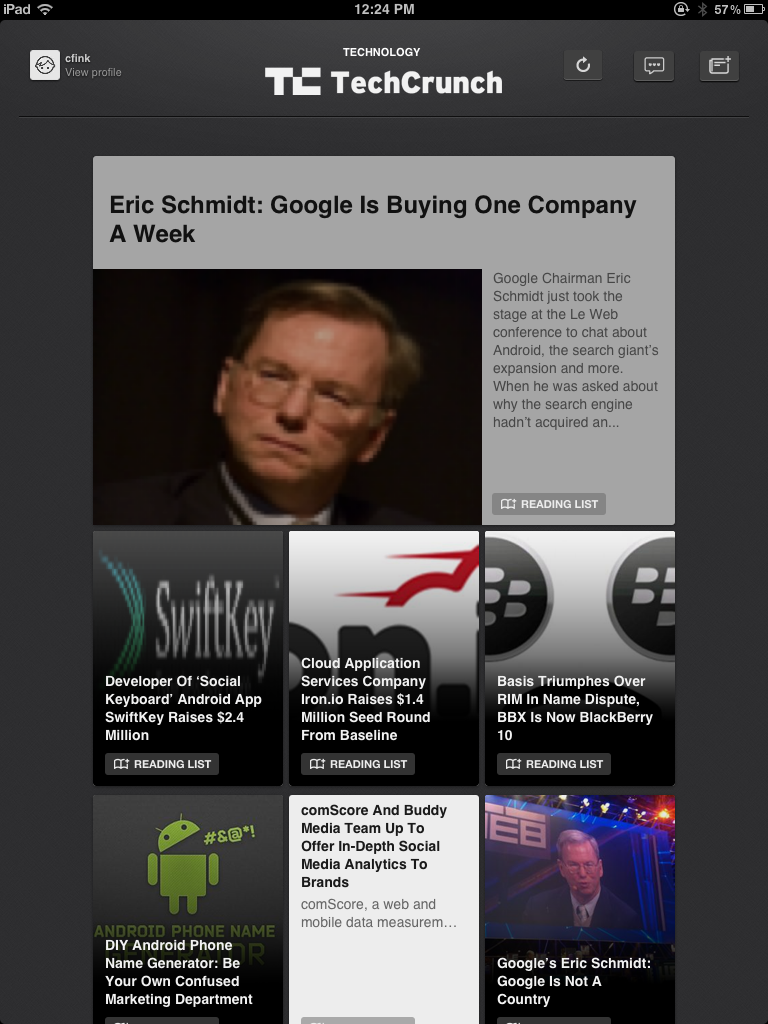
While I’ve taken a look at Flud before, its initial resemblance to Pulse left me uninterested. Flud, in their attempt to meld the news you were interested in with social media, never quite stood out enough from the competition or encouraged me to actively share articles with my friends. That was the case, but like Flipboard, Flud has a substantial update with a second version of their social news reader.

Flud 2.0 throws out its sharp-edged interface for an elegant carousel, containing the subscription’s headlines which scroll vertically to reveal more content. The interface, fluid and responsive when article images don’t need to be cached, differentiates itself from the likes of Flipboard and Pulse — sidestepping a magazine or traditional RSS-like experience — by presenting an open canvas (or in other words a very fancy grid) to discover content. There are some similarities with services like News.me in the updated Flud, with the main focus revolving around following your friends or idols who will curate interesting content.

Read more


Instacast HD Review: It’s Incredible

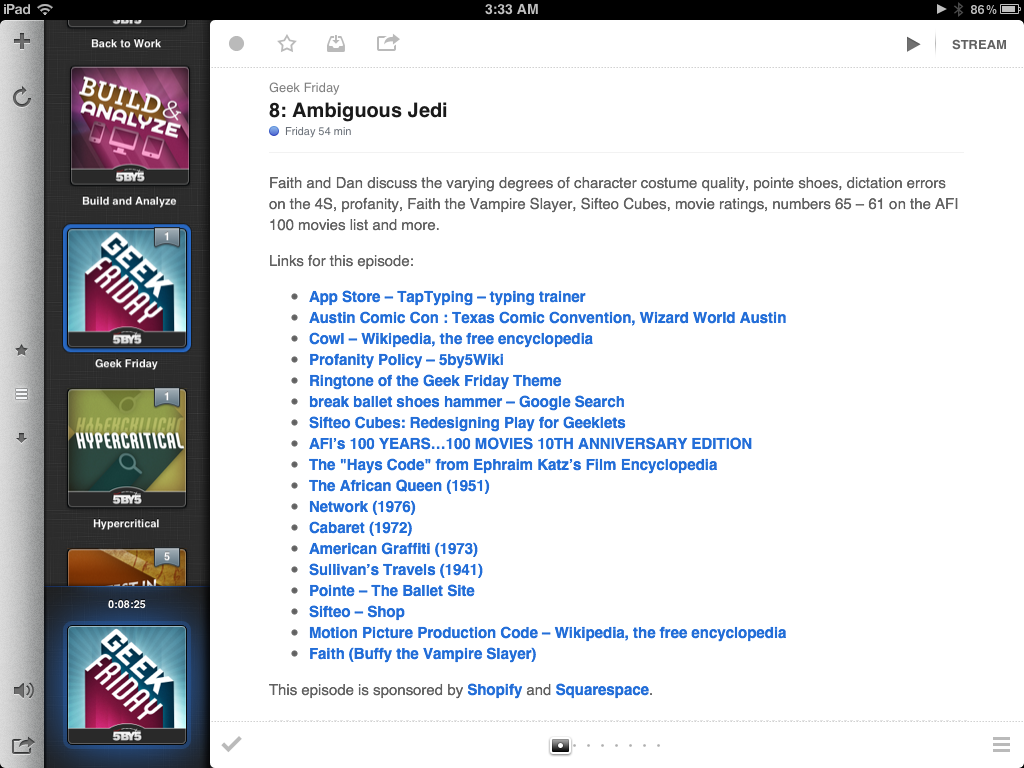
I remember when I first reviewed Instacast for the iPhone back in March, declaring it the Twitter of Podcast apps. While possibly dramatized, what Instacast has done for mobile podcasts is what Loren Britcher did for Twitter apps. The interface, lightweight and smooth, capitalizing on common sense gestures and thoughtful design elements, quickly made Instacast one of my favorite iPhone apps. Instacast is the only non-Apple app that has a spot on my iPhone’s dock. An intelligent conversation, a good laugh, and Geek Friday are always just a tap away.

Instacast got smarter. Sure there were times when enhanced podcasts didn’t work or a wonky update caused weird crashes, but they were fixed and plenty of new features were added. Continuous playback always kept a friendly voice on the loudspeaker. Later, iCloud syncing was added in preparation for future updates. Future updates that of course would finally see Instacast taking on bigger endeavors.

There were lots of days on the couch when I thought about Instacast coming to the iPad. Until recently of course, I hadn’t known what to expect before I was invited to take a look at the first beta. I imagined that Instacast, containing a library of podcasts, would take on a form similar to iTunes. I imagined the interface as a grid, where you would easily scroll through podcast cover-art and see badges revealing the number of unplayed episodes. How silly!

Martin Hering first hinted at the design in September, and I later had the privilege of revealing more of the interface near the end of October. An excited Joshua Schnell and Myke Hurley have also been eager to share the new interface, giving it due praise on the App Orchard and at Macgasm. The hype around Instacast HD for the iPad has been astounding, and for good reason. Instacast HD is incredible.

Read more


Apple’s Minor Tweak To iPad App Store Improves Navigation

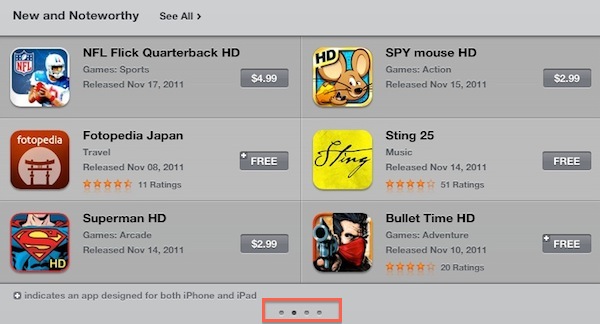
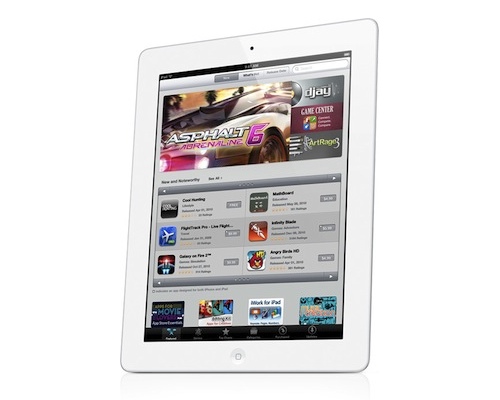
Earlier today Apple rolled out a very minor, yet important change for the App Store’s homepage on the iPad. Previously, “New and Noteworthy” and “Staff Favorites” sections in the iPad App Store could be viewed by hitting an arrow button that scrolled the various pages inside these sections. Now, users can swipe to navigate between pages of apps listed in the sections, with page indicators similar to the iOS’ Home screen available at the bottom to indicate a user’s position.

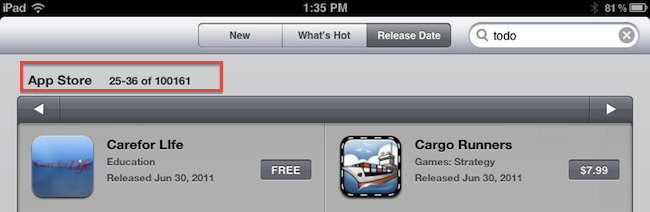
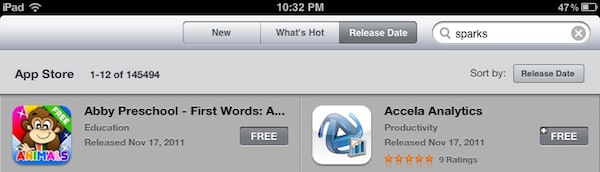
More importantly, this little tweak has been implemented in the “Release Date” tab of the iPad App Store as well. Browsing by release date is very convenient for two reasons: it lets you see every iPad app ever approved, and it displays the total number of available iPad apps in the Store. It used to be that, because of clunky navigation, moving between pages in “Release Date” view was slow, and the iPad would often lose its position after scrolling dozens of pages. With the new swiping method, the whole view is faster, and also appears more reliable at going back and forth between results.

Here’s how “Release Date” used to look:

And here’s how it looks now, with no buttons:

At the moment of writing this Apple is still using button-based navigation in the Purchased area, and we wish changes will eventually make their way there, too.

Today’s update to the iPad App Store (Apple also updates the App Store homepages every Thursday with new Featured apps) is minor, but as the company’s attention to detail often proves, minor tweaks can incredibly improve the user experience.


Nintendo 3DS From An iOS User’s Perspective

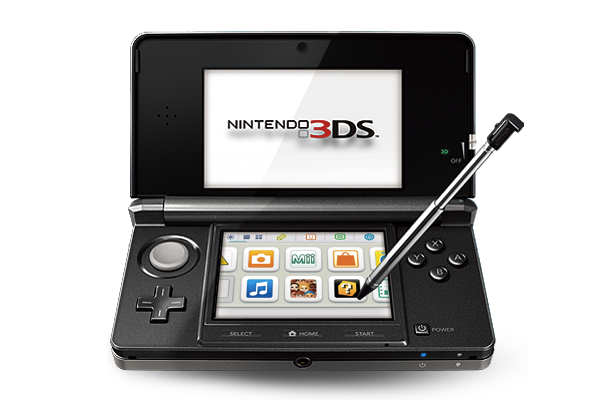
Last week, I bought a Nintendo 3DS with Legend of Zelda: Ocarina of Time 3D. And coming back to “regular” portable console gaming after four years of multitouch iOS gaming felt strange.

As I explained in my Aquaria review yesterday, I started playing with a Super Nintendo Entertainment System when I was six. Actually, my home console gaming experience started with the SNES, but my parents had already bought me a Game Boy. I grew up with Game Boys (classic, Pocket, Color, Advance, and various iterations of the latter), Nintendo’s consoles (SNES, N64, Game Cube, Wii) and Sony’s PlayStation (PSX and PS2). I skipped SEGA’s Dreamcast and Microsoft’s original Xbox, albeit in 2008 I decided, for some reason, to buy an Xbox 360. I basically never touched it. In fact, I’m pretty sure my 360 still has the original Dashboard view – I don’t even know how to update the thing.

I’ve been a “regular” gamer from 1994 to 2007. Four years ago, something happened: as I graduated from high school and got a job, I found to have less time for gaming. Things got even worse after I started MacStories, gaming time-wise. At the same time, whilst my DS and PSP and 360 were catching the dust, I started playing the casual game for iPhone that you can get at $0.99 in the App Store and doesn’t make you fell all guilty about it. After all, it’s just a .99 game that you can play for 20 minutes, not hours. You didn’t spend $60 and 40 hours on a game – I bet a lot of people know the feeling. At least initially, casual iPhone gaming was the cure for ex-gamers that still wanted a quick bite off the digital entertainment scene.

So for nearly four years I bought nothing but iPhone and iPad games. I was quite happy with the results: I could play the latest hit for 30 minutes a day, and say that “I enjoyed it”. I clicked the Buy button on a lot of games: most of them I never finished. But they still gave me the illusion of enjoyment as they were little $0.99 gems I couldn’t feel guilty about. It’s easy to say you’ve “enjoyed” something that costs less than a dollar. So my iTunes library grew larger and full of half-finished, presumably enjoyed iOS games. Read more


Apple Confirms iTunes Connect Holiday Shutdown December 22-29

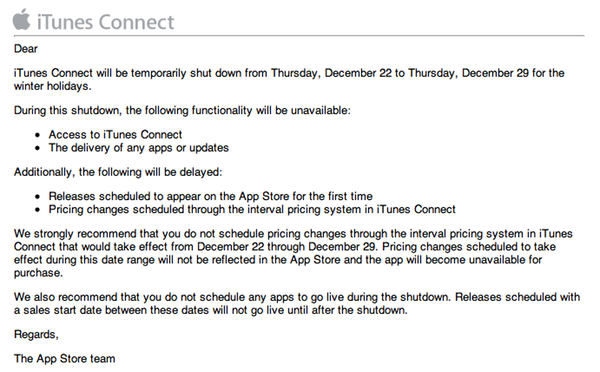
In an email sent to developers earlier today, Apple has confirmed that iTunes Connect – the developer portal to manage applications to sell in the App Store – will be closed from December 22 to December 29.

We strongly recommend that you do not schedule pricing changes through the interval pricing system in iTunes Connect that would take effect from December 22 through December 29. Pricing changes scheduled to take effect during this date range will not be reflected in the App Store and the app will become unavailable for purchase.

We also recommend that you do not schedule any apps to go live during the shutdown. Releases scheduled with a sales start date between these dates will not go live until after the shutdown.

As with last year’s shutdown, for the end user this means App Store apps won’t receive updates or price changes for a week, quite possibly the most profitable for iOS developers alongside the Thanksgiving festivities in the US. Access to iTunes Connect, delivery of app updates and scheduled releases as well as price changes will be disabled or delayed between December 22 and December 29. If you’re a developer, plan your Christmas app releases accordingly.


Instacast 1.4: This Is What iCloud Can Do

Instacast with iCloud

Instacast with iCloud

If you have a day job and had just started upgrading your iOS devices when you got home yesterday evening, it’s likely haven’t even spent a few hours with iCloud yet. The premise is pretty amazing, even if the initial majority of it is between iOS devices. If you think automatically syncing spreadsheets and documents across iCloud from your iPad to iPhone is cool, that’s just the tip of the iceberg. Beyond document syncing, iCloud opens up a world of added convenience that wasn’t available previously. Just think about being able to sync your Angry Birds progress between devices. But we can take that even further. What if we could sync something like RSS feeds between devices? Now you’re thinkin’.

Instacast goes beyond simply syncing your lists of podcasts. It remembers to update which episodes you’ve marked as played, it remembers to add new podcasts you’ve subscribed to across devices, and it even remembers what episode you were listening to. The last item is the magical part: it syncs track position and loads that episode you were listening to in the now playing window if you pause the podcast and want to pick up from another device later. Resuming a podcast is as simple as tapping the up arrow after a refresh. Now this? This is amazinger.

This is one of the best use cases for iCloud. Instacast syncs lots of data to keep everything in sync. While there’s not much I can add beyond Martin’s blog post on Vemedio, the wow-factor can’t be emphasized enough.

With the amount of data being synced, there are some things to remember about Instacast’s iCloud sync. Geeks will immediately try, two devices in hand, to see how instant syncing is. If you don’t allow Instacast to get its data in the cloud, you may run into conflicts where your impatience could overwrite the changes you wanted to save. I imagine this is more true for big podcast libraries. You treat it like you treat Tweet Marker — it’s all designed to be very casual. With that said, syncing shouldn’t take five minutes, but I wouldn’t expect it to be split-second instant. A pull-to-refresh will sync changes down from iCloud while uploading takes place automatically.

Instacast 1.4 has a new audio engine inside for iOS 5 compatibility, bringing back scrolling titles on the lock screen (a bigger deal if you were an early iOS 5 adopter) and adding Apple TV support for AirPlay. If you want to get caught up on what Instacast does and how great it really is, check out our previous reviews.

You can read more about the 1.4 update on Vemedio, and download the update for free from the App Store (it’s only $1.99 for new customers).


The (Big) Numbers Apple Touted At Their iPhone Event

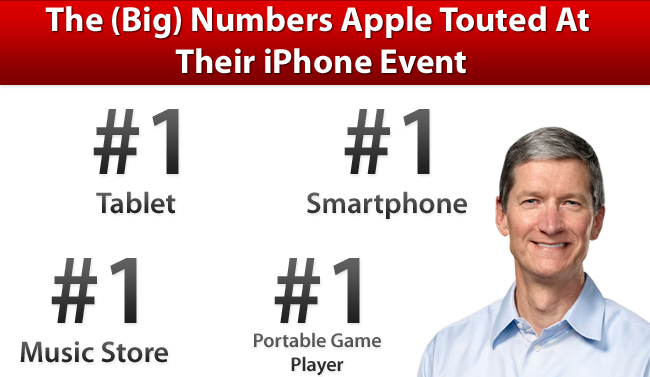
At yesterday’s iPhone event, Tim Cook took to the stage and as he has done at previous events, he gave the audience an overview of Apple’s business. He ran through various statistics of how the iPhone, iPad, Mac and other aspects of Apple’s business are doing. The numbers he gave were clearly chosen very carefully to shine the best possible light on Apple and were an important premise to the first Apple keynote in which he presides as CEO. But regardless of how carefully chosen, its clear that Apple is doing exceptionally well, virtually across its entire business.

We’ve reviewed the keynote and laid out all the key statistics he showed off into each of Apple’s product categories, so make sure to jump the break to view them all.

Read more