This Week's Sponsor:

Turbulence Forecast

Know before you go. Get detailed turbulence forecasts for your exact route, now available 5 days in advance.


Posts tagged with "app store"

Fast Switching Between Multiple iTunes Accounts

Fast Switching Between Multiple iTunes Accounts

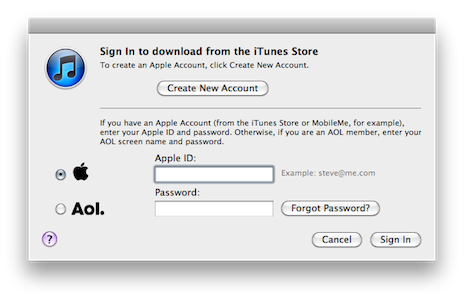
Redditor TinyLebowski shares an AppleScript that, once configured and run, will allow you to switch to another iTunes account in 2 seconds, without typing anything. This is particularly useful for people like me who own several iTunes accounts (especially for App Store and iTunes movie releases) and think iTunes should have an option to “fast switch” between accounts – even on different international Stores. This AppleScript works as advertised and, if you are switching to an international store, you’ll just have to hit the Ok button. If the Store is the same, you won’t have to hit anything and the login process will be automatic.

Beware, though: your Apple ID and password are stored in plain text inside the script. Of course this is meant to be saved on your local machine, assuming only you have access to that. However, saving the script as an “application” bundle might provide an additional security measure (that is, someone will have to “show package contents” and navigate through folders to see the main script).

I love it. Check out the full AppleScript here.

Permalink

QR Code Reader Scan for iOS is Fast

Scan for iPhone & iPad

Scan for iPhone & iPad

If I have to pull out my mobile device to read QR codes, I want an app that’s fast, locks on, and scans codes quickly without any fuss. While there’s a plethora of QR code scanners on the App Store, one in particular I’ve fallen in love with is Scan. Maybe it’s because Barcode Scanner on the Android Marketplace is so damn slow (I’m tired of how long it takes the camera to focus), and I was blown away by how fast Scan was… on an iPod touch (which comparatively has a pretty crappy camera). As soon as I opened the app, I simply placed the QR code inside of the sights and just as instantly it opened a web page in its own browser. If it can’t scan a QR code (which is rare), Scan won’t complain. Just relocate your device or find a higher quality image: how painless Scan is to use is fantastic. Plus, it saves a history of everything you scanned in a simple list that’s perfect for how often I use it. Sure there are other apps that let you generate QR codes or offer a lot more features, but for sheer simplicity and fast scanning, Scan has become the mainstay reader on my device. You can download it for free on the App Store.


Robick: Visual Audio iPhone App for Learning Music By Ear

Previously, we’ve covered the Capo range of apps for the iPhone, iPad, and desktop that help students learn music by ear via setting repeating segments, altering the tempo & pitch, and giving students the ability to adjust an equalizer. When we previously covered these apps, the Capo mobile applications were more limited in some respects compared to it’s older desktop sibling - not a bad thing, but it would be nice to bring over the ability to adjust highs and lows for example instead of just only pitch and tempo. Robick is an alternative take on plugging in tracks from your iPod’s library, and altering them in such a way that helps you learn parts of a song. The developer noted to me it was primarily designed for learning Jazz (I’m assuming for Japanese students), and the interface reflects a modern edge and a shifting paradigm that’s quite neat.

Read more


Twitterrific 4.1 for iPhone & iPad Unifies Mac, iOS Experience

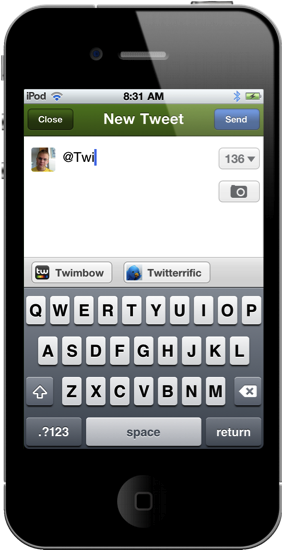
Launching late last night, Twitterrific 4.1 is now available in the App Store for immediate consumption! I’d consider this a milestone update for the iOS version of Twitterrific, as it greatly improves usability on the iPhone and continues the march towards feature parity with the desktop app. I’d say now, Twitterrific has unified their ecosystem such as that replies for example are now handled similarly. This change is most noticeable on the iPhone, where users are no longer taken to the single tweet view to perform actions. Quite frankly, that change alone should address the main complaint many had when wanting to perform simple actions: what used to take three taps now only takes two. 4.1 is a significant update and brings much requested features into the spotlight.

Read more


Giveaway: Remix the Beat with djay for iPhone & iPod touch!

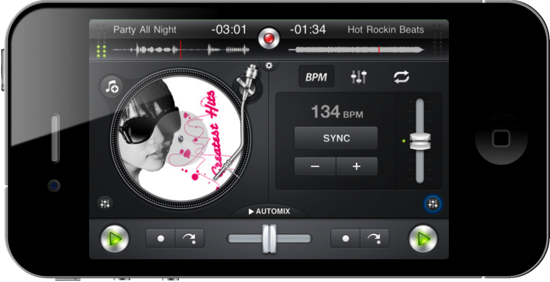
Let’s cut to the chase: djay is polished, good-looking, and a downright handsome virtual mixer that’ll have you scratching virtual vinyls like it was made all tiny for your thumbs and stuff. You’d think djay’s miniature client for the iPhone & iPod touch would be too small to get a proper remix of your favorite rap attack and guitar jam, but that little iPhone can instantly become the party superhero when equipped with an amateur DJ such as yourself and some stereo output to the nearest boom box. Choose any two tracks from your iPod’s library, adjust the equalizer to your liking, pump the gain, and position the needles to start laying down Scratch n’ Sniff quality beats. It’ll take some practice to get good, but all of the tools are available with a quick tap to help you combine tracks, and there’s even an automixer if you want to let djay do some the hard stuff. I couldn’t resist buying my own copy of djay for $0.99 in the App Store, currently on sale from $4.99. That’s a steal, but you can risk it all on one of two copies we’re giving away past the break.

Read more


Sony Releases Official Crackle App for iOS

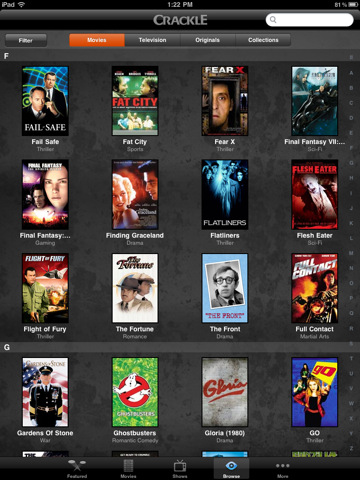
In spite of previous rumors suggesting Sony would never consider releasing an iOS app again after the rejection of their eBook reader application a few months ago, the company pulled the trigger today on the official Crackle app for iPhone and iPad. Crackle, a growing digital entertainment platform that offers movies and TV shows from Sony’s library (including series from Columbia Pictures and Sony Pictures Classics), allows you to stream content over WiFi and 3G, it’s universal and has “unlimited, on demand viewing.” Crackle, however, is only available in the United States and with “selected content” to viewers from the UK, Canada and Australia.

You can browse by Movies, TV shows, Originals and Genres, or build your queue to organize the content you want to watch later. The design looks decent from the screenshots, and there are some sharing options as well. Alternatively, you can buy movies and episodes on iTunes with the tap of a button.

You can find Crackle in the App Store here. [via Cult Of Mac]


Your Twitter Stream on Your Desk: The Trickle and Piolo Giveaway

Your iPhone provides ample opportunity for information feedback alongside your Mac, which is why the makers of Twitter app Trickle and the Piolo stand for your iPhone have joined forces to prop your Twitter stream underneath or next to your workhorse Macintosh. While Trickle streams Twitter at a readable pace in high-contrast glory, Piolo gives your iPhone the leverage it needs to reveal all sorts of juicy details without breaking your neck. Trickle gives you everything you need and nothing more, provided you want a miniature picture frame solely to display tweets from the smart, funny, and sometimes bullheaded people you find yourself enlightened by on Twitter. Piolo is a sturdy kickstand that can be easily carried with the iPhone 4 in a bag or purse, taking up zero room with its simple design and clever implementation. Together, you have yourself a the perfect combination of form and function: simplicity in Twitter at its finest, sans all the extra UI or lost desktop space. We’re going to give away ten (count ‘em) pairs of Trickle and Piolo to our readers, and all you have to do is follow the rules post break.

Read more


Apple Using New App Store Ranking Algorithm?

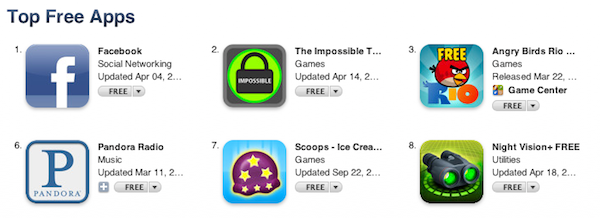
According to Inside Mobile Apps, Apple may have recently tweaked the algorithm that determines ranking of iOS apps in the App Store embracing more factors than simple download numbers to present the most popular free and paid apps. Noticing a sudden change in how the Facebook iPhone app jumped to #1 after months of sitting between the #10 and #20 spots, the website contacted various mobile advertising networks inquiring about the possibility of a new algorithm put in place by Apple in the past week. While it’s not clear which new factors Apple is using to generate the App Store charts, Inside Mobile Apps speculates the Store’s backend may now be heavily based on ratings and active usage of an app, rather than download stats.

We’ve been noticing changes in the Top Free rankings for at least three days now,” said Peter Farago, vice president of marketing at Flurry, which serves 80,000 applications with its analytics product. “From our point of view, Apple is absolutely considering more than just downloads, which we believe is the right direction go to measure true popularity of an app.” Other pay-per-install networks tell us they’ve been detecting these changes too.

Apple also recently adjusted the App Store mobile experience by allowing users to browse the top 300 apps from a mobile device. Still, this rumor doesn’t address specific aspects of the story like how it would be possible for Apple to track usage, and what kind of ratings are being considered exactly. It’s well known that positive reviews in the App Store have always helped developers in gaining more exposure and better rankings, so it’s unclear how Apple could have tweaked its algorithm to influence the position of apps in the charts through ratings. Furthermore, besides leaving a rating and a review in the App Store, users can also mark others’ reviews as “helpful.” Is this factor being considered by Apple in its (allegedly) new ranking system? We don’t know.

If the rumor’s true, however, this would lead iOS developers to create better, more engaging apps that result in a better experience on a user’s end – who is likely to leave a positive review in the App Store and use an app more. If Apple’s really tweaking its algorithm to promote quality, rather than raw numbers, it’ll be interesting to see how this will play out for the thousands of iPhone and iPad developers out there. [via 9to5mac]


Tickle Your Brain With Puzzle-Logic Game Woozzle

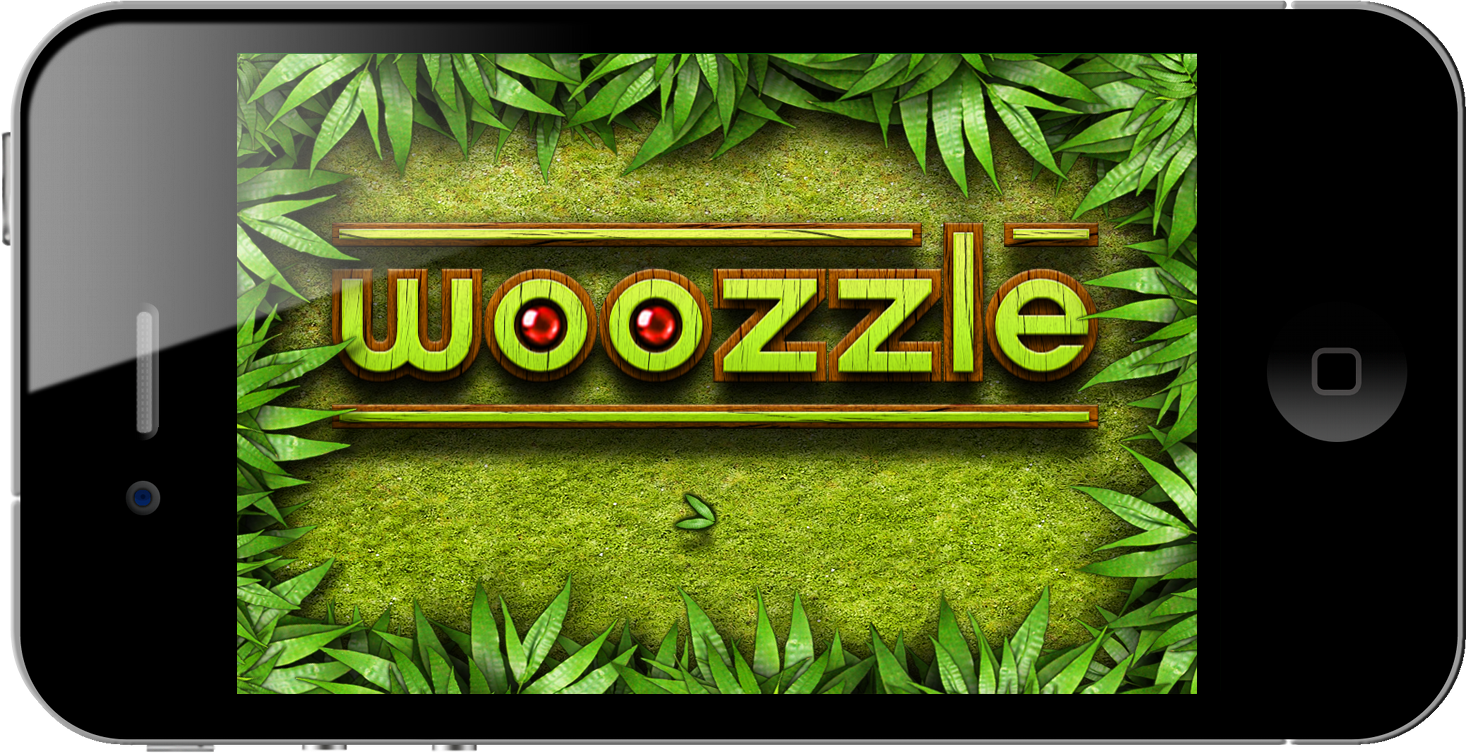
A good time-based brain teaser takes considerable skill and mental coordination to solve, and with Woozzle you’ll be shifting colored orbs around a series of mazes to complete the colored wheels and earn your right to a perfect 3-ball’d perfect score (the equivalent of earning three stars in Angry Birds). Woozzle spits out a series of colored orbs which fall into open slots on wheels that can be spun and aligned with maze-like ramps where you can swipe the orbs onwards to the appropriate destination. Becoming increasingly complicated as you progress, you’ll soon have to manage several paths that change direction thanks to levers, while managing incoming orbs and competing to solve the puzzles as quickly as possible. The puzzles aren’t terribly difficult to solve (you can take as long as you need to get through the sometimes grueling levels), but the faster you complete the objective, the higher score you’ll obtain. Excellent management skills are a must: you’ll have to control multiple wheels at once to prevent orbs from bouncing back and to compete for the best times.

Read more