This Week's Sponsor:

Turbulence Forecast

Know before you go. Get detailed turbulence forecasts for your exact route, now available 5 days in advance.


Posts tagged with "app store"

iOS Game Developers - Is $0.99 Too Low?

iOS Game Developers -  Is $0.99 Too Low?

Interesting discussion over at Pocketful of Megabytes. The author concludes:

So is $0.99 really too low? Well, yes and no. It’s not too low, because that’s where it needs to be for games in this ruthless and uncharted territory to prosper (and because consumers love cheap goods), but it is too low because it inaccurately depicts the worth of a game’s contents. Without higher profits, money cannot be spent on improving the overall quality of the content found therein. Low profits mean low budgets and low budgets mean cheaply-made apps… the price tag is low out of necessity. It’s not ideal, but we’re stuck with it.

With $0.99 apps you attract more customers, but hard work is undervalued. On the other hand it is true that you never know what app you’re going to buy (no trials), but we also have to consider Apple’s 30% cut on those .99 cents.

So here’s an idea. What if Apple discontinued the $0.99 price tag, and automatically raised all prices to $1.99 – thus making it the lowest price point? Perhaps a more feasible business model for indie developers?

Would that stop you from buying the next Angry Birds or Trainyard?
Permalink

Warner Bros’ Ingenious Move: Sell Movies As Apps

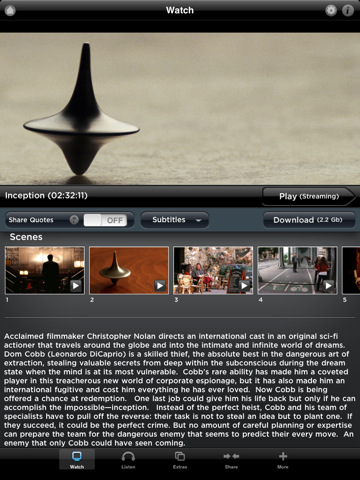
A day after the release of the updated iOS App Store Review Guidelines, it appears that Warner Bros. has already figured out a better way to avoid the iTunes Movie Store’s country limitations and offer content for all mobile devices and users: they are selling movies as apps. The apps, Inception: App Edition and The Dark Night: App Edition, are actually quite interesting as they pack a lot of extras like interactive video trivia, soundboard, ringtones and art galleries, thus seemingly respecting Apple’s new rule on songs, movies and books sold as applications:

2.21

Apps that are simply a song or movie should be submitted to the iTunes store. Apps that are simply a book should be submitted to the iBookstore.

These are not “simply a movie”. Warner Bros. has built two apps that offer a native interface for iPhone and iPad, they are available for free in the App Store and allow you to stream a movie or download it for $11.99 and $9.99, respectively. The Inception app, for instance, even comes with movie posters,” behind the scenes” content and music by Hans Zimmer that you can stream via AirPlay. No details on resolution / quality, but it appears that everything can be streamed on 3G as well – perhaps the apps adjust quality automatically basing on your connection’s speed.

This is interesting, as Warner Bros. has cleverly implemented in-app purchases and the features offered by building a native app to bypass Apple’s guidelines and, overall, provide a great experience to customers. We would like to see more of these experiments in the future. [Inception, The Dark Knight via 9to5mac]


A Week After Verizon iPhone Launch, AT&T CEO Is Unhappy About The App Store

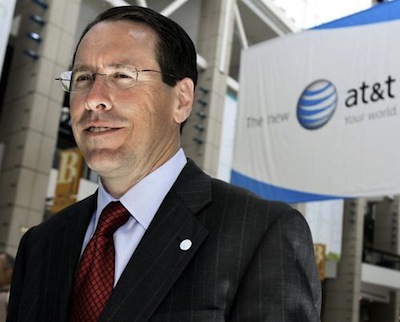
AT&T CEO Randall Stephenson doesn’t think the App Store model is what consumers want. In fact, a week after the public release of the Verizon iPhone (AT&T has been the iPhone’s exclusive carrier in the US since 2007), he thinks carriers (surprise) should sell apps to consumers as HTML5 pieces of software available through the “Wholesale Applications Community” – an app store set up by carriers.

Stephenson doesn’t explicitly mention Apple, but the statement speaks for itself:

You purchase an app for one operating system, and if you want it on another device or platform, you have to buy it again,” Stephenson said in a keynote speech at the world’s largest mobile-phone trade show in Barcelona, Spain. “That’s not how our customers expect to experience this environment.

The move to universal webapps that run on any environment is great, we just think the timing of this statement is quite interesting. After all, AT&T isn’t happy about losing exclusivity of the iPhone in the United States. And the commercials prove that, in a weekly effort to convince consumers that their network is better, while just about any review of the Verizon iPhone confirmed that Big Red’s network is more reliable, although slower with data transfers.

Still, AT&T, Sprint, Verizon and T-Mobile have all teamed up to sell HTML5 apps in the Wholesale Applications Community. I wonder if this app store will come with an iPhone-optimized mobile interface. [via The Loop]


Are iOS Game Prices Creating Culture of Disposability? Nintendo Boss Thinks So

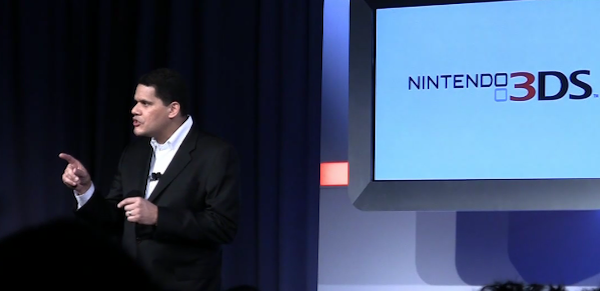
The head honcho of Nintendo North America, Reggie Fils-Aime has criticized the price levels of apps in the iTunes App Store claiming that the low prices create a “mentality” for consumers that portable games should only be a few dollars. Fils-Aimes who is the Nintendo North American president and chief operating officer felt that such a mentality also breeds a culture that believes content is disposable because of the cheap price and that this was one of the gaming industries biggest risks today.

Whilst Fils-Aime’s is not the most independent commentator on this issue with his company’s Nintendo DS platform directly competing with the gaming aspects of iOS, his points do have some validity. Games on the App store have tended to be below $5 compared to DS and PSP games that are typically well above that range. The presumption is the Fils-Aime’s fears that the App store prices will spread across to all platforms and lead to more gimmicky, simplistic games rather than well though out, in-depth game experiences.

Read more


Mac App Store Gets Purchase Confirmation Warning

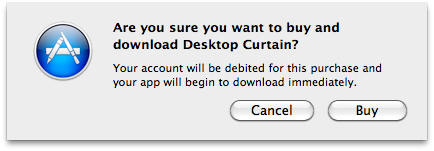
When Apple launched the Mac App Store on January 6, one of the most notable missing features was the “purchase confirmation warning” when buying apps. We’re talking about the dialogue box that usually pops up in the iOS App Store when you’re logged in with your Apple ID and you hit the “Buy” button; the confirmation warning is an effective way to help users prevent accidental downloads (and thus credit card charges) when browsing the Store. It happened a few times in the past that I was scrolling a list of apps (usually the Top Paid chart) and accidentally clicked on the button to download a (paid) app.

The Mac App Store now displays an additional pop-up menu after clicking the “Buy” button in the Store. It appears that there is no option to disable the warning for now, unlike the iOS App Store. As you can see in the screenshot above, you’ll have to click on a second “Buy” button before start downloading an application.

The feature is a nice addition, although we would like to have it as an option, rather than enabled by default. Other features we’re still waiting for include a better uninstallation process (would be great to have an Uninstall tab in the Mac App Store’s window), possibility to gift apps and a Wish List, which is still surprisingly missing from the Mac App Store.


Digital Magazines for iPad: An Example Of Bulkiness

Digital Magazines for iPad: An Example Of Bulkiness

Nick Bilton, reporting for The New York Times:

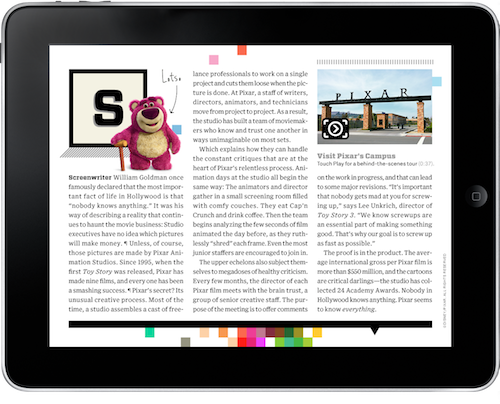
This morning I decide to try a little experiment: I opened up my iPad, clicked on the little Wired icon and purchased the magazine’s latest digital issue. After I agreed to fork over $4, it began downloading. For the next phase of the experiment, I grabbed my car keys, left my apartment and drove about 12 blocks to a local magazine store in Brooklyn, where I also purchased the latest issue of Wired magazine, this time in print.

I didn’t run any red lights, or speed, or park illegally during my shopping expedition. Yet when I returned home with the glossy paper product in hand, the digital iPad version still hadn’t finished downloading to my iPad. Anybody who reads Wired would call this an Epic Fail.

I couldn’t agree more. Having to download hundreds of megabytes, and having to wait several minutes (hours, for many) for the download and install processes to finish doesn’t simply make sense. Especially when the digital magazine you’ve purchased is nothing but a series of static images with no interaction at all. Digital magazines need to be more than this.

Permalink

The iPad, Perfect for Coffee Table Apps

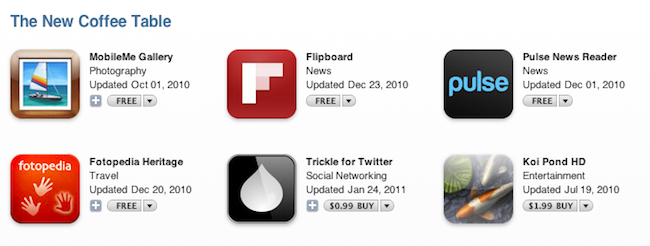
In a new App Store section that went live last night, Apple is featuring a series of apps the company thinks are well-suited for the iPad, specifically when placed on a coffee table. These apps, organized in “The Classic Coffee Table” and “The New Coffee Table” sub-categories, include gems like Flipboard, Trickle, Fotopedia Heritage, Ions and Aweditorium. Apple’s own iBooks software is featured as well, together with the art-related apps Van Gogh HD and The Monet Album.

Coffee Table Apps is an interesting section because it groups applications coming from a variety of categories in the App Store, not strictly related to each other. There are particle visualizers like Uzu, newspapers and magazines like The New York Times and LIFE, educational apps like Elements and Solar System for iPad.

Check out “Coffe Table Apps” in the App Store here.


Finally: Previous Purchases Coming To iOS App Store

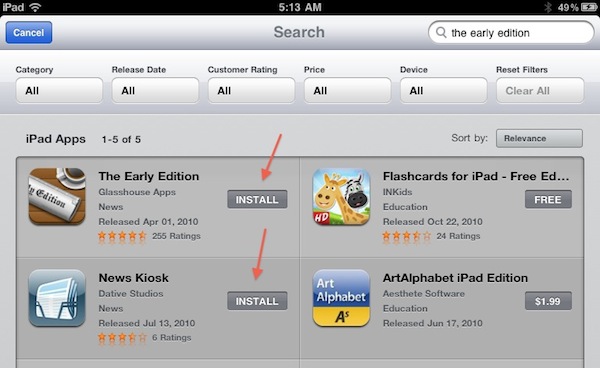
Apple is updating its iOS App Store tonight. After search filters, Apple added a much requested feature: apps already purchased get an “Install” button instead of the usual “Buy” one. Why is this a big deal? Because having the “Buy” button was confusing, as it wasn’t easy to remember which apps you had already bought. Now, if you’re trying to install an app you have already bought one, it’s much easier.

Sure, it’s not as useful as the “Purchases” tab in the Mac App Store (which lets you see all your app purchase history at once), but we think this is a great (and much needed) first step nonetheless. The new feature is only enabled on the iPad App Store right now, but it shouldn’t be a problem for Apple to add it to the iPhone and iPod touch as well (unlike filters, which require some screen space).

Thanks, App Store team.


New In The iPad App Store: Search Filters

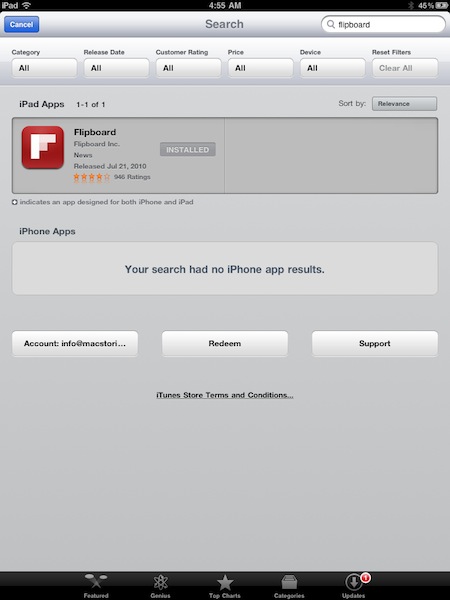
Looks like Apple rolled out a new neat little feature in the iPad App Store: search filters. When you browse the App Store from your iPad (mine is running iOS 4.3 beta, but I guess the change is live for everyone) and start searching for an app, five filters will appear under the top bar: category, release date, rating, price and device. Filters can be adjusted from a popover, and there’s also a button to clear all filters.

The feature is quite useful if you’re into searching for apps through your device’s App Store, so go check it out. More screenshots below. [Thanks, Shane!] Read more