This Week's Sponsor:

Turbulence Forecast

Know before you go. Get detailed turbulence forecasts for your exact route, now available 5 days in advance.


Posts tagged with "apple"

App Store Updates: “Previous Picks” for Apps Of The Week, More Sections

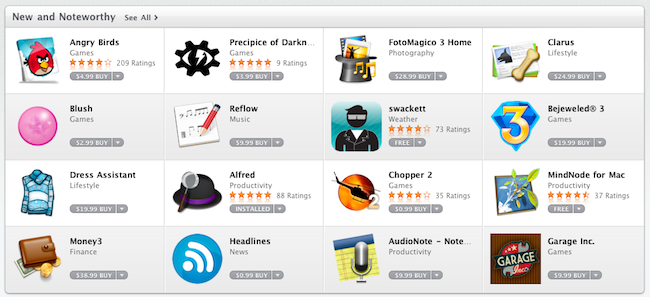
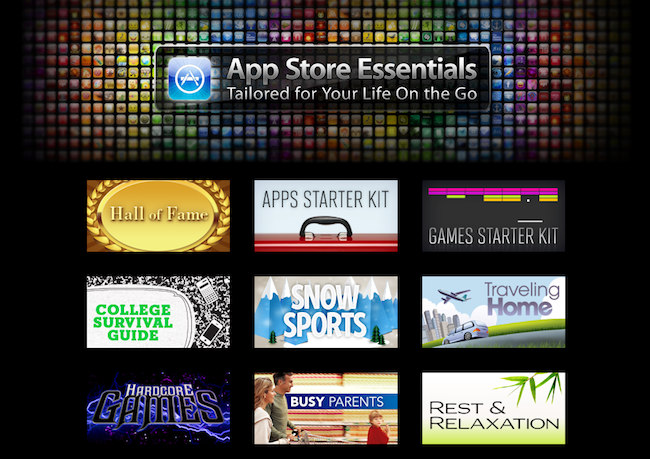
Just like every Thursday, Apple has updated the homepage of the iPhone and iPad App Stores to include this week’s featured apps, updated New & Noteworthy sections and staff picks. This week’s refresh, though, comes with a few more surprises.

First off, we’re one week into the Mac App Store: Apple started refreshing the homepage of the new Store as well, although no custom sectionshave been launched. Guess Apple is still waiting for more Mac apps to become available. Anyway, go check out the updated Mac App Store homepage, as some sweet apps and games like Compartments and The Incident are being featured. Read more

Apple Releases iOS 4.3 Beta, Here’s What’s New

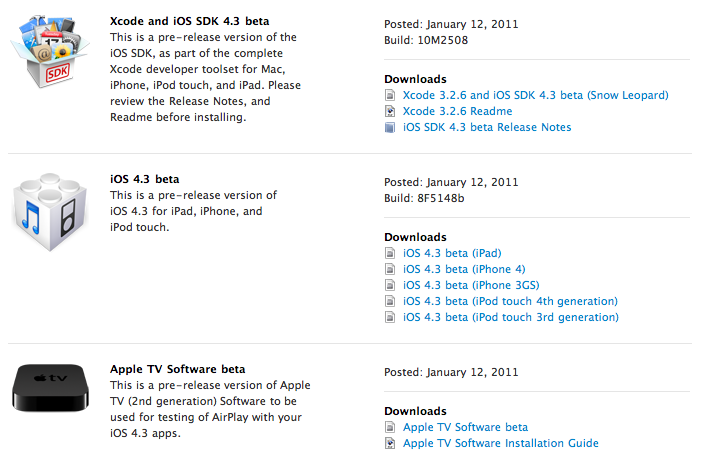
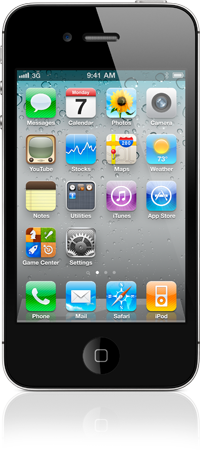
A few minutes ago Apple released iOS 4.3 beta to developers. It’s available now in the iOS Dev Center. The beta is available for iOS devices and the second generation Apple TV. Supported iOS mobile devices are iPad, iPhone 4 and 3GS, iPod touch 3rd and 4th gen. Build number is 8F5148b. A pre-release version of the Apple TV software has been provided to test AirPlay functionalities with 4.3 apps.

It looks like iOS 4.3 has some cool new gestures built specifically for the iPad. 4 & 5 finger gestures; pinch to the home screen, swipe up to reveal multitasking tray, swipe left/right to switch apps. Update: even though Apple says the gestures are there, I can’t seem to be able to use them at all. They don’t work for me in Apple’s own apps, and there’s no option to activate them in the Settings. We’re hearing several reports of other users unable to use these gestures. Read more


Prediction! 200 Million FaceTime Devices in 2012

Oh, you’ve got to love analysts’ predictions on forthcoming Apple products and sales figures. Why? Because most of the times they’re just plain wrong. Still, they’re pretty fun to read so, here we go: according to Barclay’s analyst Ben Reitzes, Apple will have 200 million FaceTime-enabled devices out in 2012. Thanks to what he calls the “FaceTime networking effect”, Apple will be able to gain a terrific user base with a simple video calling system that most competitors won’t be able to replicate with their alternative video conferencing solutions. Read more


Behind The Scenes Of The Verizon iPhone

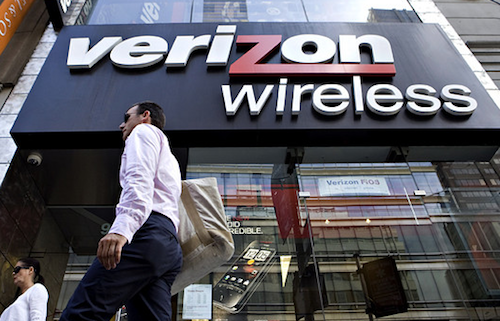
Bloomberg reports of some interesting details behind the Apple / Verizon deal that made possible for the two companies to announce the iPhone 4 on Verizon starting February 10. The Verizon iPhone, as you may know, was one of the most anticipated devices in the United States because of the 4-year long AT&T exclusivity and the reported poor performances of the carrier in some areas.

First off, about the lack of Verizon branding on the CDMA iPhone 4, it looks like Verizon simply had to get along with it as Apple never puts logos on their devices and they really wanted to have the device in their portfolio anyway.

To reach a deal, Apple and Verizon had to reconcile different approaches to branding. Verizon puts its stamp on other manufacturers’ devices, including phones from Research In Motion Ltd. and Motorola. By contrast, only Apple’s name appears on the iPhone.

“They don’t put a lot of logos on their phones,” McAdam said in the interview. “So that wasn’t a major issue for us.”

Watching the success of the AT&T-Apple partnership may have led Verizon to accept a similar deal, said Jean-Louis Gassee, a former Apple executive who is now a venture capitalist at Allegis Capital in Palo Alto, California.

Read more


Enable Hidden Mac App Store Debug Menu

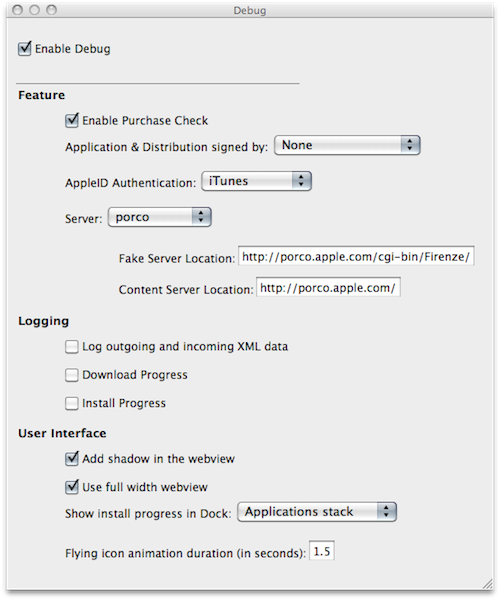
We’re not sure why the average Mac App Store user would want to do this, but we couldn’t resist to post about the Debug menu Apple left behind in the Mac App Store. Discovered by Daniel Jalkut of Red Sweater earlier today, enabling the menu is fairly easy: you just need to quit the Mac App Store, open Terminal and write:

defaults write com.apple.appstore ShowDebugMenu -bool true

Then relaunch the Mac App Store. To revert back to a Mac App Store without Debug menu, simply replace “true” in the string above with “false”. The menu, anyway, is quite interesting as it allows you to play around with a bunch of hidden settings such as shadows and width in the App Store’s webview, the animations and duration of “flying icons” (when you download an app and it goes straight to the Dock). You can also enable and disable the Purchase Check, although we wouldn’t really recommend to tweak these default settings – you don’t want to break the Mac App Store app.

We think this Debug menu will be removed in a future update, as Apple doesn’t want users to modify, or even see, this stuff. Still, you can check it out for now.


Spotted: History of Apple’s Devices

Spotted by TUAW at iLounge’s CES booth, here’s a gallery of Apple’s mobile devices through the years. The collection starts from the original iPod in 2001 and goes straight to the latest iPhones and iPods released in 2010, with the exception of the iPad, which is probably not considered a mobile device by iLounge either.

Looking at the photos, it’s clear how much is changed in 10 years. Even more than iTunes’ interface. Look at the original iPod, or a model from 2005 and 2006 and then take a look at the devices listed under 2007 and 2008. The difference is enormous. Sure, the iPod Classic is still alive and kicking (I have a 160 GB one right here), but we know the majority of consumers are buying iPod touches or Nanos now. These photos are the best example of Apple’s evolution and refinement process from 2001, and then 2007,  through today.

Check out the full gallery here.


How Apple Could Fix The Issue with “Installed” Mac App Store Apps

How Apple Could Fix The “Installed” Mac App Store Issue

Since the Mac App Store launched yesterday, hundreds (if not thousands) of users noticed that apps previously installed on a Mac through a developer’s website show up as, well, “installed” on the Mac App Store. That may lead you to think the new Store can handle updates for apps purchased and downloaded out of it just fine, but it can’t. Either a bug or a “feature” in Apple’s system, those apps seems to be “installed” simply because the Mac App Store sees the bundle identifier of an app already present on your Mac’s hard drive. So say you have iPhoto, Pages, Panic’s Coda or Coversutra already installed on your Mac and you fire up the Mac App Store, those apps may be listed as “Installed”. But they won’t go through the handy automatic update process apps you really purchase in the Mac App Store have. It happened to me. And if you ask me, that’s bad user experience.

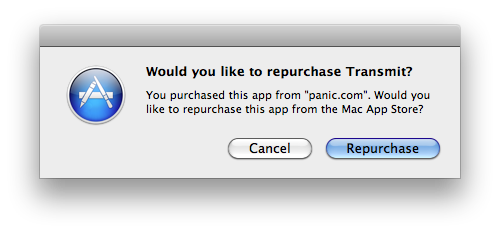
Daylen Yang has an interesting mockup on his personal blog of a simple feature that could fix this issue of apps showing up as “Installed”. Apple could simply offer a way to re-purchase applications found on your Mac although, yes, you’d have to pay again. But considering that several developers are moving to App Store-exclusive applications offering discounted prices now looking forward to future free version upgrades (example: you can buy Pixelmator again now at $29, but the future 2.0 version will be a free update), it doesn’t sound like a bad idea. Or, Apple could evolve the concept seen in this mockup developing a way for the Mac App Store to recognize installed apps and provide more detailed information and options about what you can do.

Permalink

Verizon iPhone Announcement on Tuesday, Jobs To Join On Stage

Earlier today, Verizon sent out invitations for a special event the carrier will hold on Tuesday, January 11 in New York City. As the invitations went out and media outlets started reporting about it, speculation immediately arose about the event being focused on a very special announcement: the long-awaited Verizon iPhone. By making a few guesses basing on the invitation list ( Jim Dalrymple of The Loop, MG Siegler of TechCrunch and Andy Ihnatko were invited – they’re all Apple reporters / bloggers) and through some rumors heard earlier today about Apple imposing a vacation freeze on its employees in the first week of February, many are reporting the speculation is real, and the Verizon iPhone will be announced on Tuesday.

The Wall Street Journal weighed in to confirm the carrier managed to close a deal with Apple and will be able to sell a CDMA version of Apple’s phone. Daring Fireball’s John Gruber says it’s going to be about the Verizon iPhone as well. On a side note, tech blog Gizmodo wasn’t invited to the event – they say it’s because Apple isn’t inviting them to events anymore after the iPhone 4 leak last Spring.

All Things Digital is now reporting Apple CEO Steve Jobs will join Verizon’s President and COO Lowell McAdam on stage for the announcement.

While the appearance isn’t 100 percent assured, sources in position to know tell me that, barring any unforseen circumstances, Jobs will likely join McAdam onstage in New York when he announces the addition of the iPhone to its handset line-up.

For Verizon customers waiting for the iPhone and current users willing to switch on Big Red’s networks, it looks like the wait will be finally over on Tuesday with the iPhone on Verizon announcement.


Mac App Store: 1 Million Apps Downloaded on Day One

This morning Apple announced that more than 1 million apps were downloaded from the Mac App Store on Day One. The Mac App Store was launched yesterday with around 1,000 apps available for OS X computers. According to Steve Jobs, “Developers have done a great job bringing apps to the store and users are loving how easy and fun the Mac App Store is”. The Mac App Store indeed offers an easy and fun purchase experience, although it’s pretty clear that some apps don’t exactly follow Apple’s own interface guidelines or aren’t exactly “best of the breed” of Mac software.

The Mac App Store undoubtedly changes the landscape of independent development for the Mac and software installation on OS X. One million downloads in 24 hours isn’t too bad, and we’ll see how these stats will pan out in the next weeks.

Read more