This Week's Sponsor:

Turbulence Forecast

Know before you go. Get detailed turbulence forecasts for your exact route, now available 5 days in advance.


Posts tagged with "apple"

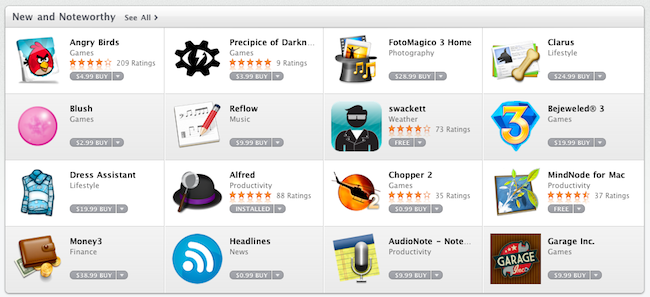
Mac App Store Impressions: Elegant, Some Apps Are Expensive, Others Suck

Today’s a pretty hectic day. Apple officially launched the Mac App Store as part of OS X 10.6.6 a few hours ago and mostly everyone in the Mac community is now playing around with the new Store, busy installing paid and free apps, trying to find what’s already good and what could have been done a lot better.

After a few purchases, free downloads and some minutes spent to get used to the new UI brought by the Mac App Store, we have some first impressions to share. Read more


Apple Releases OS X 10.6.6 and Mac App Store

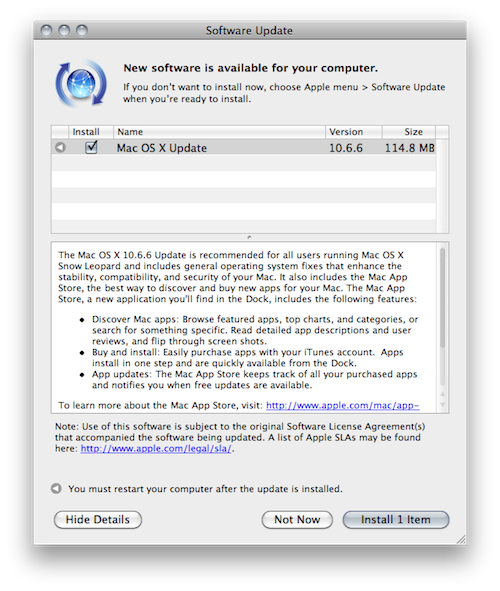
A few minutes ago Apple released OS X 10.6.6 with access to the Mac App Store in Software Update. It is available now as a free 114 MB download for Snow Leopard users. As noted by Macworld, the Mac App Store already includes some apps from Apple such as the iLife ‘11 suite with standalone apps sold at $15 each. Sadly, there’s no iWork ‘11 in the Mac App Store – the iWork ‘09 apps are sold at $20 each.

Aperture and Apple Remote Desktop are also on sale in the Mac App Store, both available at $79.99.

Full changelog and first screenshots of the Mac App Store below.

Update: here are the direct links to the OS X 10.6.6. update.

- Mac OS X v10.6.6 Update

- Mac OS X v10.6.6 Update Combo

- Mac OS X Server v10.6.6 Update

- Mac OS X Server v10.6.6 Update Combo

Update #2: And here’s everything you need to know about the Mac App Store.

Read more


Apple Releases OS X 10.6.6 and Mac App Store

A few minutes ago Apple released OS X 10.6.6 with access to the Mac App Store in Software Update. It is available now as a free 114 MB download for Snow Leopard users. As noted by Macworld, the Mac App Store already includes some apps from Apple such as the iLife ‘11 suite with standalone apps sold at $15 each. Sadly, there’s no iWork ‘11 in the Mac App Store – the iWork ‘09 apps are sold at $20 each.

Aperture and Apple Remote Desktop are also on sale in the Mac App Store, both available at $79.99.

Full changelog and first screenshots of the Mac App Store below.

Update: here are the direct links to the OS X 10.6.6. update.

Update #2: And here’s everything you need to know about the Mac App Store.

Read more


To The Future! Apple Granted Liquid Metal Patent For Fuel Cell Casing

To The Future! Apple Granted Liquid Metal Patent For Fuel Cell Casing

Apple’s new patent describes “amorphous alloy” collector plates for fuel cells, an electrochemical battery that uses hydrogen to generate electricity. Although the patent doesn’t reference the Liquidmetal trademark, the material is an amorphous alloy or “ metallic glass.”

Last year, Apple signed an exclusive agreement to use the Liquidmetal Technologies’ IP in consumer electronic products. But of course, the ever-secretive company hasn’t hinted at its plans for the material. The possibilites are endless. Liquidmetal is a super lightweight, high-strength, scratch-proof metal that NASA says is “poised to redefine materials science as we know it in the 21st century.”

I don’t think we’ll see anything like this our next iPhone, but the prospect of having a fuel cell iPhone is intriguing. If you thought battery life was excellent now, just imagine not having to charge your iPhone for an entire month. The collector plates enable the chemical reaction that generates power - liquid metal is preferred because of it’s strong qualities as being durable and anti-corrosive.

Permalink

The Japanese Government Wants Apple To Add Filters To The iPhone

The iPhone is becoming one of Japan’s best selling smartphones – something quite strange for a country that’s not usually huge on products coming from the States, or Europe – and now the Japanese government is asking Apple and Softbank, the iPhone carrier in the land of the Rising Sun, to add content filters on the iPhone by default. To prevent teenagers from accessing “harmful” web content (can we have a guess? porn) and, generally, stuff they shouldn’t be able to see on a smartphone, the National Police Agency requires handsets markers to ship devices with this kind of filtering.

As you can imagine, this isn’t going to be easy for the Japanese government and Softbank, who’s just the middle man between Cupertino and the Japanese folks lining up to buy iPhones every day. Softbank can’t install proprietary code on the iPhone – they should open an iPhone first and find a way to give it to customers with some filtering software enabled. But we know iOS doesn’t allow for these kinds of software to be installed. So it’s all on Apple now, which has to evaluate whether or not they should follow the Japanese government’s request.

The way I see it, Japan will have to wait for filters to come on their iPhones for a long time. [via TUAW]


With The 1.4 Update, Dialvetica Aims At Replacing Apple’s Phone App

Dialvetica is a “contact contacter” for the iPhone developed by the same creators of the hugely popular Calvetica calendar application. In his review of the first version of Dialvetica, Chris wrote:

Dialvetica is such a breeze to use, and once you get your contact defaults set up, prepare to move your Contacts.app to a folder and off the home screen. Where else can you email, call and SMS within the same app and keep it clean and simple? It’s also faster than using iOS’s Spotlight too.

Dialvetica is faster than Apple’s contacts app, but most of all it allows you to quickly call, email or text someone with just a few taps. Thanks to a custom “sticky” keyboard that sits at the bottom of the app, you’ll be able to filter out your contacts list and get to the friend you need to email the party invitation to. Dialvetica learns from your habits and will display the most contacted people at the top of the window over time.

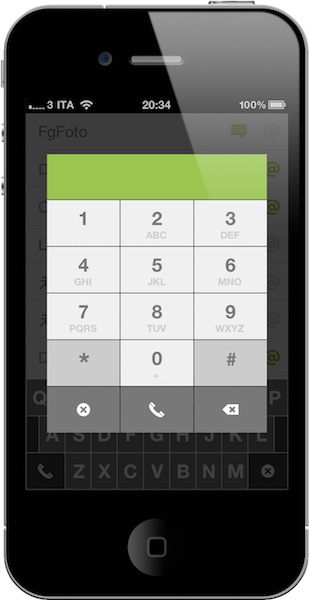
With the latest 1.4 update, which is propagating in iTunes now, Dialvetica aims at completely replacing Apple’s Phone app in your dock. With the introduction of a custom dialpad, the app now lets you compose phone numbers, but as you can guess relies on the Phone app to initiate the actual calls. The advantage is that if you’ve been using Calvetica to quickly go through your contacts, you can now use it to make phone calls, too, and put Apple’s phone app in a folder away from your homescreen.

I don’t know if I’m going to replace Favorites on my iPhone with this, but I’m pretty sure thousands of users will find Dialvetica 1.4 the best alternative to the stock phone application. Give it a try.


Final Cut Update Coming in April, Beta Version for Lion In Testing Stage?

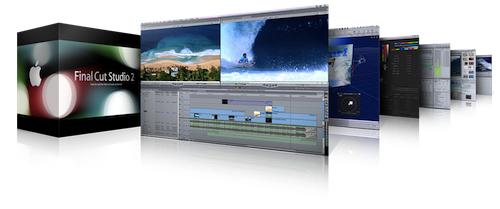
French rumor site Hardmac is reporting that, according to their sources, Apple is testing beta versions of Final Cut for Snow Leopard and the upcoming Lion OS, with an update to the pro suite coming in March or “early April”. In November, Steve Jobs told a customer to “stay tuned and buckle up” for a Final Cut update, while previous rumors suggested a huge update was set to come out in the first months of 2011.

Hardmac reports that the Final Cut beta for Lion sports some exclusive features due to changes Apple is making in QuickTime for 10.7. Spring is usually a great time for new Apple product launches (iPad, MacBooks) and we wouldn’t be surprised to see the Final Cut suite finally being updated and promoted together with some new computers. Read more


Apple Patented Gestures For When You’re Not Looking At The Screen

Multi-touch gestures are great. With natural gestures like pinch, swipe and tap you can flick through your photos, scroll webpages, point items. The obvious downside is that, in order to confirm a gesture has worked properly, you need to look at the screen. And when the screen is not a MacBook’s one but an iPod touch and you’re running for your daily workout session, you can guess looking at the screen can become quite a task. That’s why Apple put buttons back in the Nano, for instance, but the engineers at Cupertino think it’s not enough.

Apple has, in fact, patented a way to perform certain multi-touch gestures and have actions happen on screen without actually looking at it. According to the patent, people could perform gestures similar to the commands on Apple’s own earbuds, or adjust the playback volume with a circular gesture similar to the classic iPod’s click-wheel. Other “special gestures” are mentioned in the patent.

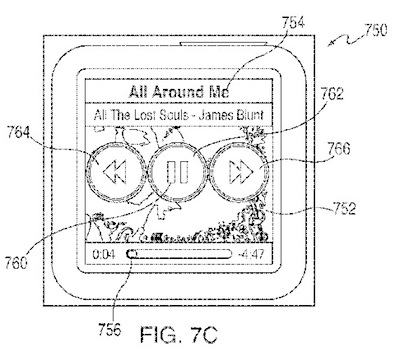
The device used in the patent filing is a sixth generation iPod Nano, something that would suggest Apple is looking forward to a firmware update to enable more features, and gestures, in the device. Or maybe, the Nano being depicted in the patent is simply used to illustrate how Apple may implement “lookaway” gestures in future mobile devices.