Posts tagged with "apple"

An Ecosystem’s Uniqueness and Similarities

Over the past 24 hours I’ve seen a lot of words thrown around about Windows 8, ecosystems, operating systems, and what should Apple do in regards to Microsoft’s all-in-one attempt to deny the post-PC era altogether by unifying PCs and post-PC devices in a single OS.

There’s some great commentary about this already out there. What I’d like to briefly touch upon is this: does Microsoft’s approach with Windows 8 confirm a somewhat popular argument – that Apple is ultimately breaking, not unifying, the experience with the distinction between iOS and OS X?

It’s easy to look at the issue from such a perspective. If Windows 8 runs on all devices – let’s pass on Windows Phone 7 for smartphones – then that’s most definitely a real ecosystem, not Apple’s. As iOS and OS X are two different operating systems (different distribution methods, installers, frameworks, GUIs, native apps, names) running on at least three different form factors (the phone, tablet, and laptop), Apple’s “lock-in” strategy comes out defeated in the confrontation against Windows 8.

I don’t want to argue on which OS is “better” (a definition that doesn’t even make sense, right now) or which one will sell more copies; rather, I believe there are a few key areas that several early commenters of the Windows 8 Developer Preview failed to highlight.

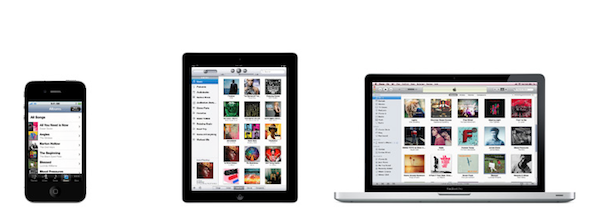
In Apple’s vision, separate operating systems can live inside the same ecosystem. The single defining aspect of this vision is the Apple ID, which on iOS devices, Macs, PCs, and web browsers gives you access to:

  • Songs, Movies, TV Shows, Books, Podcasts;
  • Apps;

  • The Apple Online Store;

  • Your iOS device’s location (still free with MobileMe);

  • Email, Calendar, Contact and data sync with MobileMe;

  • Your desktop operating system (with Lion’s Apple ID support).

For as much as it’s difficult to keep this all together with a single Apple ID, that’s what it does. Soon, Apple will introduce iCloud to overhaul MobileMe’s syncing capabilities and turn them into seamless pushing of documents, data, and media across devices.

In fact, you may remember Steve Jobs demoted the Mac to just a device back at WWDC. Why? Because the Mac isn’t more “important” than an iPhone or iPad anymore. The ecosystem (and iCloud is a big part of that) is what matters now. Yet this vision doesn’t imply multiple OSes mean separate ecosystems: iCloud is one, and it works on iOS, OS X, Windows PCs, and the web.

Sign of Apple’s appreciation of a single ecosystem can be found in the iWork suite, the Apple Online Store, and even Ping.

In this context, Apple’s strategy isn’t too dissimilar from Microsoft’s. After all, Redmond has got its own set of web platforms, too, and Windows 8 will feature an App Store and other kinds of tablet/PC integration. But there is a key difference that some people, when comparing Windows 8 to “Apple”, surprisingly omit: based on what we’ve seen (that is, the first, incomplete, buggy Developer Preview), Apple’s ecosystem strategy is nothing like Microsoft’s.

Apple wants to build a single ecosystem by keeping its OSes separate. They want to do so because they believe the similarities that keep the ecosystem together are equally important as the uniqueness of each operating system – its strengths and virtues and hardware features.

Today I asked on Twitter: Would Apple fans applaud an iPad that runs both iOS and OS X? By far, the response was “no”. The reason’s simple: iOS was built with multi-touch in mind, whereas touching a Mac’s screen is still awkward (and doesn’t work). In its very own nature, OS X works with clicks and drags, not taps and swipes. Lion epitomizes Apple’s intention to enable some kind of deeper touch interaction with Macs sometime in the future, but the fact still holds true: you can’t touch OS X. iOS and Lion look similar in order to carefully transition the users from a platform to another in the ecosystem stream, but they’re unique and true to their own interfaces, interaction schemes, and destination hardware.

You will be able, however, to touch Windows 8 on a tablet. Or to scroll Windows’ Metro with a mouse wheel on a desktop PC. And here’s where I believe Apple and Microsoft, ultimately, diverge: Apple is creating an ecosystem that works with multiple OSes, provided these OSes run on the devices they belong to. For Microsoft, on the other hand, Windows itself is the ecosystem, and that has to be integrated on every device. There is a subtle difference between ecosystems and OS uniqueness, and you’ll be the judge of which strategy will win over the other two years from now.

There are several ways to build an ecosystem. I don’t know if I’ll like Microsoft’s one, but I’m sure there will be both subtle and key differences to consider when comparing it to Apple’s future strategy.
VMware Releases Fusion 4, Brings Full Lion Support

VMware Fusion 4 has today been released by VMware, the latest version of the popular emulation software for running Windows on Macs. It comes just two weeks after Parallels Desktop 7 became available, which brought significant enhancements to the software when running on Lion.

Enhancements to VMware Fusion® 4 make it a breeze to run Windows and Mac applications side by side on a Mac,” said Pat Lee, director, client product management, VMware.

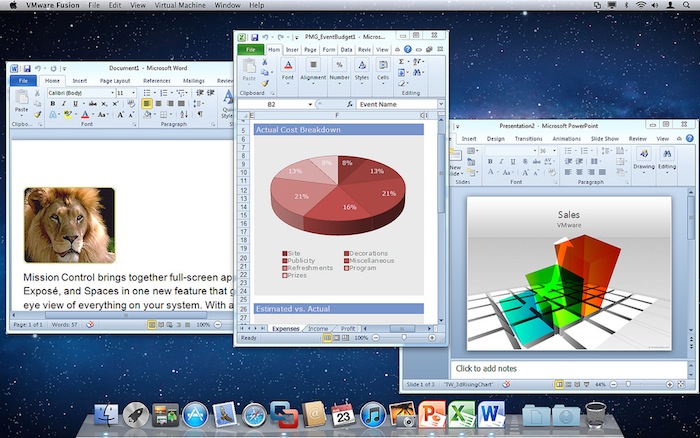
Todays update to VMware Fusion similarly brings full support for Lion including the ability to add Windows programs to Launchpad, Mission Control support and even utilising full-screen mode. Furthermore, VMware claims that performance has also been improved markedly,  potentially running up to 2.5 times faster than previous versions of Fusion. Other new features include the support for running Lion in a virtual machine (as per Lions new License Agreement) and more of a “Mac-Like Experience” when running Windows.

VMware Fusion 4 is available from today for $49.99 until the end of the year, when the pricing will revert to $79.99. VMware is also offering customers who purchased Fusion 3 on or after July 20 a free electronic upgrade to Fusion 4. You can purchase it online or at select resellers including the Apple retail and online stores. Jump the break for some screenshots of VMware Fusion 4.

[Via The Loop]

Read more


Microsoft Releases Office 2011 14.1.3 Update, Patches Some Lion Issues

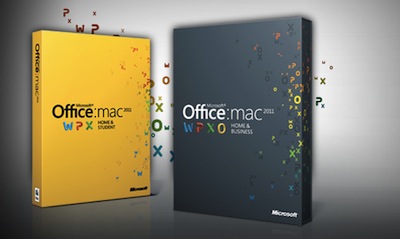
Microsoft announced in late July that it was preparing updates for Office 2011 to fix bugs and generally improve Lion support. That first update finally went live late yesterday, fixing a variety of minor bugs that affected Office 2011 in Lion. Unfortunately one of the biggest complaints when Lion was released was that Outlook 2011 couldn’t import emails from Mail.app - that issue has yet to be fixed, with Microsoft simply disabling the ability to import email on Lion.

As Microsoft’s Mac department revealed back in July, another more significant update for Office 2011 will arrive in a few months. In that update Microsoft has said they will bring support for new Lion features such as Versioning, Auto Save and full-screen mode to their applications.

Jump the break for a full list of improvements, whilst you can manually download the update from the Microsoft Download Center.

[Via TUAW]

Read more


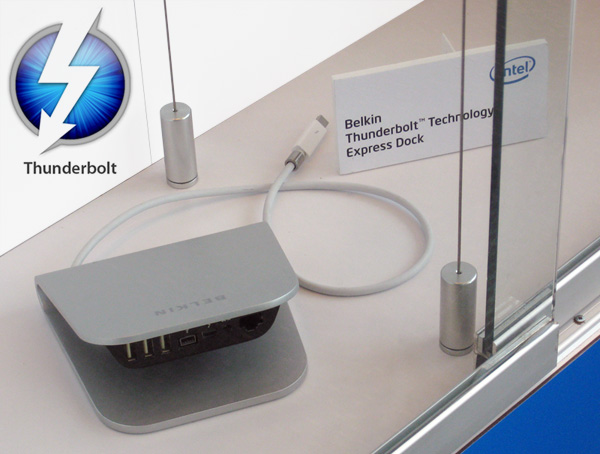
Belkin Reveals New Thunderbolt Express Dock

Today at the Intel Developer Forum (IDF) in San Francisco, Belkin unveiled the Thunderbolt Express Dock featuring 3 USB ports, a Thunderbolt port for daisy chaining, a Firewire port and a Gigabit Ethernet port. DailyTech notes that this is the same port setup that’s found on the new 27″ Apple Thunderbolt Display – it seems very convenient that it’s the same arrangement as what Apple is already using.

The Belkin Express Dock could be very handy for Mac users wanting to expand their current port offering and don’t want to pay $999 for a Thunderbolt display. Pricing and availability have not yet been announced but the price should be reasonably below the cost of a Thunderbolt display. The next question is, will Belkin also include a Thunderbolt cable so you don’t have to dish out an extra $50 for one? [DailyTech]


Apple: A Step Ahead, and Three To The Side

Here’s a thought: Apple isn’t ahead of its competitors only in terms of hardware design, software, and product marketing. When Apple takes a step ahead, it also takes three more to the side – and that’s what’s helping them shape the industry today.

We often refer to Apple as a company “ahead of the competition” with products like the iPhone, iPad, OS X and iTunes. I believe what’s driving the single “step ahead” isn’t the (successful) combination of products and customer satisfaction – it’s the company itself, its culture, the image they want to show to the world. The “step ahead” is Apple’s DNA.

But consider the three steps to the side that help Apple differentiate itself from the competition, and roll out products and services that people are actually willing to pay for. These three steps are taken in regards of hardware, software, and the overall message the interplay of both has to deliver.

Hardware: iPhone, iPad, iPod, Mac. These products have an attractive design, and they’re the result of Apple’s deals to secure components before anyone else at a lower price, for the long-term. That’s why it took months for competitors to figure out multi-touch after the first iPhone, and why Ultrabooks still can’t match the MacBook Air.

Software: iOS, OS X, iTunes, iCloud. Software is the soul to Apple’s products, it is the reason why Apple hardware “just works”.

Message: Apple wants to make the best products in the world. Products they can sell for a profit, and make people happy with at the same time. Through the right combination of prices, attractive design, and marketing, the “interplay of hardware and software” is what defines Apple’s message.

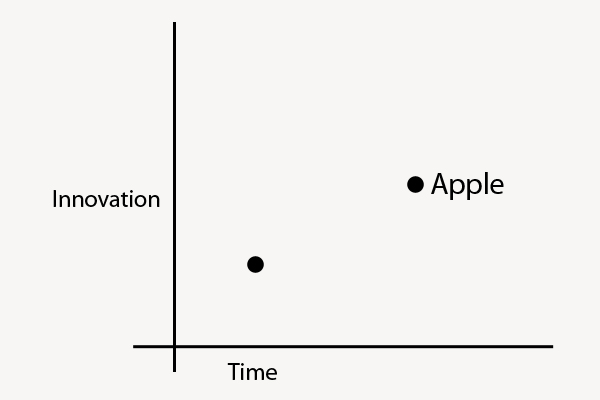
Apple strives to innovate, but wants to do so by being unique with its own hardware, software, and message. Competitors often try to take their risks with either hardware, software, or the message, but they can’t do all three at the same time.

This is where competitors and Apple stand:

You can also think of “Innovation” as “Liberal Arts” and “Time” as “Technology”. When Apple takes a major leap forward, it does so because it’s in their DNA to innovate and sit at the intersection of Technology and Liberal Arts; alongside the single breakthrough in terms of innovation, they take three equally disruptive steps to the side to stand out from their competitors thanks to the great efforts they’ve gone through to advance in technology.

Technology evolves with time. Apple’s three steps allow them to have a considerable time advantage – this is the reason why many phones today still can’t match the original iPhone from 2007.

Four years ago, Steve Jobs said:

iPhone is a revolutionary and magical product that is literally five years ahead of any other mobile phone.

But is still ahead just because Apple kept iterating on the original idea?

Technology isn’t a 100 meters sprint race. Companies that want to be successful can’t keep running the same race, more of the same following more of the same. Just take a look at RIM. Apple knows that technology alone is not enough. And thus evolving with time alone (upgrading the same product with new hardware) won’t matter much if risks aren’t taken other directions as well.

Apple reinvented itself as it was moving ahead. Steve Jobs, announcing the iPad in January 2010:

Everybody uses a laptop and a smartphone. And a question has arisen lately: is there room for a third category of device in the middle? Something that’s between a laptop and a smartphone. And of course we’ve pondered this question for years as well. The bar’s pretty high. In order to really create a new category of devices, those devices are going to have to be far better at doing some key tasks. Better than a laptop. Better than a smartphone. Now, some people have thought…that’s a netbook. The problem is, netbooks aren’t better at anything. They’re slow, they have low quality displays and they run clunky old PC software. So, they’re not better than a laptop at anything. They’re just cheaper. They’re just cheap laptops. We don’t think they’re a new category of device.

Progress, ultimately, is adaptation. This started with the iPhone in 2007, and ends with iCloud in 2011. When iOS 5 and iCloud come out this Fall, there will be a brand new vision – and therefore, kind of adaptation – moving forward. A company that constantly adapts to an ever-changing market generates desires for the new, whilst simplicity and usability lead to customer satisfaction. At a higher level, it is the interplay of progress and simplicity that keeps Apple growing.

Technology and liberal arts aren’t mutually exclusive.


Apple Seeds New Developer Build Of OS X 10.7.2, Incorporates iCloud Beta

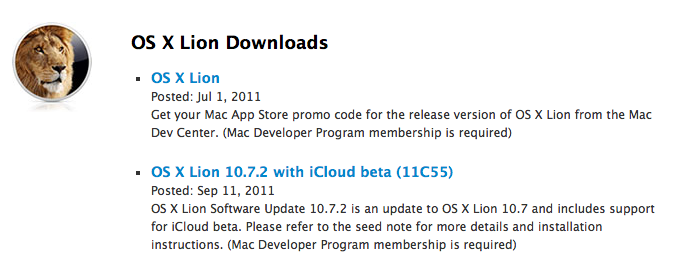
Late last night Apple seeded a new develper preview of OS X 10.7.2, Build 11C55. Of most interest is that this new build now incorporates OS X iCloud components. Prior developer previews had required a seperate download for the iCloud components.

OS X Lion Software Update 10.7.2 is an update to OS X Lion 10.7 and includes support for iCloud beta. Please refer to the seed note for more details and installation instructions.

This latest developer preview of OS X 10.7.2 comes less than 10 days after the last preview and just a few days after new iTunes and iWork developer previews were seeded to developers.


Apple Tweaks Online Store, Adds New iPad Purchasing Wizard

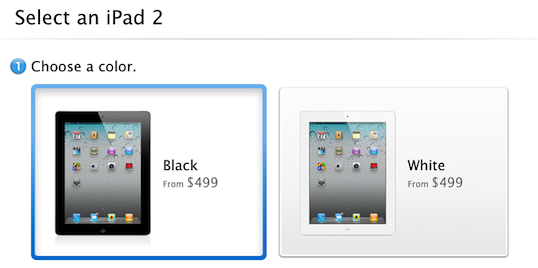
The online Apple Store went down earlier today, but it wasn’t because of any new products. Apple has tweaked their online store with some minor changes, some new features and improved performance. The most noticeable change is an enhanced iPad ordering process that guides a customer through choosing the correct iPad for themselves.

Now when a customer opts to purchase an iPad online, they will be guided not to a list of all the available iPad models but to a simple two or three step wizard. This new selection process starts by asking a customer whether they would like a black or white iPad, then which model they would like - whether it be a WiFi-only or WiFi+3G model and what size storage they want. Then, if a customer has chosen a 3G model they will be prompted as to whether they would like a Verizon or AT&T model - although this option only applies in the US store.

The process is guided by simple questions, short descriptions and large graphics and if a customer needs further help there is a link to a “Get answers before you buy” help page. Curiously this new wizard hasn’t been applied to the iPhone purchase page, which still simply lists all the available models.  Jump the break for a screenshot of the entire selection process, or try it yourself on the Apple Store website.

[Via The Next Web]

Read more


Home Improvement Store, Lowe’s, Deploying 42,000 iPhones

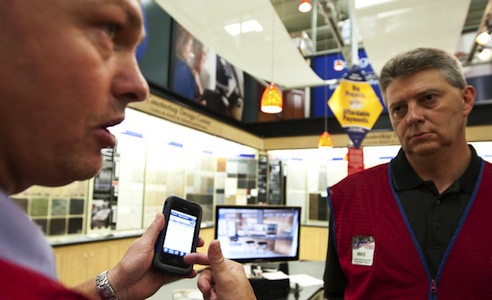
US home improvement and appliance retailer, Lowe’s, has revealed that it is undertaking a significant technological upgrade over the coming months. In addition to overhauling its website, the store is replacing decade old technology in its stores by deploying new technology and products such as iPhones.

The store chain is spending a record amount on technology over this fiscal year, replacing 72,000 computer screens with flat panels, adding WiFi to stores for customers to use and purchasing more than 42,000 iPhones (that’s 25 for every one of Lowe’s 1700 stores).  The iPhones will replace scanner guns from the 1990s and staff will now be able to check product information or even view how-to videos, right as they stand next to the customer.

“Forget about the competition, we are playing catch-up with the customer psyche,” Mike Brown, Lowe’s Chief Information Officer, said.

The iPhones will also eventually be enabled to do more tasks including calling customers or suppliers, emailing, text-messaging as well as processing credit card purchases - similar to how the iPod Touch is used by Apple in their retail stores.

[Via Bloomberg]


Apple Could Already Be Planning A Third Campus To Cope With Employee Growth

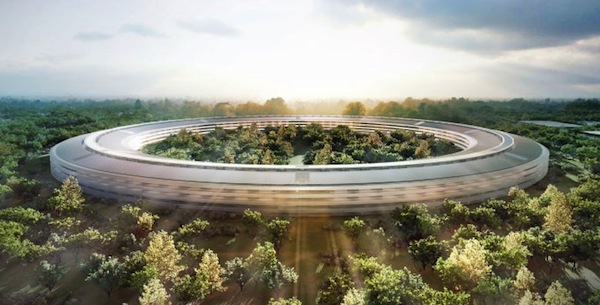
Cupertino City officials will tonight be holding a meeting on Apple’s new ‘spaceship’ campus that was revealed by Steve Jobs himself back in June of this year. It will be the first opportunity that Cupertino residents will be able to raise issues about the project for the City to consider before approval is given for construction. But already, Apple may be planning the construction of a third campus with expected employee growth to be greater than the 13,000 this new ‘spaceship’ campus can hold.

This is according to Cupertino Mayor, Gilbert Wong, who told the Contra Costa Times that Apple Executives have informed him that they are expecting to start working on a third campus at an unknown location after they finish the ‘spaceship’ campus in 2015. Gilbert also notes that within Apple the campuses may just be named as simply as the iPad and iPhone product lines, with this forthcoming ‘spaceship’ campus simply dubbed “Apple 2”.

“I think it makes sense to call it Apple 2,” Mayor Gilbert Wong said Wednesday. “They have iPad 1 and iPad 2; iPhone 1 and iPhone 2. This building is probably going to have much more innovative technologies and products than what they have at” their first campus, also in Cupertino.

You’ll be able to watch tonight’s Cupertino City Council meeting either live in person or online where a broadcast will be streamed.

[Contra Costa Times via The Next Web]