This Week's Sponsor:

Turbulence Forecast

Know before you go. Get detailed turbulence forecasts for your exact route, now available 5 days in advance.


Posts tagged with "apple"

Apple’s B2B App Store Launches

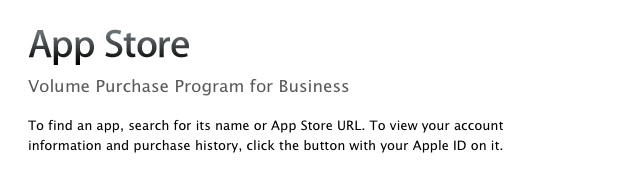
As noted by The Loop, Apple launched its B2B App Store today, allowing business customers enrolled in the Volume Purchase Program to buy apps from iOS developers. The new Volume Purchase Program for business was first unveiled last week, when Apple announced the Volume Purchasing for Business would be available “soon”.

Streamline your purchasing process and put more power and productivity in the hands of your workforce. Every paid app in the App Store is available for businesses to buy in volume through the program website. Simply search for the apps you need, enter the quantity you want to buy, and complete the transaction with your corporate credit card. Apps are available for purchase at the same price listed in the App Store.

Custom B2B apps are built just for you by third-party developers and business partners to address a specific business process, integrate with a unique back-office environment, or deliver a custom interface for your users. Using the Volume Purchase Program, you can securely and privately purchase custom B2B apps for iPhone and iPad that make your business even more effective.

If you are a developer who is enrolled in the iOS Developer program you can create custom B2B apps for sale to your customers enrolled in the Volume Purchase Program.

Apple noted how B2B apps could address specific solutions and needs of business customers such as:

  • A customized user interface including company logo or branding Unique features or capabilities specific to a business process or workflow
  • Extra privacy protection to handle sensitive data
  • A specific configuration to meet the customer’s server/back-office environment or IT environment
  • Features targeted to a limited audience, such as a business partner, dealer, or franchise

To enroll in the program, business customers will need:

  • Basic contact information to verify your business
  • Dun & Bradstreet number (D-U-N-S) number
  • Corporate credit card or PCard to purchase apps

A guide to the Volume Purchasing Program is available as .PDF here. According to Apple, any business in the US can partecipate to the Volume Purchasing program. Details on requirements and how to enroll can be viewed in our previous coverage, and the B2B App Store is accessible now at vpp.itunes.apple.com/us/store.


Apple Updates Remote Desktop with Per-User Remote Control

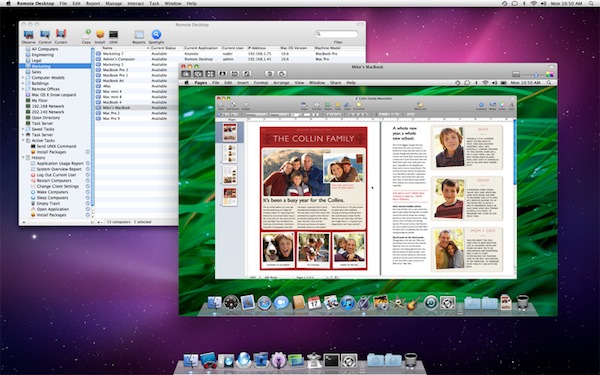
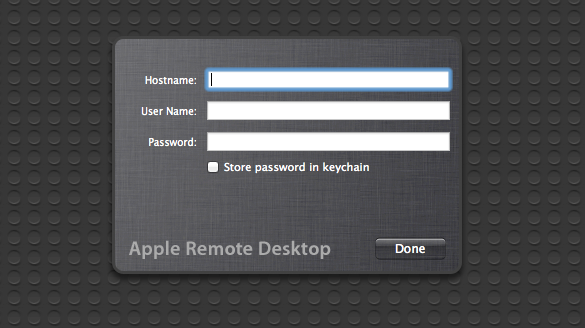
As part of the ongoing series of software updates that Apple is releasing today following the big debut of OS X Lion on the Mac App Store, Apple’s professional tool to access and manage computers on a network, Apple Remote Desktop, was updated as well to incorporate some of the new functionalities baked into Lion. The new version of OS X, in fact, allows users to log into a remote machine (or one on a local network) using a different account than the one currently in use by the second computer; so say your co-worker is logged into his personal account, you can still remotely access his Mac and log into, for instance, a shared work account. This is one of the big new features of Lion that was unveiled with the developer previews, and which works in conjunction with the possibility of remotely logging into a computer using an Apple ID.

The new Apple Remote Desktop isn’t exclusive to Lion (requirements accept OS X 10.6), but it includes Lion’s per-user remote control. Apple writes in the changelog:

You can remotely log in to a Mac with any user account on that computer and control it, without interrupting someone else who might be using the computer under a different login.

You can read more about all the features offered by Remote Desktop here, and buy the app from the Mac App Store. For those who didn’t purchase Remote Desktop on the Store, there are some updates available on Apple’s website as well:

- Apple Remote Desktop 3.5 Admin

- Apple Remote Desktop Dashboard Widget

- Apple Remote Desktop 3.5 Client


Xcode 4.1 for Lion Released, Free On Mac App Store

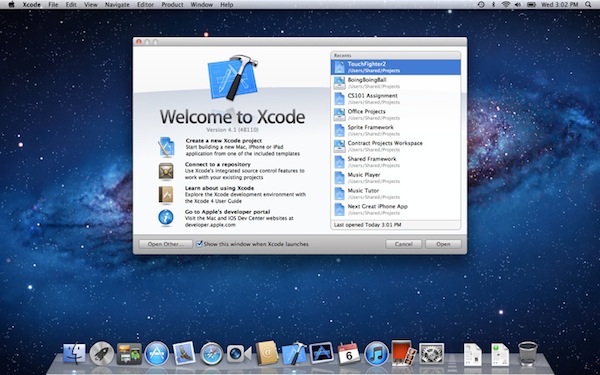
Among all the various software updates released today, Apple also just flipped the switch on a new version of Xcode. Xcode 4.1, after several developer previews, is now available for free on the Mac App Store. From the changelog:

- Includes SDKs for OS X Lion and iOS 4.3
- Interface Builder support for Auto Layout and new Aqua controls such as NSPopover
- Full screen support in workspace, project, and organizer windows
- Project modernization to identify and resolve out of date build settings
- Behaviors can be customized and assigned to unique key bindings
- Source control enhancements to pushing, pulling, and management of remote servers
- Assistant editor support for display of generated assembly and preprocessed output
- Additional bug fixes and stability improvements

Mac OS X Lion is a requirement to download this new version of Xcode. The new 4.1 version, however, shows up as free on older Snow Leopard machines as well. Download here.


OS X Lion: Installation Guide, Boot Discs and Q&A

Apple today released Mac OS X 10.7 Lion and it is the first release of OS X to be distributed primarily through a digital channel. That digital channel, the recently released Mac App Store, is the main way in which Apple is selling Lion.

To help you (or perhaps a family member or friend who may need a little guidance) with the various installation methods, and how the Mac App Store changes things, we’ve prepared the following post. In this article we include a step-by-step guide for the typical Lion upgrade process, explain what the new Recovery Partition is, how to make your own bootable Lion Installation media, how to do a clean Lion installation and a helpful Q&A section.

So jump after the break to see the full article and learn more than you would want to know about the Lion installation process.

Contents

To make things as simple as possible we have split this article into several sections so you can jump right to the section you most want/need to learn about. So as a side note to those who wish to read the whole article, be warned some parts and information is repeated multiple times.

  1. Introduction to Mac App Store Distribution of Lion
  2. The Simple Upgrade Installation (from Snow Leopard)
  3. The Recovery Partition, What Is It?
  4. Making Your Own Bootable Media
  5. The Quasi-Clean Installation
  6. The Completely Clean Installation
  7. Q & A

Read more


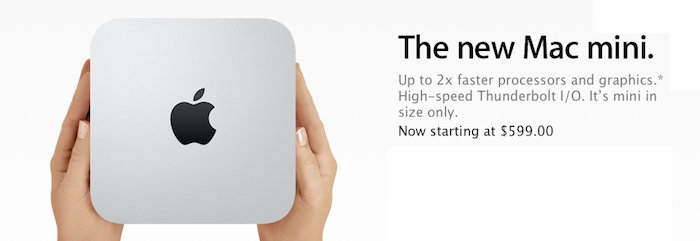
The Mac Mini Receives A Refresh, Now Come With Thunderbolt and Sandy Bridge Processors

Following the refresh of the MacBook Air, Apple has today also released new Mac Mini models. As is standard for this year’s Mac refreshes, the Mac Mini now comes with the new Intel Sandy Bridge processors and Thunderbolt ports. Interestingly there is no optical drive in the Mini anymore.

Mac mini is designed without an optical disc drive. Because these days, you don’t need one. It’s easier than ever to download music and movies from the iTunes Store. And you can download apps from the Mac App Store with a click. So what did we do with all the extra space? We squeezed in more powerful processors, advanced graphics, and Thunderbolt technology.

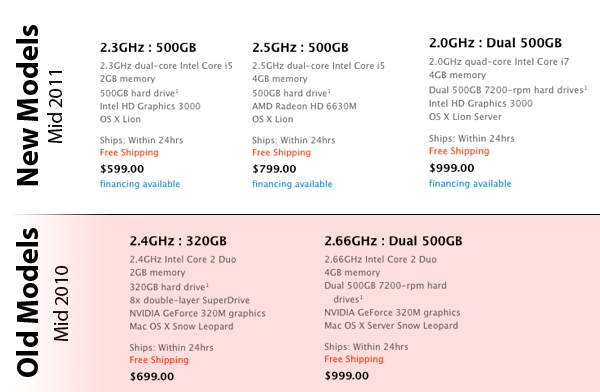
There will be two standard models available for the average consumer as well as one server model. The base model will come with a 2.3 GHz i5 processor, 2 GB of RAM and a 500 GB hard drive for just $599. The second model increases the processor clock to 2.5 GHz and doubles the RAM to 4GB – keeping the hard drive at 500 GB and costs $799. There is also an updated server model for $999 which has a 2.0 GHz quad-core i7 with 4 GB RAM and dual 750 GB hard drives.

Jump the break for more details and Apple’s press release on the new models.

Read more


Apple Introduces New MacBook Airs With Thunderbolt And Sandy Bridge Processors

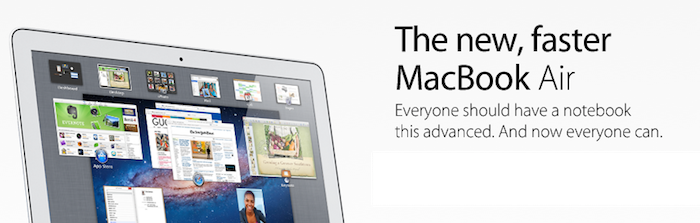
Eventually, after literally months of rumors, Apple has today unveiled a refreshed line of MacBook Airs. As expected the new models come with the new Thunderbolt I/O port that made its way onto the MacBook and iMac earlier this year. Intel’s Sandy Bridge processors also power the new MacBook Airs with a mixture of i5 and i7 processor options depending on the model you choose. Lion, which has been released just a few minutes ago also comes pre-installed on the new models. All new models also come with a built-in backlit keyboard.

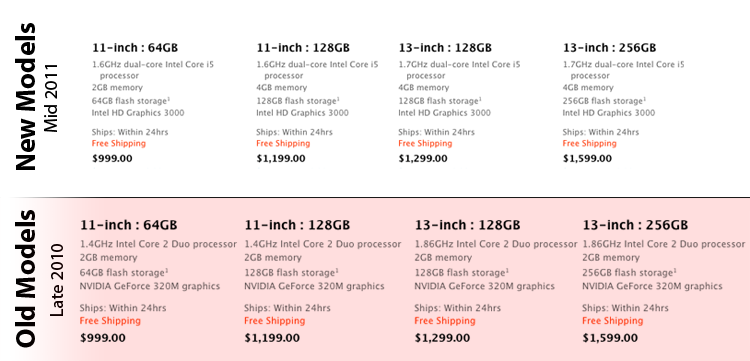
The base MacBook Air Model features the same 11.6” display and comes with a 1.6 GHz i5 processor, 2 GB of RAM and 64 GB of flash storage for the same price of $999. The more expensive 11.6” model sees an increase in RAM to 4 GB and storage to 128 GB for $1,199.

The 13.3” variety of the MacBook Air also has two standard models; the first comes with a 1.7 GHz processor, 4 GB RAM and 128 GB of storage for $1,299. The more expensive model simply bumps up the storage to 256 GB for $1,599. Built to order versions can be maxed out with a 1.8 GHz i7 processor, 4 GB RAM and 256 GB of storage. The 13” model also now includes an SD card slot.

“Portable, affordable and powerful, MacBook Air is the ultimate everyday notebook,” said Philip Schiller, Apple’s senior vice president of Worldwide Product Marketing. “MacBook Air features our most advanced technology and is an ideal match for Lion, especially with its new Multi-Touch gestures, full-screen apps, Mission Control and Mac App Store.”

Jump the break for more details and Apple’s full press release.

Read more


Apple Q3 2011 Results: $28.57 Billion Revenue, 20.34 Million iPhones, 9.25 Million iPads, 3.95 Million Macs Sold

Apple has just posted their Q3 2011 financial results. The company posted record-breaking revenue of $28.57 billion, with 9.25 million iPads, 20.34 million iPhones and 3.95 million Macs sold. Apple reported record quarterly net profit of $7.31 billion, or $7.79 per diluted share. Wall Street consensus’ estimate was earnings of $5.80 per share and revenue of $24.92 billion. The company posted record quarterly revenue of $28.57 billion and record quarterly net profit of $7.31 billion, or $7.79 per diluted share.

In Q2 2011, the company said they expected revenue of about $23 billion and diluted earnings per share of about $5.03 in the third fiscal quarter of 2011.

From the results, iPhone is growing 142% year over year, and with 9.25 million units sold the iPad saw a 183% increase over the year-ago quarter. Apple sold sold 7.54 million iPods with a 20% unit decline. The third quarter has been the best non-holiday Mac quarter ever, best iPhone quarter ever, best iPad quarter ever. There are now 28.7 million iPads out there, including 14 million units shipped this calendar year.

In Q2 2011, the company posted revenue of $24.67 billion with 4.69 million iPads, 18.65 million iPhones and 4.69 million Macs sold. In the year-ago quarter, Apple posted revenue of $15.7 billion and net quarterly profit of $3.25 billion. The company sold 3.47 million Macs, 8.4 million iPhones and 3.27 million iPads, which began selling during the quarter.

Apple will provide a live audio feed of its Q3 2011 conference call at 2:00 PM Pacific, and we’ll update this story with the conference highlights. Full press release is embedded after the break. Read more


Saver For iPhone Giveaway: Mundane Expense Tracking Made Beautiful

Two weeks ago we reviewed Saver for iPhone, which was a new expense-tracking app for the iPhone that had just launched in the App Store. In the review, I made particular note of the design of Saver – which I feel has one the nicest user interfaces of any iPhone app I’ve used. For a task that is important (for many) but often dull and boring, Saver not only makes things a little more exciting and vibrant but it also makes it extremely easy (whilst still being fairly powerful) to accomplish various tasks such as adding an expense entry or viewing what kinds of things you spend most on.

You can read our full review of Saver here and purchase Saver on the App Store here. However, the developer of Saver has been kind enough to offer MacStories readers 3 copies of the app so we are running a giveaway. If you are interested, jump the break for the full details of how to enter.

Read more


Reminder: Apple’s Q3 Earnings Call Today – 5 PM ET

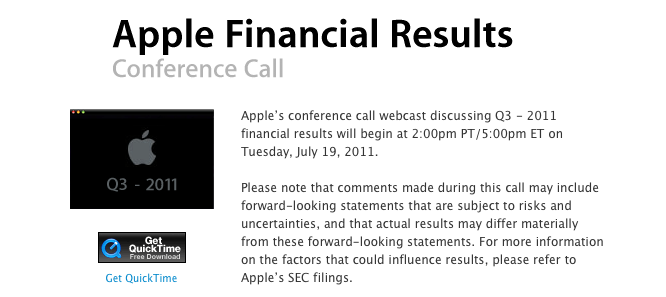
Later today, starting at 5:00 PM ET (2:00 PM PT) Apple will hold its Q3 2011 earnings call to reveal their financial results, shortly after the market closes. Apple will, as usual be offering an audio-only live stream of the call that will be available here. Meanwhile here at MacStories, we will be following the earnings call with a post covering it live – this will be a post continuously updated with notes from the call.

As for what today’s earnings call will bring, AllThingsD has an article this morning quoting a JP Morgan analyst who believes Apple will exceed expected earnings “by a lot”. It is also helpful to note that for the last 13 quarters, Apple has beaten analysts’ financial expectations – many expect Apple could do it again for this quarter’s results.

Earlier this month some (non-Wall Street) Apple analysts from The Mac Observer’s Finance Board expected (on average) for Apple to have sold around 17.6 million iPhones, 8.3 million iPads, 8.3 iPods and 4.3 million Macs. The same analysts believe Apple could have seen 69% year-over-year growth in Q3 2011.

Be sure to tune in at 5 PM ET for a full breakdown of the Q3 2011 financial results from Apple’s earnings call. For those in other time zones, the earnings call is at:

2:00 PM – San Francisco

6:00 PM – Rio de Janeiro

10:00 PM – London

11:00 PM – Rome

1:00 AM (Wed) – Moscow

5:00 AM (Wed) – Beijing

7:00 AM (Wed) – Sydney

9:00 AM (Wed) – Auckland

For all other time zones, click here.