This Week's Sponsor:

Turbulence Forecast

Know before you go. Get detailed turbulence forecasts for your exact route, now available 5 days in advance.


Posts tagged with "instapaper"

The New Readability Has Ambitious Future

Readability, the Javascript library that stripped websites of unnecessary graphics and elements to provide the user with a simple, easier to read page, has today revealed the next step in it’s future. The ambition plan includes fundamental new advancements including; usage on mobile devices, saving Readability-enhanced pages, social features, a subscription service that supports writers and a partnership with Marco Arment’s Instapaper.

One of the biggest new features of the new Readability is it’s subscription service which is a new model that aims to give back to the writers and publishers that you read from. The subscription starts from $5 but can be as high as you want to pay, and 70% go back to writers and publishers, so obviously the more you pay the more goes back to the content creators. There will still be the basic Readability which does not require a subscription.

Jump the break for full details.
Read more


Instapaper 2.3 Available: Faster, OmniFocus Integration - Simply Better

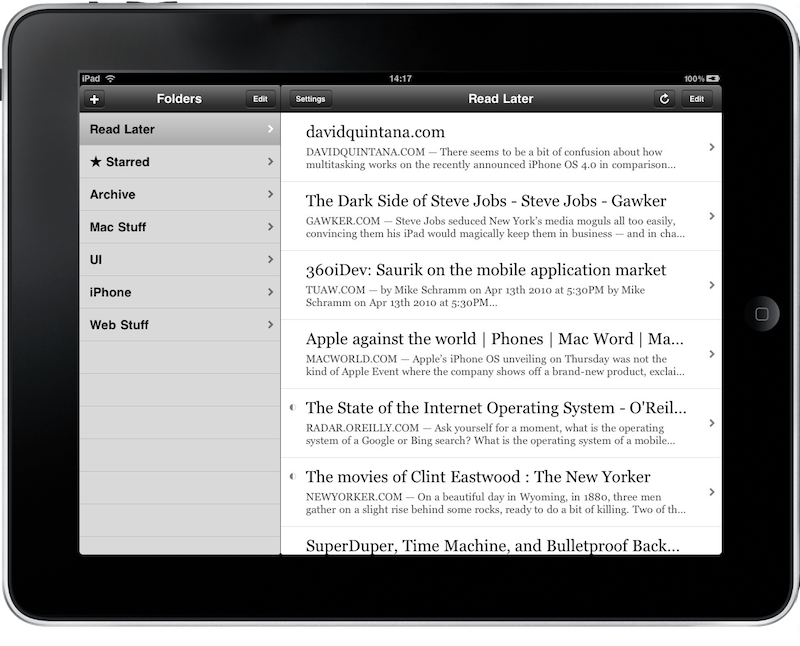
What I consider the best app currently installed on my iPhone and iPad just got a lot better. With the 2.3 update (which is still propagating in iTunes as I’m writing this) developer Marco Arment introduced so many fixes, refinements, optimizations and new features it’s really hard to keep track of them. Instapaper basically got a lot better, both on the iPhone and on the iPad’s larger screen (perfect for reading, if you ask me).

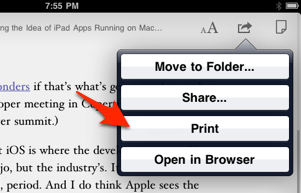
You can now send articles to OmniFocus, QuickReader and all the previous sharing options have been fixed to work properly again. The app now also supports a “ihttp://” URL scheme: every time you find something interesting in Safari you want to send to Instapaper (assuming you can’t get the other options to work, such as the bookmarklet) just add an “i” before the regular URL and tap Go. Instapaper will open. Genius.

On the iPhone, the article list now includes a few lines of text like on the iPad. iPad updates are faster, I can confirm. The iPhone can now toggle the Dark mode from the font panel, and you can set the app to automatically switch to dark mode at night.

Seriously, you gotta take a look at the changelog yourself (embedded below) and go download Instapaper right now if you still haven’t. Highly recommended. Read more


Instapaper Founder’s Journey From Bagel Jockey to Publishing Pioneer

Instapaper Founder’s Journey From Bagel Jockey to Publishing Pioneer

I learned the value of giving people little delights [while working at the bagel shop]. Those small details and experiences are the reason why people like luxury cars. They are full of those little delights. You can do the same thing with any business. With a Web and iPhone app, I try to find new and tiny ways to delight my customers. They may not notice, but it helps drive goodwill and makes your product remarkable.

I’m looking forward to what’s coming next for Instapaper.

Permalink


Safari Extensions Monday: Sessions, KeySearch, Instapaper in Google Reader

I spent a week using the latest Firefox 4 Beta and now I’m back to Safari. I can’t help it, but Safari has the best support for 1Password out there and that, combined with amazing tools such as ClickToFlash, is too valuable to me. If you add stability, speed and elegance to the mix - I guess you know what I mean.

So, Apple launched the official Safari Extensions Gallery last week, and there are more than 100 “officially approved” extensions in there. It’s a good place to discover new stuff, but I’m wondering how often Apple will update it. Anyway, I’ve just installed three new extensions to start the week, and they’re pretty great.

Read more


Service to Send Any Link to Instapaper

Link

“Since getting Instapaper Pro for my iPod, I’ve been loving the ability to add links to my instapaper just by tapping on them, rather than (on my laptop) having to follow a link to its webpage, wait for it to load, and then hit the bookmarklet to send it to IP. So I made a service to duplicate that functionality on my Macbook. Once installed, you can select any URL in any application, and any link in Safari and send it to Instapaper in the background. You’ll get notified via Growl or the OS.”

This is just great.