This Week's Sponsor:

Turbulence Forecast

Know before you go. Get detailed turbulence forecasts for your exact route, now available 5 days in advance.


Posts tagged with "iOS 7"

iOS 7 and Mail Message URLs

A feature of iOS 7 that I quickly described in my article and that I haven’t seen mentioned in other places is the possibility to make Apple’s Mail app open individual messages through a new message:// URL scheme. As I wrote:

In iOS 7, if you have a message URL that corresponds to a message, the URL will correctly open it directly in Mail. There are two limitations: the message has to be already downloaded in the Mail app, and, of course, you have to know the URL. So far, I haven’t found a way to create URLs to reference Mail messages on iOS, but the ones you create on your Mac through AppleScript and Mail.app will continue to work on iOS 7 devices. Therefore, if you have scripts that generate these URLs to, say, attach them to OmniFocus or Evernote, you’ll be able to tap them and open the associated message on an iPhone or iPad. I look forward to seeing whether developers will figure out a way to generate message:// URLs on iOS.

That wasn’t the first time I covered message:// URLs on MacStories. In November 2012, I posted an AppleScript to quickly save a message’s URL in Evernote for Mac with a hotkey; and even then, I was referencing a 2007 post by John Gruber on the topic:

The structure of these URLs is fairly simple: (1) the “message:” scheme, followed by (2) the message-id of the message, enclosed in angle brackets (“<” and “>”). The message-id is specified in each message’s “Message-ID” header field, which is part of the Internet email standard. Every message-id should be universally unique, and every message should have a message-id. In my testing, the only messages I could find that didn’t have Message-ID headers were spam; such messages cannot be referred to by Mail’s “message:” URLs.

The message:// URLs that Apple introduced in Leopard have gone mostly unchanged in terms of OS X integration throughout the years, proving to be a nice solution to reference specific messages in todo apps, note-taking apps, and so forth. Rather than searching for a message in Mail, you can generate a URL via AppleScript, archive it somewhere, and launch it (either by pasting it in Safari or right-clicking it in a Cocoa app) to open the referenced message in a separate Mail window – no matter if the message has been archived, put in a folder, or left in the inbox. Read more


TaskAgent 3 for iOS 7

Before OmniFocus and Reminders, TaskAgent was my todo management system of choice for a long time. TaskAgent lets you manage todos in lists that are synced to Dropbox as plain text files that you can edit on the desktop using any app you want. They look like todos in TaskAgent, but they’re actually lines of plain text that, if you want, you can interact with in various ways (perhaps with IFTTT or other automated workflows).

Developer Francisco Cantu released version 3 of TaskAgent alongside the launch of iOS 7 as a new free app with a $1.99 In-App Purchase. The app is limited to three lists, and you can unlock unlimited lists, URL scheme actions, Archive, and folder management if you want more. The app has been rewritten and redesigned for iOS 7, and Cantu is working on compatibility fixes for the Mac counterpart.

I use Reminders these days, so TaskAgent isn’t really for me anymore. However, if the idea of managing todos as plain text lists intrigues you, I’d recommend trying the free version of TaskAgent 3.

Permalink

Simple Photo Collages with Diptic PDQ

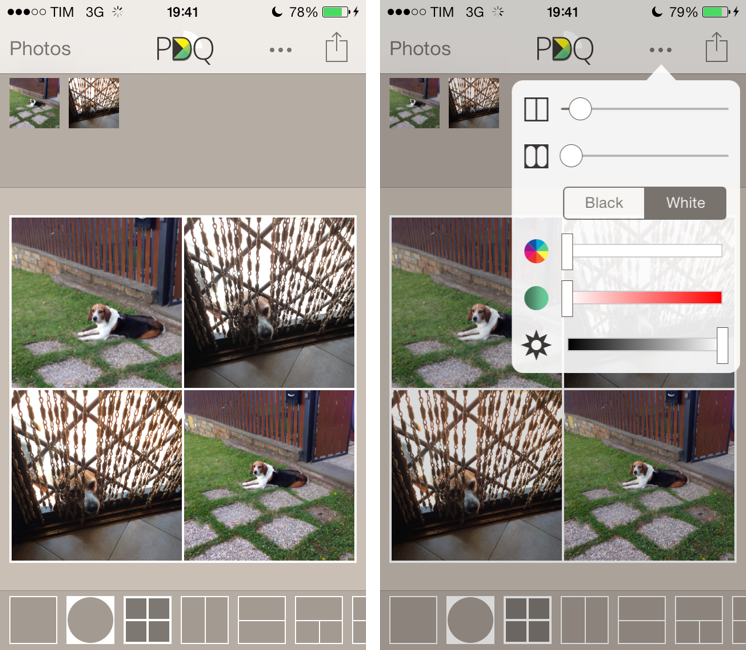
I’ve never been into the idea of sharing my photos as “collages”, especially because all the iPhone and iPad apps that promised to make it easy to assemble collages looked overly social, filter-oriented, or just badly designed. However, I recently wanted to send a photo collage of my dog to my parents, and I conveniently came across Diptic PDQ on the App Store thanks to Apple’s feature for iOS 7-ready apps. Apparently, PDQ (a Universal app) is the “lighter” version of Peak Systems’ more advanced Diptic app, which comes with all sorts of settings, textures, and In-App Purchases. I just needed to create simple collages with thin borders, so I bought PDQ and have been using it for the past week with nice results. Read more


iOS 7 and Enterprise Improvements

Ryan Faas has published a good overview of the changes Apple made for enterprise distribution and MDM in iOS 7. A key aspect:

From an administrator’s perspective, the new model works very similar to what’s been around for decades - single source software licensing coupled with network-based deployment tools. From a user perspective, it’s extremely similar to the consumer App Store system.

Read the article here.

Permalink

Shazam for iOS 7

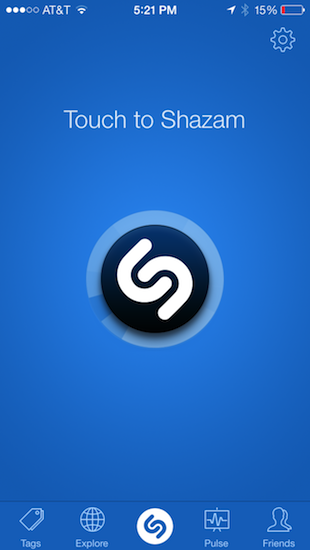
Much like Twitterrific’s update for iOS 7, Shazam has spruced up their app with flattened, descriptive wiry icons and simple color palettes that make the app feel at home on Apple’s new OS. Perhaps the only noticeable difference is that Shazam asks for Microphone access, a new requirement as of iOS 7, so that it can listen to what’s playing in the background to identify songs. It’s visually a nice update, but much of it is the same as before. It’s cleaner and more focused, with nice looking fades and animations as you switch between tabs.

The features added to iOS 7 revolve around social maps and Facebook. Eh. I don’t know how Shazam feels about people like me, but I’m not so intent on sharing songs with friends and seeing what people are listening to around me. I said the same thing when I took a look at the revamped iPad app earlier in the year, and I feel somewhat alienated since the only thing I really want to use Shazam for is ID’ing tracks playing at over loudspeakers, on the radio, or when some remixed version of a song pops up on a livestream somewhere. The social stuff… I don’t want any part of it. It’s cool. It’s just not for me.

Shazam currently sells a free version of Shazam, complete with advertisements that you can remove with an in-app purchase. For a few bucks you can straight up buy a version of Shazam with a darker blue icon free of ads. And then there’s a product RED version of the app that looks cool, and also removes ads. I’d rather see a single version of Shazam that’s free, with Lifetime (or Encore) as an IAP and RED as an optional theme, which you could also pay for. It’d remove a lot of the confusion about which version is which on the App Store. Regardless, if you’d like to give Shazam a try (the ID stuff is amazing — why don’t you have it?), you can download one of the following variants from the App Store:


Logacal: A Smarter Visualization Of Calendar Events

Logacal

Logacal

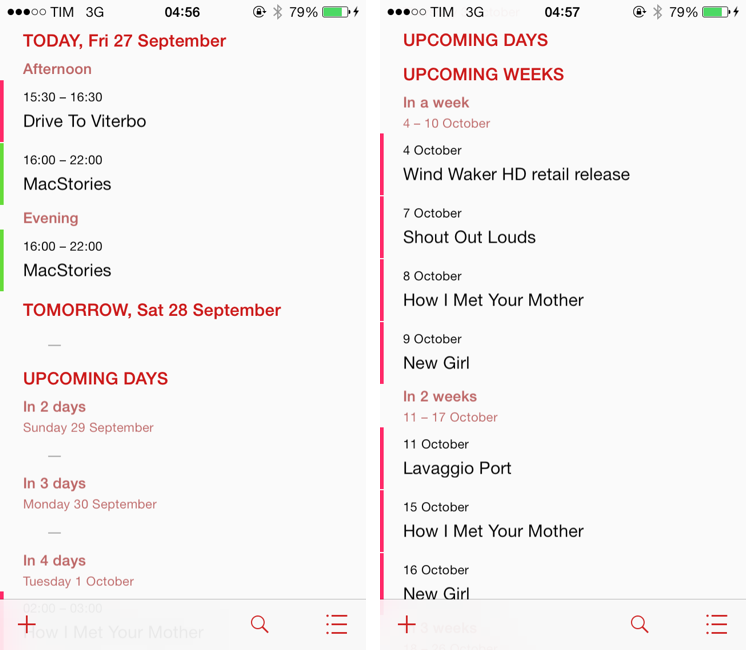
In the past few months, I’ve been obsessed with finding the best Calendar and Reminders clients for my iPhone and iPad. While I wouldn’t call myself a calendar power user, I do rely on iCloud Calendar to organize my daily appointments and events that require my complete attention, and I’ve been lured by the simplicity and immediacy of Reminders. As I noted in my article on living with iOS 7, I’ve also been liking the OS’ new Today view in Notification Center, which gives me a summary of all the things – events or reminders – I have to do today.

I don’t like calendar apps that are limited by old rules defined by physical calendars. For instance, what’s the point of showing a full month with past events when our devices know what the current day is? Why showing empty days in views that should list upcoming events? Our devices have a little, powerful silicon brain inside them, and yet so many calendar apps – supposedly, digital assistants for the modern age – are still stuck with concepts and metaphors of two decades ago. This is a topic that other smart people have also touched upon in the past, and I recommend reading this piece by Jason Snell.

Earlier this week I was browsing the App Store and I came across Logacal, a $2.99 iPhone app developed by Czech developer Pavel Doležal. I was intrigued by the app’s clean iOS 7 design and description:

Unlike traditional month, week or day-based calendars, Logacal doesn’t split time equally, but instead depending on how far in the future it is.

And:

Its design is vastly inspired by logarithmic scale that enables you to see and manage your calendar in a very natural and intuitive way.

Now, I’m no expert of logarithmic scales and other high level mathematical theories, but I’m good enough at clicking the Buy button in iTunes and doing some reading on Wikipedia. Apparently, some of our senses operate in a logarithmic fashion, and Pavel’s idea was to represent future days, weeks, months, and years on a scale that gets less granular as you move further in time. Read more


Twitterrific Revisited for iOS 7

Twitterrific, for a long time, was my mainstay Twitter app. It’s beautiful, functional, and extremely fast, but I’ve found myself gravitating away towards Tweetbot and Twitter’s own app. It’s not that I don’t like Twitterrific, but I needed a change of scenery, and Twitter’s own Connect tab has spoiled me with a wealth of information such as follows, RTs, and yellow stars intermingled with mentions — things I swore I never cared about. I think the biggest killer for me has been the prolonged wait for an updated Twitterrific on the Mac, which feels outdated in comparison to its iOS counterpart.

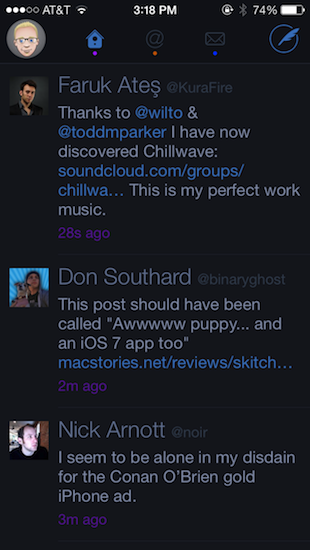
The neat thing about Twitterrific was that it was practically already ready for iOS 7. At least visually, Twitterrific had already adopted thin fonts, bright neon colors that go great with the iPhone 5c, and a sleek barebones interface. This doesn’t even account for Twitterrific’s unique layout; much of the app doesn’t really conform to traditional iOS conventions anyway (consider the tab bar at the top of the screen rather than the bottom). With iOS 7 the visual updates are relatively minor, with wire-thin icons and small visual updates prevalent throughout. Not even Ollie changed too much in Twitterific’s new stark white icon.

Twitterrific’s biggest notable update is background refreshing (The Iconfactory calls it “fetching”). Streaming isn’t something Twitterrific has been known for, but as long as the app is kept in the background, it will load new tweets in so they’ll be ready to read when you open the app. That to me makes Twitterrific much more viable as a daily Twitter app.[1]

There’s lots of minor updates. You can tweet links directly from the in-app browser (great feature) and you can additionally opt to open links in Chrome. Various links are now tappable in bios. They’re all things that continue to make Twitterrific super friendly.

In fact, of all the current Twitter apps, I’d say Twitterrific is still the most friendly. Gestures are broad, sensible, and fast to execute. Twitterrific’s blazing performance continues to be stellar: tweets load unbelievably quickly as you swipe to view conversations. The core experience is about messages, whereas Twitter’s official app feels like it teeters on personal branding and brand engagement, while Tweetbot is dense with features but a little slower and not yet updated for iOS 7.

Twitterrific for iOS 7 is largely the same as its predecessors, but it continues to get faster in every iteration. I don’t know how much more performance The Iconfactory can wring out of their app before Twitterrific flies off the face of the phone. With refreshed graphics, speedy improvements, and gesture updates that better let Twitterrific mingle with iOS 7’s native gestures, you might want to consider taking another look at the blue bird if you haven’t already.

Twitterrific can be downloaded from the App Store for $2.99 for a limited time, 50% off the regular price.


  1. In fact, I almost don’t like Apple’s new multitasking interface for this reason. It encourages people to close apps, but if you do, those apps can’t perform background tasks. The new multitasking interface is perhaps misleading and counterintuitive for this reason. ↩︎

Skitch 3: Reimagined for iOS 7

Skitch 3

Skitch 3

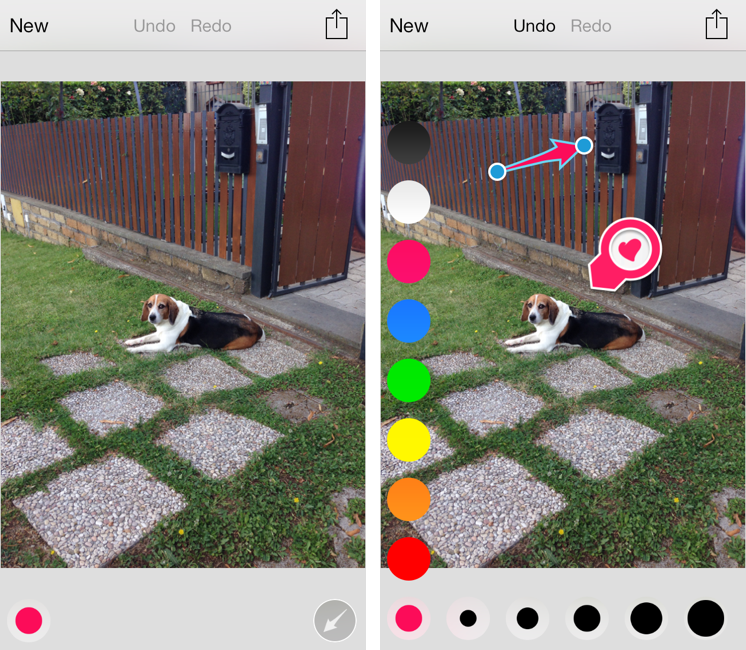
Released today during the third annual Evernote Conference, Skitch 3 is a complete redesign of the app that Evernote acquired in 2011 and started integrating into the main desktop and iOS apps. Skitch 3 has been redesigned and rebuilt for iOS 7, stripped away of the direct integration with an Evernote notebook, rebranded, and relaunched as a visual note-taking app focused on quick and fast markup. I have been testing Skitch 3 for the past few weeks, and, after an initial shock, I think it’s an excellent change. Read more