This Week's Sponsor:

Turbulence Forecast

Know before you go. Get detailed turbulence forecasts for your exact route, now available 5 days in advance.


Posts tagged with "iOS 7"

Developing for the M7

Conrad Stoll has an interesting article on developing for the M7 chip in the latest iOS devices and adapting an app to the motion information returned by the API:

I was already well into developing Runtime when the iPhone 5s was announced and we learned about the new M7 “motion co-processor” from Apple. There have already been a few good articles talking about what the M7 does and how we believe it works, but essentially from a developer’s perspective the M7 provides a great way to track a user’s steps and type of activity while they are moving. Instead of writing about what the M7 is or how it works, I wanted to write about what its like to use as a developer.

Permalink

Dropbox 3.0 Released with iOS 7 Redesign

Dropbox

Dropbox

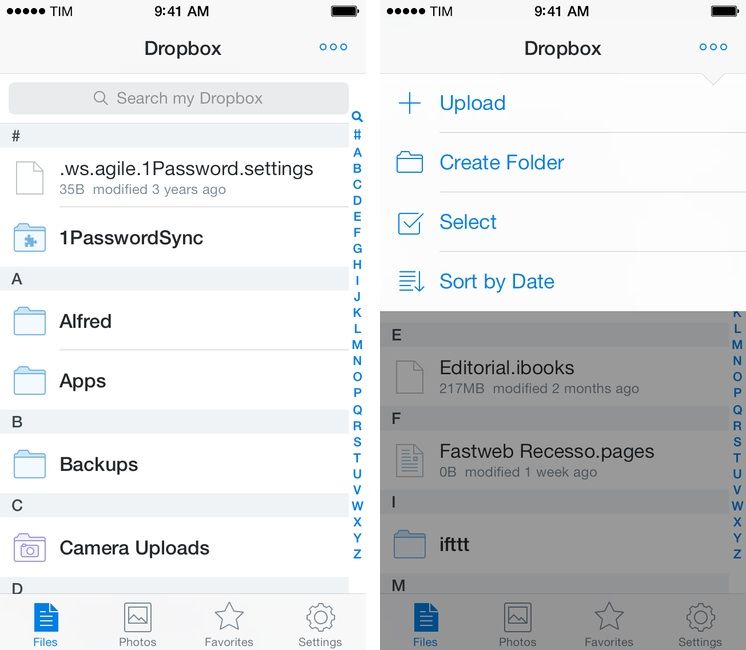
Released today on the App Store, Dropbox 3.0 is a complete redesign that gets the app ready for iOS 7.

Two months after the release of iOS 7, the new Dropbox shows the work of designer Tim Van Damme, who left Instagram to join the Dropbox design team earlier this year. “Dropbox 3.0 is all about your content. We stripped out as much branding as we could, just so you can focus on what’s important”, Van Damme told me. Noting how several functionalities and interactions have been simplified in this update, he mentioned how, for instance, documents and photos are easier to enjoy in full-screen: “On your iPad, it used to take two taps to see a photo full-screen. Now, a single tap will let you enjoy your photo full-screen, and this also works for most other file-types”, Van Damme added. Read more


Runtime: Track And Share Your Runs

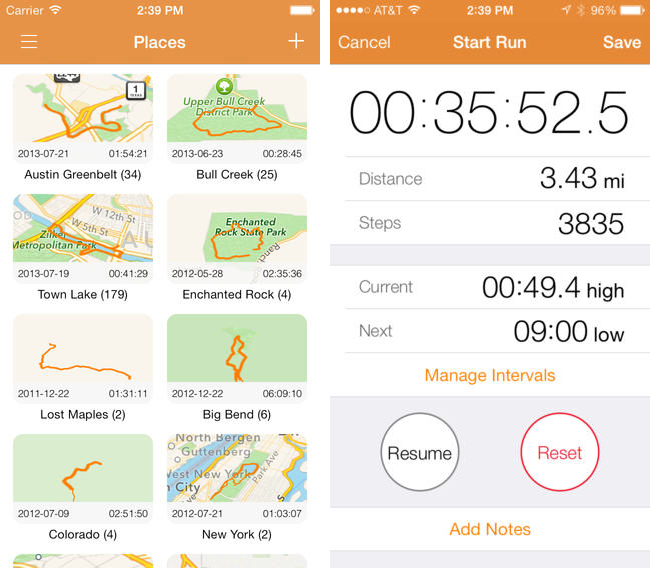
Runtime keeps track of not only where, but how you run, highlighting workout intervals and displaying your path on a shareable map. Runtime lets you add individualized notes to each workout, define custom interval timers (useful for mixing up intensity), and safely backs up your data to Dropbox. You can even use it as a basic pedometer and step counter, as a tool to track hikes, and as a way to measure your athletic progress. Because Runtime is so focused around places and routes, I’d love to see integration with an app like Day One so you can turn trips into memories. It’s simple, looks great on iOS 7, and is well done.

Runtime can be had for $2.99 from the App Store.

Permalink

FlightTrack 5

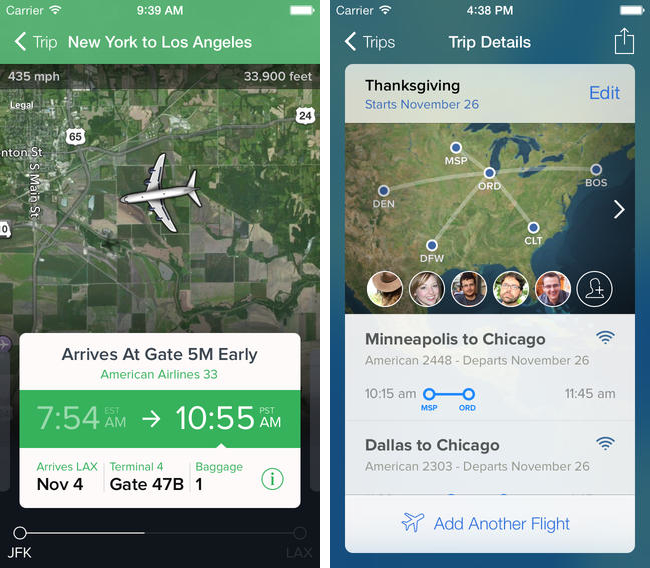
If you’re catching a flight this holiday season, Mobiata just announced FlightTrack 5, a completely redesigned must have flight tracking tool that always keeps you in the know about departures, delays, arrival times, and weather conditions.

Now, all FlightTrack users get push notifications with flight updates and can view terminal maps to help navigate to the gate. With FlightTrack, you can search flights by number or route in a single search field, create trips with multiple flights and travelers, and view the progression of an entire trip within a single workflow.

As always, you get real-time departure info, delays, and gate numbers at a glance. International coverage allows you to track flights worldwide. We even inform you of cancellations and help you find alternate flights when you’re in a pinch.

Nab it from the App Store for $2.99 for a limited time.

Permalink

Oak: A Pokédex for Your iPhone

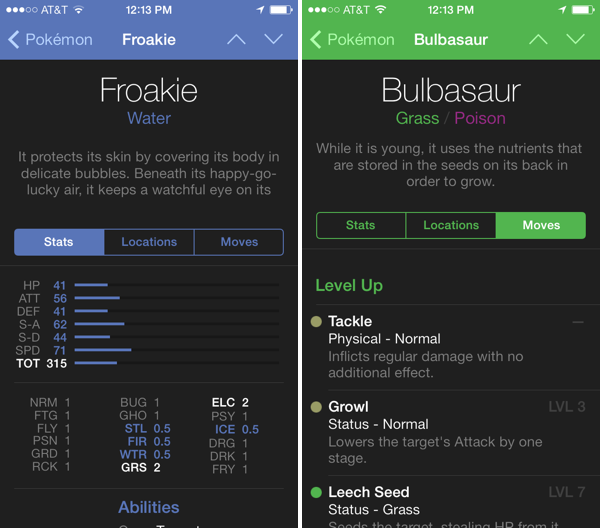
I’ve had Oak on my iPhone for a while, but now that it has Kalos region Pokémon for X & Y, I’ve been using it more and more as a companion for referencing abilities

The hardest decisions you’ll have to make in these games is deciding which of your Pokémon’s moves stay and which ones go. Not having played since I was a kid, I’m not familiar with a lot of the new moves and types that have been added since Red and Blue. Oak lets me search for Pokémon, find pertinent stats, and browse through their entire moveset. The app is free to try, with an in-app purchase unlocking the full directory of over 700 Pokémon for $4.99.

Download it from the App Store.

Permalink

First iOS 7 Game Controllers Now Available

As reported by The Verge, the first third-party iOS 7 game controllers are going on sale this week, although with mixed reviews by the press. Namely, PowerA has released the MOGA Ace Power ($100) and Logitech announced the PowerShell (Controller + Battery, shipping in December in the United States, priced at $99).

Both controllers take advantage of Apple’s new game controller API that was added in iOS 7, which allows hardware makers to create physical controllers that follow a specification provided by Apple, and that lets game developers easily add support for the controller framework once and expect their games to work with controllers by any company. However, Apple decided to make controllers optional in iOS 7 games (multi-touch is still required as primary input) and they didn’t launch or highlight a specific section of controller-ready games in the App Store, which led me to wonder about the potential of game controllers in the future.

Polygon’s Russ Frushtick tried the MOGA Ace Power, and he was not impressed:

It has a cheap, plastic feel and a rattle that makes it seem like the controller could shake apart at any moment. There’s also no wireless support, which means that you can only use devices that fit inside the controller’s expanding design (basically just newer iPod Touch and iPhones that support Apple’s lightning connector will work). There is a battery pack in the controller, so you can use it to charge your phone in a pinch, but it’s far from ideal for anything beyond that.

The MOGA Ace Power uses the “extended” controller option of Apple’s framework, which has support for dual analog sticks and shoulder buttons + triggers. Apparently, Apple asked PowerA to make sure iPhones and iPod touches could sit in the middle of the controller.

In his hands-on post, TouchArcade’s Eli Hodapp noted the potential of the MOGA Ace Power, its poor build quality, but also described the experience of playing first-person shooters on iOS:

Additionally, I’ve found myself actually enjoying playing first person shooters on my iPhone for the first time I can ever remember. All the frustration of having your thumbs all over the screen desperately trying to look and move while avoiding and/or hitting a plethora of virtual buttons just totally fades away. If you’re a huge fan of iOS first person shooters, consider one of these controllers an absolute must-have accessory.

Alas, it sounds like most game developers haven’t tested their games with the first iOS 7 controllers, resulting in interfaces that don’t disappear when a controller is connected (virtual buttons and sticks) or control schemes that don’t use all the provided buttons.

The Logitech PowerShell, on the other hand, uses the simple, SNES-like controller configuration with no dual analog sticks. SlashGear’s Chris Davies tried the PowerShell, although I’m not sure this justifies its premium price tag:

As you might hope for a hundred-dollar controller, the keys are sturdy and firm, with just the right sort of response under your fingertip. If you’ve tried a recent Logitech pad for PC, they’ll be very familiar.

On the official website, Logitech has posted a list of games that are compatible with the PowerShell (and presumably any other controller as well) and a product page with additional information and photos.

Based on initial reviews, it sounds like it’s too early to invest in an iOS 7 game controller: as expected, the first controllers work but they’re not great, and, more importantly, you won’t find many games with proper support for game controllers today. iOS 7 game controllers keep having enormous potential to enhance gaming on iOS; at the same time, though, we’ll have to wait and see if physical controllers are what iOS really needed to go beyond freemium games, ports, spin-offs, and the occasional gem.

Permalink

Find My Friends Updated for iOS 7

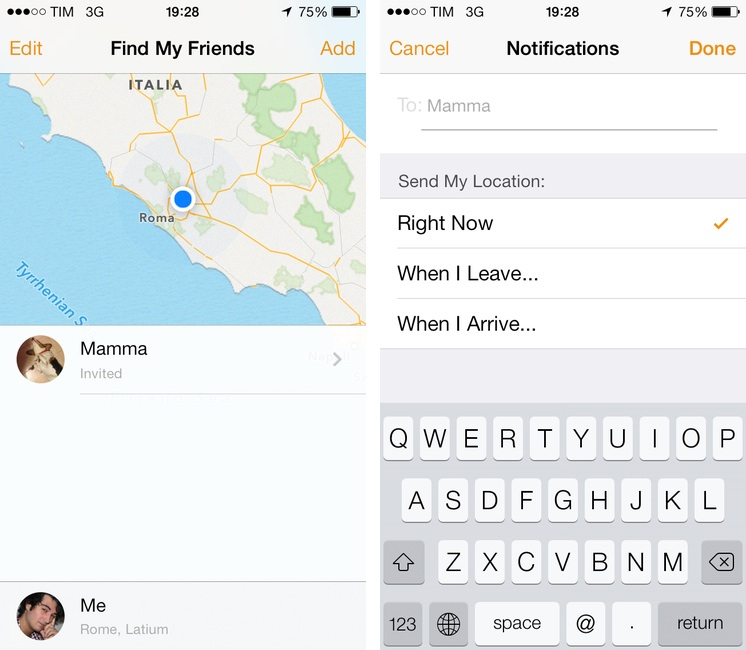
There’s not much to say about Find My Friends for iOS 7. I don’t know why the previous version of the app used leather detailing in such excess (see our original article), but it’s done away with now, leaving behind just the bare essentials. It’s a convenient app to use with friends and family when meeting up or bouncing around town before reconvening, and it’s free on the App Store.


Google Play Music Now Available on the App Store

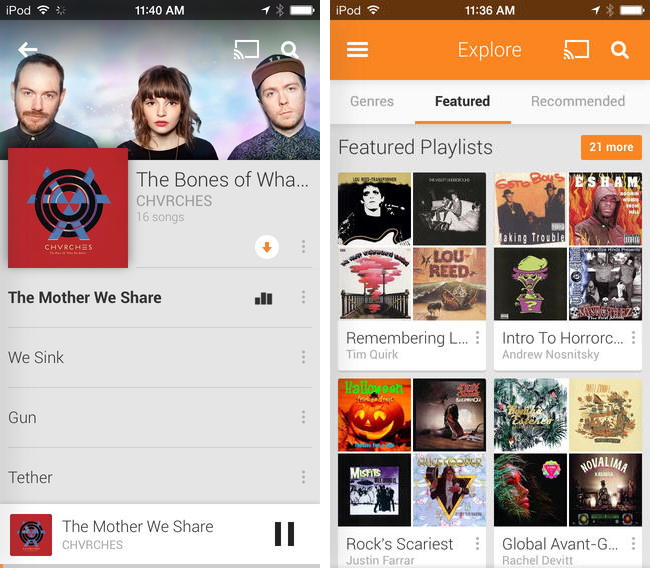
Joining the wealth of music streaming services such as Rdio and Spotify, Google Play Music is now available to download on the App Store. Formally announced in March, Google Play Music All Access originally let subscribers stream a collection of two million songs from the web and to Android devices for $9.99 a month. Similar to iTunes Match, Google also lets users match up to 20,000 songs from local music libraries for free, but like Spotify lets users listen to local music alongside streaming content.

Google Play Music for iOS brings all of All Access’ features to the iPhone, including unlimited streaming, ad-free custom radio stations with unlimited skips based on songs or artists, recommendations, and curated playlists. For streaming to speakers, the iOS app will stream over AirPlay and Chromecast.

Download Google Play Music from the App Store for free. A $9.99 monthly subscription is required to enjoy the service, but you can stream the first month for free.

[via 9to5Mac, The Verge]