Posts tagged with "iOS"

Munster’s WWDC 2011 Survey: Developers Choose iOS and Android Before Mac

Among the 5000 developers crowding Apple’s WWDC 2011 this year, Piper Jaffray’s Gene Munster was on the scene, surveying a small pool developers on platform related questions. Munster’s sample of 45 participants consisted of only iOS developers, who’d naturally favor Apple’s development platforms over Microsoft or RIM. The results of the survey were published in a note to clients that compared these 45 responses to 20 he gathered in 2008, when the iPad and Android markets were non-existant. Of the developers sampled, Munster found that the pool of iOS developers typically favored smartphone development over desktop development, and that iOS was best for monetization. Philip Elmer-DeWitt highlights some of the findings:

  • Only 7% are also developing apps for the Mac, down from 50% in 2008.
  • Nearly half (47%) write apps for Android, 36% for Research in Motion’s (RIMM) BlackBerry, 13% for Microsoft (MSFT) Windows Phone 7 and 7% for Hewlett-Packard’s (HPQ) WebOS.
  • Asked which platform had the highest potential for future growth, none mentioned the BlackBerry, WebOS or Nokia’s (NOK) Symbian.
  • Although 100% preferred iOS for ease of development and monetization, they did have some complaints, chief among them Apple’s “strict limitations” (38%) and the App Store approval process (11%).

Lion, iOS 5, and Apple’s iCloud were hot topics of WWDC 2011 this year, and while Munster only surveyed a handful of developers, there’s a lot to be excited about for both Mac and iPhone development. Scott Forstall announced on stage that iOS development in particular is still a hot market with over 200 million iOS devices sold. iOS’ installed base is leading the market at 44%, compared to 28% for Android and 19% for RIM. Total, Apple has paid developers $2.5 million dollars for apps marketed in the App Store.

Desktop development is still strong, as showcased in Apple’s Design Awards this year, featuring amazing apps like Pixelmator and Capo. Many developers are going to be updating or releasing new versions of theirs apps for Lion through the Mac App Store, and if Reeder is any indication, I have a feeling Mac development is as strong as it’s ever been. Survey results have been posted after the break.

[via Fortune Tech]

image via Aaron Ash

Read more


“iCloud Is The Operating System”

The conversation my friend Francesca and I were having in front of a good cup of coffee ended when she concluded that iCloud was the operating system.

At first, that silly statement didn’t make any sense to me. I laughed, and tried to explain her that it’s not the operating system – the one you have to download and install on your computer or device – rather, I told her iCloud was a new way to keep all her content stored somewhere else she could access at any time. But the more I went on to illustrate the advantages of pushing media from the Internet (“the cloud”) to devices without a USB cable, the more she kept asking why would that be any different from having the operating system on the Internet, “doing stuff for you automatically.” Read more


“Think Of iCloud As The New iTunes”

“Think Of iCloud As The New iTunes”

Daring Fireball’s John Gruber, in a post where he details some of the iCloud features he has “heard” from sources (but doesn’t state as a fact) and other personal wishes about iOS 5, doesn’t describe iCloud as a new music service or “cloud services offering” – rather, he says he’s heard iCloud is something more on the lines of a full replacement for iTunes:

The italicized sentence that follows is fourth-hand information, at best, and also the sort of thing that many of you might have already guessed based merely on your own hunches and hopes. But here goes:

Don’t think of iCloud as the new MobileMe; think of iCloud as the new iTunes.

Instead of simply overhauling MobileMe with a new name, new UI, new functionalities and call it iCloud, Gruber pictures a scenario (again, based on unconfirmed sources) where iCloud becomes the de-facto standard to sync all kinds of media and information to an iOS device:

But in short let’s just think about the ways that iCloud might be a major, dare I say game-changing, step away from USB tethering between iOS devices and iTunes running on your Mac/PC. Consider just the new out-of-box experience. Rather than “Take this out, plug it into your Mac or PC (after first making sure your Mac/PC is running the latest version of iTunes), wait for it to sync before you actually play with it”, you might get something like “Take this out, turn it on, sign into your iTunes account, and start playing with it.

There’s been a lot of speculation around iCloud, iOS 5 and the rumored Time Capsule refresh in the past couple of days. Whilst many had initially pegged iCloud as a standalone music service with streaming features, others later claimed iCloud would be a rebranding of the existing MobileMe service, accommodating options previously reserved to me.com subscribers and new features like music, movie and TV show storage and streaming. A new option surfaced in the iTunes Store earlier this week suggested iOS devices would soon get the possibility to receive automatic app updates, and indeed over-the-air sync of applications and media has long been rumored as a major functionality coming to iOS.

Permalink

iCloud To Be Deeply Integrated With Apple’s Time Capsule?

In an article today by Cult of Mac, the website claims to have a scoop on what iCloud is and how it will work. Their source, which is supposedly ‘close to the company’, told Cult of Mac that iCloud will be deeply integrated with Time Capsule. Apparently iCloud will become less of a local backup and “more of a personal cloud server”. The source corroborates the recent rumors that suggested a refreshed Time Capsule would come with embedded A4 or A5 CPUs.

There will apparently be a “Home Folder” in which files saved on a Mac connected to the Time Capsule will be instantly backed up and then made available to any remote Mac or iOS device. The Time Capsule will archive and serve up any files to any connected device, even if the computer that made the file is off. If you do work on a device outside of your local network, the changes will be automatically made when you get back home.

Then in terms of iOS devices, it will allow you to upload photos and videos from, say, an iPhone to the Time Capsule – making them available to the other devices on the network. iCloud becomes the “conduit” for all your files and media.

“Your computer gets backed up to Time Capsule anyways,” said the source. “Now it’ll serve up your content when you want it, where you want it, right there on your iOS device.”

However the source wasn’t entirely sure if it was going to be announced at WWDC, just saying it was “what’s next in line” despite also noting “I heard that they have [it] ready to go”. The final thing the source noted was that they hadn’t heard of anything “about a Time Capsule holding iOS updates”, calling the rumor “incredibly stupid”.

[Via Cult of Mac]


iTunes Reveals Potential iOS 5 Feature: “Automatic Download” [Update]

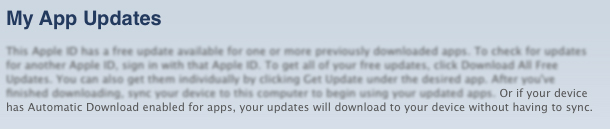
With WWDC right around the corner, many people are getting their scorecards ready. Here’s the center spot for your iOS 5 Bingo card: “Automatic Download” for your iDevices. MacRumors discovered that iTunes is now showing a new sentence on the My App Updates page. It reads, “Or if your device has Automatic Download enabled for apps, your updates will download to your device without having to sync.”

Seems like a very clear indicator that iOS 5 will have the option to automatically grab app updates to your iOS device. Currently, you must either sync or download the updates themselves through the App Store app on iOS.

“Automatic Download” could also suggest that the option could be for more than just iOS apps. People have been wanting a service like this for quite some time and Apple has been rumored to be moving toward the direction of OTA updates and wireless syncing.

Monday, at 10am PDT, we’ll know for sure where the future of iOS (Lion and iCloud) is headed in the coming months. We’ll have live coverage of the event, so please tune in here Monday, June 6 at 9:30 PDT.

Edit by Cody Fink (1:17 AM): Apple was quick about this one. Checking for app updates no longer reveals the message posted above. Instead, Apple has seemed to have temporarily killed the service completely. With my editor and I downloading updates through the App Store on iOS, no updates are available via iTunes update, and the message has been removed.


Rumor: New Time Capsule To Run iOS, A4/A5 CPU

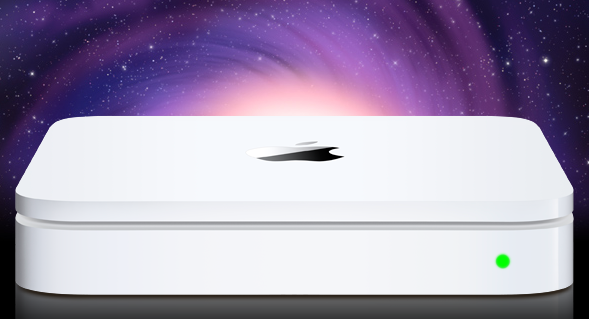
A series of reports surfaced earlier this week suggested stock for AirPort Express, AirPort Extreme stations and Time Capsule units was running low at several Apple retail locations in the United States, with a separate source confirming to us that Apple Stores in Canada have seen similar shortages for Express and Extreme devices. Speculation arose quickly claiming that Apple could release new versions next week, during WWDC, with an announcement likely set for Monday’s keynote. Amidst the rumors, many pointed at the Time Capsule receiving an important update to enable advanced caching functionalities for software updates – the Time Capsule would recognize known devices on a network, check for software updates available, download them in the background, and later seed them to all devices in a few seconds without having to wait for a download process. Others also speculated this caching feature would allow users to store portions of iCloud media locally to avoid streaming delays and pauses between songs or movies.

In a separate report, Ars Technica briefly mentions [via MacRumors] the new Time Capsule could run the A4 or A5 chip alongside iOS – perhaps a modified version much like the second-generation Apple TV.

The source didn’t mention any new functionality for Apple’s AirPort Extreme base station, but it is possible to connect an external USB drive to those devices, which then function similarly to a Time Capsule. It seems likely that Apple could enable updated AirPort Extremes to do similar caching when an external drive is connected.

Our own source tells Ars that the revised hardware is believed to be built around Apple’s own A4 or A5 processor, and will run iOS much like the most recent Apple TV model.

A Time Capsule running iOS and capable of caching content for other devices would certainly open to the possibility of iPhones and iPads connected to iCloud but also deeply tied to the local network to increase streaming speed (thanks to cache) and overall quality (higher-quality songs could be cached locally as snippets so iOS devices wouldn’t take long to fetch the remaining portions).

Speculation also suggests an iOS-based Time Capsule could be used for a much broader set of functionalities such as serving content to Apple TVs or enabling additional options in Lion’s AirDrop – though it also needs to be considered that, by making these possible features exclusive to the Time Capsule (and, say, not a server app running on a Mac), users would be forced to purchase a $299 device (current Time Capsule 1 TB) to enjoy all the potential of iCloud and iOS 5.