Posts tagged with "iOS"

Reminder: Macworld 2011 Kicks Off Today

Apple may have stopped attending Macworld and announcing new products there, but the expo is doing well. So well that, according to stats provided by CultOfMac, more than 25,000 attendees are expected to walk around booths at the Moscone Center where 230 exhibitors will launch 100 new products. The show’s numbers are up from last year, when they dramatically dropped since Apple confirmed they wouldn’t go to Macworld anymore.

The show is shaping up good,” Macworld general manager Paul Kent told CultofMac.com. “If the numbers go right, we’re going to have about a 25% increase in attendance.

It’s a really fun time,” said Kent. “Macworld is a celebration. There’s a high joy quotient. It’s a fun place to be. There’s not a lot of places were people can do this any more.

We won’t be at Macworld, but we will try to aggregate, starting today through Saturday, the best new accessories, apps and Mac software we’ll be notified of. For all the details about the expo and the schedule of events, go here.
FaceMan Is Like Photo Booth For Your iPhone

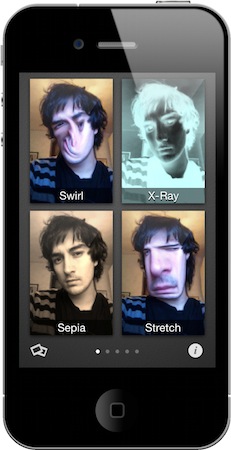
I should have seen this coming. With iOS 4.3 rumored to introduce Photo Booth-like features for FaceTime or the Camera app, a developer created a full-featured alternative to Photo Booth that’s called FaceMan and it’s available now in the App Store at $0.99.

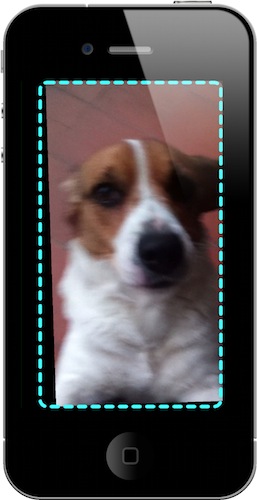
Put simply: FaceMan is great. It comes with 20 effects from the most popular Squeeze and Bent to a geek’s dream like Broken TV and LED; it’s got a slider to adjust the strength of effects; it can do both photos and videos WITH effects applied. Videos don’t have audio right now, but it’s coming with the next update, almost ready to be submitted to Apple. The interface is clean and polished, supports the Retina Display and you just need to flick through pages of effects to pick one and snap a picture. I did, and the terrible result can be viewed in the screenshot above. Full effect list includes: Swirl, X-Ray, Stretch, Heat, Sketch, Sepia, Dent, Led, Emboss, LightTunnel, Bulge, Squeeze, BrokenTv, Mirror, Toon, BlackAndWhite, AsciiArt, ModernArt, 100Me and NightVision.

Last, you can share photos on Twitter, Facebook, email and Tumblr. The app has a dedicated album to view all the photos and videos without having to open the iOS camera roll. I don’t know what else will Apple add in their own Photo Booth app, but FaceMan is an excellent alternative, available now. And it does videos. Go get it.


Movie Stiller: Video Stabilizer for iPhone

In the past, there have been a couple of times I wished that video I shot with my iPhone turned out to be stable. Camera shakiness, in fact, is the first problem for users addicted to shooting flicks with their mobile devices; and especially in situations when you need to be quick to capture a special moment, you’ll be disappointed to find out the video is un-watchable due to your not-so-stable hand. Whoever hasn’t experienced this at least once either has non-human hands or uses a tripod.

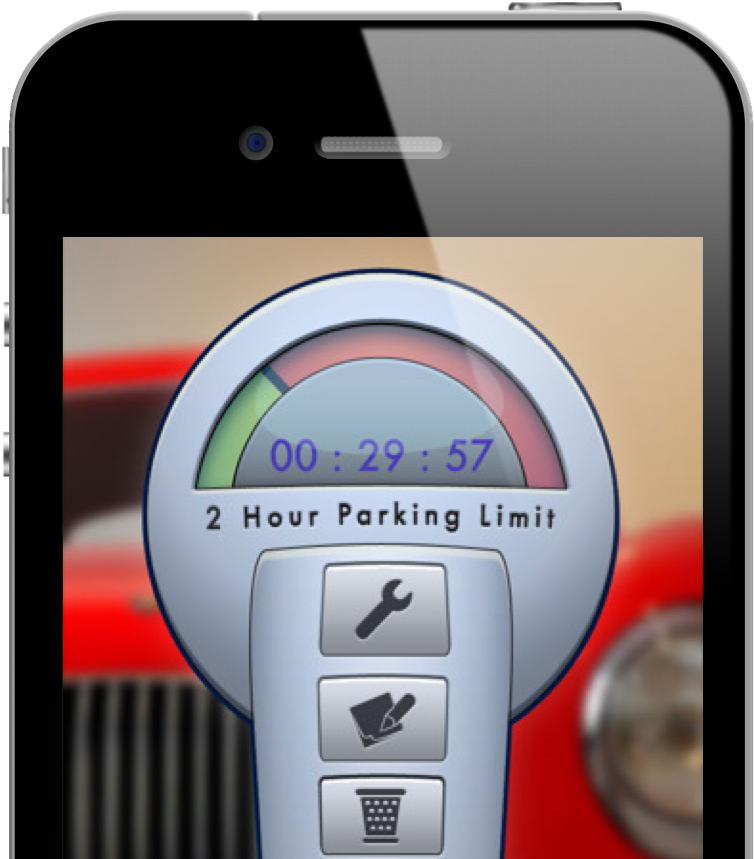
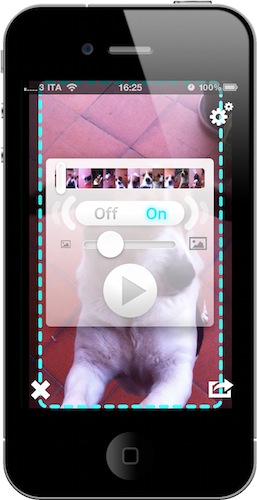
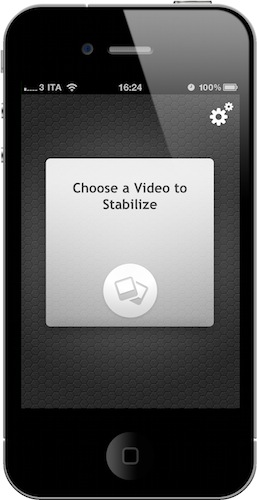
Movie Stiller, a new app from Creaceed (the same developers behind Prizmo), aims at helping you get better videos by stabilizing the ones you have in your Camera Roll. Once you fire up the app, choose a video and wait for Movie Stiller to load it and compute it; in the Settings, you can set a stabilization strength, a default scale and process rotation. Movie Stiller works like this: the more you stabilize a video to avoid shakiness, the more Movie Stiller will add black borders around the current frame. You can then make the image bigger to avoid borders, but that will let the video lose some details. Thus the need of achieving an optimal setup depending on each video.  In my tests, I’ve found the app to work fairly well with videos that had “average shaking”. Don’t expect to optimize your adventurous tornado shoot with Movie Stiller.

The UI of the app is minimal, but stylish. A few taps are needed to get through the stabilization process and you can also export directly to the Camera Roll once it’s finished. Overall, it’s a pretty nifty app to enhance the quality of videos that “could have been better”. Get it here at $2.99.


iOS 4.3 Apps Already Being Approved

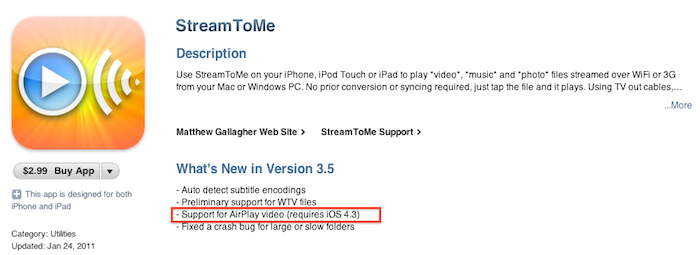
It appears that Apple has started approving applications that use features that will officially be introduced in the upcoming iOS 4.3 software update. StreamToMe, an app we previously reviewed here, has been updated a few hours ago with support for AirPlay video streaming, a functionality that’s not available on the current iOS 4.2. Being the feature exclusive to iOS 4.3, you won’t be able to try it unless you’re a developer. An Apple TV running the latest pre-release software is also required.

Does this mean iOS 4.3 is just around the corner? Beta 2 was shipped last week and we’ll likely see Beta 3 this Wednesday. Apple usually goes into 4-5 betas and a GM seed before public release, so we speculate we might see the final version of iOS 4.3 in late February. But then again, issues may come up in iOS betas at any time.


Google Launching Cloud Print with iOS Support

With an official post on the Gmail blog, Google has announced that in the next few days they will launch the Google Cloud Print online service with initial support for iOS devices and Windows operating system. Cloud Print allows you to print any kind of document and supported Gmail attachment by configuring a local printer with Google’s remote system. Once a printer is connected to Cloud Print, an iOS device can remotely send a document to the printer from the Gmail webapp in Mobile Safari. Support for Mac OS X and Linux is coming “soon.

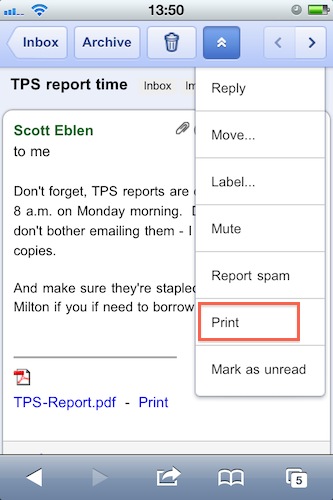
To get started, you’ll first need to connect your printer to Google Cloud Print. For now, this step requires a Windows PC but Linux and Mac support are coming soon. Once you’re set up, just go to gmail.com from your iPhone or Android browser and choose “Print” from the dropdown menu in the top right corner. You can also print eligible email attachments (such as .pdf or .doc) by clicking the “Print” link that appears next to them.

It all sounds fairly interesting, especially considering that it happens in the cloud, in the background. Will Google manage to pull off real driver-less, wireless printing?