This Week's Sponsor:

Turbulence Forecast

Know before you go. Get detailed turbulence forecasts for your exact route, now available 5 days in advance.


Posts tagged with "iOS"

Launch Center Pro 2.1: Fleksy Keyboard, Lists, Photo Attachments, and Share Sheets

Launch Center Pro 2.1

Launch Center Pro 2.1

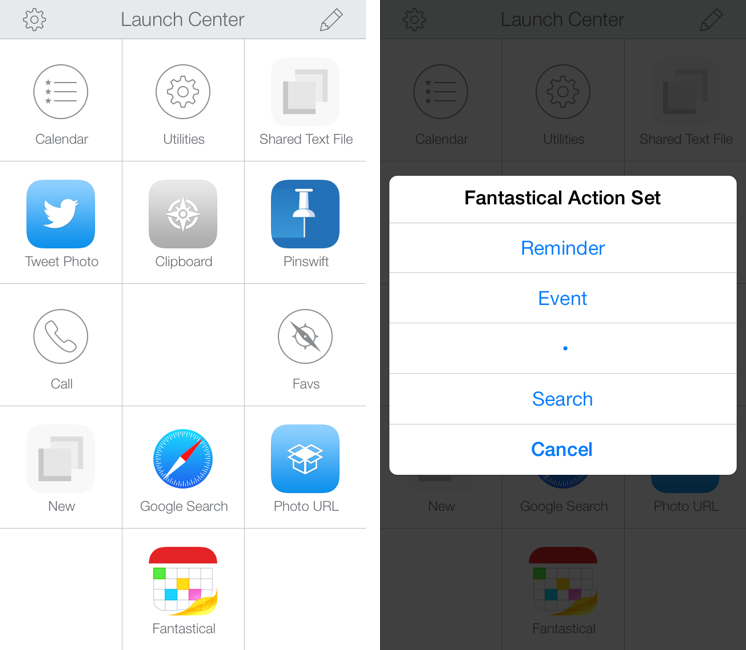
In October, Contrast released Launch Center Pro 2.0, a free update to their shortcut launcher and automation tool for iOS that brought a new interface for iOS 7 and, among other minor additions, Dropbox integration. Launch Center Pro is one of the three apps I keep in my dock[1], and I use it several times a day to create new tasks in Fantastical, launch Google searches, open my favorite websites, and more.

Today, Contrast is launching Launch Center Pro 2.1, a seemingly not-so-major update that, however, brings important changes to the app, including a new way to build visual actions and support for the new third-party Fleksy keyboard. I don’t think it’s an exaggeration to say that version 2.1 is just as important as 2.0 for heavy users of Launch Center Pro. Read more


My Must-Have iPad Apps, 2013 Edition

Must Have iPad Apps 2013

Must Have iPad Apps 2013

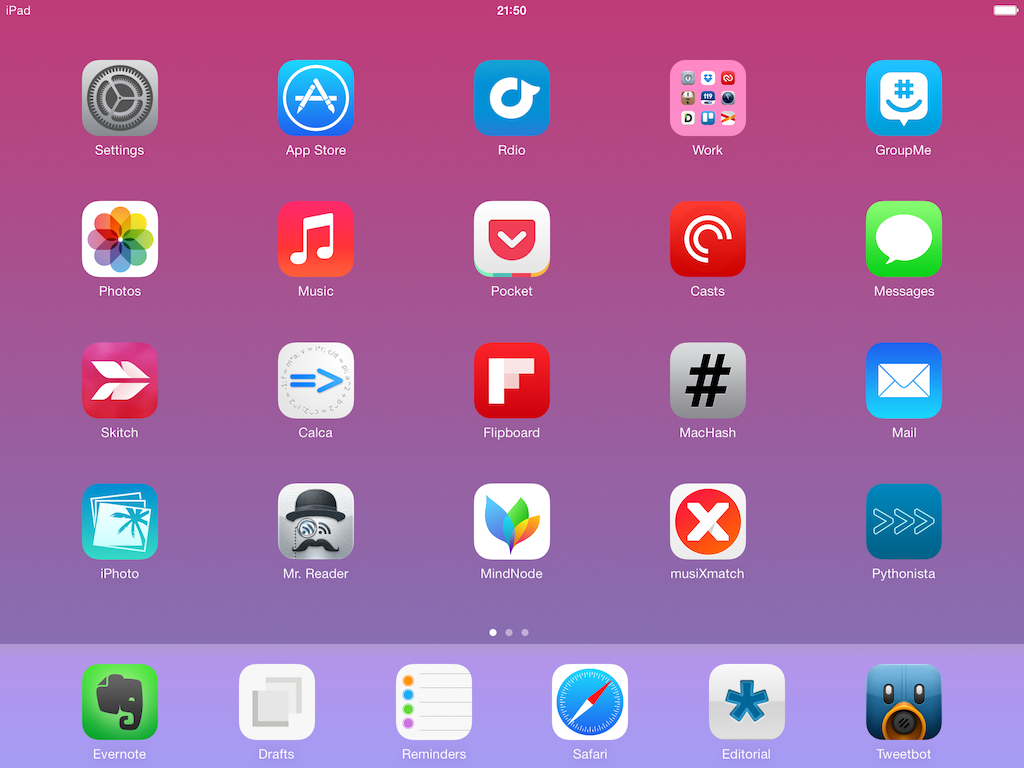
For the past three years, I’ve been running a series called “My Must-Have Mac Apps” that, once a year, would list the apps that I found indispensable on my Mac. This year, considering the changes that I went through from a workflow perspective, I thought it would be appropriate to start focusing on iOS as well. I’d like to start with the iPad.

I’ve been working primarily from my iPad for the past 15 months. For a variety of personal reasons that I’ve discussed before, I found myself unable to work from my Mac every day, so I decided to try and see whether the iPad and iOS could be viable OS X replacements – not just companions. I ended up enjoying the iPad as a work device and, eventually, as a primary device powered by terrific apps that allow me to be more efficient on iOS.

From a high-level, conceptual standpoint, this isn’t a new topic for MacStories readers or listeners of The Prompt. In the end, though, it all comes down to the apps – the software that I use on my iPad for work and play, for productivity and entertainment.

Hence, “My Must-Have iPad Apps”. I consider this the first installment, even though it technically isn’t: I published similar articles in 2010 and 2011, but I skipped 2012 – the year when I really got serious about working from the iPad. This year’s installment is a reboot of the iPad series, which I’m going to publish regularly from now on; if you want, you can check back on the old articles linked above to see if there are apps that I’ve been using for three years (spoiler: yes).

The list below is organized in four sections: Main, for apps that I use several times every day; News, for discovering links and staying on top of RSS; Entertainment, for media consumption; and Utilities, for single-purpose apps that I use often but not heavily every day. Each app is listed with its App Store link and, at the end of the article, you’ll find my iPad app of the year. Read more


#MacStoriesDeals - Black Friday 2013: Best Deals for iPhone, iPad, and Mac Apps & Games

Black Friday is upon us once again! #MacStoriesDeals is the best place to find great deals for Mac and iOS apps and games, Apple hardware deals, and some great book and audio specials.

There are thousands of software and hardware deals online. We carefully pick the best ones and collect them in a single post with links to buy or share discounted products. You don’t need to be overwhelmed by Black Friday deals because we take care of finding the best stuff for you.

Bookmark this post, and come back every day to find updated deals for each category. Updates will be listed as new entries at the top of each category.

You can find us as @MacStoriesDeals on Twitter.

Read more


Automate iOS Contacts, Location Services, and Open In Menu with Pythonista 1.4

Pythonista 1.4

Pythonista 1.4

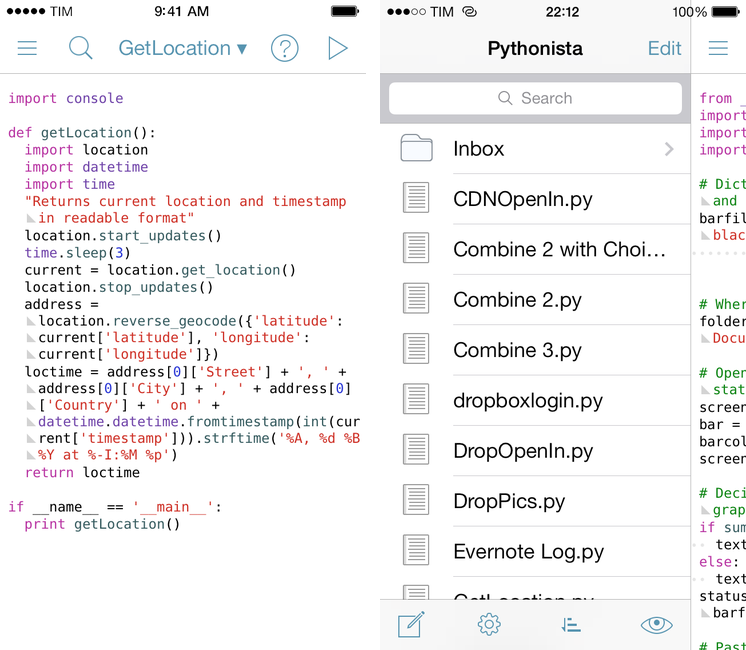
Pythonista is the app that changed my iOS workflow a year ago. A Python interpreter with native access to iOS system features like photos, URLs, and interface elements, Pythonista allowed me to convert the scripts and macros that I was using on OS X to the iPad, automating iOS in better and sometimes unexpected ways. Pythonista eventually led to Editorial, also developed by Ole Zorn, which changed the way I write and work on my iPad every day.

Pythonista 1.4, available today on the App Store, is the biggest update to Zorn’s app to date. It includes a new UI for iOS 7 (the app is also iOS 7-only starting today), new modules and enhancements to existing ones, and, more importantly, it doubles down on iOS integration by bringing native support for contacts, location, and Open In. Read more


Podcasting On iOS

When I told some friends that I was “podcasting” on iOS, they assumed that all I was doing was recording myself on iOS and doing the post-production later on a Mac. Not so! In fact, we actually do the entire end-to-end audio production purely on iOS.

Fraser Speirs details his workflow for producing episodes of Out of School without a Mac. The fact that several episodes have been created using an iPhone and iPad with a portable podcasting setup is pretty incredible.

Also of note (towards the end): one of the benefits of the A7 processor.

Permalink


IFTTT 1.2

Released earlier this week, IFTTT for iOS 1.2 improves on native Reminders and Photos integration by allowing users to create recipes that save new items into the Reminders and Photos apps. Previously, IFTTT could only read data from Reminders and Photos and use that as a trigger for other actions.

I wanted to wait a couple of days before posting about this update to test how frequently the new background refresh API in iOS 7 would let IFTTT check for triggers and launch recipes. Unfortunately, I haven’t seen notable changes in execution times – for instance, bookmarks that I add on Pinboard sometimes take about an hour to be added to Reminders. My understanding is that IFTTT isn’t using silent push notifications to instantly trigger recipes in your account, therefore iOS 7 background app refresh can make the app check for updates more often in the long term, but that will require several weeks of testing. Thus, I’m happy to keep testing the feature and report back.

The improved Reminders and Photos integration is very nice. You can add new photos from URLs, create reminders into a specific list, and even set a priority for them. I wouldn’t rely on Reminders integration to save work-related tasks, but I find it very useful to let IFTTT check on, say, Instagram or Facebook from time to time and save the photos I want locally on my device.

I’m still impressed by what IFTTT is doing with their iOS app, and I’m looking forward to seeing what’s next for iOS 7 background sync.

Permalink

Resolve and Clean URLs with Clean Links for iOS

Clean Links

Clean Links

In July, I wrote about my Pythonista script to resolve and clean URLs copied from apps that used shortening services. Clean Links, developed by Griffin Caprio, is a free iOS app that does more than my script as it resolves URLs, removes useless parameters, and supports x-callback-url for inter-app communication.

Clean Links’ sole purpose is to receive a URL that was shortened, put behind a proxy, or cluttered with parameters/tokens and turn it into the clean, basic version that’s the one you want to share with your friends and followers.1 Clean Links can resolve YouTube URLs, links to blog posts generated by FeedBurner, classic Bitly URLs, and more. In my tests, Clean Links never failed to clean up a URL that I gave to it – the recent addition of YouTube URL support is extremely welcome as YouTube mobile redirects are particularly annoying. By default, Clean Links cleans a URL you’ve copied and puts the cleaned version back in the iOS clipboard.

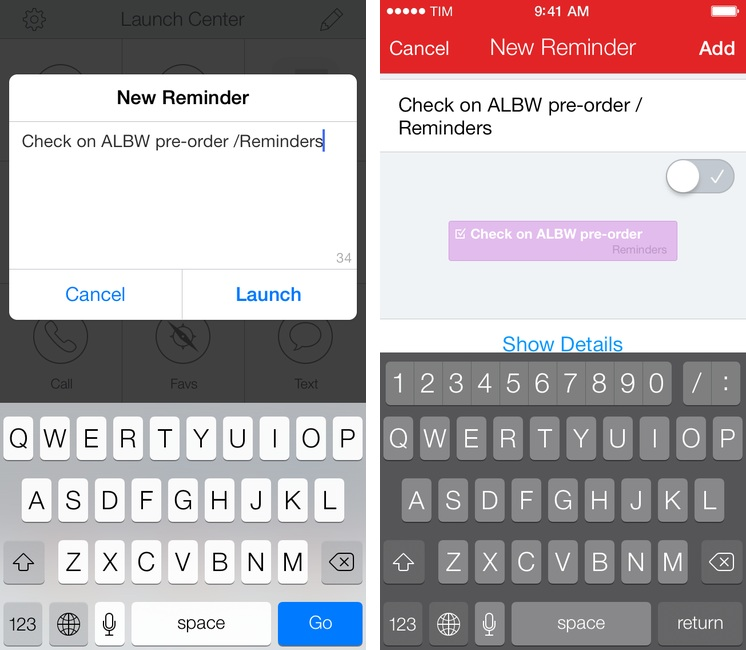
With callbacks, Clean Links can be used with other apps as a “URL cleaning service” in the middle of a workflow. Here’s an example: I’ve found a link in Tweetbot and I want to tweet it, but the URL is ugly. With Clean Links, I can copy the URL and launch this Launch Center Pro action to have it cleaned up and return to Tweetbot’s Compose screen automatically. Or, with this action, you can resolve a URL and automatically add it to the “URL” field of a new event in Fantastical 2.

A tip for x-callback-url power users: when chained to other apps, Clean Links can automatically insert text not by using clipboard hacks, but through a “return parameter” called retParam. If you take a look at the URL schemes that power the actions above, you’ll see that, for Tweetbot, the text parameter is omitted from the Tweetbot URL scheme and given to retParam (same concept for Fantastical). If you want to pass along cleaned URLs with x-callback-url keep this in mind and take a look at the app’s documentation.

Clean Links has a very utilitarian approach to the problem it solves: it’s powerful, but it doesn’t come with a pretty UI for iOS 7. You’re not supposed to be looking at Clean Links all the time though, and the app’s functionality makes it the best solution to clean URLs and send them to other apps I’ve found. Clean Links is Universal and available for free on the App Store.


  1. Tweeting URLs with “mobile.” domains and UTM tokens is comparable to this↩︎