This Week's Sponsor:

Turbulence Forecast

Know before you go. Get detailed turbulence forecasts for your exact route, now available 5 days in advance.


Posts tagged with "iOS"

Banca: A Simple Currency Converter Reimagined for iOS 7


You need no introduction to Banca, a beautiful converter that lets you quickly get the exchange rate between any currency currently in use. Redesigned from the ground up, Banca repurposes the best parts from apps like Convert and marries them with the functionality of a basic calculator for quick conversions. Fluid animations, a stowaway units pad, and thoughtful touches such as the option to flip conversions with a tap of the arrow reveals an app made with care. The app refreshes the world’s exchange rates automatically, providing up to date information in a simple, customizable interface. A free update on the App Store for previous customers, Banca can currently be downloaded for $1.99.


Tweetbot Workflow: Upload and Share Dropbox Text Files

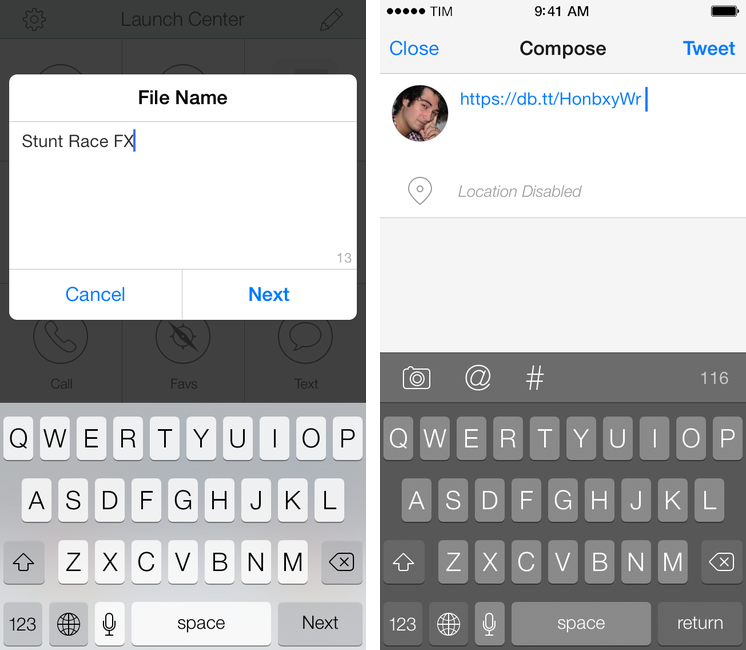
Tweetbot workflow

Tweetbot workflow

In Tweetbot 3, Tapbots removed the ability to post tweets longer than 140 characters using built-in services for text upload. While I understand that it wasn’t one of Tweetbot’s most used features, its removal got me thinking: would it be possible to replicate the feature using Dropbox and plain text files in an automated iOS workflow? I came up with a solution that requires Launch Center Pro and Drafts, and I’m quite happy with it.

Read more


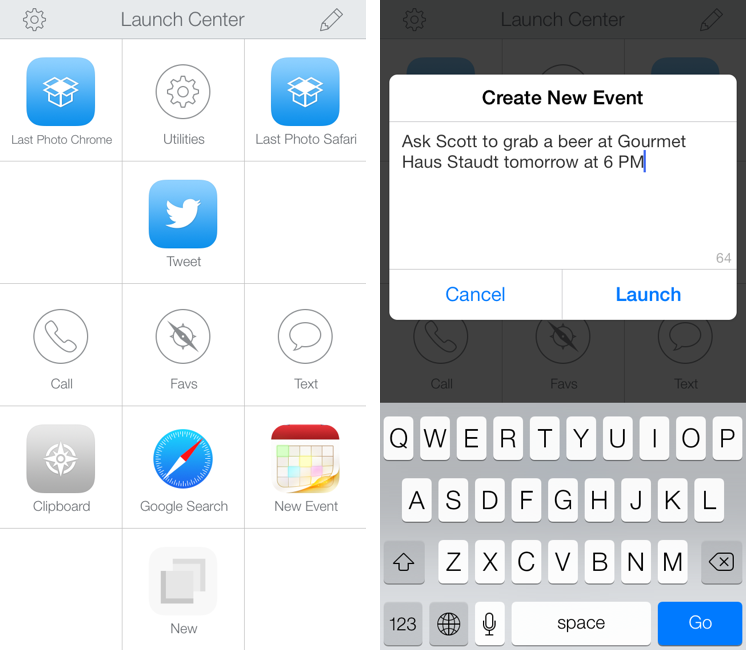
Launch Center Pro 2.0 Review

Launch Center Pro, developed by Contrast (née App Cubby), can be considered the app that spearheaded a small revolution among iOS power users. Initially envisioned as a Notification Center tool, following an Apple rejection in late 2011 the app was released as Launch Center; in the summer of 2012, App Cubby completely reworked the inner workings and design of Launch Center and turned it into Launch Center Pro, allowing users to create custom actions with personalized URL schemes and therefore kicking off a series of months that saw the apperance of several other apps focused on actions, URL schemes, and automated workflows. In looking back at the past year of iOS automation, I think that Launch Center Pro 1.0 was a major turning point in that it proved that many iOS users wanted to create actions and workflows to save time and be more productive.

In March 2013, App Cubby released Launch Center Pro 1.1, which focused on TextExpander integration in URL schemes, Action Composer tweaks, and deeper system integration with clipboard actions for text and more. The app’s library of supported third-party apps kept growing as more developers took the opportunity to address the interest sparked by Launch Center Pro to add URL schemes to their apps. I remember, however, that back then App Cubby’s David Barnard – the same developer behind the recently released and successful weather app Perfect Weather – started telling me about his plans for the future of Launch Center Pro and expanding to other supported services, apps, and devices.

With today’s Launch Center Pro 2.0 for iPhone, a free update for existing customers, Contrast wants to ask: in the era of Drafts actions and Control Center, can Launch Center Pro still have a spot on a user’s Home screen, and possibly in the dock? Read more


Mirimage’s Editorial Workflows for Pocket and App.net

Great demonstration of Editorial’s scripting capabilities. First, a workflow to fetch a random article from Pocket:

I’ve made 3 workflows; two for the authentication (Pocket Auth 1 & 2), and one that fetches a random article from the user’s unread queue and opens it in the Editorial browser. The Pocket authentication only needs to run once.

And then one to post on App.net (which could be nicely chained to my Post To WordPress workflow):

If you’re an App.net Developer, you can post to App.net directly from Editorial. I integrated this workflow into Federico Viticci’s Post to WordPress workflow, to post new articles to App.net in addition to Twitter.

Side note: I’m keeping track of Editorial workflows I find over at this Pinboard tag.

Permalink

Shared Accounts In Google’s iOS Apps

Alex Chitu, reporting on a feature that I also noticed after YouTube’s 2.0 update:

If you enter the credentials of a Google account in the YouTube app and then open the AdSense app, you’ll find the new account and you can sign in without entering the password. If you remove an account, it will be removed from the other Google apps that support this feature. I assume that most Google apps for iOS will be updated to use this brilliant feature.

Once I logged into YouTube with my account (on an iOS 7 device), I then fired up the AdSense app (that I had just downloaded from the App Store) and my account was already listed in the screen with available accounts. It does seem like the YouTube and AdSense apps are capable of sharing accounts so users won’t have to log into their account every time in each Google app. AdSense didn’t bring up an authorization screen in YouTube – it just recognized the account that I had set up in YouTube.

Google’s documentation for YouTube confirms this, but doesn’t specify which iOS apps support shared accounts:

If you’ve signed in with another Google app on your iOS device, you may see this account listed.

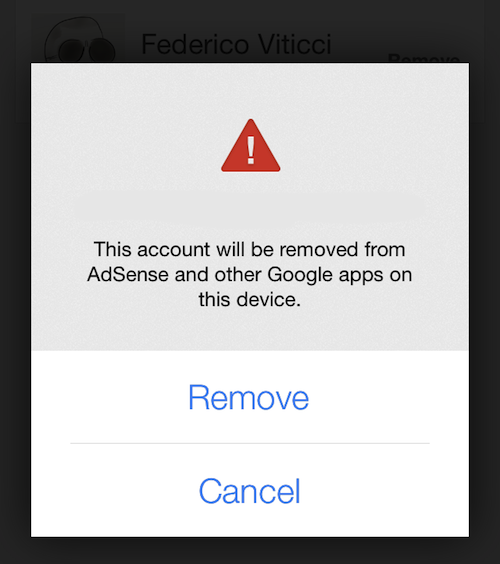
Google’s explanation isn’t clear; the shared account option isn’t mentioned in the documentation for Gmail and Chrome. Upon signing out from the YouTube app, an alert dialog reads:

To sign in again, just select one of your Google accounts saved on this device. You will not be required to enter your password. To remove a saved account, tap “Sign In” > “Manage” > “Remove”.

It’ll be interesting to see if and when shared accounts will be integrated with Google’s other iOS apps. In the past few months, Google enhanced the inter-app communication capabilities of Gmail, Maps, Drive, and Chrome with the ability to open links in other apps, completely foregoing the need to launch Apple apps like Safari, Maps, or Mail.

Furthermore, Google is also providing an SDK for developers to add this functionality to their apps (for web links), showcasing examples of third-party apps that support Chrome. While Google apps won’t have the same kind of system integration that they have on Android, the combination of URL callbacks and shared accounts could help the creation of a “Google app ecosystem” on iOS.


Reinventing iOS Automation: Editorial Review

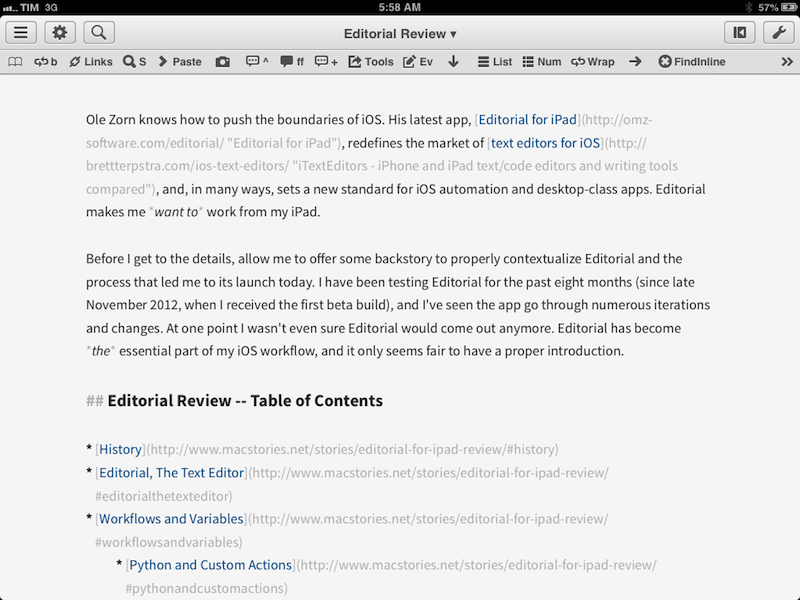
Editorial for iPad

Editorial for iPad

Update: I have turned this review into an interactive book with additional & exclusive content. You can find it on iTunes, on sale for a limited time. More information is available here.

Ole Zorn knows how to push the boundaries of iOS. His latest app, Editorial for iPad, redefines the market of text editors for iOS, and, in many ways, sets a new standard for iOS automation and desktop-class apps. Editorial makes me want to work from my iPad.

Before I get to the details, allow me to offer some backstory to properly contextualize Editorial and the process that led me to its launch today. I have been testing Editorial for the past eight months (since late November 2012, when I received the first beta build), and I’ve seen the app go through numerous iterations and changes. At one point I wasn’t even sure Editorial would come out anymore. Editorial has become the essential part of my iOS workflow, and it only seems fair to have a proper introduction.

Read more


The Boy Who Beat Ocarina of Time in 22 Minutes

This link isn’t strictly about Cosmo Wright’s Ocarina of Time speedrun – which, by the way, is incredible to watch. Make sure to read Computer and Video Games’ feature on it as well.

Rather, I’d like to point out these two tweets by Sonny Fazio in response to Peter Hajas, who originally shared the link to Cosmo Wright’s speedrun last night:

This is an interesting side effect of the App Store that I didn’t think about. Speedruns are an extremely fun-to-watch, but niche use case that, as Fazio notes, are generally facilitated by glitches and bugs in the source code of games. This goes beyond the App Store and extends to games sold on online platforms like Steam and PlayStation Network as well. Because of updates and patches, will it become increasingly difficult – if not impossible – for speedrunners to analyze and play through games in their original form decades from now?

In the video I linked above, for instance, Cosmo explains that a major glitch in Ocarina of Time took 13 years to be discovered and used. That was only possible thanks to the fact that a) Nintendo 64 cartridges are still physically available today and b) Nintendo’s conversion for the Wii’s Virtual Console is a 1:1 port of the original – bugs and glitches included. Can you imagine someone still playing an iOS game in 13 years?

Twenty or thirty years from now, will we see speedruns for iOS, PS3, or Xbox 360 games? Sadly, I think that a mix of retrocompatibility issues, OS and app updates, and lack of physical access to games will hinder speedrunning. Not to mention Apple’s current state of affairs with games and the gaming community.

Overall, Digital preservation is the bigger topic we should be discussing.

Permalink