


We have many great deals for #MacStoriesDeals today. You can find us as @MacStoriesDeals on Twitter. Happy Holidays from the MacStories Team!
Posts tagged with "iOS"
#MacStoriesDeals - Thursday
#MacStoriesDeals - Wednesday
We have many great deals for #MacStoriesDeals today. You can find us as @MacStoriesDeals on Twitter. Happy Holidays from the MacStories Team!
#MacStoriesDeals - 2012 Holiday Edition
We have a ton of great deals for the 2012 Holiday edition of #MacStoriesDeals today. Keep checking back as we will be updating this post throughout the holiday. You can find us as @MacStoriesDeals on Twitter. Happy holidays from the MacStories Team!
Apple Releases iOS 6.0.2
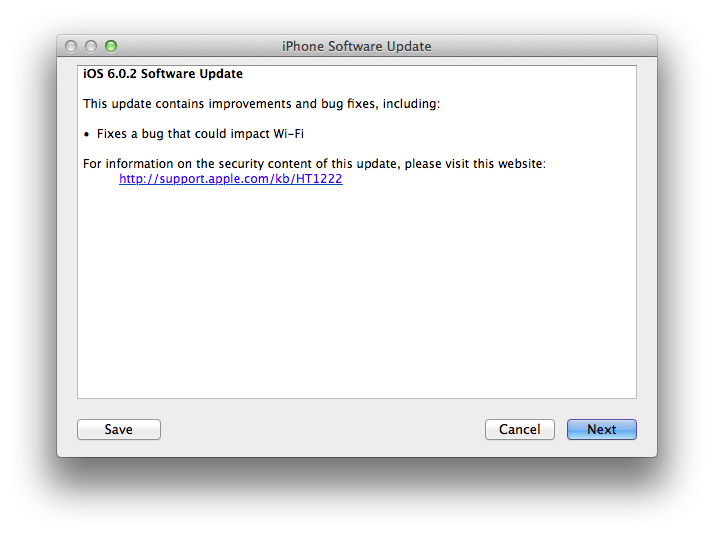
Apple just released iOS 6.0.2. The software update is now available in iTunes. According to Apple, the update includes “improvements and bug fixes”, including a fix for a bug that ”could impact Wi-Fi”. At the moment of writing this, iOS 6.0.2 is only showing up in iTunes, as Apple’s own software update tool for iOS is returning an error.
iOS 6.0.2 is available only for the iPhone 5 and iPad mini.
Direct Links
- iPad mini WiFi (2,5)
- iPad mini GSM (2,6)
- iPad mini CDMA (2,7)
- iPhone 5,1 (model A1428, AT&T/Canada)
- iPhone 5,2 (model A1429, all others)
Dropbox Releases Completely Redesigned iOS App
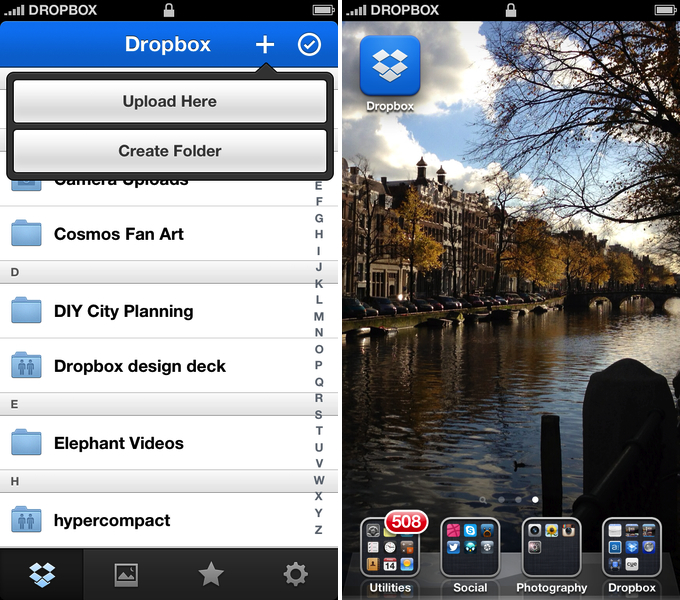
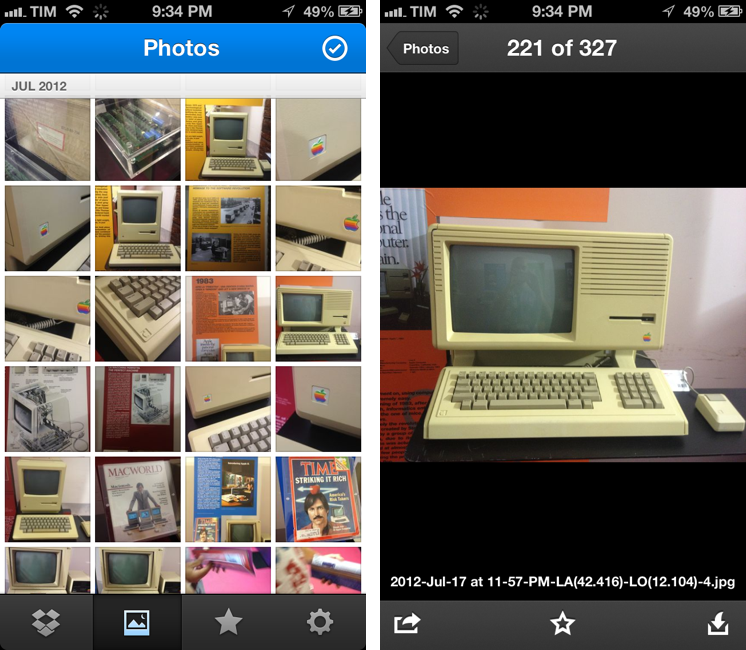
Dropbox has today launched a major new version of its iOS app, featuring a new UI design, new upload features, and an updated photo experience.
As detailed in a blog post by the company, the new Dropbox aims at simplifying the user interface with “flattened out” colors, simpler lines, and less visual complexity. For instance, the new tab bar of the app doesn’t come with text labels, using only icons to indicate folders, Photos, Favorites, and Settings. In a way, the Dropbox redesign is somewhat reminiscent of the latest Rdio update for iOS, also focused on flat colors and an overall simplification of graphical elements.
The new Dropbox changes the upload system as well. In the previous version, there was an Uploads section to upload items from the iOS Camera Roll to a specific folder; users needed to specify the folder before starting the upload process. In Dropbox 2.0, every folder – including the main Dropbox one – has got a “+” button in the upper toolbar with two options: “Upload Here” and “Create New Folder”. I look forward to trying this feature in particular as I use the Dropbox app to upload photos on a daily basis to different folders; I don’t know whether an upload button dependent on the folder you’re currently viewing will eventually make me save taps, or require more navigation around folders.
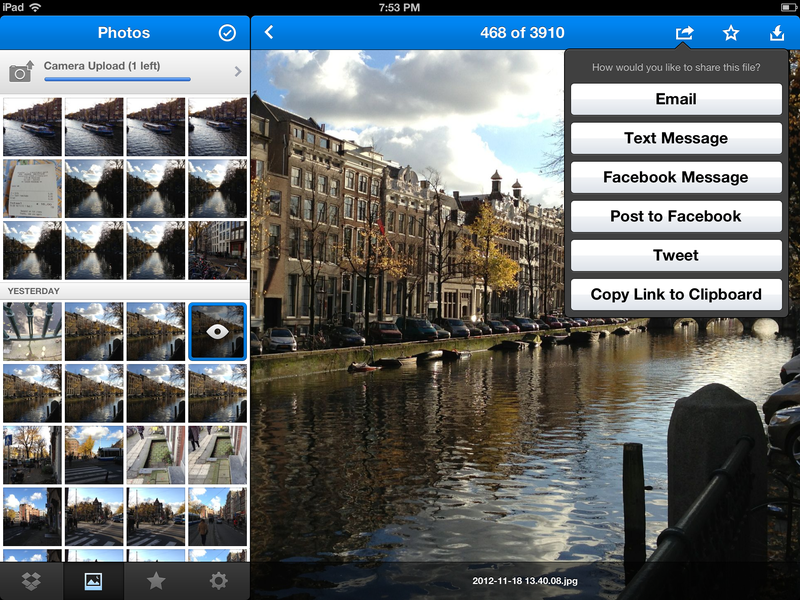
Photos are also part of my Dropbox workflow, and the new app introduces a new browsing experience for them. According to Dropbox “all of your photos” including those you have “uploaded from other devices” will be available in the new Photos tab. This view comes with a grid interface to browse photos from newest to oldest. Interestingly, sharing options for photos now include separate entries for “Post on Facebook” and “Facebook Message”. The Photos view retains the Camera Uploads functionality of the previous version (though personally I use CameraSync for this, a third-party app that offers more settings for Dropbox photo uploads).
The new Dropbox app is available on the App Store.
Update: Based on my first tests, it appears only photos uploaded with the app’s Camera Uploads feature are recognized in the Photos tab; it doesn’t seem like the app is recognizing photos I uploaded with third-party apps like CameraSync. Too, like in the previous version of the app, you can’t star folders.
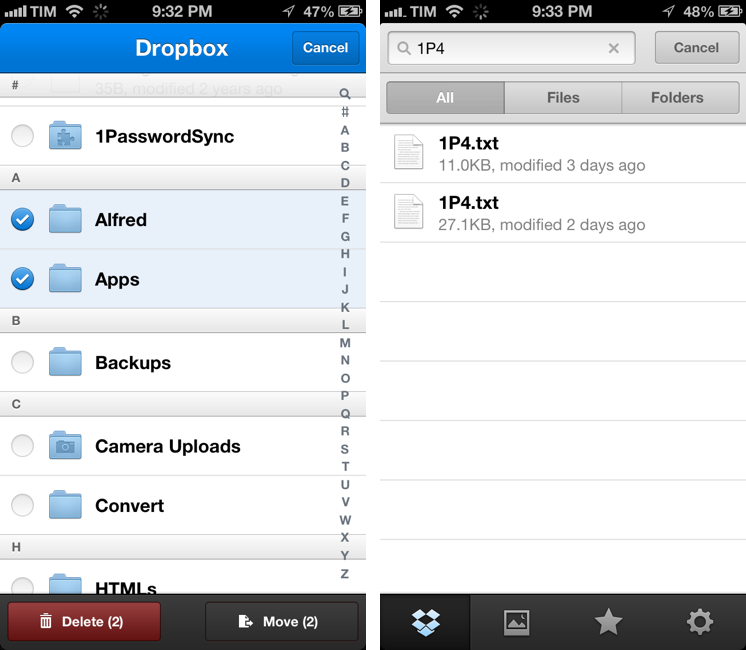
More screenshots below.
“This Won’t Happen On iOS”→
“This Won’t Happen On iOS”
I found myself nodding in agreement with Jason Snell’s latest piece for Macworld:
That’s why I’m optimistic that the dismissal of Forstall to tend his garden might be just the shake-up that iOS needs. In the operating system’s nearly six years of existence, Apple hasn’t really rethought any of iOS’s major features. We’ve seen the continual addition of new features, but very little has disappeared to be replaced by something utterly new. iOS is pretty good, but that stasis is odd, and perhaps even a little self-delusional on Apple’s part: Nothing is inviolably perfect, especially on the first try.
For me, there are two sides to this argument. I have been advocating iOS, and especially the iPad, as a platform capable of doing tasks previously exclusive to “real computers”. At the same time, I’ve also been trying to focus on how “regular people” could benefit from using apps that we thought were only “for geeks”. Maybe not Pythonista or another scripting app, but definitely – just to name two examples – apps like 1Password or Launch Center Pro.
And yet, the single reply I get the most every day is that “this won’t happen on iOS”. Some people seem to think that just because Apple was successful in reinventing the mobile OS five years ago, then they’ll have to stick to that model forever. That they’ll have to keep the Mail app as it is, that they’ll avoid considering more “power user features”, and that trying to make technology work for everyone – from grandparents to nerds – is wrong.
I disagree with the notion that the philosophy of iOS is set in stone. If there’s anything great about software, is that it can be changed. Sometimes it’s a huge undertaking, but it can happen.
I’m not saying change is always good – because I don’t know. But like Jason says, being static and complacent isn’t good either: the market is changing, people change their habits and needs. Eventually, change is not only good, but necessary.
And if Apple didn’t believe this too, we’d all be using a stylus today.
#MacStoriesDeals - Thursday
We have many great deals for #MacStoriesDeals today. You can find us as @MacStoriesDeals on Twitter. Happy Holidays from the MacStories Team!
#MacStoriesDeals - Wednesday
We have many great deals for #MacStoriesDeals today. You can find us as @MacStoriesDeals on Twitter. Happy Holidays from the MacStories Team!
Audiobus Inter-App Communication On iOS→
Audiobus Inter-App Communication On iOS
I’ve been on a personal “quest” to find examples of iOS inter-app communication. I’ve set up workflows with Pythonista and the apps I use, and I’ve searched for apps that have implemented x-callback-url in meaningful ways. I believe Apple will eventually have to address the need of letting iOS apps better communicate with each other with something more powerful than an Open In... menu.
Today I was sent a link to Audiobus. The developers call it an “inter-app audio routing system” – a way to bring music apps together to avoid sending files back and forth between different apps. It is, essentially, a way to record on an iPhone an iPad using the capabilities of multiple apps at once: with a system based on inputs, outputs, and effects, Audiobus routes audio through specific apps and keeps playing audio from different apps in the background. The videos are really the best way to understand the whole concept behind this solution, as it doesn’t look like anything that has been done on iOS before.
I would love to know the technical details behind this. From what I can gather, Audiobus provides an SDK that developers can use to register their apps as input and output sources, or effects. Once registered, Audiobus creates a “workflow” for these apps and displays a “panel” at the side of an iPhone or iPad, showing the apps that are playing in a single session. I don’t think there’s a time limit on background audio, and it appears the side-panel is also capable of stopping audio from specific apps and switching back to them.
I am intrigued by the possibilities offered by a third-party SDK for better iOS inter-app communication: right now, Audiobus already works with apps like Rebirth for iPad, Loopy HD, SoundPrism Pro, and MultiTrack DAW, and more developers will join the program soon. I’m not sure how the panel concept would translate to tasks that don’t involve audio; however, imagine, say, being able to copy a URL from your browser into your text editor without switching back and forth between them. Or getting a file from the Dropbox app embedded into a Pages document without a tedious variety of multitasking gestures and Copy & Paste menus.
Check out Audiobus here.