After using Google Chrome for more than two years, I still find it rather amusing that Google hasn’t released an iOS companion app to access your browser history, tabs and bookmarks on the go. Mozilla does this, third-parties have figured out a way to do this, yet Google doesn’t seem to think an iOS version of Google Chrome with, perhaps, a minimal set of functionalities would be necessary. Fortunately, a developer in the App Store has figured out a way to sync your Chrome session (that is, history, tabs and bookmarks) from the desktop to an app, aptly named Chrome Sync Pro.
Priced at $0.99, Chrome Sync Pro runs as a universal app on the iPhone and iPad (the latter doesn’t support landscape mode for some reason), and has three sections at the bottom to switch between your bookmarks, open tabs and history. When I first heard about Chrome Sync Pro my first concern was security – it turns out, the app gets your Chrome information through an extension that doesn’t communicate with third-party servers, but copies your browser’s data into a Google doc in your account. The data in Google Docs is encrypted in some sort of way, I believe, so that only Chrome Sync Pro for iOS can read it and display properly on your device. I’d like the developers to explain this process better, for sure, but I’m not deeply concerned about security and privacy as long as my Chrome data is passed along through OAuth to Google Docs.
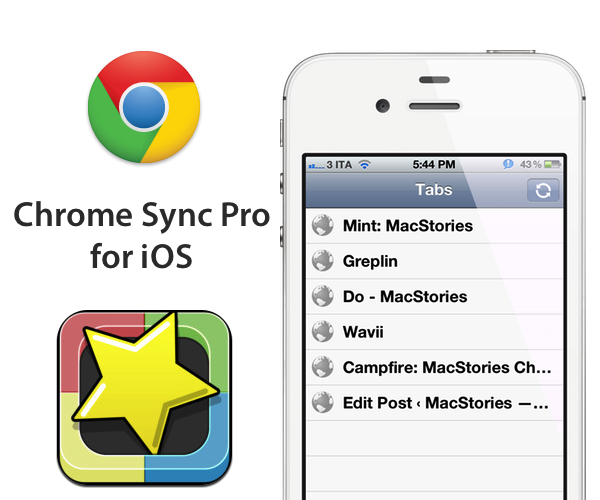
On iOS, the app is very simple and functional. When you open it, it’ll refresh with the latest data from your Chrome browser and allow you to tap on links. Chrome Sync Pro supports different third-party iOS browsers instead of just Safari, although some personal favorites of mine like Grazing and iCab aren’t supported yet. There is a refresh button to update the sync results from your desktop computer, but I’ve found the extension to be stable and fast at syncing back tabs and history to Google Docs.
Chrome Sync Pro is a simple utility that could use a prettier interface and more third-party browser integration; for now, it gets the job done. If you’re looking for a way to make your Google Chrome data portable, Chrome Sync Pro is only $0.99 on the App Store.