This Week's Sponsor:

Turbulence Forecast

Know before you go. Get detailed turbulence forecasts for your exact route, now available 5 days in advance.


Posts tagged with "iPad"

First Unofficial WikiLeaks App

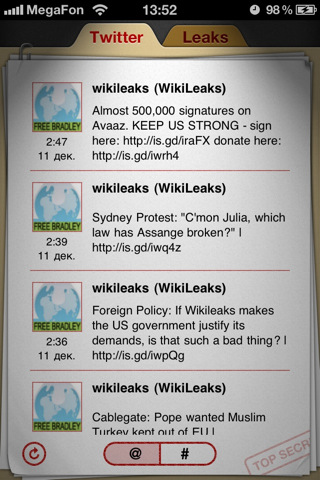
You can think Julian Assange should have been TIME’s person of the year or not – we’re not here to discuss Assange’s (and his team’s) actions. There’s an unofficial WikiLeaks iPhone and iPad app in the App Store, and it was released earlier today. It’s available now at $1.99.

The app sports a nice and clean interface design, and allows you to check on the latest WikiLeaks’ updates from Twitter or the organization’s website. Both the tweets and the website are formatted for the iPhone and iPad. WikiLeaks App can automatically forward to the latest mirror and access the CableGate page.

WikiLeaks App for iPhone and iPad is available here at $1.99.


There’s A New Text Editor On My iPad: Writings

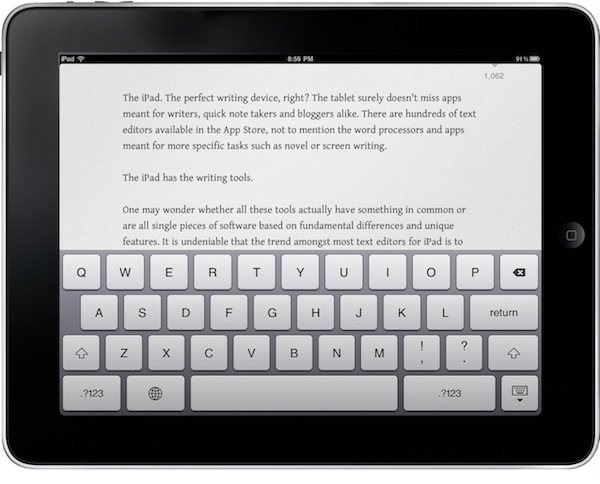
The iPad. The perfect writing device, right? The tablet surely doesn’t miss apps meant for writers, quick note takers and bloggers alike. There are hundreds of text editors available in the App Store, not to mention the word processors and apps meant for more specific tasks such as novel or screen writing.

The iPad has the writing tools.

One may wonder whether all these tools actually have something in common or are all single pieces of software based on fundamental differences and unique features. It is undeniable that the trend amongst most text editors for iPad is to come with Dropbox sync capabilities. Of the “writing tools” mentioned above, the text editors rely on sync nowadays. And to good reason: it was a pain to save a post or note as a .txt file and manually manage it. Now everything happens in the cloud, in the background, automatically.

The Dropbox trend has lead to great apps: PlainText, Elements, IA Writer – just to name a very few. Writings, a new app released today by Italian developers Ludovico Rossi and Vito Modena, shares a feature set similar to other writing applications available in the Store, but comes with new functionalities and interaction methods that have made it stand out from the others on my iPad.

Writings makes composing text on the iPad a real pleasure. Read more


iPad Landscape Connector [Concept]

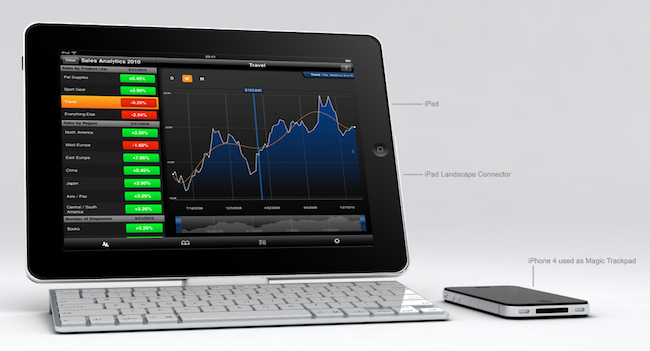
That keyboard dock Apple sells for the iPad? It’s meant for portrait mode. There’s no way to put the tablet in there and expect the dock to hold it in landscape (which offers a broader and better view in most apps), which is kind of a bummer considering that the iPad is not the iPhone and it’s not specifically meant for portrait. Still, this is what Apple is selling.

Italian designer Federico Ciccarese came up with a neat concept of an accessory that, placed between the dock and the iPad, would allows users to use the keyboard and dock functionalities while holding the iPad in landscape mode. It looks fairly simple and clever enough to provide an alternative solution for all those who wished Apple thought of a way to hold the iPad in both orientations in the first place.

But as usual, this is just a concept and Ciccarese is looking for a producer. [via iPadevice]


Skyfire Coming To The iPad, Integrates Facebook & Twitter In The Browser

Remember Skyfire? The Flash browser for iPhone? Yes, the one that lets you watch Flash videos on the iPhone by quickly converting them to HTML5. In our review, we wrote that the app, besides Flash converting capabilities, also had a lot of neat features to bring an innovative browsing experience to the iPhone. Even if I’m sure many users bought it and quickly came back to Safari, Skyfire managed to gain quite a few followers. Skyfire is now coming to the iPad.

The iPad app, which according to Wired should be released “before Christmas” at $4.99, will come with even more functionalities than its mobile counterpart. Skyfire for iPad, thanks to the tablet’s larger screen, will integrate lots of social features such as the possibility to access your Facebook wall at any time, Twitter, Google Reader and a bunch of other websites all within popovers on screen. Skyfire for iPad will allow yo to quickly access your social profiles and check on links shared by your friends and people you follow, tap on them and open everything inside the browser, in additional tabs. The tab interface looks cool and well-animated, but I wonder why the developers went for an iPhone-like approach instead of mimicking the tabs seen in Mobile Safari for iPad.

Also, I don’t know why would I want to see my Facebook wall at any time in the browser. I can understand the Google Reader integration, but all these other social features sound like a useless overlay to me. Oh, and Skyfire for iPad will also have a universal Facebook Like button that will let you like any page without opening Facebook. This, admittedly, sounds pretty cool.

I’m not sure about all this social stuff in browsers (remember RockMelt?), but I’ll be keeping an eye on this new version of Skyfire. With Apple’s devices dominating encoded web video, clearly there’s not this huge need of a browser capable of converting Flash anymore. Perhaps all we need is a social browser for the tablet. [via MobileCrunch] Read more


Email The Cloud, Get Your Actions In OmniFocus

Email The Cloud, Get Your Actions In OmniFocus

To try out the feature, send a message to send-to-omnifocus@omnigroup.com. Within a few minutes, you’ll receive an auto-response from us which includes a “Send to OmniFocus” link.

It’s actually within a few seconds. The actionable emails came in my inbox seconds after I forwarded my items to the OmniFocus address. This is a great idea and it shows how much the OmniGroup is committed to delivering a real cloud-based GTD solution, unlike many others. Too bad this email feature works well only with plain text right now – forwarded emails will turn into lines of weird unicode characters, as also reported by Shawn Blanc.

Still, this gives you an idea of why you have to consider OmniFocus. Truly a killer product for iOS and OS X.

Permalink