

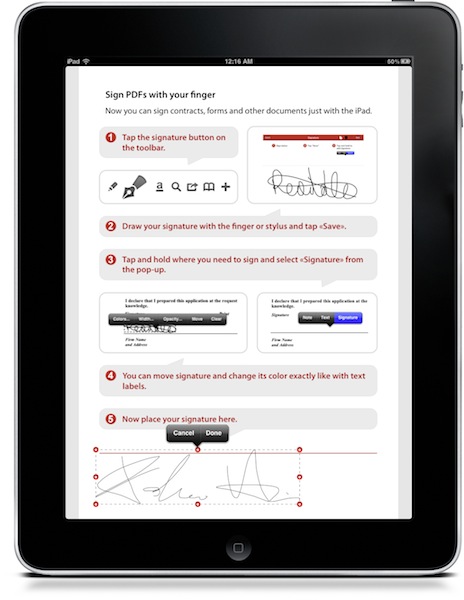
PDF Expert is, in my opinion, the best PDF reader and annotation tool you can currently have on the iPad. It’s got a nice UI, a great engine that’s damn fast at opening large PDF files, it lets you pull documents from various online sources such as Dropbox and iDisk. It allows you to annotate documents and transfer them back to the Mac to view annotations in apps such as Acrobat Reader and DEVONthink. It’s a full featured app that, unlike many alternatives, doesn’t overwhelm you. Read more
Posts tagged with "iPad"
PDF Expert Gets Even Better with Signature and Text Notes Support
The Feed, Immersive RSS App for iPad
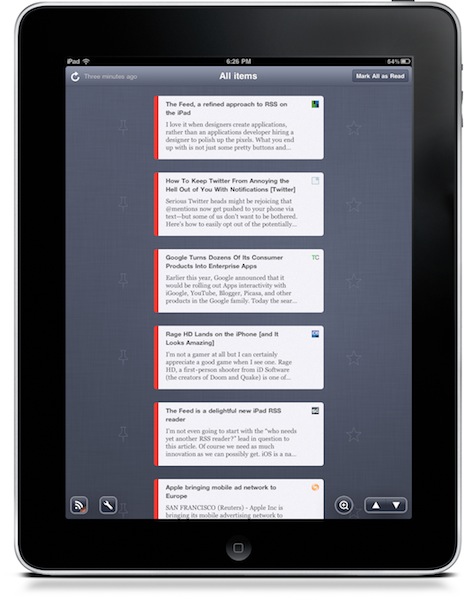
At this point, I guess you know I’m a huge Reeder fan. I use the app on my iPad on a daily basis, I fire up the iPhone version when I’m on the go and I was lucky enough to be accepted into the private Reeder for Mac alpha. Reeder has become my RSS app of choice, and I haven’t been able to switch to any other alternative since I tried the iPhone client last year. Yes, it’s that good. But that doesn’t mean I haven’t tried companion apps to Reeder.
Reeder is meant for RSS power consumption. Being based on folders and feeds navigation, Reeder isn’t meant for those people who want to sit down, pull out the iPad and start reading immediately. You have to do something to find your way through the feeds waiting for you in Google Reader. And that’s ok for me: Reeder is great Google Reader client. But what if we had the chance to have an Instapaper for Google Reader? An app that allows you to lean back, and just read? No folders, no menus, no navigation - just a flow of articles and text. Read more
Sleeve360: iPad Case With Hand Strap Mode
The guys at ThinkFast have been working on a very cool case for iPad that, among other functionalities, will enable you to use the tablet in “hand strap mode”. Thanks to a 360° spinning pivot attached to the back of the device through a case, the Sleeve360 will allow you to have the screen always at your fingertips and rotate it in any direction you want. Read more
World Without Photoshop: Neat PS Book for iPad
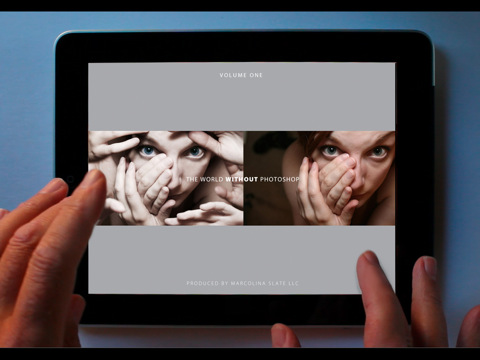
Created by photographer Dan Marcolina, “World Without Photoshop” is an app for iPad designed using Adobe’ InDesign publishing tools, and it focuses on showcasing the techniques and processes used by Photoshop “artists and masters”.
From the app’s description:
Now 20 years old, Adobe® Photoshop® software has changed image editing forever. Can you imagine a world without Photoshop? Over the next twelve chapters you can see for yourself what some of the best digital artists work looks like without the software. Then with the touch of your finger The World Without Photoshop is transformed and you can see and hear the imaginations of these artists come to life in their work. Pinch and zoom into over 48 works by artists, illustrators, designers, and photographers and get their insights into how twenty years of Photoshop innovation have changed their world.
Honestly, we can’t imagine a Photoshop-free world. And since I can’t imagine a world without iPad either, you’ll get the best of both worlds with this cool app / book / book app.
World Without Photoshop is available for free here. [via John Nack]
Yahoo’s iPad-optimized Homepage Doesn’t Look Bad
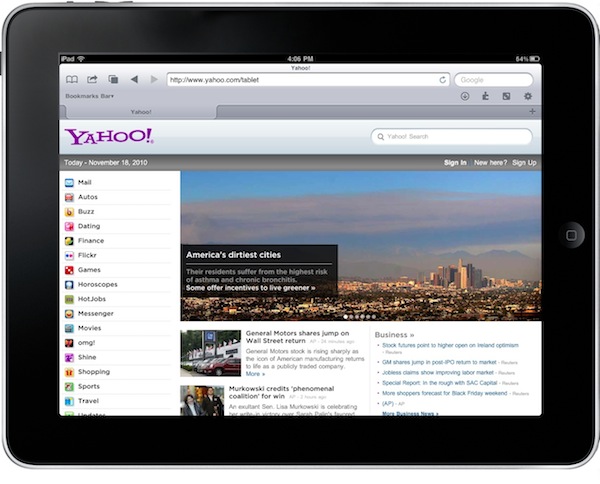
Oh, Yahoo. What are you, exactly? What have you become? No one really knows for sure. Are you “the guys behind Flickr”? Are you a news website? A mail platform? Many say Yahoo! lacks an identity. Maybe they do.
But anyway, the iPad-optimized homepage they recently launched isn’t that bad. Available at yahoo.com/tablet, it displays Yahoo’s sites in a sidebar and featured articles to flick through with your fingers on top.
Not bad at all.
Murdoch: Tablet-only Publication Is Exciting, Coming Soon
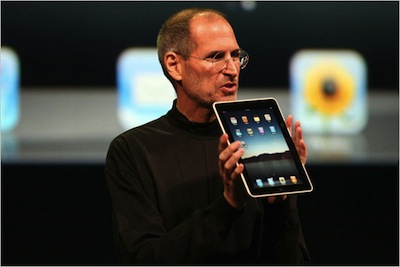
The iPad was meant to save the publishing industry. When Steve Jobs unveiled the device last January, no one was surprised to see the New York Times demoing an iPad-only app – we all knew that if the rumors were true, if Apple was really working on a tablet, then it must be aimed at the publishing industry. Among things.
After that, all major newspapers and publications rushed to have iPad applications out in the App Store, and now they’re carrying those same apps over to Samsung’s Galaxy Tab. Most of those apps aren’t exactly “great”, some of them are well-realized and will even follow the website counterpart to adopt a subscription-based model (see the New York Times). Read more
HootSuite Official iPad App Now Available
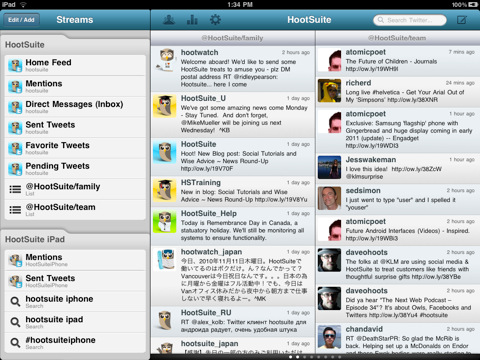
HootSuite, the online service to manage multiple social networks in one single place, released its first official iPad app a few minutes ago in the App Store. The app is free and available here.
HootSuite for iPad features all the options and functionalities iPhone users have been able to enjoy for almost a year now, but it sports a native interface for the tablet that takes advantage of the larger screen to display multiple “columns” at once, so you can keep track of your Twitter messages and mentions without having to switch between different views, for example.
The app currently supports Twitter accounts (lists and searches are included), Facebook profiles and pages, Foursquare checkins and, of course, HootSuite’s own URL shortening and analytics system ow.ly. Read more
Kinect, OS X and iPad Come Together In Futuristic Cubes
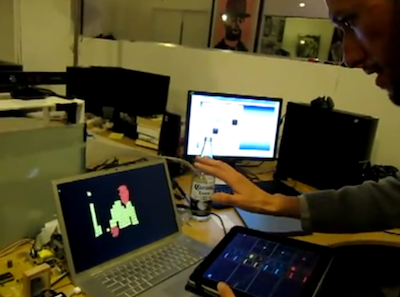
As if being able to display Kinect’s captured images on OS X wasn’t enough, the solid community behind Kinect’s incredible hacks managed to manipulate the data recorded by Kinect and output everything on OS X using cool futuristic cubes (a system called Box Cloud). These neon cubes may vary in size according to the distance of the subject from the camera – it’s overall a pretty cool thing to look at.
But modders and hackers took the whole concept a step further and allowed iPad users to control “planes of interest” using their multitouch tablet. With the iPad you can change the colors visualized on screen, adjust zoom by tilting the device. Somehow, it all comes together in the video below.
Twitter for iPad: Bitter Sweet Imperfection
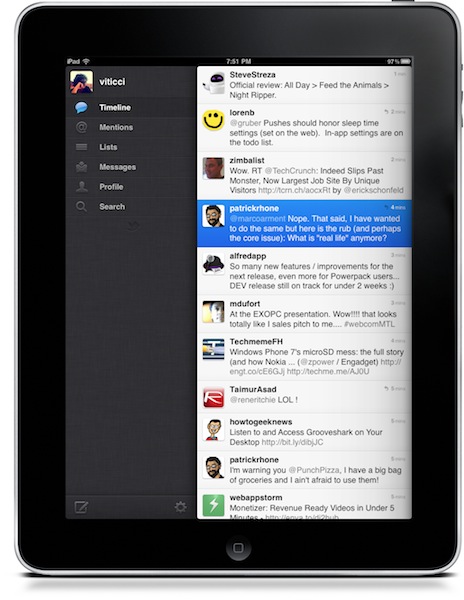
Twitter released an update to their official iOS app last night. The update includes the much talked push notifications for messages and mentions which, especially on the iPhone, really help in keeping track of what’s happening on Twitter when you’re not in front of your computer. I want to focus on the iPad version, though.
People went hard on criticizing Twitter for iPad when it first came out. Admittedly, it wasn’t the easiest “upgrade” to perform: until two months ago, users were accustomed to Osfoora HD and Twitterrific, two great clients that I still keep on my iPad because I don’t mind using them every once in a while. They’re beautiful and powerful pieces of software. Twitterrific has a huge userbase, but it doesn’t differ much from the iPhone version nor does it try to walk away from the standard established by Apple in Mail.app (sidebar in landscape mode, popover in portrait) being incorrectly used in thousands of other apps. I like Twitterrific, but it doesn’t give me the sense of trying something new, something revolutionary. Apps like Twitter for iPad, Aweditorium and Flipboard do. They bring a new, fresh experience to a new kind of device that seven months after its release still manages to surprise me. Read more