Posts tagged with "iPad"

What I Really Want From The iPad 2

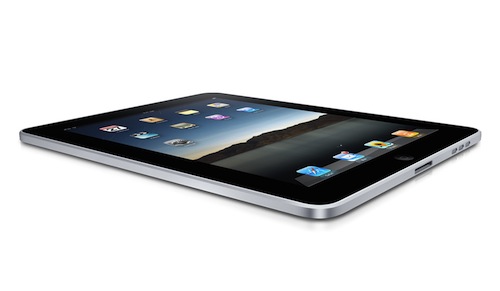
Today’s another “iPad 2” rumors day. With speculations of “iPad 2” parts suppliers revealed and blogs wondering whether the second version of Apple’s tablet will carry 3 additional USB ports, a second multi-touch screen and Steve Jobs’ fingerprints embedded in the device’s chassis, I thought I might just write what I really want from the “iPad 2”.

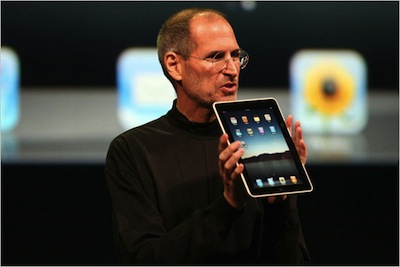
I want iteration. I want the same refining process Apple adopted with the iPhone. We know that Steve Jobs probably already had an “iPad 2” running Apple’s cloud service in the backstage of the iPad announcement in January, and I’m pretty sure even more units of the new model are connected right now to some WiFi router at Cupertino. Heck, maybe they even have an iPad 3 prototype hidden under some black cloth in their secret labs. But I just want to explain why I don’t want and need any of the features mentioned in the rumors, and why I don’t believe that stuff won’t happen anyway. Read more
Shall We Have An iPad Nano Clone?

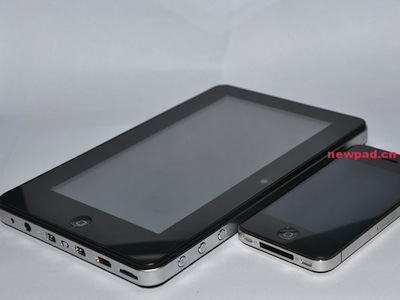
Great gadgets come from the distant lands of China. Knock-offs, clones, weird imitations of well-known Apple products. Sometimes you can argue they’re pretty decent, most of the times you can’t even look at them. The iPad Nano clone we have below (as if there was an actual iPad Nano to copy) surely fits well in the second category. Read more


iPad 2 Part Suppliers Possibly Revealed?

According to the DIGITIMES report, Apple has already chosen some parts suppliers for the iPad 2, which could launch as early as first quarter 2011 (as expected anyway). The report says that Japan-based Ibiden, Taiwan-based Tripod Technology and U.S. / China-based TTM Technologies could be three initial suppliers for Apple’s second-gen iPad. Four more suppliers are mentioned to be added some time in February, when shipments are set to ramp up.

Read more


PDF Expert Gets Even Better with Signature and Text Notes Support

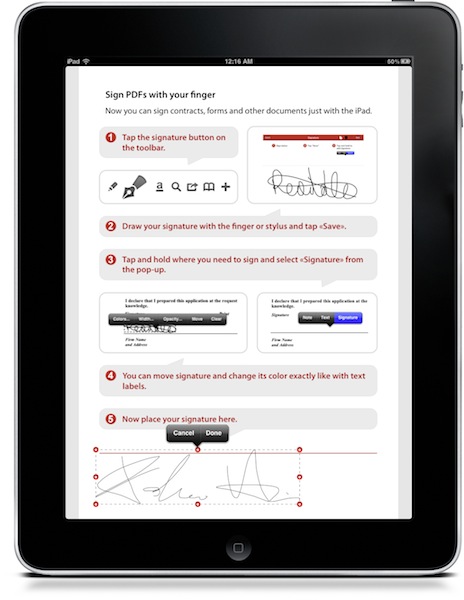
PDF Expert is, in my opinion, the best PDF reader and annotation tool you can currently have on the iPad. It’s got a nice UI, a great engine that’s damn fast at opening large PDF files, it lets you pull documents from various online sources such as Dropbox and iDisk. It allows you to annotate documents and transfer them back to the Mac to view annotations in apps such as Acrobat Reader and DEVONthink. It’s a full featured app that, unlike many alternatives, doesn’t overwhelm you. Read more


The Feed, Immersive RSS App for iPad

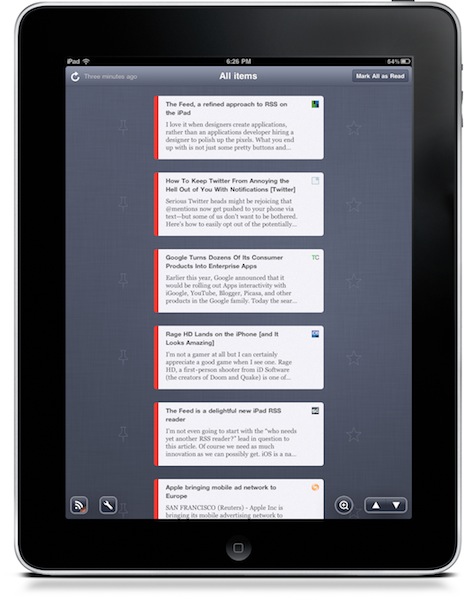
At this point, I guess you know I’m a huge Reeder fan. I use the app on my iPad on a daily basis, I fire up the iPhone version when I’m on the go and I was lucky enough to be accepted into the private Reeder for Mac alpha. Reeder has become my RSS app of choice, and I haven’t been able to switch to any other alternative since I tried the iPhone client last year. Yes, it’s that good. But that doesn’t mean I haven’t tried companion apps to Reeder.

Reeder is meant for RSS power consumption. Being based on folders and feeds navigation, Reeder isn’t meant for those people who want to sit down, pull out the iPad and start reading immediately. You have to do something to find your way through the feeds waiting for you in Google Reader. And that’s ok for me: Reeder is great Google Reader client. But what if we had the chance to have an Instapaper for Google Reader? An app that allows you to lean back, and just read? No folders, no menus, no navigation - just a flow of articles and text. Read more


Sleeve360: iPad Case With Hand Strap Mode

The guys at ThinkFast have been working on a very cool case for iPad that, among other functionalities, will enable you to use the tablet in “hand strap mode”. Thanks to a 360° spinning pivot attached to the back of the device through a case, the Sleeve360 will allow you to have the screen always at your fingertips and rotate it in any direction you want. Read more


World Without Photoshop: Neat PS Book for iPad

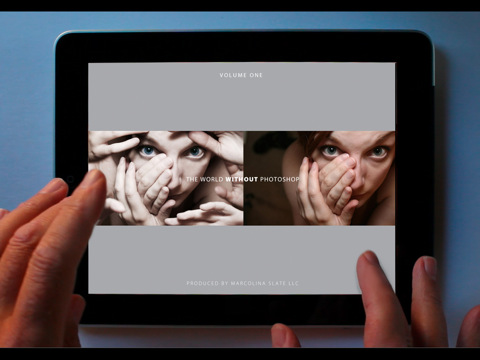
Created by photographer Dan Marcolina, “World Without Photoshop” is an app for iPad designed using Adobe’ InDesign publishing tools, and it focuses on showcasing the techniques and processes used by Photoshop “artists and masters”.

From the app’s description:

Now 20 years old, Adobe® Photoshop® software has changed image editing forever. Can you imagine a world without Photoshop? Over the next twelve chapters you can see for yourself what some of the best digital artists work looks like without the software. Then with the touch of your finger The World Without Photoshop is transformed and you can see and hear the imaginations of these artists come to life in their work. Pinch and zoom into over 48 works by artists, illustrators, designers, and photographers and get their insights into how twenty years of Photoshop innovation have changed their world.

Honestly, we can’t imagine a Photoshop-free world. And since I can’t imagine a world without iPad either, you’ll get the best of both worlds with this cool app / book / book app.

World Without Photoshop is available for free here. [via John Nack]


Yahoo’s iPad-optimized Homepage Doesn’t Look Bad

Oh, Yahoo. What are you, exactly? What have you become? No one really knows for sure. Are you “the guys behind Flickr”? Are you a news website? A mail platform? Many say Yahoo! lacks an identity. Maybe they do.

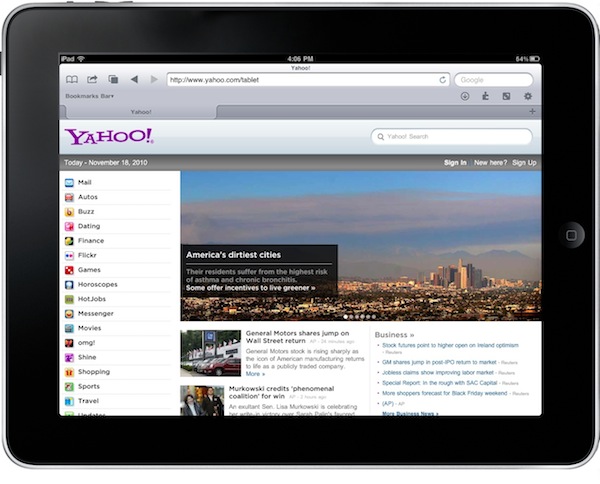
But anyway, the iPad-optimized homepage they recently launched isn’t that bad. Available at yahoo.com/tablet, it displays Yahoo’s sites in a sidebar and featured articles to flick through with your fingers on top.

Not bad at all.


Murdoch: Tablet-only Publication Is Exciting, Coming Soon

The iPad was meant to save the publishing industry. When Steve Jobs unveiled the device last January, no one was surprised to see the New York Times demoing an iPad-only app – we all knew that if the rumors were true, if Apple was really working on a tablet, then it must be aimed at the publishing industry. Among things.

After that, all major newspapers and publications rushed to have iPad applications out in the App Store, and now they’re carrying those same apps over to Samsung’s Galaxy Tab. Most of those apps aren’t exactly “great”, some of them are well-realized and will even follow the website counterpart to adopt a subscription-based model (see the New York Times). Read more