
This Week's Sponsor:

Turbulence Forecast

Know before you go. Get detailed turbulence forecasts for your exact route, now available 5 days in advance.


Posts tagged with "iPad"

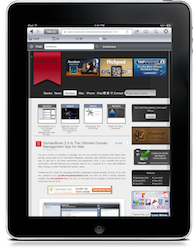
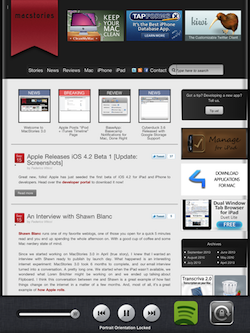
Grazing: My New Favorite iPad Browser

I feel bad writing this. No, let me rephrase: I love when facts prove me wrong. I especially love when third party developers of iPad applications prove me wrong. A couple of weeks ago I wrote a piece called “Your Alternative iPad Browser Sucks” in which I basically stated that every alternative browser I had tried on the iPad couldn’t keep up with the elegance and powerful engine of Safari. I still stand by that statement: 3rd party developers are not Apple and I’m pretty sure Safari has got some exclusive features buried deep down in the code engine (such as memory management) which 3rd party devs have not access to.

What’s great now is that I found an alternative that doesn’t suck. Actually, it’s a beautiful, powerful and feature-rich app for iPad called Grazing that has been sitting on my homescreen for a week now. Grazing is now my favorite alternative browser for iPad. Read more


How The iPad Won Over A Skeptic

How The iPad Won Over A Skeptic

At first glance, the iPad looked like a heavy, overgrown iPod Touch. After just a few months of use, however, this iPad skeptic realized that it’s so much more - it’s one of those devices I’ve always needed. Those don’t come around very often.

Most things get less interesting the more examples you see of them. If you’ve never seen a computer before, the first one is a revelation, but each successive model gets less and less remarkable.

Apple Inc.’s iPad is the other way around. It looks more impressive in light of what’s come before it.

Permalink

Could Apple Make Multitasking On The iPad Better?

I’ve been thinking about this for some months now: what could be the right way to “multitask” on the iPad? Some say we humans can’t really multitask. For the sake of the argument, let’s just say that we want to argue on whether Apple’s way to switch between paused apps on the iPad could be better or not. I think that, with a few tweaks, iOS 4.2 could bring a deeply different experience from the iPhone on the iPad. Read more


Thoughts On New Features in iOS 4.2 for iPad

I downloaded iOS 4.2 for iPad yesterday, and I’ve been playing around with it all day. Overall, I think it’s a pretty solid first beta: the apps that were already updated to rely on iOS 4 APIs just work (of course they’re Universal apps such as Pandora, but iPhone apps in mini-mode work as well), the multitasking system works pretty well in spite of less RAM, animations are ok.

Sure, it’s a beta: those animations are choppy sometimes and I needed to manually “kill” some apps in the multitasking tray that were unresponsive or incredibly slow. Audio in the background froze a couple of times; Mail hangs when opening large conversations and Safari flushes open pages more often than usual.

It’s a perfectly acceptable trade-off to have iOS 4 on the tablet. And it’s a first beta. And it’s got wireless printing and AirPlay. I agree with John when he says that, considering the previous nature of the device, iOS 4.2 might turn out to be the best software update of all time.

I have collected some of the features and neat little touches I like most about 4.2 for iPad. I think it’s going to be a great operating system. Read more


iPad, Light Paintings and Stop Motion

So here’s the thing: real artists come up with masterpieces no matter the platform, tools or limitations. Real artists break the rules. An English firm named Dentsu London has managed to realize a series of stop motion shots assembled from long exposure light paintings. Read more


Is The iPad Getting A Redesigned Keyboard on iOS 4.2?

Here’s a cool thing we found out in iOS 4.2 for iPad: if you disable the simple passcode in the Settings app and choose to create an alphanumeric passcode, the iPad has a redesigned keyboard in the lockscreen.

It’s…black. It looks beautiful, for sure: letters really pop in against the dark background, and they go subtle-blue when you press them. It’s also very elegant. Now, would it make sense for Apple to keep two different keyboards in iOS? One for the lockscreen, one for anything else? Maybe: after all, the numeric keypad was black and has always been exclusive to the lockscreen.

Still, we want to speculate here. I’d personally like this black keyboard in iOS, but I understand that it would be “too much” for some users. It’s particular, but looks great. I don’t know, I like it but I have my doubts. What do you think? Read more