


Apple has today aired a new iPad Air commercial called “Your Verse Anthem” focused on the capabilities of the iPad as a device to express the creativity of the human race. The ad features voiceover by Robin Williams taken from the movie Dead Poets Society; in the clip that Apple chose, John Keating (Robin Williams) describes why people read and write poetry and how everyone can contribute a verse to the world. Interestingly, as noted by Linus Edwards, this isn’t the first time Apple has been inspired by Dead Poets Society. Read more
Posts tagged with "iPad"
Apple Airs New “Your Verse” iPad Air Commercial
The iPad is as Simple as a Tablet Gets→
John Brownlee of Co.Design makes the case for why Apple has reached the pinnacle of tablet design with the iPad.
But what now? Where do you go when you have created a device that is as powerful as most people’s laptops, weighs less than a paperback, gets all-day battery life, features ultra high-resolution displays, costs less than $500, and is, in fact, only distinguishable from the next iPad by price and size? There are incremental refinements to look forward to, sure–some clock cycles here, some dropped ounces there–but if Apple’s goal was to create a window, they have finally gotten to the point where they have stripped nearly everything away from that window’s design besides the glass.
This why it’s very difficult to imagine that an iPad five or 10 years from now will look, feel, or even function very differently from the ones we have right now. It’s also why all the tablets of Apple’s competitors at CES feel even more irrelevant than ever. Once you perfect the design of a window down to its essence, the only thing that matters about it anymore is the vista it overlooks.
Simulating Multiple Cursors in Editorial
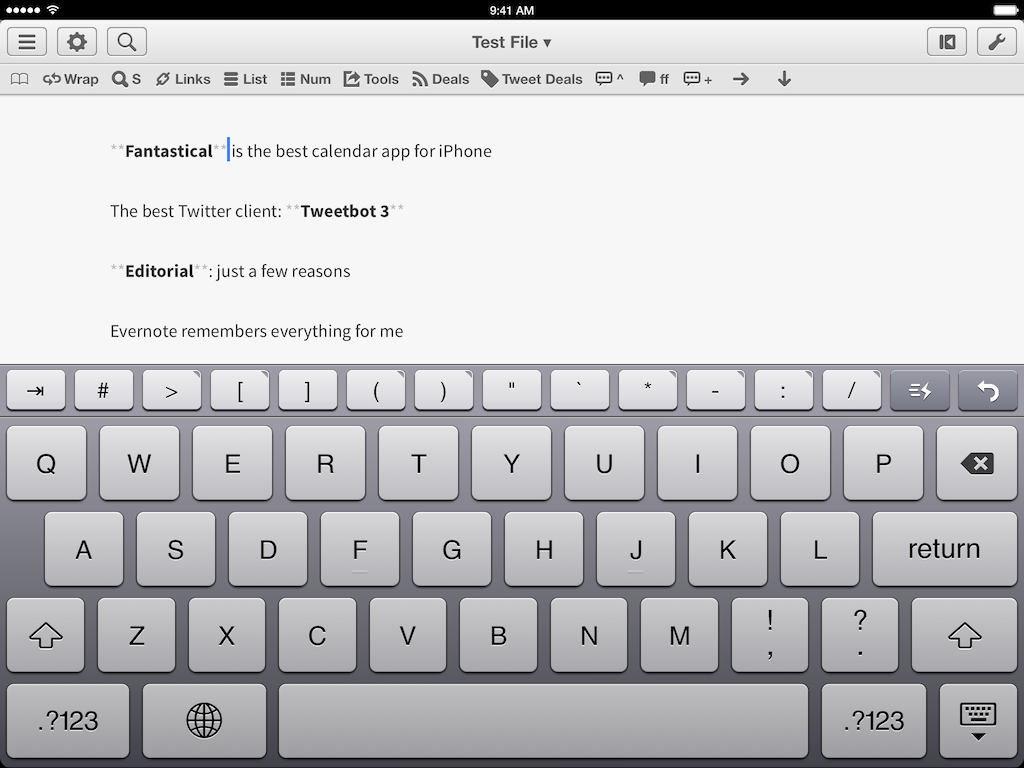
When I’m writing with Editorial or Byword, I miss the multiple cursors feature of Sublime Text. Seemingly an extra geeky addition with no practical utility, multiple cursors had become part of my editing workflow as they allowed me to select multiple positions in a document and act on them at once. For example, I could select multiple lines and prefix them with an asterisk to turn them into a Markdown list, or select multiple instances of a word and modify them with a single keystroke without using Find/Replace or other hacks. The feature was built into Sublime and it was great. So of course I made a workflow for Editorial.
Because it’s the end of the year and I’m feeling festive and thankful, I’m posting two workflows to simulate multiple cursors in Editorial. The first one allows you to save selections for multiple bits of non-contiguous text at once and, when you’re done, wrap them inside any character(s); it’s useful if you want to make multiple words bold/italic, or if you want to enclose them inside parentheses. The second workflow lets you add inline Markdown links for each selection, fetching a webpage URL from the Editorial browser. Read more
My Sweet iPad Setup→
I was interviewed by my friends at The Sweet Setup about the way I use my iPad mini – what apps I use the most, and why.
The iPad is, essentially, my primary work device. In the past year, I was forced for various reasons to use an iPad, and while I came across a lot of limitations for my workflow in the first weeks of extensive usage, I ended up loving the iPad as a work machine. I think that a lot of people have made up their minds about the iPad based on prejudices and won’t give the device a fair chance when it comes to using it for more than reading comics or watching Netflix on it.
Check out the interview here.
An iPad For Ben→
Such a great story about an Apple retail store’s staff opening early to make a kid’s day feel special. Read the post to see why, look at the photos, and remember the importance of Apple’s work on Accessibility features for iOS:
Over the last few years Ben’s various vision team members have talked about how wonderful the iPad is as an assistive device. Kit researched and learned more about the amazing technology it has to help people with visual impairments, the list of apps great for kids with visual disabilities, even built in features like Siri can make a significant difference in the day to day lives of someone with a vision challenge. We just didn’t know how to make that happen with the budget, so it was something we kept in the back of our minds but hadn’t pursued. Once again little miracles started to fall into place with offers of help and surprises here and there and so much support and love from friends and family.
My Must-Have iPad Apps, 2013 Edition
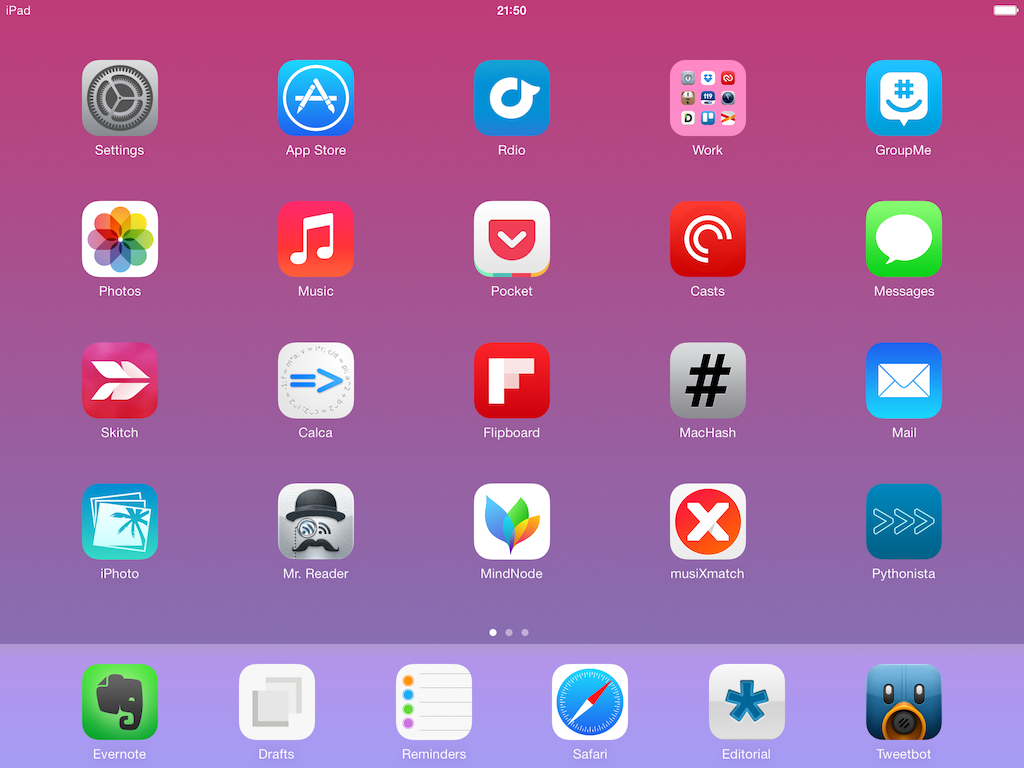
For the past three years, I’ve been running a series called “My Must-Have Mac Apps” that, once a year, would list the apps that I found indispensable on my Mac. This year, considering the changes that I went through from a workflow perspective, I thought it would be appropriate to start focusing on iOS as well. I’d like to start with the iPad.
I’ve been working primarily from my iPad for the past 15 months. For a variety of personal reasons that I’ve discussed before, I found myself unable to work from my Mac every day, so I decided to try and see whether the iPad and iOS could be viable OS X replacements – not just companions. I ended up enjoying the iPad as a work device and, eventually, as a primary device powered by terrific apps that allow me to be more efficient on iOS.
From a high-level, conceptual standpoint, this isn’t a new topic for MacStories readers or listeners of The Prompt. In the end, though, it all comes down to the apps – the software that I use on my iPad for work and play, for productivity and entertainment.
Hence, “My Must-Have iPad Apps”. I consider this the first installment, even though it technically isn’t: I published similar articles in 2010 and 2011, but I skipped 2012 – the year when I really got serious about working from the iPad. This year’s installment is a reboot of the iPad series, which I’m going to publish regularly from now on; if you want, you can check back on the old articles linked above to see if there are apps that I’ve been using for three years (spoiler: yes).
The list below is organized in four sections: Main, for apps that I use several times every day; News, for discovering links and staying on top of RSS; Entertainment, for media consumption; and Utilities, for single-purpose apps that I use often but not heavily every day. Each app is listed with its App Store link and, at the end of the article, you’ll find my iPad app of the year. Read more
iPad Art: Morgan Freeman Finger Painting→
Amazing work by Kyle Lambert (he should be familiar to MacStories readers). Kyle only used a finger and an iPad Air for a photorealistic portrait that took 285,000 brush strokes and over 200 hours of work.
The app is Procreate. (via Serenity Caldwell)
“Normal People” And The iPad As A Second-Class Citizen→
Smart take by Diego Petrucci:
The misconception is that because most people don’t actually understand PCs/Macs, they do not have serious needs. That is wrong. People don’t do serious stuff on their PCs because PCs are incomprehensible to them. They just don’t work as they would expect. So they end up giving up and stop trying.
With iPads, though, they «get» computing. They notice that they can do stuff that was almost impossible (by their own standards) to do with PCs. They can make music (even if it’s just for fun), they can share boring blurred photos with their family members, they can look for skin problems with apps that recognize rushes and stuff like that. With time, their needs evolve. Doctors do doctory stuff with apps that understand patterns when dealing with uncommon diseases, housewives cross-check discounts on multiple apps and use notifications to be alerted when deals start, and so on. And yes, this is not my imagination, I’ve actually seen people do this stuff and these are real-world examples.
We (myself included) often refer to “normal” people, but we rarely reflect on just how empowering iOS devices have been for everyone. Diego makes some good points.
As I discussed on The Prompt, I also believe that, eventually, any iPad user – no matter the label you want to give them – will stumble across evident limitations of iOS. This is normal because iOS is still relatively young (especially after the iOS 7 reboot), but it’d be wrong not to bring attention to those issues.
Life on iPad→
Last night, Apple published a new mini-site called “Life on iPad” that, alongside a video that was first shown at the iPad event on October 22, includes profiles of people whose personal lives and businesses have been transformed and enriched by the iPad.
While I agree with Fraser Speirs’ comment, I think that this bit from Palmaz Vineyards’ profile sums it up well:
iPad brings us the perfect balance of function and creativity. And I don’t think it’s a coincidence that the one device we all love at home is the same device we want to use at work. Nothing else comes close.
The examples that Apple is showcasing are obviously specific (wind service technicians; Broadway dancers; a surgeon) because they need to tell a captivating story (“Frank, average iPad user from Dallas” doesn’t exactly make for an enticing profile), but the underlying theme is clear. The iPad is what you make of it.