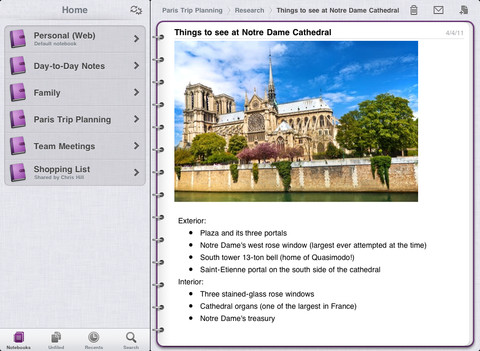
Microsoft has been rolling out quite a few apps lately, now introducing Microsoft OneNote for the iPad and SkyDrive for the iPhone (and Windows Phone). It looks like Microsoft really is bringing Microsoft Office to the iPad with these notable releases, but let’s not get ahead of ourselves. OneNote is a mobile companion for the desktop app (not an addition to), and SkyDrive is Dropbox-esque in its execution. Handy to have with you? You bet. Alternative replacements for the real things? Probably not so much.
Posts tagged with "iPad"
Microsoft Continues iOS App Rollout with OneNote for iPad and SkyDrive for iPhone
Global BBC iPlayer App Coming To The iPhone & iPod Touch This Thursday
Update: The iPhone version of the BBC iPlayer (Global) app is now available for free on the App Store - it comes as a universal app that runs on both the iPad and iPhone.
The global version of BBC iPlayer first began rolling out internationally five months ago and is now available in sixteen countries around the world. So far the video-on-demand service, offering BBC content to an international audience, has only been available on the iPad. That will change this Thursday when the BBC iPlayer app will become available for the iPhone and iPod touch.
The announcement was made by Jana Bennett, President of Worldwide Networks and Global BBC iPlayer who noted that “moving to iPhone and iPod Touch allows us to take the service to a significant new potential audience and deliver fantastic programme content from the BBC and the UK’s creative industry”.
This platform extension shows how Global iPlayer isn’t just about moving TV to tablet devices, it’s also about a mobile strategy – about truly getting TV everywhere in a way that it hasn’t been before.
Bennett also announced that programs from DRG will also begin to appear on the BBC iPlayer service in early 2012. DRG is a program distributor that owns programs such as Peep Show, Father Ted, Black Books and Shameless.
[Via The Next Web]
How the iPad 2 Became My Favorite Computer→
How the iPad 2 Became My Favorite Computer
This hasn’t been one of those experiments-for-the-sake-of-experimentation in which someone temporarily forsakes a PC for another device in order to write about the experience (like, say, this). No, I’ve been using the iPad for my daily activities–running Technologizer, writing for TIME, CNET, and AllBusiness.com, and more–because I find it to be the preferable tool in multiple respects. I’ve been using it about 80 percent of the time, and using my MacBook Air about 20 percent of the time. I have no desire to go back.
I think Harry McCracken is an excellent example of how and where the iPad can be used to replace a laptop computer in a professional industry (i.e. journalism). McCracken’s setup relies on three main benefits of the iPad: its ten hour battery life, 3G integration (AT&T), and its unique app ecosystem. To bolster the lack of a keyboard, a combination case+keyboard is used. While I don’t agree with McCracken’s desktop-OS comments, and while I personally couldn’t use the iPad as a replacement for a MacBook, I do agree with his conclusion. And yes Harry, I do think you’re ahead of the times.
Personally, I don’t see how McCracken’s setup is vastly different from the Asus Eee Pad Transformer Prime. Samsung’s Windows 8 Developer PC is another example of this, where you can dock the Metro-based tablet for use with a keyboard. What you want is a tablet to futz around with on the couch and in bed, but a working, cool, and quiet laptop with long battery life when you want to be productive. What tablet makers are starting to present is the coveted all-in-one solution. While there’s accessories (like an external keyboard) to manage, these qualities have even replaced the MacBook Air (which is surprising to me) for McCracken. As CES 2012 rolls around, I’m willing to bet you’re going to see a lot more of this. But for now, the iPad’s glowing qualities in all the categories mentioned have it coming out on top for the tech-savvy individuals bold enough to try going iPad-only.
Rumor: Microsoft Working On Office Apps For The iPad
Microsoft may be working on creating iPad versions of its popular Office Suite apps according to The Daily. The Daily’s sources say that the apps would likely work with Microsoft’s new online service, Office 365, and be price-competitive with Apple’s Pages, Numbers and Keynote iOS apps which are sold around the $10 price point. The move wouldn’t be completely surprising given the fact that Microsoft has already developed a number of iOS apps, including the impressive Bing iPad app.
No detail is provided in the report about how powerful the iPad versions of Office will be — nor about what kind of interface would be used. A release date is not known either, but they could potentially launch in the first half of 2012.
The report also notes that a new version of Office is also in development for OS X Lion, with a release date of next year sometime. However typically the OS X releases of Office have experienced a one year delay after the Windows version is released. Consequently, with the next version of Office for Windows not expected until sometime next year, a 2012 release for the OS X version as well would buck the recent trend of Office releases. It should also be noted that Microsoft has already signalled that an update is coming for Office for Mac 2011 that will bring support for a number of Lion features.
Tell Me Again How iPad Demand Is Waning→
Tell Me Again How iPad Demand Is Waning
Piper Jaffray analyst Gene Munster surveyed a few Apple stores on Black Friday and found that iPad sales per hour were 68 percent higher than they were a year ago. On average, the stores Munster visited sold about 14.8 iPads per hour, up from 8.8 iPads per hour last year, more than enough to support the analyst’s projection of 13.5 million iPads sold in the December quarter.
If you’re still not convinced that Apple sales are stronger than ever based on Gene Munster’s findings, you only have to look as far as Chris Whitmore from Deutsche Bank whom checked in with over 200 stores on Black Friday. Of around the one hundred Apple Stores he got in touch with, 75% of the stores were sold out of the iPhone 4S by the end of Black Friday. In AT&T and Verizon stores? 50% sold out (Sprint apparently had adequate stock).
According to AppleInsider:
Whitmore also found strong iPad and Mac sales in his own surveys, and in particular noted that consumers showed strong support for Apple’s thin-and-light MacBook Air. He said the entry-level 11.6-inch MacBook Air, aided by a 10 percent discount on Black Friday, was the most popular option in the MacBook Air lineup lineup.
The 11.6-inch MacBook Air, on sale for $898 on Black Friday, is a comfortable size and a great all-around laptop. If you were in the market for a new laptop, the $101 discount on MacBooks was nice to take advantage of. Similarly, iPads starting at $458 (a $41 discount) pushed many of the right buttons for savvy shoppers.
The iPad’s Next LCD Panels could be Supplied from Sharp
Between quality control issues at LG Display that were finally reported as resolved in September, and the ongoing patent litigations between Apple and Samsung, Sharp could become the next display vendor for Apple’s iPads.
When the iPad 2 launched in March, Apple quickly turned to Samsung and Chimei Innnolux as customers complained of light leakage around the bezel of LG-based displays. For much of the year, a combination of quality control issues and late shipments had Apple turning to these other manufacturers to pick up the slack. At the end of August, LG Display finally shipped its due quota of four million panels. The iPad 2 didn’t begin shipping on time until after July. While LG Display expects supply shipments to return to normal, the failures of LG Display to correct its manufacturing issues on time and the untrustworthiness of Samsung would have Apple looking for alternatives. Sharp could be the premium candidate for future iPad displays, such as next year’s rumored Retina Display for the iPad 3.
According the Wall Street Journal, Sharp has reported they’ll begin mass-producing smaller displays at the Kameyama No. 2 plant in Mie Prefecture by the end of the year, a plant previously used solely for the production of TV panels. WSJ reports that Sharp already supplies displays for Apple’s iPhones, and that they could become the premier supplier next year with the introduction of newer models. Apple’s alleged investments in Sharp’s panel manufacturing facilities in Japan lend some additional credence to this claim.
Samsung Chief Operating Officer and President Lee Jae-yong said in October he had discussions with Apple Chief Executive Tim Cook about extending Samsung’s deal to supply parts to Apple through 2013-2014.
Component deals in a competitive market, however, may keep Samsung in the loop. With proof of manufacturing capability and the technology already in place, Samsung is still a critical component of Apple’s supply chain. At the end of the fourth fiscal quarter in September, Apple reported 11.1 million iPads sold compared to 4.2 million iPads sold just a year ago.
[via WSJ]
Analyst: The iPad 3’s Retina Display is now in Production
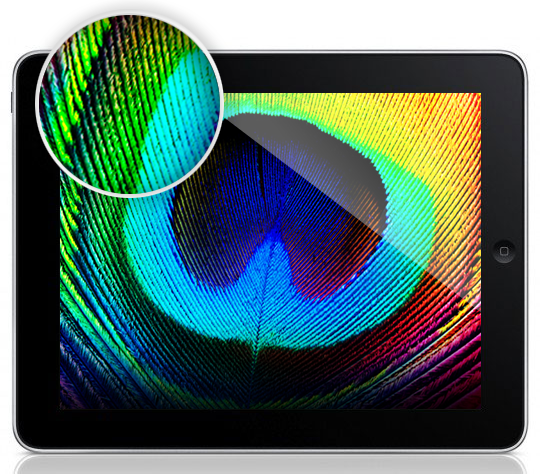
According to DisplaySearch analyst Richard Shim in an interview with CNET, the iPad 3’s 2048 x 1536 QXGA display is currently in production, with names like Samsung, Sharp, and LGD now laid on the table. The iPad’s possible Retina Display, which would double the pixels from the current 1024 x 768 display found in the iPad and the iPad 2, is rumored to find its way into the next generation iPad by 2012. Excited yet?
Shim says that finished iPad 3s with their aluminum shells and upgraded 4:3 displays could be finished in December following the few weeks it takes it takes to assemble Apple’s latest tablet. 9to5 Mac has already found hints of Apple’s next iPad, codenamed J2 (supposedly the 3G model with J1 being Wi-Fi only) in the iOS 5 source code, following a DigiTimes report that 2 million iPad 3s would be produced by the years end.
Keep in mind that an iPad 3’s Retina Display would have more vertical pixels than the 27” Apple Thunderbolt Display currently on the market, with a resolution of 2560 x 1440 pixels. Provided Apple could even sell such a pixel precise display, what would it mean for developers and designers creating new and unique interfaces for the iPad? And remember the transition period from the iPhone 3GS to the iPhone 4? Yikes. Leave your thoughts in the comments below!
Google Search for iPad Gets New Features and Redesigned UI
A few minutes ago Google released a new version of its official Google Search app for iOS that, alongside bug fixes and full-screen mode for search results and images on the iPhone, brings a completely overhauled interface, as well as new functionalities, on the iPad. Google Search, available as a universal app, has in fact introduced a redesigned UI that falls in line with Google’s recent updates to its online services like Gmail, Google Reader, Google Calendar and Google+. Google Search on the iPad now sports a series of gray icons in the main page to quickly jump to History, other Google apps, voice search and Goggles, a feature that Google introduced on iOS months ago to search for products just by taking a picture of them. The History page got a visual overhaul, displaying search results as stacks of pages you can swipe through to get your previous search.
Often you may be looking to find something you have seen before again or are continuing research on a topic. But on a tablet, typing can be a challenge. That is why we have created a visual way to explore your search history. Swipe right to view snapshots of pages you’ve visited, stacked and organized by search term. You can also manage your search history from this new view.
Search results are now loaded with Google Instant and Instant Previews, meaning the engine will be able to predict your queries and, at the same time, offer a visual aid to display pages as thumbnails, rather than just text results. The typical search interface is still there, visualized with Google’s recently launched tablet view. The native app has allowed the developers to embed a toolbar at the top, which contains buttons to open voice search, apps, settings, and sign in with your Google account.
Another big change on the iPad is how results are displayed side-by-side with webpages. As you tap on a link from the search results, Google Search will “slide in” a webpage with a quick animation that enables you to go back at any time with a single swipe gesture. You can adjust the size of the panel and visualize a webpage alongside other search results. Furthermore, the webpage view features another toolbar with buttons to +1 on Google+ and search for a specific word inside the page. With the iPad in landscape mode Google has effectively built a sort of split-browser with search results automatically loading in the resizable panel on the right.
Once you pick a web page to visit, you’ll see the page load on a new, slide-in pane that will layer over the search results. You can slide the pane to the right to get back to your search results, and even keep scrolling through the results as your web page is loading. This allows you to go back and forth from results to web pages quickly to get the information you are looking for.
Especially on the iPad and in landscape mode, the latest Google Search update seems like a step in the right direction to enable users to search faster, switch between results quicker, and have access to search history in a more user-friendly interface. You can get Google Search for free from the App Store.
More screenshots and promo video below.
Apple’s Minor Tweak To iPad App Store Improves Navigation
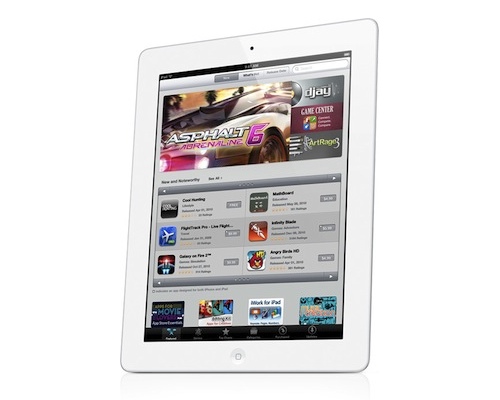
Earlier today Apple rolled out a very minor, yet important change for the App Store’s homepage on the iPad. Previously, “New and Noteworthy” and “Staff Favorites” sections in the iPad App Store could be viewed by hitting an arrow button that scrolled the various pages inside these sections. Now, users can swipe to navigate between pages of apps listed in the sections, with page indicators similar to the iOS’ Home screen available at the bottom to indicate a user’s position.
More importantly, this little tweak has been implemented in the “Release Date” tab of the iPad App Store as well. Browsing by release date is very convenient for two reasons: it lets you see every iPad app ever approved, and it displays the total number of available iPad apps in the Store. It used to be that, because of clunky navigation, moving between pages in “Release Date” view was slow, and the iPad would often lose its position after scrolling dozens of pages. With the new swiping method, the whole view is faster, and also appears more reliable at going back and forth between results.
Here’s how “Release Date” used to look:
And here’s how it looks now, with no buttons:
At the moment of writing this Apple is still using button-based navigation in the Purchased area, and we wish changes will eventually make their way there, too.
Today’s update to the iPad App Store (Apple also updates the App Store homepages every Thursday with new Featured apps) is minor, but as the company’s attention to detail often proves, minor tweaks can incredibly improve the user experience.