This Week's Sponsor:

Turbulence Forecast

Know before you go. Get detailed turbulence forecasts for your exact route, now available 5 days in advance.


Posts tagged with "iPad"

The Daily for iPad Nearing 1 Million Downloads

The Daily, the iPad-only magazine built by News Corp. with help from Apple when the two companies unveiled iTunes app subscriptions in February, is about to hit 1 million App Store downloads, TechCrunch reports. At the TechCrunch Disrupt panel entitled “Disrupting Publishing from Tablets to Links”, The Daily publisher Greg Clayman said the app is nearing the important milestone of 1 million downloads, though he didn’t provide any details on the number of people that decided to subscribe to the app since late March, when The Daily started charging for content after an initial free run sponsored by Verizon Wireless. The Daily currently comes with in-app subscriptions priced at $1 per week or $40 per year; a report from April suggested The Daily, both because of paywall and editorial choices, was seeing a decline in popularity in spite of Apple’s heavy promotion on Apple.com and the App Store homepage. Others suggested the same when News Corp. confirmed 800k downloads in 3 months and a $10 million loss over the last quarter to run The Daily operations.

However, 1 million downloads is a notable milestone that, in the words of Clayman, puts The Daily “in the large pantheon of large news apps.” Our first impressions of the app still hold true today – The Daily isn’t the fastest news app available on the App Store and not even the iPad 2’s beefier processor managed to make The Daily run smoothly without crashes of sorts. The Daily is expected to become available on more devices later this year, including the Android tablets that have been rolling out in the market in the past months.


Daedalus Touch for iPad

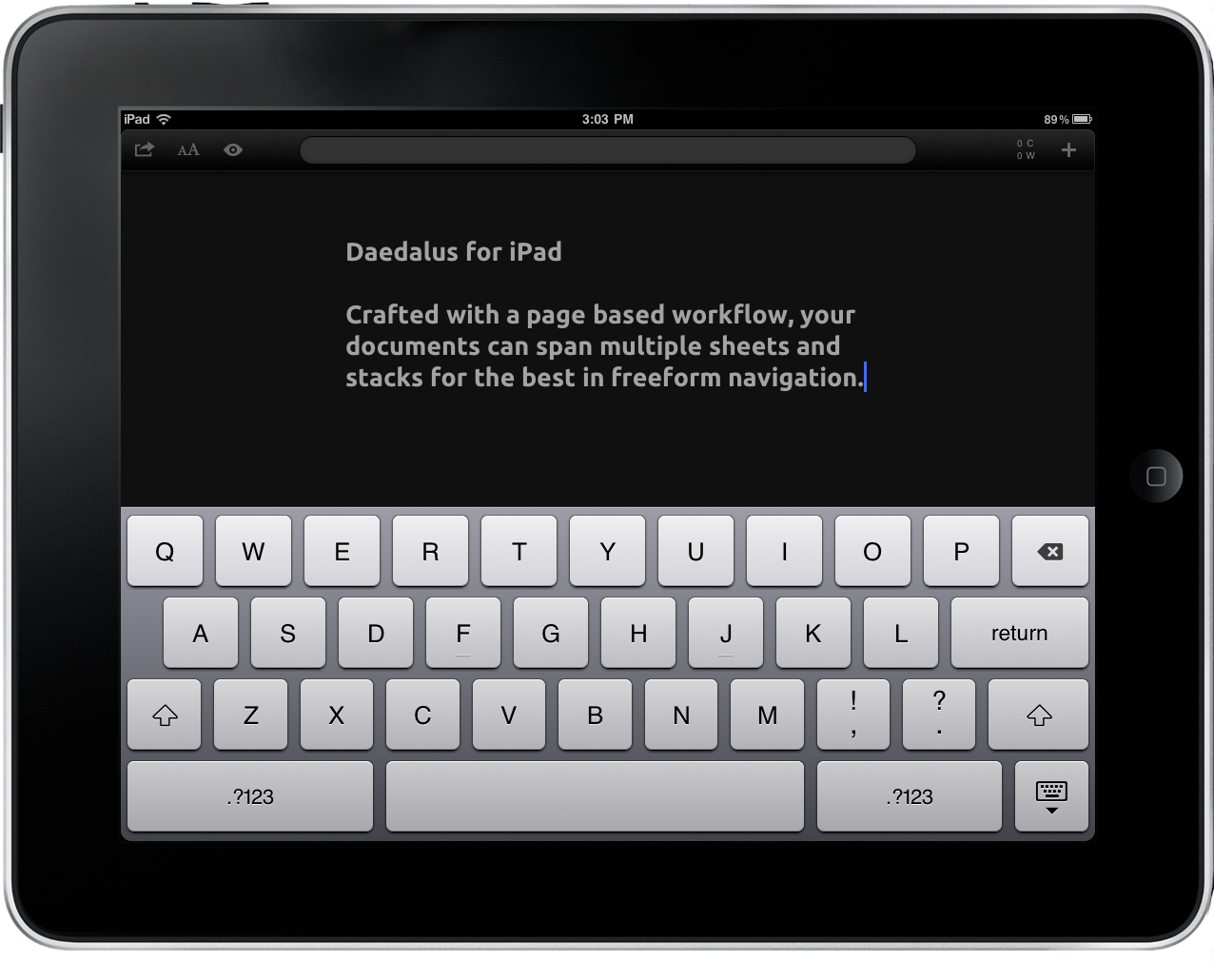
I’ve started to shy away from the bulk of text editors that hit my inbox since few bring something different to the table. There’s only so many ways you can rewrite a text editor, and while I’d love to cover everything the ones I really want to showcase have to offer something truly unique for me to sit down and crank out a review in TextMate. It’s terribly difficult to find something that stands out, but I think those disappointed with the App Store’s current offering may find something of interest here. Daedalus Touch for the iPad is different in part because of how it allows you manipulate documents in a hybrid stack & coverflow style that takes advantage of gestures, and not lists, to organize your ideas. There are no lists or hierarchy of folders, but rather stacks of sheets that contain your text. Of course it has Dropbox and TextExpander support (a must nowadays), which means you don’t have an excuse not to check Daedalus past the break.

Read more


Kickstarter Project: SoundJaw - An iPad Sound Booster

Here’s a simple yet great idea over on Kickstarter for an iPad accessory - the SoundJaw, by Matthew McLachlan. It’s an iPad accessory that redirects sound, giving it a louder and richer tone (all without batteries). It makes an incredible difference according to Matthew. The SoundJaw is very portable, so you can keep in your pocket when not using it. He also says that it makes the biggest difference when you are outside or somewhere with a lot of background noise.

Besides sound quality, he also wanted it to compliment the slimness of the iPad with a slim accessory. The SoundJaw works with the iPad in either landscape or portrait mode, no interference with your hands. It also works with a Smart Cover as well. Matthew even says that a future, more flexible version will also work with an iPhone 4, truly making the SoundJaw a universal accessory.

Promo video after the break. Read more


Apple Updates Logic Pro, Logic Express and Adds GarageBand for iPad Import

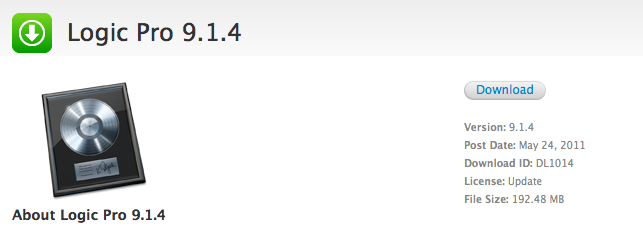
Apple updated Logic Express and Logic Pro to version 9.1.4 a few minutes ago, improving overall stability of the apps and fixing issues reported in the previous versions. More importantly, the updates bring compatibility with GarageBand for iPad, allowing users to import GarageBand projects into Logic Express and Logic Pro.

Changelogs below:

Logic Pro 9.1.4

This update improves overall stability and addresses a number of minor issues, including the following:

  • Support for opening projects imported from GarageBand for iPad.

Logic Express 9.1.4

This update improves overall stability and addresses a number of minor issues, including the following:

  • Support for opening projects imported from GarageBand for iPad.

The new versions can be downloaded on Apple’s website, or the Software Update panel. Full list of detailed changes available here (Logic Pro) and here (Logic Express).


Opera Mini for iPad Now Available

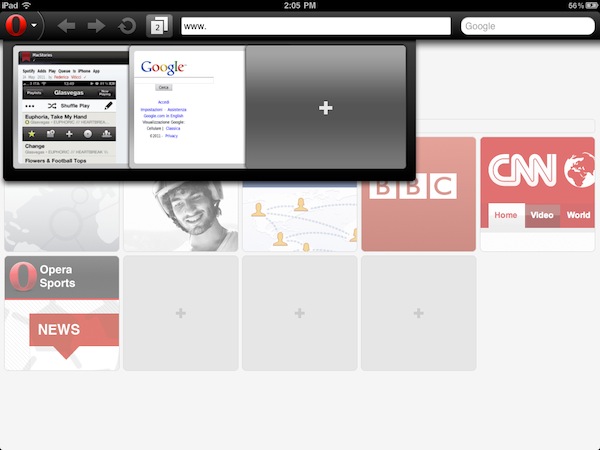
A few months after the first teaser shots and previews that confirmed Opera was working on an iPad version of its alternative browser featuring visual tabs and updated sharing options for the larger screen, the Norwegian company has finally released an update to its Opera Mini web browser this morning, bringing new features and an updated interface to the iPhone 4’s Retina Display, but most of all a native version to the iPad. You can find Opera for iPad now in the App Store.

We’ll have a full review of Opera for iPad later this week on MacStories, but in the meantime we’ve taken the app for a quick spin and we’re positively impressed with it. Visual tabs play an important role on the iPad, as they allow you to keep multiple pages open at once and actually see their previews concurrently on screen to quickly switch between them. Animations of the tab drawer at the top seem very smooth, though I’ve noticed that Opera Mini for iPad sometimes opens web pages in their iPhone mobile web view, rather than the desktop one as Safari for iPad does by default. This might be related to the server-side compression Opera does to speed up browsing, but we’ll make sure to further look into the Settings to resolve this issue. As for other features, a big Opera logo in the upper left corner allows you to access a popup menu with Bookmarks, History, Settings, and Sharing options, which include Facebook, Twitter and My Opera. Pages can be opened in background tabs, and overall the interface has been polished to look great on the iPhone 4 with minor tweaks here and there as well.

From the changelog:

  • Updated design with a fresh new look and feel
  • Super smooth pinch-to-zoom and panning
  • Support for iPhone 4 retina display, iPad, and iPad 2 devices
  • Direct share on Facebook, Twitter, and My Opera
  • Open new page in background tab
  • Improved international font support for Arabic, Chinese, Vietnamese, and other non-latin languages

Opera Mini for iPad can be downloaded here for free. Check out more screenshots and the promo video below. Read more


Report: iOS Devices Streaming 80% of Mobile Video

Freewheel, a video monetization startup, is reporting that Apple is dominating mobile video – 80 percent of it. FreeWheel said in its Q1 2011 report that the majority of video views are occuring on Apple’s iPad, iPhone and iPod Touch. The iPhone and iPod each grabbed about 30 percent of all mobile video views while the iPad grabbed 20 percent; the remaining 20 percent belonged to Android devices. Everything else accounted for less than 1 percent of all video views on mobile devices.

FreeWheel attributes Apple’s dominance in mobile video to the early lead the company has had in the mobile video market with their line of iOS devices. They also believe that greater viewership on Apple devices represents the adoption of video publishers and mobile developers who build their apps / videos for iOS devices first before moving to other platforms. Despite having sold just 20 million tablets worldwide, the iPad already accounts for 20 percent of videos viewed on mobile devices, according to FreeWheel. GigaOM said in their article that “We thought the iPad would be an ideal device for viewing video when it was announced, but the extent to which it has been embraced by even traditional video producers and distributors speaks to the power of the platform. TV networks like ABC and HBO have built applications for the iPad, as have pay TV operators like Comcast, Time Warner Cable, Cablevision and others.”

While mobile video viewing accounts for only one percent of all online video views, much of it is driven by news and live events. Mobile views peaked during the Japanese tsunami / earthquake crisis and also during the NCAA Men’s College Basketball March Madness Tournament. This makes sense because much of the Japan / basketball events happened during “working hours” when viewers turned to their smartphones and mobile devices because they couldn’t watch TV at work.

The 20 percent that the iPad gets is the biggest stat in my opinion; most people don’t take their iPad with them everywhere they go, like an iPhone or iPod Touch. Most people use it after working hours, and to have that 20 percent is outstanding. [via GigaOM]


Dragontape for iPad Lets you Browse, Share, and Edit Video Mixtapes

We traditionally think of the classic mixtape as an audio compilation of power songs and remixes that we’ll then share with friends or pass along to the cute girl two seats behind you in math class. Recently brought to my attention was Dragontape, a website that takes the concept of the mixtape further by combining YouTube and SoundCloud, effectively allowing you to create video & audio playlists of music, concert, and related promotional videos for your favorite artists, gigs, and tours. With Dragontape for the iPad you can watch the latest mixtapes, browse through what’s popular, and revisit favorites all without the need of your web browser.

While it’s obvious you can preview the collections of video, not-so-obvious is the ability to edit movies iMovie style to clip and cut your way to the perfect mixtape. You can save and edit mixtapes to your liking, though I didn’t find the controls initially intuitive (you’ll also need a Dragontape account to save any edits you make to a mixtape). Too, the iPad app is still reliant on sometimes fussy YouTube videos, which may not play on the iPad. “Not optimized for mobile,” it says. What’s interesting to me, however, is how Dragontape handles the integration with SoundCloud with YouTube video. For a clip, Dragontape displays a synth-y, pixelated equalizer that bounces to the beat of the music that’s used as a placeholder for video.

There are some quirks about Dragontape, as pinch-to-zoom for video has been replaced with simple taps, and the background image displayed when browsing mixtapes ends up being a pixelated, centered mess that attempts to be cool, but is unfortunately unappealing. Otherwise, the menu and video controls look incredibly sharp: perhaps Dragontape is aiming for distinctness between the interface and background album art in their own, weird way. Simply changing the fading between tracks prompts users to save the altered mixtape: you’ll quickly develop that dismissive “Cancel” reflex. The app has crashed for me a few times, but I’m interested in Dragontape’s mobile interface enough to keep me from deleting the app off my homescreen as others may do.

There’s flaws, and the app icon doesn’t make clear the that name is Dragontape (and not Drag On Tape), but this is a novel idea that needs to be explored. Those YouTube playlists you peruse can all be intermixed for a better browsing experience, and I sense an opportunity for discovery as Dragontape moves out of beta and integrates with other popular video sites. I personally enjoyed watching lots of promotional tour videos with Dragontape, but maybe you’ll have a much more creative use for it. The price for admission is free on the App Store. You can learn more about the service and create a Dragontape account on their official website and iPad landing page.