This Week's Sponsor:

Turbulence Forecast

Know before you go. Get detailed turbulence forecasts for your exact route, now available 5 days in advance.


Posts tagged with "iPad"

Penultimate 3.0 Comes With A Paper Shop For Notebook Templates

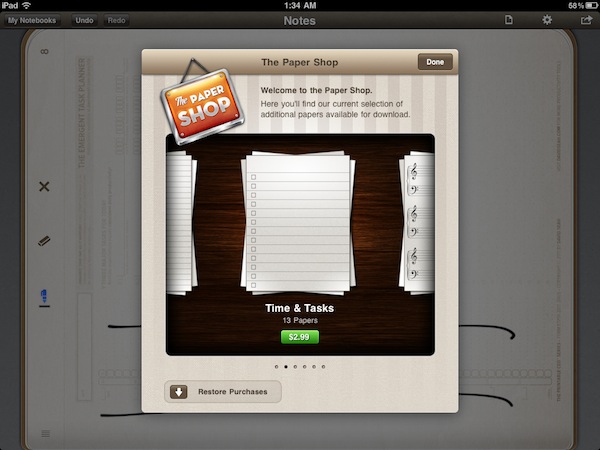
Penultimate, the popular handwriting app for iPad that’s been sitting in top-selling App Store productivity list for months, was updated earlier today to version 3.0, a major new version that extends the app’s notebook capabilities by embedding a completely new Paper Shop that, through in-app purchases, allows you to customize the look of Penultimate’s pages to your needs.

After playing around with the Paper Shop for a bit, it seems obvious to me that this was the next step for the Cocoa Box Design developers: as they saw people using Penultimate in the most variegate ways (a blank page and an iPad opens to a world of possibilities), they decided to offer alternative page designs that can turn Penultimate into a music annotation tool (staff papers, tablatures, chord charts), a task manager, a game board (tic-tac-toe papers, hangman, dots and boxes) or a professional writing utility. All these papers are available at different prices in the Paper Shop, which is also powered by a delicious design and attention to detail.

On top of that, Penultimate 3.0 can also import your own custom image for a personalized page design. For instance, I imported some of David Seah’s productivity tools as .png files and they were correctly recognized and converted by Penultimate to native app pages, retaining the original structure of the documents. The importing process works with storyboards, language learning grid papers, design docs – you name it. As long as the image is clear and in high-res, Penultimate will turn it into a custom page file that you can sketch and draw on. Terrific.

Penultimate 3.0 is a great update to the most popular and powerful handwriting app for iPad. Get it here.


Planetary: Your iPad’s Music Library Becomes A Galaxy

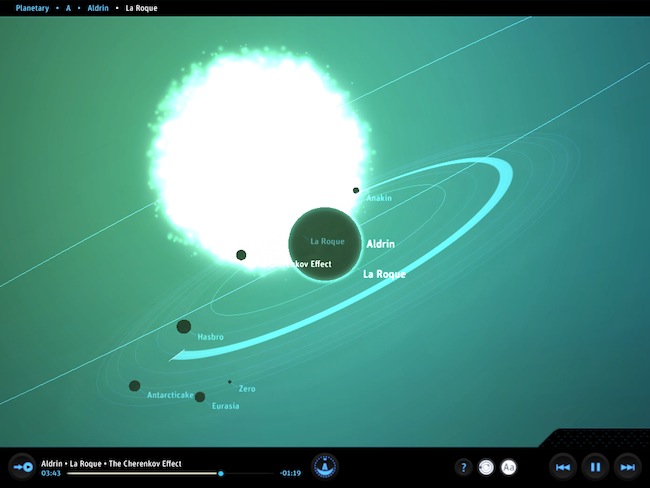
In what might be the coolest music experiment that has landed on the iPad to date, company Bloom Studio released earlier today Planetary, a new way to explore your iPad’s music library. Bloom Studio promises to deliver “playful, explorable, visually compelling views on personally relevant information from services like Facebook, Twitter, Instagram, and iTunes”, and Planetary is the realization of this mission statement: not only it’s based on the crazy concept of turning your iPad music library into a galaxy, it also works exceptionally well. Since I got my eyes on the teaser website a few days ago, I was looking forward to trying the actual product and see whether it could really bring a different way of exploring music to the tablet: now that I’m using the app, available for free, I have to say Planetary is one of those apps you have to try for yourself, rather than watching in some YouTube demo videos.

So here’s the gist: your music is a galaxy, artists are stars, albums are planets. In the 3D view of Planetary, no two planets are the same as the graphics are generated automatically off an album cover from the iPod app. Similarly, songs are moons: the more you listen to a song, the bigger the moon grows. And there’s more: each moon orbits at a speed related to the song’s length. Indeed, crazy stuff that doesn’t really make any sense until you try it. But on the other hand, it’s clear Bloom Studio set out to create an interesting experiment based on data visualization that merges files synced to your iPad, music, and space. I’m sure Buzz Aldrin would be proud.

While Planetary features some standard music controls like play / pause and back / forward, the key area of the app is support for multitouch gestures: you can pinch the galaxy to zoom on a star, pan and rotate a planet to check out all moons and orbits – overall, do all sorts of zooming and viewing to enjoy the pleasure of having your music available in the form of a galaxy. Like I said above, you just have to try it and see how it works with your music.

At the price of free, Planetary needs to be downloaded now and experienced with a rich iPod library synced to your iPad. Personal recommendation: for greater results, try to sync some Explosions In The Sky.


Company Promises To Automate Your Home Using iPads

How great would it be to control everything in our homes using only iOS devices? I’ve always dreamed to fire up my Espresso machine remotely using an iPhone app, or being able to close all my windows from an iPad with live webcam feeds. I know, crazy futuristic stuff that current home automation techniques haven’t fully addressed yet, especially when it comes to security concerns and reliability. But ask Solstice Multimedia about it: the Denver-based company with a decade-long experience in telecommunications and residential services thinks that turning your house into a full-featured iPad-controlled system is totally possible. They even promote a 3,400-square- foot model home with two iPads built-in at $718,000. Okay.

Price of the model home itself aside, the iOS-based system relies on a dual-iPad setup that will cost you roughly $5,000. Optional audio, video and security equipment will take the cost to $60,000 – that’s a whole lot of equipment, right? I assume so. Apparently the system’s “brain” is built into the home’s “mechanical room” with WiFi connection to the 2 iPads, but a third device can be used to control everything without having to touch a screen on your wall. So, basically, the iPad is the engine, and mechanical parts take care of lights, motorized blinds, cameras, and other stuff. The Denver Post reports:

A model home in the Overlook neighborhood in Lone Tree’s Heritage Hills is equipped with two built- in iPads that can control all of the electronic systems in the home, including lights, motorized shades, music and television systems, baby monitors and closed-circuit cameras.

“The iPad has brought the entry-level price point down significantly, because an 8-inch in-wall touch screen before cost upwards of $3,000 or more,” Deatherage said. “Now we can get a $500 iPad and still provide most of the functionality that an in-wall touch panel can give.

I’m pretty sure Apple won’t release an iHome anytime soon, so if you’re willing to automate your living room using iPhones and iPads this might be your best chance yet. Go take a look on Solstice Multimedia’s website. [via Cult of Mac]


The Maglus Is An iPad Stylus That Attaches To The Smart Cover

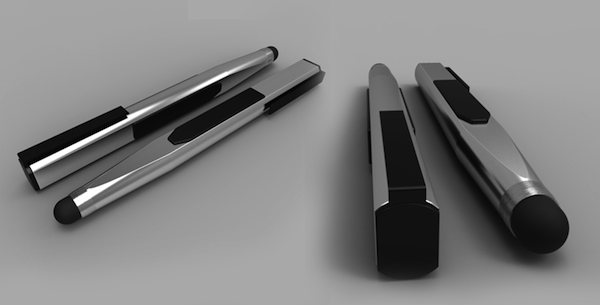
I’m not a huge fan of styluses and capacitive pens for iOS devices, but I can recognize an interesting project when I see one. The biggest problem with a stylus, in my opinion, is that most of the times the design is hideous and there’s no way to keep it handy for whenever you need it. The Maglus, a product that needs funding to come to life, aims at combining design and usability with the use of magnets. Just like Apple bet on design and magnets for the iPad 2, the creators of the Maglus think a stylus that attaches to the iPad and the Smart Cover is the best way to turn a stylus into a 24/7 companion for your digital drawing and sketching needs. The Maglus attaches anywhere on your Smart Cover, including the back when the cover’s folded to prop your iPad up in typing mode. Clearly, Apple’s use of magnets and cover is opening to a lot of possibilities when it comes to third-party accessories.

The project has 24 days ago, and so far €3,159.00 have been raised out of the initial €15000 target. You can check out all the product’s information and pledge here. Check out the demo video below. [TUAW via RazorianFly] Read more


TweetyPop Is Like Time Machine For Twitter

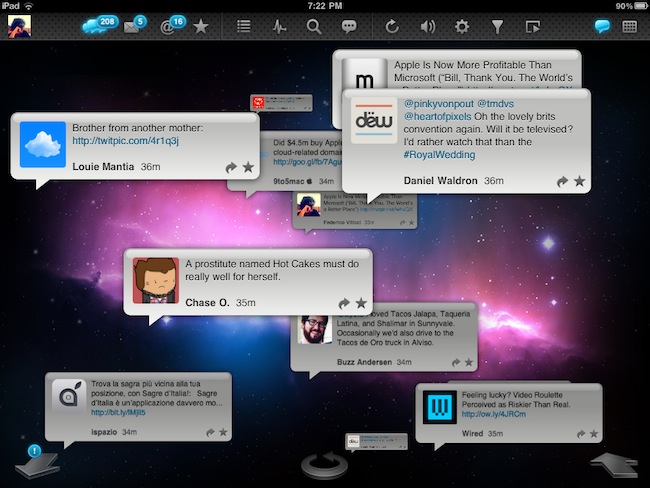
Released yesterday in the App Store at $1.99, TweetyPop wants to offer a different way to read your Twitter timeline and interact with status updates. While regular Twitter clients like Twitter for iPad, Twitterrific and Osfoora are focused on empowering you to read tweets in a vertical timeline which you can interact with to reply, fave tweets, or just discover cool links to check out later, TweetyPop resembles the Mac’s Time Machine in the way it operates: tweets are placed on a three-dimensional space, and you have to move the tweet “bubbles” with your finger to fling them off the screen and move forward in the timeline. Just like Time Machine, you make progress in time: only you have tweets instead of files and you can do stuff with these tweets, too.

The app’s got a traditional list view as well, but that’s not really the point. What TweetyPop wants to achieve – and I guess the reason why the developers created it in the first place – is being the alternative app that lets you sit down and explore Twitter in time. A scrollbar on the right lets you quickly move to a couple of hours ago or a just a few minutes back; big arrows at the bottom allow you to dismiss old tweets and load new ones, or go back in time again. The concept’s really simple if you’re used to Time Machine or Lion’s Versions. In fact, the app’s even got the same space-inspired background that you can’t change. Once you get the hang of it – you can scroll, move tweets around, reply, fave and follow links – you might want to check out the additional icons along the top. These buttons enable you to use Twitter’s usual functionalities like replies, DMs and favorite tweets, as well as lists, trends, or search. In every section, tweets are displayed as bubbles against a Time Machine-esque timeline like in the main page. This might be a little disorienting at first for mentions and direct messages, but I believe TweetyPop wants to disorient you, in a good way. It’s very, very different from anything else I’ve tried on the iPad in a year of existence of the platform.

I also like the fact that the app’s got some interesting options to play with. You can send items to Instapaper or OmniFocus, filter the timeline by “all tweets” or “new tweets only” and enable auto-play to let the app automatically scroll for you and create a slideshow for your tweets. The slideshow speed is configurable in the settings.

At $1.99, I’d give TweetyPop a try if only because it’s different. Sure, it won’t replace Twitter for iPad or Twitterrific, but it has the chance to become that alternative Twitter app that does one thing well and surprises you with its original ideas and interactions. Plus, the time exploration effect for tweets is just neat. Go download the app here. Promo video below.

Read more


Kickstarter: Taposé - Bringing Microsoft Courier to the iPad

Remember Microsoft’s Courier booklet PC? It was an interactive tablet with dual-touchscreens and folded like a booklet that Microsoft abandoned about a year and a half ago. Well, Benjamin Monnig and Ricky Drake are taking the idea of the Courier to an iPad app simply called Taposé and have launched a Kickstarter project to help with funding.

Taposé brings Courier functionality to the iPad. The creativity, productivity, and attractive user interface merged into one outstanding product. The split interface design (similar to the Courier idea) allows users to interact with multiple apps simultaneously in one app - Taposé.

Kickstarter video and a “How It Evolved” video after the break.

Read more


E-Books Fail To Save Publishers From Revenue Decline

Research published yesterday by IHS iSuppli reveals that the US book publishing industry has reached a “major inflection point” in which there will be a long-term decline in revenue, as e-book sales fail to reach the levels required to compensate the fall in physical book sales.

Over the period of 2010-2014, the book publishing industry will face a compound annual growth rate (CAGR) decline of 3% for both e-books and paper books. This reflects a fall in revenue from $25 billion between 2005 and 2010 to $22.7 billion between 2010 and 2014. Driving the decline is a 5% fall in the CAGR of physical book revenue, which far outweighs the 40% CAGR in e-books. This is mostly due to the fact that the selling prices of e-books are on average 40% lower than those of paper copies.

Dedicated e-readers, however, are forecast to triple in sales from 2010’s 9.7 million sales to over 30 million units in 2014. Previous figures did forecast over 40 million sales, but IHS iSuppli believes devices such as the iPad and other tablets will limit the market for such dedicated e-reading devices. IHS iSuppli also reveals in its analysis that since the introduction of the iPad, e-reader manufacturers have been forced to shrink margins from 35% to far lower levels.

[Via IHS iSuppli]