Posts tagged with "iPad"

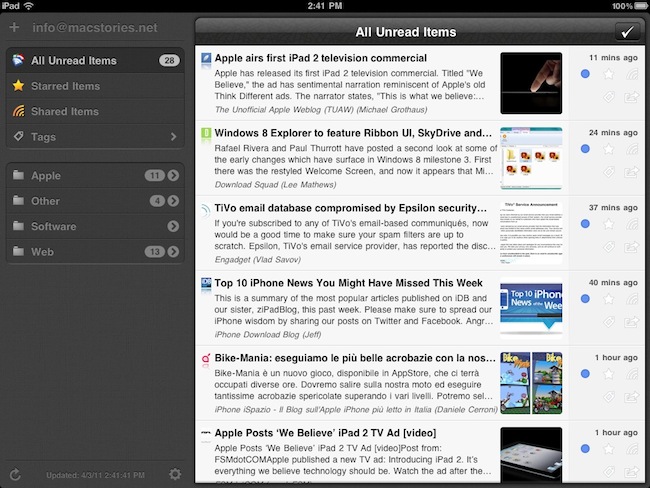
Review: Mr. Reader Takes On Reeder For King of iPad RSS Apps

I read a lot on my iPad. Either with Instapaper, Read It Later, Flipboard or iBooks, there’s lots of content to consume and these apps made specifically for the tablet are a real pleasure to use. I don’t reckon I read as many articles saved from the web or discovered through social media on the iPhone as much as I do on the iPad. But of course, Instapaper and Twitter aside, there’s another category of apps I’m constantly going back to: RSS readers. Both for work and personal purposes, RSS plays a huge role in my workflow that requires me to stay on top of news, save items for later, and forward them to my colleagues. Google Reader is my RSS service of choice.

On the iPad, there’s no doubt Silvio Rizzi’s Reeder has become the most popular RSS app currently available on the App Store. I love Reeder, and I use it on the Mac and iPhone as well. Reeder is beautiful, fast, stable, has lots of options and syncs with Google Reader. Ever since it came out on the iPad last year, I haven’t looked back. But you know I’m always curious to try out new things and alternatives, because you never know what might be coming out from the minds (and Xcodes) of thousands of iOS developers out there. Mr. Reader, an iPad app released last week in the App Store, is a new Google Reader client that I’ve been testing for the past 3 weeks. I was impressed by the quality of the app, so I took it for a spin on my homescreen. Read more
Enable Display Mirroring On The iPad 1

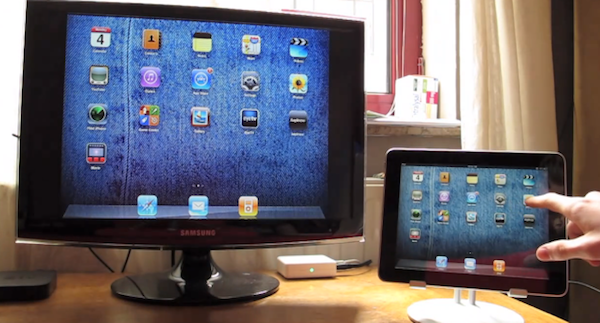
One of the most interesting features of the iPad 2 (cameras and thinner design aside) is the possibility to activate video mirroring: thanks to Apple’s Digital AV Adapter or VGA Adapter, any app on your iPad 2 can be mirrored on the television’s bigger screen with just an additional cable and no setup required. It works out of the box – meaning all your apps, presentations and websites can be sent off to a monitor that supports HDMI or VGA. This has been touted as one great functionality of the iPad 2 especially among teachers and people who always wished to mirror the iPad’s display to an external monitor during business meetings.

Unfortunately, the feature is “officially” iPad 2-only – but thanks to a jailbreak hack it is now possible to enable system-wide display mirroring on the original iPad with a few easy steps. As detailed by Nature’s Eye Studios, you’ll need a jailbroken iPad 1 running iOS 4.3 to modify some system files and activate video mirroring. This can be easily achieved with the latest redsn0w that brought untethered 4.3.1 jailbreak last night. Read more


redsn0w Untethered Jailbreak Now Available For iOS 4.3.1

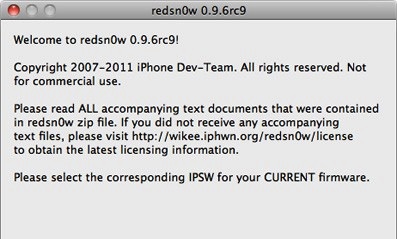
The Dev-Team today released version 0.9.6rc9 of their jailbreaking tool redsn0w, which jailbreaks all iOS devices running 4.3.1 - except for the iPad 2. So effectively that includes the iPhone 4 (GSM), iPhone 3GS, iPod Touch 4G, iPod Touch 3G, iPad 1 and the Apple TV 2G (PwnageTool only). However if you depend on ultrasn0w you must wait until there’s a compatibility fix, which is currently in the works.

The key (untethered) exploit is all thanks to Stefan Esser (@i0n1c) who is a security researcher in Germany that is experienced in vulnerability research. He was previously known in the iPhone jailbreak community for his “antid0te” framework which actually improved security by adding ASLR support for jailbroken iPhones, and before Apple had even implemented it. Needless to say the Dev-Team is pleased to see Stefan help them with jailbreak exploits.

As for the iPad 2, Apple unfortunately patched the two bootrom exploits that the Dev-Team had ready (SHAtter and limera1n) and so until a new one is found, no untethered jailbreak can be developed.

You can download this latest edition of redsn0w for either Windows or Mac. You can also get the latest PwnageTool (Mac only) here, and the latest edition of sn0wbreeze (Windows only) here.


12 of the Year’s Best Ideas in Interface Design

12 of the Year’s Best Ideas in Interface Design

Flipboard UX Design

Flipboard UX Design

User interfaces, when done well, are the unsung hero of product design. They’re the difference between a printer whose buttons you can figure out without even reading the instructions and one you want to throw across the room. Now, with the rise of personal computing, interfaces are more relevant than ever before, providing the crucial link between physical objects and the virtual world.

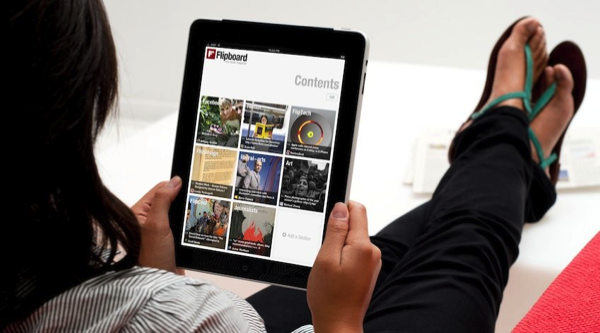
Fast Company’s Co.Design highlights some of the most spectacular and promising product designs of 2010, showcasing app favorite Flipboard alongside other notable user interfaces of FLUD and concept iPad app MetaMirror. It wouldn’t be a slideshow about good interface if Mozilla’s Seabird concept wasn’t in there, but two particular physical products, John’s Phone (Engadget review) and the Ref, shy away from our obsession with everything digital and return to the fundamental concepts of human communication, whether it be interpersonal or emotional feedback. We may often focus, and at times become overly engrossed in Apple’s product philosophies and culture, but we shouldn’t forget a world of innovation exists beyond Cupertino in numerous, brilliant ways.

Permalink

Happy Birthday, iPad!

One year ago today, the original iPad went on sale in the United States. It was 365 days ago, and we really didn’t know what to expect from the “magical device” Steve Jobs unveiled on stage roughly two months before, at a special event on January 27th. We just knew that Apple was up to something, and we needed to check out this “new thing”. Then many of us realized an Apple tablet was exactly what they had been looking for: smaller than a laptop but bigger than a smartphone, the iPad was meant to create a new market for all those who didn’t need a physical keyboard anymore, for all those who wanted the simplicity of iOS on a large multitouch screen, for all those who believed technology wasn’t just about the RAM and Gigahertz. That was April 3, 2010.

One year later, the iPad has been a terrific commercial success for Apple. More than 15 million copies sold, over 75,000 native apps available in the App Store, long lines around the globe to get the chance of buying an iPad 2. The iPad has become an iconic device in 12 months; and for those who believe, it’s become more than a simple piece of glass and aluminum. One year of iPad has changed everything for Apple, and the millions of consumers who get things done with it every day. The doctors, the journalists, the school teachers, the students, the writers and the sports fans. A single device with simple hardware features (touch, large screen, thin design) has proved that apps and a well-designed operating system can make a huge difference. And one year later, I still have the feeling we’re just getting started.

So happy birthday, iPad. It’s been a year already, but we know the best has yet to come.
Read more


dPad Is A Lightweight iPad HTML Editor for Bloggers

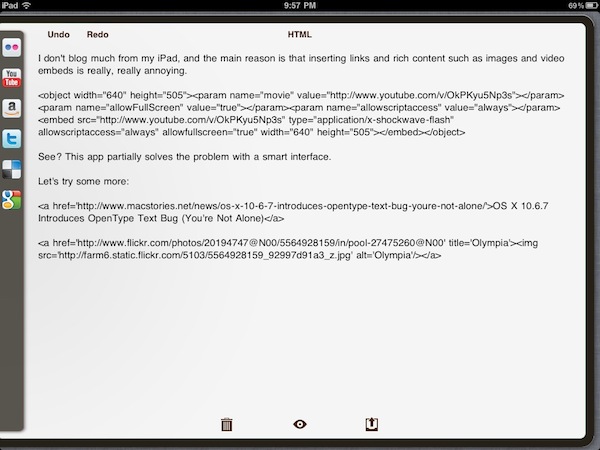
I haven’t written many blog entries from my iPad, and the main reason is that inserting links and rich content like images and video embeds can be really, really annoying on the tablet. No HTML editor for the iPad nailed it when it comes to offering an interface and a set of tools that allow bloggers to rely on the device as their main blogging machine; and especially if you write for blogs with several articles every day and you need to keep up at a fast pace, wasting time trying iPad apps is impossible. But I believe also those folks that post status updates and journal entries on their personal blogs must have noticed the iPad is far from being an ideal mobile blogging device, and the lack of dedicated apps is worrying. Sure, there are plenty of iOS text editors out there, even with advanced HTML and Markdown formatting capabilities; for bloggers like me, though, that is not enough. Either with WordPress, Movable Type, Drupal or a custom CMS you might be using on your blog, there are usually a lot of writing and management options to consider that most apps don’t support. The official WordPress app doesn’t even accept custom fields and many, many other things that millions of bloggers rely on every day. The situation is almost unacceptable, and I really don’t understand why – with more than 15 million iPads out there – someone hasn’t set out to create the ultimate iOS blogging app. I really don’t. Yet we keep hoping. Read more


#MacStoriesDeals - Friday

Happy birthday Apple! If you didn’t already know, we’ve set up a new twitter account for Deals, it’s @MacStoriesDeals. We’ll tweet the daily deals there as well as exclusive weekend deals too. Help spread the word! Here are today’s deals on iOS, Mac, and Mac App Store apps that are on sale for a limited time, so get ‘em while they’re hot!

Read more


The Onion iPad App Now Available

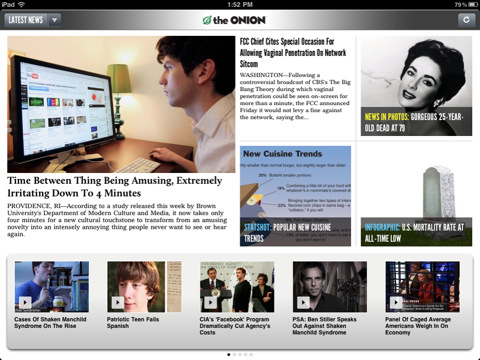
Right in time for April Fool’s Day, The Onion – “America’s Finest News Source” – has released its first official application for the iPad, available now for free in the App Store. The Onion delivers hilarious fake news, stories and reports every day, and releasing the tablet app today, with all those pranks and not-so-clever fake stories that are floating around on the Internet, seems more than appropriate to us. In fact, we love The Onion and reading its articles directly on our iPads is something we’ve been looking forward to.

The app is very simple: it lets you read, share articles on social networks with a few taps and watch videos without leaving the app. It’s also got support for Instapaper and Google Reader, among others. The interface design doesn’t look exactly beautiful, but all the content from The Onion is there. It should be enough for now.

You can find The Onion for iPad here.


More Than 75,000 iPad Apps Are Now Available

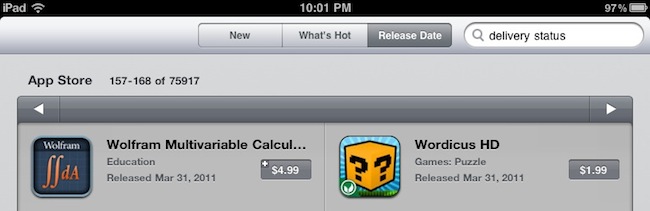
Back in December, we ran a story about the incredible rise of native iPad software in the App Store: in nearly 260 days since the release of the original iPad in April 2010, third-party developers created more than 50,000 apps specifically for the device. As the iPad was a relatively new device in 2010, that was quite an accomplishment. Especially considering that the iPad App Store had “only” 20,000 apps in August, and 10,000 in June. By the end of 2010, Apple closed with roughly 60,000 native apps available for iPad owners.

In the past months, however, many interesting things happened in the tablet market: Apple announced and released a successor to the iPad after much speculation, Google unveiled a version of its Android OS meant for tablets, Android Honeycomb. Motorola was first to release a Honeycomb-based tablet, the Xoom, which is capable of running Android apps built from scratch for the tablet form factor – rather than blown up versions of smartphone apps. On the other hand, RIM will release its BlackBerry PlayBook onto the market in a few weeks – this one is also capable of running Android apps alongside native BlackBerry apps. Other manufacturers will follow throughout 2011 with their own vision for “the tablet”.

Back to the initial point, anyway. If there’s one segment (let’s just forget about tech specs for a minute) where Apple has a huge advantage over its competitors, that would be the App Store. Since our report from December, the iPad App Store has grown to accomodate over 75,000 native apps – even more than the ones mentioned in Apple’s press releases. Compared to 20 apps available for the Xoom, I think we can all agree that’s a huge advantage for Apple. And even if geeks can say “most of those 75,000 apps suck”, the numbers still hold true: 75,000 apps are available, the 100,000 milestone will be reached in a couple of months. And Apple will make a strong remark about that figure at their next public event. Perhaps at the WWDC itself where, and everything falls into the place, a new version of iOS will likely be announced and demoed.

75,000 apps for the iPad doesn’t come as a surprise if we consider Apple’s powerful marketing machine and the iTunes Store infrastructure. But to think the iPad came out 365 days ago and now we can choose from a selection of 75,000 different apps – I believe that says something about the current status of the tablet market.