Posts tagged with "iPad"

Twitter Makes Quick Bar Less Intrusive With Update For iOS 4.3

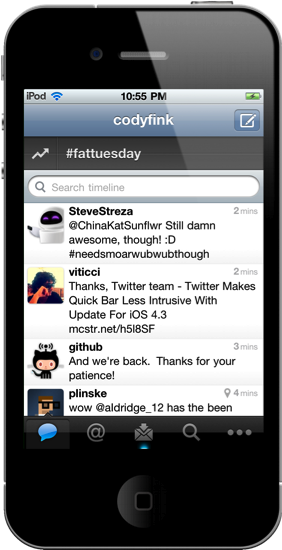
Along with bug fixes related to app startup and location services, Twitter has met users half-way by stopping the Quick Bar from intrusively popping over the timeline as you scroll in version 3.3.1. Intended to update users on what’s happening the Twitter sphere, users were outraged at the inability to disable the distracting pop-over. Twitter has permanently affixed the Quick Bar at the top of the timeline, which you can scrub your thumb over to scroll through recent trending topics. Twitter isn’t backing down on a feature they claim user’s want – I say let individuals decide how they want to browse Twitter.

You can get the latest update for Twitter in the App Store.


Roxio Toast 11, Record & Convert Anything

Given all of the digital media you work with, shouldn’t there be a suite of tools that enable you to covert those old DVDs to your iPad, to record anything currently playing on your Mac, or to grab the latest shows from your TiVo? I don’t know… maybe something like Roxio’s Toast 11 Titanium and Titanium Pro? Fans of Roxio rely on Toast as their primary video conversion tool, or may have found it to be their lifesaving application that was able to rip proprietary disks from old camcorders into something iMovie can work with. In Toast 11, a brand new user interface is accompanied by a slew of new features making it the most friendly iteration yet for users of all kinds looking to convert family video and share projects with friends online.

Read more


Here Come The AirPlay Systems: Phillips, Pioneer, and JBL Announce New Products

2011 won’t be a year just about the iPad. Apple’s AirPlay will be saturating the market this summer with dozens of speakers, docks, and receivers designed to wirelessly stream your tunes in lossless glory. Today, Philips, Pioneer, and JBL have all announced speakers and receivers that all support Apple’s wireless sharing capabilities, and we’ve got press releases, prices, and more after the break.

Read more


Top-Notch GTD App Voodo for iPad Gets Reviewed, Plus A Giveaway!

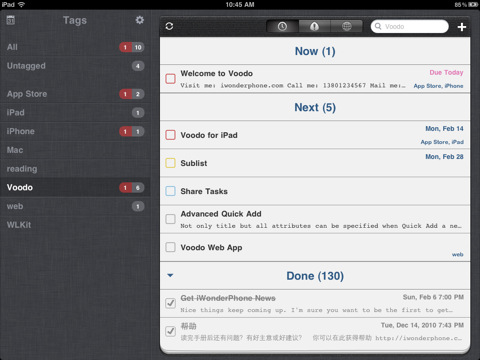
If you are looking for a GTD app that works on the iPhone and iPad you have many, many excellent options that include Things, Due, OmniFocus and a multitude of others. Well now you can add Voodo to that extensive list of compelling GTD apps. Voodo had previously been available as an iPhone app but earlier this week it made it to the iPad as well and I was able to give it a go whilst it was being approved last month.

Jump the break for a review of Voodo for iPad and win one of five copies of the iPhone companion app!

Read more


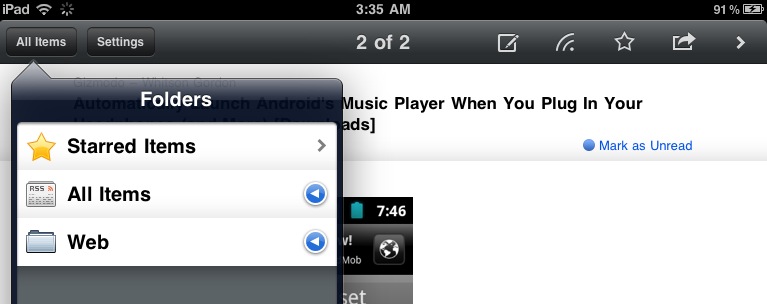
RSS Reader Byline Updated with iPad Support

Back in the day when Reeder was not around and Google didn’t have a great optimized version of Reader for iPhones and iPod touches, RSS app Byline was the choice of many. The app featured a minimal and elegant UI following the standards of Apple’s interface guidelines (something that Silvio Rizzi’s Reeder eventually did not), synced with Google Reader and, again, was just popular. With time and the invasion of RSS apps in the App Store many users switched over to something else, some grew tired of RSS apps entirely, some stayed with Byline.

The app is making a comeback today, with a shiny new version 4.0 that introduces a couple of new features, design improvements and, finally, iPad support. As for the new features and fixes, this update introduces a new Edit button you can actually slide to mark all feeds as read. It’s a kind of neat gesture I’d personally like to see implemented in other apps. It’s not something Apple created, of course, but it feels native. Speed of Google Reader sync has been improved as well – Byline feels more responsive now and it’s almost as fast as Reeder at syncing unread feeds and caching items for offline usage. In the Settings, the old options have been kept: Twitter sharing, Instapaper and Read It Later support for articles you don’t want to check out right away. A couple of touches to the UI here and there are a welcome addition, too.

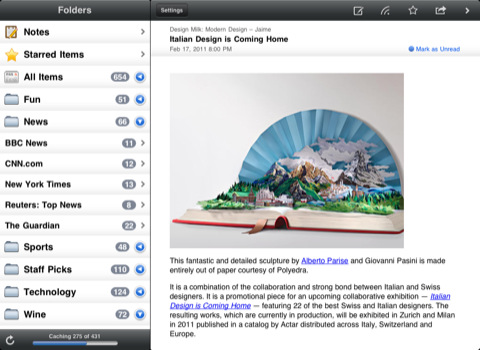
The iPad version comes bundled in the new Universal application, which can be upgraded to ad-free for a limited-time offer of $5.99 through in-app purchase. The iPad counterpart of Byline unsurprisingly follows Apple’s standards for UI approach: you’ve got a sidebar in landscape mode with all your feeds and folders, a popover in portrait with the same functionalities. The article view is as clean as before, although I would have liked to see some additional interface love here. Sometimes it almost feels too clean. But I have to say, it’s fast, reliable and definitely gets its job done. Byline for iPad looks a lot like the iPhone version – your call if this is a bad thing or not.

Byline 4.0 (universal) is available for free here.


MacStories Interviews: Dave Caolo, Author of “Using Your iPad as a Business Productivity Tool”

If you live in a corporate environment these days, chances are your employer has given you an iPad to try out. It is no secret that hundreds of companies are piloting or deploying iPads and iPhones, but when it comes to a machine that’s less than a year old and has created a new category of portable computing, trying to make it fit in your daily workflow can become a problem. What apps do I need to install? What about email settings? What’s the best way to manage my calendar? And Exchange?

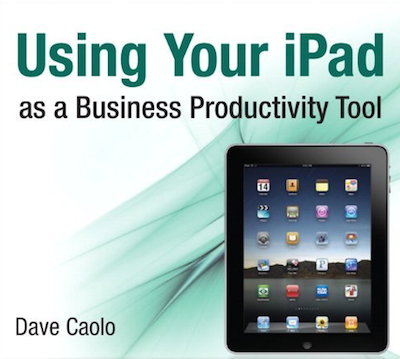
Author Dave Caolo provides answers to these questions in his first book “Using Your iPad as a Business Productivity Tool”. The book is available now in the iBookstore for iPad at $5.99, but you can also pre-order it for your Kindle on Amazon. We had the chance to chat with Dave about the background of this book, and why he decided to focus on the iPad, a relatively young device for a business audience.

So head after the break for the full interview, and go download the book for your iPad here. Read more