This Week's Sponsor:

Turbulence Forecast

Know before you go. Get detailed turbulence forecasts for your exact route, now available 5 days in advance.


Posts tagged with "iPhone"

A Cydia Tweak That Somehow Fixed My iPhone’s Proximity Sensor Issues

Either a persistent iOS bug that hasn’t been fixed on iOS 4.2.1 or a real issue on my device, the proximity sensor isn’t working well on my iPhone 4. I accidentally drop and / or mute calls every once in a while, but not because or low signal or a bad interface scheme I don’t understand: when I bring the iPhone to my ear during a call, the proximity sensor doesn’t dim the screen and prevent skin contact on phone’s buttons as it should. It doesn’t happen all the time but when it does – it’s pretty annoying.

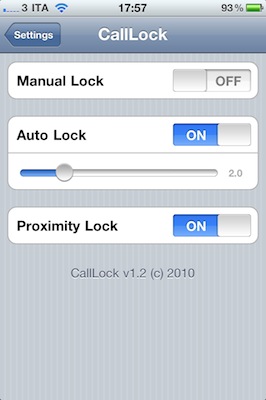
A new tweak available in the Cydia Store at $0.99, CallLock, changes the behavior of the power button during an outgoing / incoming call to make sure that the phone is actually locked, so that the faulty proximity sensor won’t get in the way and no accidental taps will be registered. CallLock locks the iPhone during a call, simple as that.

CallLock comes with two activation methods: manual and auto-lock. The auto mode will lock the iPhone’s screen as soon as a call is connect, manual will override iOS’ default settings to make the power button lock a call, and not end it.

I found CallLock to be a good compromise when it comes to avoiding calls to be dropped and muted, even though you’ll have to unlock your iPhone after each call. If you can accept the trade-off, CallLock is available at $0.99 in the Big Boss’ repository.

AutoCAD WS Updated with Retina Graphics, Offline Editing and Email Support

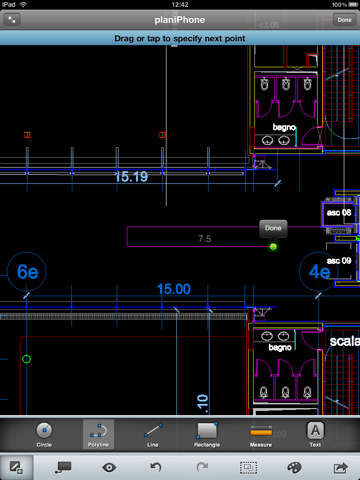
AutoCAD WS for iPhone and iPad was released in late September and it quickly became one of the most popular apps in the App Store – mainly thanks to the huge AutoCAD userbase that was looking forward to being able to edit and share DWG files on mobile devices. The app allows you to preview and annotate drawings using iOS’ multi-touch gestures and save your edits to the AutoCAD WS online workspace.

The 1.1 update, released a few hours ago, brings several new features and optimizations to WS – and it’s going to be an update AutoCAD users will love. First off, offline editing: by activating the option in your online AutoCAD account, you’ll be able to sync an offline copy of a document to the iPhone and iPad, edit it without a 3G or WiFi connection, sync it back to the account once you’re back online. Perfect for iPad WiFi users who carry their tablets around and don’t happen to have an internet connection available all the time.

AutoCAD WS can now also open email attachments: if you receive a DWG or DXF account via email, you can copy it to AutoCAD WS –but you’ll need an internet connection to upload it right after the import process. Among other changes, Retina Display-ready graphics and improved connectivity.

AutoCAD WS is available for free here. Check out the official video detailing offline support in AutoCAD WS below. Read more


Rise Alarm Wakes You Up In Style - Review & Giveaway

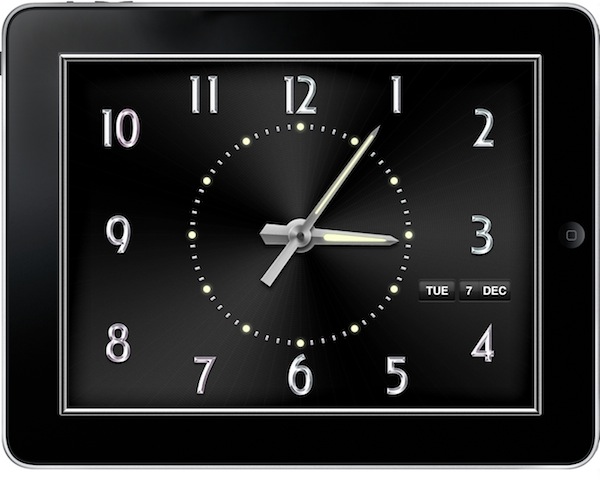
iOS bugs aside, I’ve been using Apple’s default clock app for years to set my alarms, quick reminders and check on world’s time zones. Rise Alarm by Ken Yarmosh, though, is a nicer alternative to the Clock app, which comes with both an iPhone and iPad version and lots of options to choose from.

Rise Alarm sports a great design, a variety of sounds to customize the alarm clock experience and an intuitive user interface based on gestures. Can it replace the default Clock app? Read more


Andy Rubin, Android Creator: “Everybody Is Embracing The iPhone”

Andy Rubin, Android Creator: “Everybody Is Embracing The iPhone”

Andy Rubin, speaking at the D: Dive into Mobile event:

Rubin has some relatively nice things to say about the iPhone. “I think everybody is embracing the iPhone. They are pretty open.” Rubin said that most developers actually are having a pretty easy time getting their apps approved by Apple.

Kara: How do you consider Apple as a competitor?

Certainly they make great products, Rubin says–robust, solid, good user experiences. A lot of consistency across applications. More recently I see them getting involved in the other end of the spectrum–services like a bookstore, the app store.

Consistency across applications and devices. Something Google is perhaps underestimating? I’m excited for the changes introduced in today’s Android update, anyway. Gingerbread looks like a solid OS with lots of refinements, and the Nexus S might be the first Android phone I’m going to use on a regular basis. Problem is, I’ll have to find an unlocked one here.

Permalink

Swarm Light: iPhone-Controlled LED Chandelier [Video]

This falls under the category of neat installations powered by an iOS device we have covered so many times here on MacStories. The Swam Light is a $180,000 LED chandelier based on an algorithm originally meant to analyze the behavior of bees. The LED that power the chandelier, in fact, are organized in a series of grids and lit up to display “simulated collective movement” – or, the movement of groups of insects.

What’s cool is that the creators of the installation, rAndom International, developed an iPhone controller in-house to handle operations remotely. The iPhone app can dim lights and switch between the various modes implemented in the Swarm Light.

Check out the video below. [via TUAW] Read more


Color Splash Gives A “Dramatic Look” To Your Photos

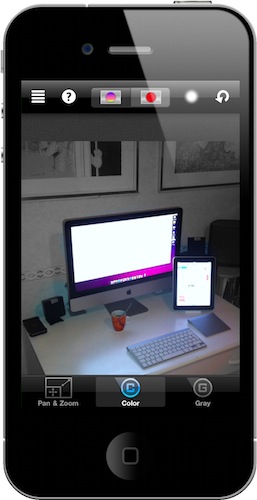
I downloaded this app last week, but it turns out it’s been around for quite some months in the App Store. Color Splash by Pocket Pixels is a simple iPhone app (iPad version is available, too) that allows you to highlight areas of a photo to make them black & white, or make the entire photo black & white and only set certain areas to be colored.

It’s a very cool effect that it’s made easy by iOS multi-touch technology and would otherwise be a rather difficult task for the average user on Adobe’s Photoshop. Read more


BlackBerry vs. iPhone: What’s In Your Pocket?

BlackBerry vs. iPhone: What’s In Your Pocket?

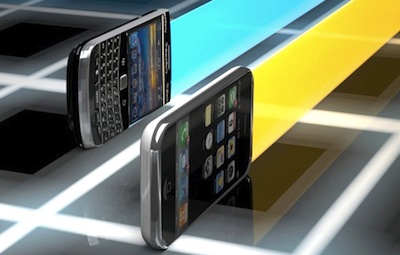
Apple says the iPhone is more than a mere appliance for sending e-mail. The device, with its sleek touch screen and ability to run hundreds of thousands of Web-connected applications, games and utilities, can be used for nearly any purpose, business or personal, a line that Apple hopes to blur out of existence.

“Most people now want to use a single device to handle both their personal and professional lives,” said Shaw Wu, an analyst at Kaufman Bros. “That’s what Apple’s really good at — and now RIM is playing catch-up.”

I guess the question is: can they even catch up at this point? 275,000 apps is no small difference. [via]

Permalink