This Week's Sponsor:

Turbulence Forecast

Know before you go. Get detailed turbulence forecasts for your exact route, now available 5 days in advance.


Posts tagged with "iPhone"

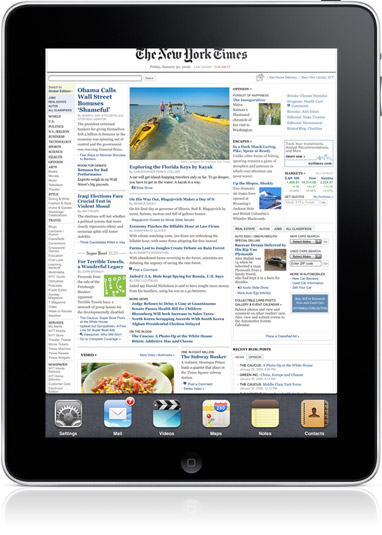
New York Times Uses Hipstamatic Photos For Front Page Story

New York Times Uses Hipstamatic Photos For Front Page Story

When NYT photog Damon Winter went to northern Afghanistan to catalog the efforts of the First Battalion, 87th Infantry of the 10th Mountain Division, he took all the fancy camera equipment you would expect. He’d shoot video of firefights with a Canon EOS 5D Mark II, sure. But he also grabbed still photos using Hipstamatic, an app that lets you choose among a huge selection of filters.

Front page photo here. Impressive.

Permalink

SBSettings Now iOS 4.2.1-Ready | Cydia

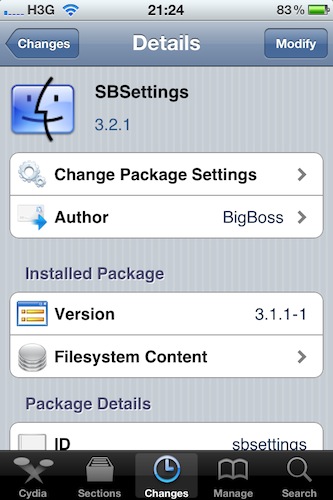
Good news keep coming for early iOS 4.2.1 jailbreakers: if you installed Cydia on your newly updated device this morning using redsn0w, you might want to fire up Cydia again and check for updates. SBSettings, the popular utility to access iPhone and iPad functionalities such as respring, reboot and a variety of shortcuts, is now fully compatible with iOS 4.2.1.

The new 3.2.1 update fixes a statusbar free memory issue, the date display on iOS 4.2.1 and permissions on SBSettings data storage folder. It’s available now in Cydia.


TaskForce: The Uber Minimal To-Do App for iPhone

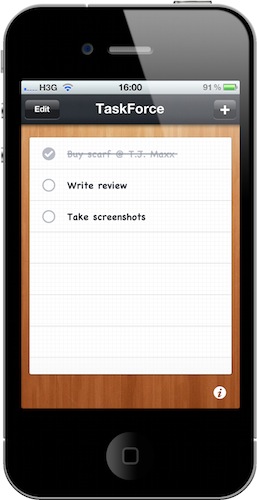
I love OmniFocus, but many of you guys probably don’t need its complex feature set and just would like to have a simple todo list app for iPhone. You know, something like a digital piece of paper where you can jot down tasks, mark them as complete and delete them.

That’s it, no contexts, projects, teammates or tags to choose from. Personally I wouldn’t go anywhere with such a system and I know there are thousands of apps similar to the one I’m going to write about available in the App Store – yet TaskForce is minimal and polished enough to deserve a mention.

TaskForce for iPhone is a simple and beautiful app that does just that: it allows you to create a list with tasks and delete them once you’ve completed them. Read more


GridTab for Safari Enables iPad-like Tabs On The iPhone | Cydia Store

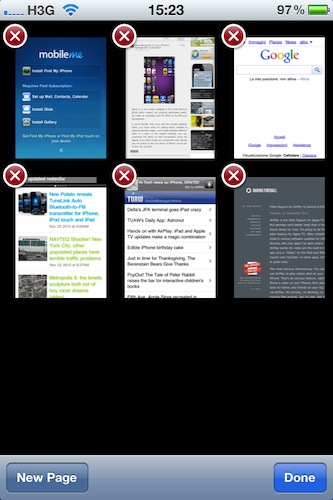
Is there’s one thing I can’t stand on Safari for iPhone is the way it displays “tabs”: by default, when you hit the tabs button in the toolbar you’re brought to a page with a “gallery” of all your open pages, and you have to swipe between them to navigate to the site you want to switch to. On the iPad, Safari is much better: it doesn’t display real desktop tabs (although there’s an iCab for that), but at least it presents them as beautiful thumbnails on a dark grid. It’s easier to switch between websites on the iPad because you just have to tap.

GridTab, a new tweak available on the Cydia Store at $0.99, enables iPad-like tab navigation on the iPhone. Once installed, you’ll be able to switch between open pages just like on the iPad by tapping on thumbnails. Very cool.

GridTab is available at $0.99, and I highly recommend it.


Barrel Brings 3D To Your iPhone’s Springboard | Cydia Store

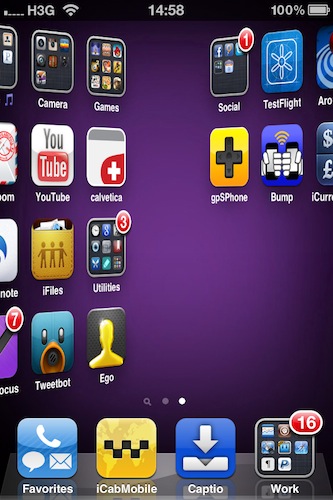
Barrel is a new tweak available in the Cydia Store at $2.99 which doesn’t do anything particularly useful, but adds an incredibly cool 3D effect to the iPhone’s Springboard.

If you’re familiar with Linux and the Compiz desktop effect, you know what I’m talking about: instead of swiping between pages, you’ll swipe between different sides of a cube. In the tweak’s settings, you can customize the effect so that homescreen icons will appear to be either inside our outside the cube. Words pay not justice to the cool factor of Barrel, you’ve got to see it by yourself. Read more


You Can Use Find My iPhone For Free On Older Devices

You Can Use Find My iPhone For Free On Older Devices

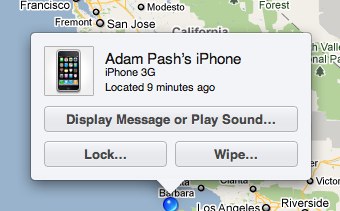
Apple claims only iPhone 4, iPad, or 4th generation iPod touch owners can use Find My iPhone for free by logging in with their Apple IDs. It turns out, though, that enabling support on older devices is fairly simple. Lifehacker reports:

Once you’ve activated Find My iPhone on a newer iOS device, just repeat the steps above on a pre-2010 iOS device and it should work like a charm. I tested the process by turning on Find My iPhone on an iPad, then enabling it on an iPhone 3G.

Piece of cake. Just borrow an “officially supported” device from a friend, log in with your credentials to activate the feature, then delete the account from your friend’s device.

Permalink


iOS 4.2: Our Complete Walkthrough

A few minutes ago Apple announced the release of iOS 4.2 today. The download links aren’t live yet, and we speculate the engineers at Cupertino will flip the switch at 10AM PST.

In the meantime,though, you can check out our complete iOS 4.2  for iPad walkthrough below. We have tested iOS 4.2 through all the betas and GM seeds Apple released, and there’s no doubt this is the OS we were all waiting for.

iOS 4.2 is a major new update for iPhone, iPod Touch and iPad built on the strong foundation of iOS 4, released in June just two days before the iPhone 4 went on sale. iPhones and iPod Touches have been capable of enjoying multitasking, folders, fast app switching and the hundreds of new features since then, but it’s only with 4.2 that iPads are getting updated to support iOS 4. This new software update marks the grand unification of iDevices under a single OS, which comes with lots of new functionalities for the tablet, and a couple of interesting additions on the iPhone.

In this article we’ll take a look at everything that’s new in iOS 4.2 on the iPad, with a mention of the minor updates for the iPhone and iPod Touch as well. So read on past the break, and follow us along the ultimate guide of iOS 4.2 for iPad. Read more


Rumor: European Carriers Force Apple To Give Up On Integrated SIM Plans

According to a rumor that surfaced in October, Apple was looking for a way to develop an integrated iPhone SIM-card that would allow customers to easily subscribe to a carrier’s plan and easily switch between networks when travelling abroad. An integrated SIM-card would cut carriers out of an important process of the iPhone purchase system: retail.

With such as SIM-card, Apple, and only Apple, would sell iPhones while carriers would just play the role of “service providers”. Similar rumors surfaced last week, together with reports of concerns about this approach. Read more