This Week's Sponsor:

SoundSource

New Year, New Audio Setup: SoundSource 6 from Rogue Amoeba


Posts tagged with "LLMs"

Moltbot (Formerly Clawdbot) Showed Me What the Future of Personal AI Assistants Looks Like

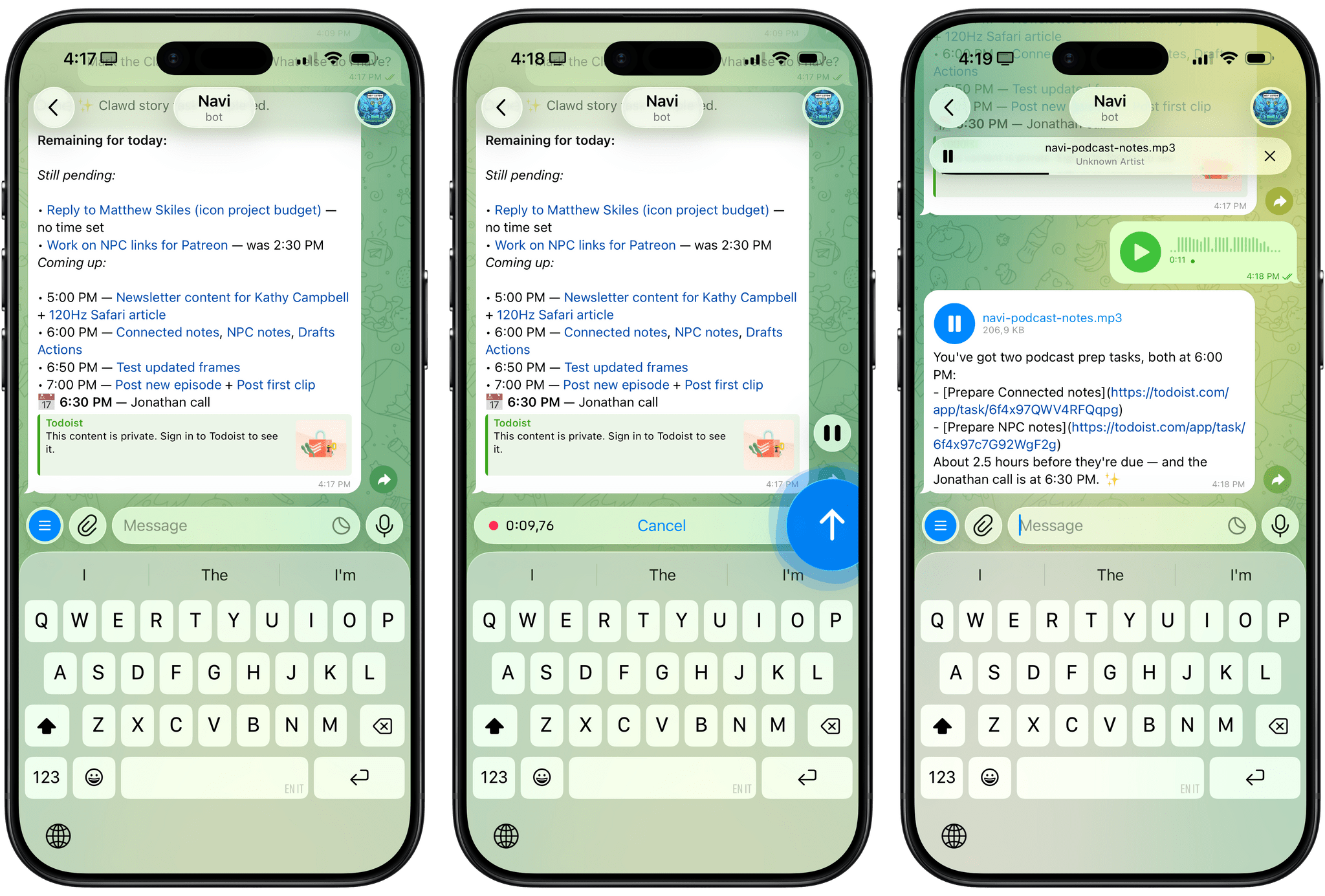
Using Clawdbot via Telegram.

Using Clawdbot via Telegram.

Update, January 27, 2026: Clawdbot has been renamed to Moltbot following a trademark-related request by Anthropic.

For the past week or so, I’ve been working with a digital assistant that knows my name, my preferences for my morning routine, how I like to use Notion and Todoist, but which also knows how to control Spotify and my Sonos speaker, my Philips Hue lights, as well as my Gmail. It runs on Anthropic’s Claude Opus 4.5 model, but I chat with it using Telegram. I called the assistant Navi (inspired by the fairy companion of Ocarina of Time, not the besieged alien race in James Cameron’s sci-fi film saga), and Navi can even receive audio messages from me and respond with other audio messages generated with the latest ElevenLabs text-to-speech model. Oh, and did I mention that Navi can improve itself with new features and that it’s running on my own M4 Mac mini server?

If this intro just gave you whiplash, imagine my reaction when I first started playing around with Clawdbot, the incredible open-source project by Peter Steinberger (a name that should be familiar to longtime MacStories readers) that’s become very popular in certain AI communities over the past few weeks. I kept seeing Clawdbot being mentioned by people I follow; eventually, I gave in to peer pressure, followed the instructions provided by the funny crustacean mascot on the app’s website, installed Clawdbot on my new M4 Mac mini (which is not my main production machine), and connected it to Telegram.

To say that Clawdbot has fundamentally altered my perspective of what it means to have an intelligent, personal AI assistant in 2026 would be an understatement. I’ve been playing around with Clawdbot so much, I’ve burned through 180 million tokens on the Anthropic API (yikes), and I’ve had fewer and fewer conversations with the “regular” Claude and ChatGPT apps in the process. Don’t get me wrong: Clawdbot is a nerdy project, a tinkerer’s laboratory that is not poised to overtake the popularity of consumer LLMs any time soon. Still, Clawdbot points at a fascinating future for digital assistants, and it’s exactly the kind of bleeding-edge project that MacStories readers will appreciate.
Read more


LLMs Have Made Simple Software Trivial

I enjoyed this thought-provoking piece by (award-winning developer) Matt Birchler, writing for Birchtree on how he’s been making so-called “micro apps” with AI coding agents:

I was out for a run today and I had an idea for an app. I busted out my own app, Quick Notes, and dictated what I wanted this app to do in detail. When I got home, I created a new project in Xcode, I committed it to GitHub, and then I gave Claude Code on the web those dictated notes and asked it to build that app.

About two minutes later, it was done…and it had a build error.

And:

As a simple example, it’s possible the app that I thought of could already be achieved in some piece of software someone’s released on the App Store. Truth be told, I didn’t even look, I just knew exactly what I wanted, and I made it happen. This is a quite niche thing to do in 2026, but what if Apple builds something that replicates this workflow and ships it on the iPhone in a couple of years? What if instead of going to the App Store, they tell you to just ask Siri to make you the app that you need?

John and I are going to discuss this on the next episode of AppStories about the second part of the experiments we did over our holiday break. As I’ll mention in the episode, I ended up building 12 web apps for things I have to do every day, such as appending text to Notion just how I like it or controlling my TV and Hue sync box. I didn’t even think to search the App Store to see if new utilities existed: I “built” (or, rather, steered the building of) my own progressive web apps, and I’m using them every day. As Matt argues, this is a very niche thing to do right now, which requires a terminal, lots of scaffolding around each project, and deeper technical knowledge than the average person who would just prompt “make me a beautiful todo app.” But the direction seems clear, and the timeline is accelerating.

I also can’t help but remember this old rumor from 2023 about Apple exploring the idea of letting users rely on Siri to create apps on the fly for the then-unreleased Vision Pro. If only the guy in charge of the Vision Pro went anywhere and Apple got their hands on a pretty good model for vibe-coding, right?

Permalink

Why is ChatGPT for Mac So Good?

Great post by Allen Pike on the importance of a great app experience for modern LLMs, which I recently wrote about. He opens with this line, which is a new axiom I’m going to reuse extensively:

A model is only as useful as its applications.

And on ChatGPT for Mac specifically:

The app does a good job of following the platform conventions on Mac. That means buttons, text fields, and menus behave as they do in other Mac apps. While ChatGPT is imperfect on both Mac and web, both platforms have the finish you would expect from a daily-use tool.

[…]

It’s easier to get a polished app with native APIs, but at a certain scale separate apps make it hard to rapidly iterate a complex enterprise product while keeping it in sync on each platform, while also meeting your service and customer obligations. So for a consumer-facing app like ChatGPT or the no-modifier Copilot, it’s easier to go native. For companies that are, at their core, selling to enterprises, you get Electron apps.

I don’t hate Electron as much as others in our community, but I can’t deny that ChatGPT is one of the nicest AI apps for Mac I’ve used. The other is the recently updated BoltAI. And they’re both native Mac apps.

Permalink

The AI App Experience Matters More Than Benchmarks Now

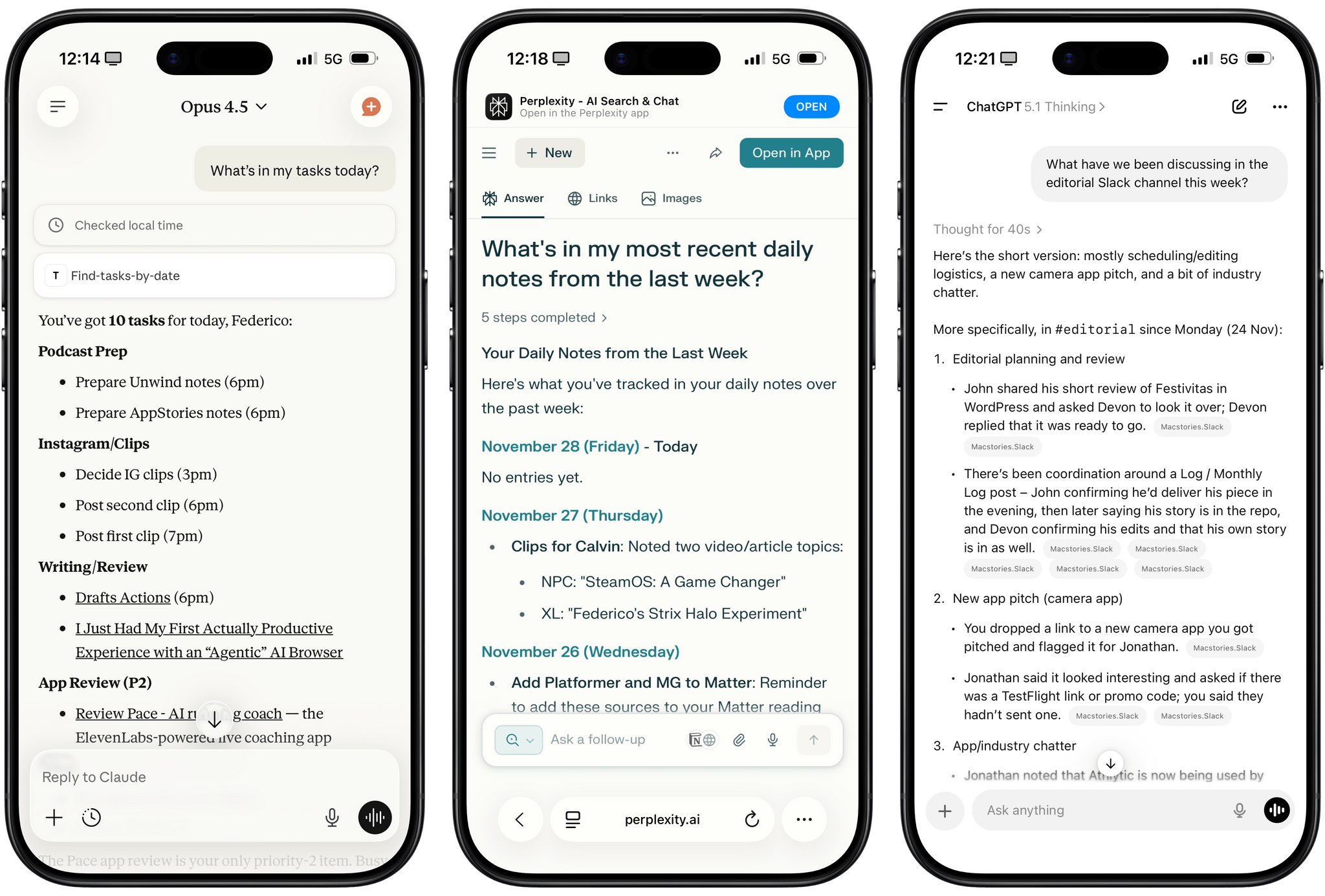
Different experiences with app connectors in Claude, Perplexity, and ChatGPT.

Different experiences with app connectors in Claude, Perplexity, and ChatGPT.

I was catching up on different articles after the release of Claude Opus 4.5 earlier this week, and this part from Simon Willison’s blog post about it stood out to me:

I’m not saying the new model isn’t an improvement on Sonnet 4.5—but I can’t say with confidence that the challenges I posed it were able to identify a meaningful difference in capabilities between the two.

This represents a growing problem for me. My favorite moments in AI are when a new model gives me the ability to do something that simply wasn’t possible before. In the past these have felt a lot more obvious, but today it’s often very difficult to find concrete examples that differentiate the new generation of models from their predecessors.

This is something that I’ve felt every few weeks (with each new model release from the major AI labs) over the past year: if you’re really plugged into this ecosystem, it can be hard to spot meaningful differences between major models on a release-by-release basis. That’s not to say that real progress in intelligence, knowledge, or tool-calling isn’t being made: benchmarks and evaluations performed by established organizations tell a clear story. At the same time, it’s also worth keeping in mind that more companies these days may be optimizing their models for benchmarks to come out on top and, more importantly, that the vast majority of folks don’t have a suite of personal benchmarks to evaluate different models for their workflows. Simon Willison thinks that people who use AI for work should create personalized test suites, which is something I’m going to consider for prompts that I use frequently. I also feel like Ethan Mollick’s advice of picking a reasoning model and checking in every few months to reassess AI progress is probably the best strategy for most people who don’t want to tweak their AI workflows every other week.

Read more


I Finally Tested the M5 iPad Pro’s Neural-Accelerated AI, and the Hype Is Real

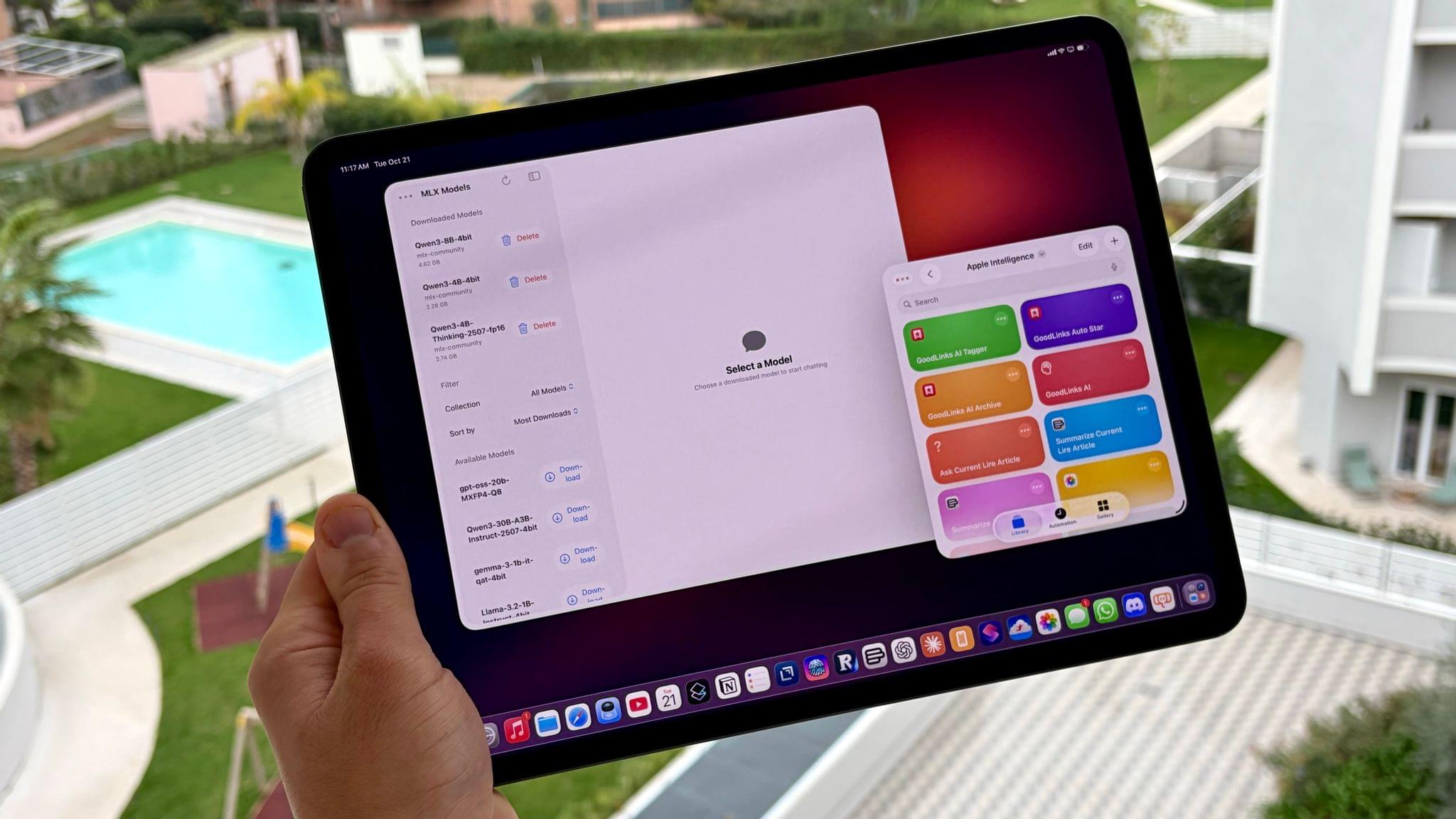
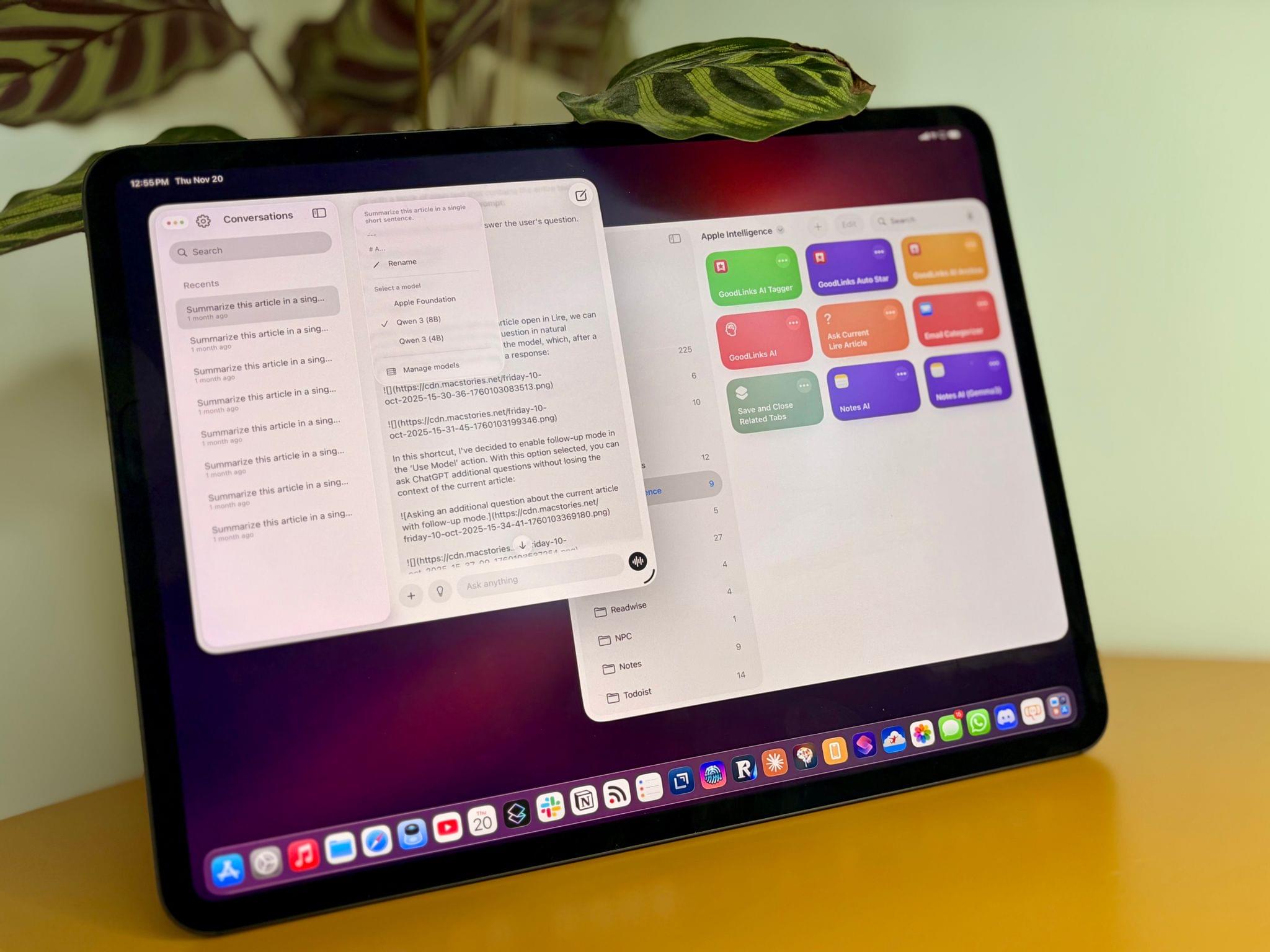
The M5 iPad Pro.

The M5 iPad Pro.

The best kind of follow-up article isn’t one that clarifies a topic that someone got wrong (although I do love that, especially when that “someone” isn’t me); it’s one that provides more context to a story that was incomplete. My M5 iPad Pro review was an incomplete narrative. As you may recall, I was unable to test Apple’s promised claims of 3.5× improvements for local AI processing thanks to the new Neural Accelerators built into the M5’s GPU. It’s not that I didn’t believe Apple’s numbers. I simply couldn’t test them myself due to the early nature of the software and the timing of my embargo.

Well, I was finally able to test local AI performance with a pre-release version of MLX optimized for M5, and let me tell you: not only is the hype real, but the numbers I got from my extensive tests over the past two weeks actually exceed Apple’s claims.

Read more


On MiniMax M2 and LLMs with Interleaved Thinking Steps

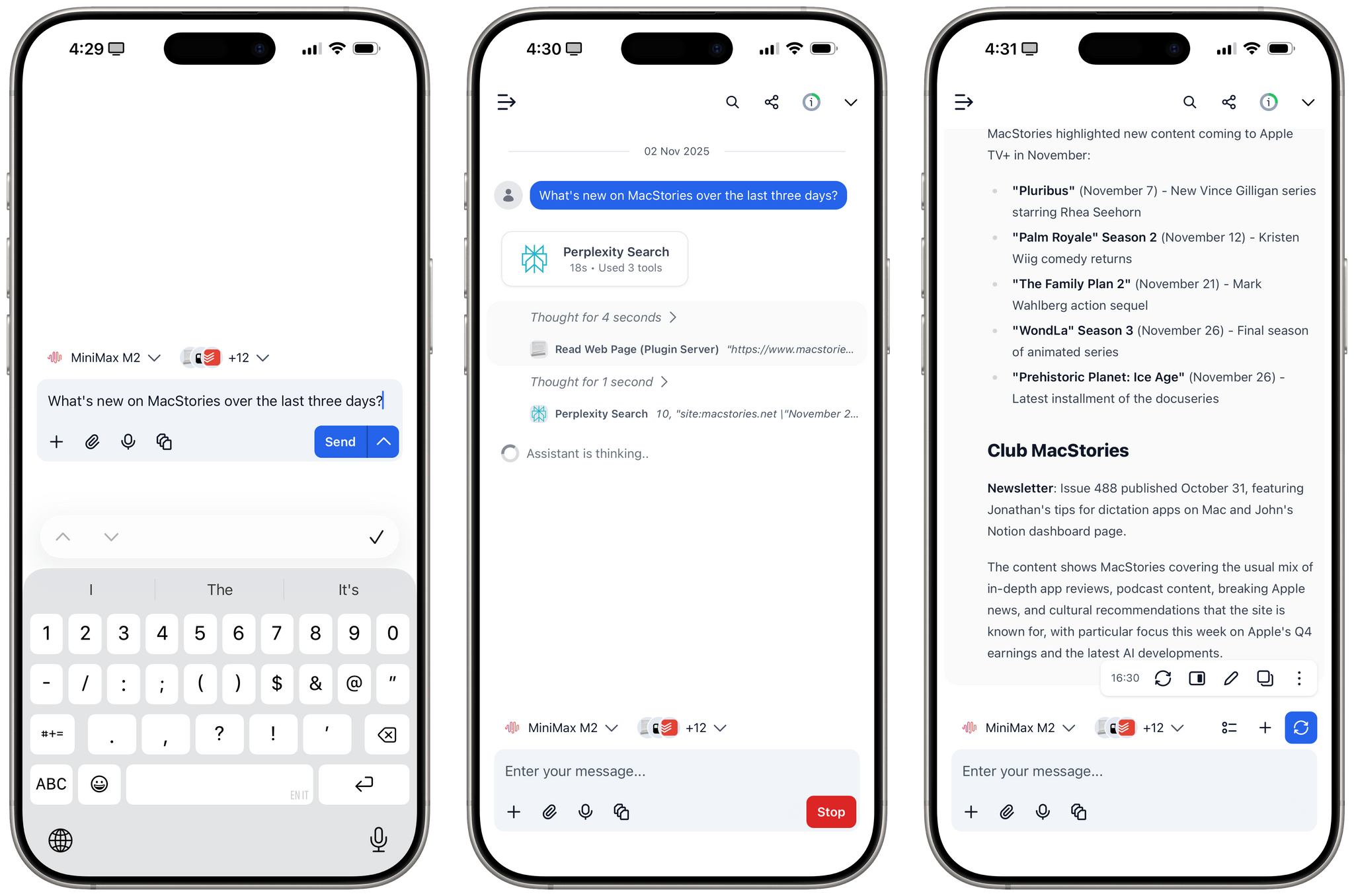
MiniMax M2 with interleaved thinking steps and tools in TypingMind.

MiniMax M2 with interleaved thinking steps and tools in TypingMind.

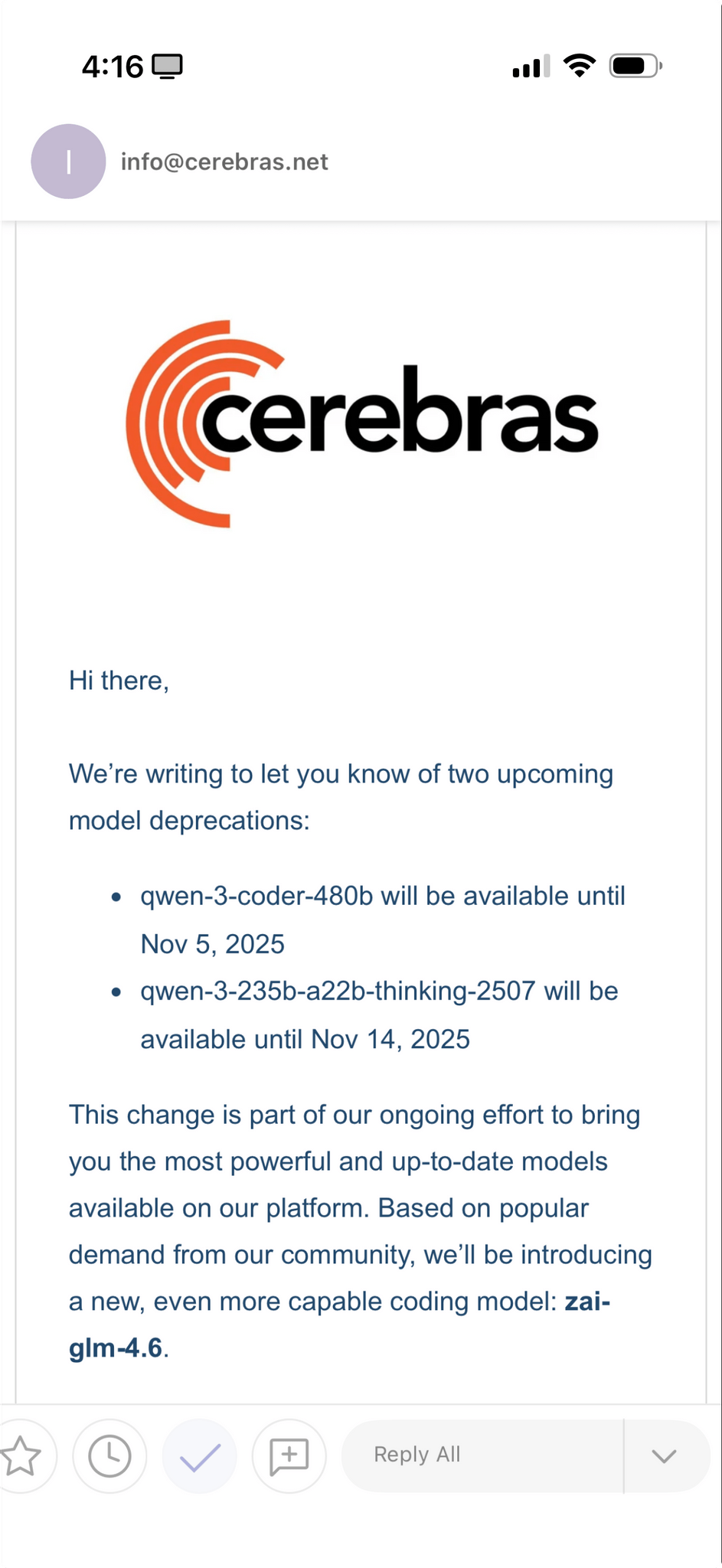
In addition to Kimi K2 (which I recently wrote about here) and GLM-4.6 (which will become an option on Cerebras in a few days, when I’ll play around with it), one of the more interesting open-source LLM releases out of China lately is MiniMax M2. This MoE model (230B parameters, 10B activated at any given time) claims to reach 90% of the performance of Sonnet 4.5…at 8% the cost. You can read more about the model here; Simon Willison blogged about it here; you can also test it with MLX on an Apple silicon Mac.

What I find especially interesting about M2 is that it’s the first model to support interleaved thinking steps in between responses and tool calls, which is something that Anthropic pioneered with Claude Sonnet 4 back in May. Here’s Skyler Miao, head of engineering at MiniMax, in a post on X (unfortunately, most of the open-source AI community is only active there):

As we work more closely with partners, we’ve been surprised how poorly community support interleaved thinking, which is crucial for long, complex agentic tasks. Sonnet 4 introduced it 5 months ago, but adoption is still limited.

We think it’s one of the most important features for agentic models: it makes great use of test-time compute.

The model can reason after each tool call, especially when tool outputs are unexpected. That’s often the hardest part of agentic jobs: you can’t predict what the env returns. With interleaved thinking, the model could reason after get tool outputs, and try to find out a better solution.

We’re now working with partners to enable interleaved thinking in M2 — and hopefully across all capable models.

I’ve been using Claude as my main “production” LLM for the past few months and, as I’ve shared before, I consider the fact that both Sonnet and Haiku think between steps an essential aspect of their agentic nature and integration with third-party apps.

That being said, I have been testing MiniMax M2 on TypingMind in addition to Kimi K2 for the past week and it is, indeed, impressive. I plugged MiniMax M2 into TypingMind using their Anthropic-compatible endpoint; out of the box, the model worked with interleaved thinking and the several plugins I’ve built for myself in TypingMind using Claude. I haven’t used M2 for any vibe-coding tasks yet, but for other research or tool-based queries (like adding notes to Notion and tasks to Todoist), M2 effectively felt like a version of Sonnet not made by Anthropic.

Right now, MiniMax M2 isn’t hosted on any of the fast inference providers; I’ve accessed it via the official MiniMax API endpoint, whose inference speed isn’t that different from Anthropic’s cloud. The possibility of MiniMax M2 on Cerebras or Groq is extremely fascinating, and I hope it’s in the cards for the near future.


AI Experiments: Fast Inference with Groq and Third-Party Tools with Kimi K2 in TypingMind

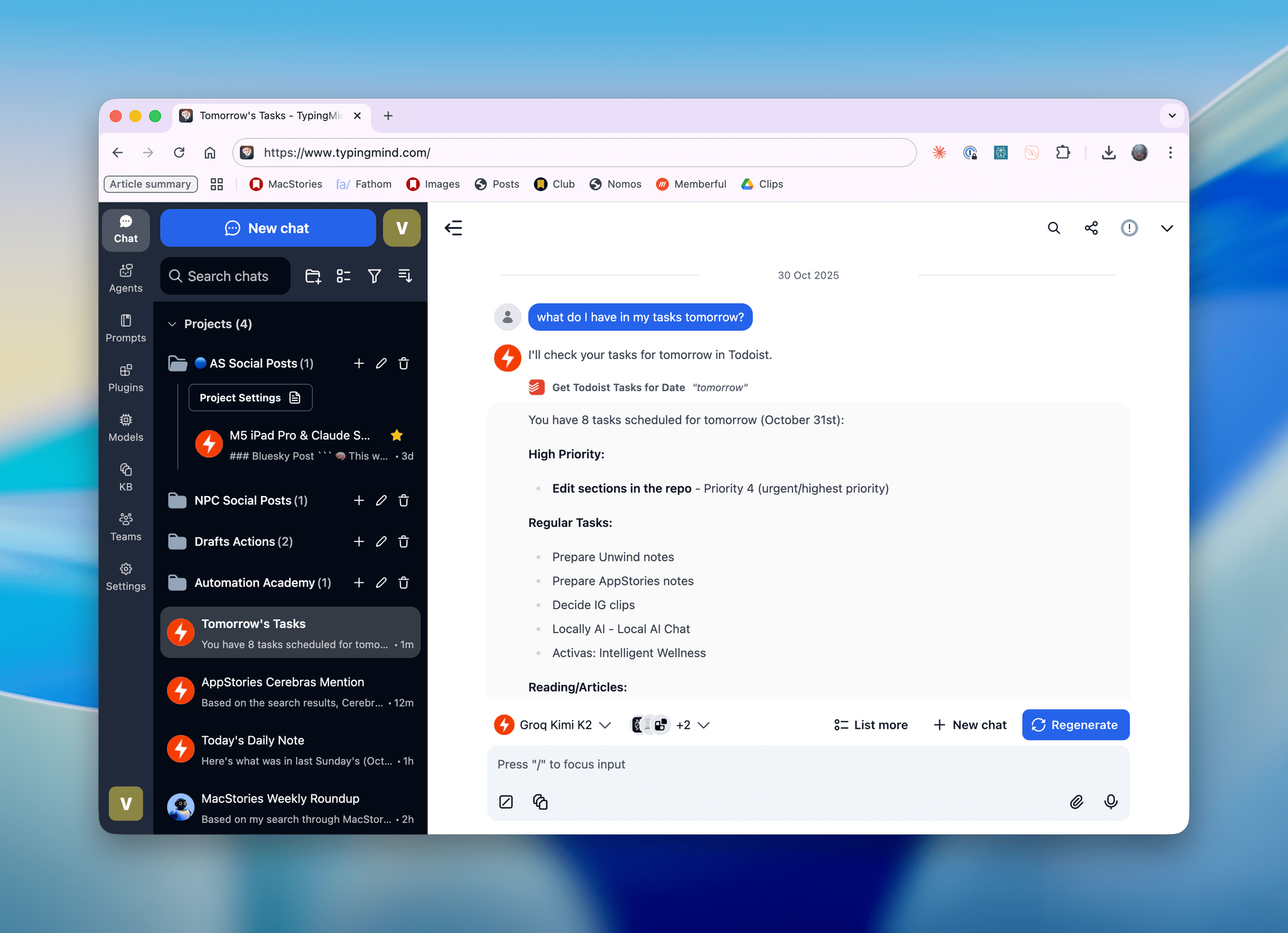
Kimi K2, hosted on Groq, running in TypingMind with a custom plugin I made.

Kimi K2, hosted on Groq, running in TypingMind with a custom plugin I made.

I’ll talk about this more in depth in Monday’s episode of AppStories (if you’re a Plus subscriber, it’ll be out on Sunday), but I wanted to post a quick note on the site to show off what I’ve been experimenting with this week. I started playing around with TypingMind, a web-based wrapper for all kinds of LLMs (from any provider you want to use), and, in the process, I’ve ended up recreating parts of my Claude setup with third-party apps…at a much, much higher speed. Here, let me show you with a video:

Kimi K2 hosted on Groq on the left.Replay

Read more


Max Weinbach on the M5’s Neural Accelerators

In addition to the M5 iPad Pro, which I reviewed earlier today, I also received an M5 MacBook Pro review unit from Apple last week. I really wanted to write a companion piece to my iPad Pro story about MLX and the M5’s Neural Accelerators; sadly, I couldn’t get the latest MLX branch to work on the MacBook Pro either.

However, Max Weinbach at Creative Strategies did, and shared some impressive results with the M5 and its GPU’s Neural Accelerators:

These dedicated neural accelerators in each core lead to that 4x speedup of compute! In compute heavy parts of LLMs, like the pre-fill stage (the processing that happens during the time to first token) this should lead to massive speed-ups in performance! The decode, generating each token, should be accelerated by the memory bandwidth improvements of the SoC.

Now, I would have loved to show this off! Unfortunately, full support for the Neural Accelerators isn’t in MLX yet. There is preliminary support, though! There will be an update later this year with full support, but that doesn’t mean we can’t test now! Unfortunately, I don’t have an M4 Mac on me (traveling at the moment) but what I was able to do was compare M5 performance before and after tensor core optimization! We’re seeing between a 3x and 4x speedup in prefill performance!

Looking at Max’s benchmarks with Qwen3 8B and a ~20,000-token prompt, there is indeed a 3.65x speedup in tokens/sec in the prefill stage – jumping from 158.2 tok/s to a remarkable 578.7 tok/s. This is why I’m very excited about the future of MLX for local inference on M5, and why I’m also looking forward to M5 Pro/M5 Max chipsets in future Mac models.

Permalink

M5 iPad Pro Review: An AI and Gaming Upgrade for AI and Games That Aren’t There Yet

The M5 iPad Pro.

The M5 iPad Pro.

How do you review an iPad Pro that’s visually identical to its predecessor and marginally improves upon its performance with a spec bump and some new wireless radios?

Let me try:

I’ve been testing the new M5 iPad Pro since last Thursday. If you’re a happy owner of an M4 iPad Pro that you purchased last year, stay like that; there is virtually no reason for you to sell your old model and get an M5-upgraded edition. That’s especially true if you purchased a high-end configuration of the M4 iPad Pro last year with 16 GB of RAM, since upgrading to another high-end M5 iPad Pro model will get you…16 GB of RAM again.

The story is slightly different for users coming from older iPad Pro models and those on lower-end configurations, but barely. Starting this year, the two base-storage models of the iPad Pro are jumping from 8 GB of RAM to 12 GB, which helps make iPadOS 26 multitasking smoother, but it’s not a dramatic improvement, either.

Apple pitches the M5 chip as a “leap” for local AI tasks and gaming, and to an extent, that is true. However, it is mostly true on the Mac, where – for a variety of reasons I’ll cover below – there are more ways to take advantage of what the M5 can offer.

In many ways, the M5 iPad Pro is reminiscent of the M2 iPad Pro, which I reviewed in October 2022: it’s a minor revision to an excellent iPad Pro redesign that launched the previous year, which set a new bar for what we should expect from a modern tablet and hybrid computer – the kind that only Apple makes these days.

For all these reasons, the M5 iPad Pro is not a very exciting iPad Pro to review, and I would only recommend this upgrade to heavy iPad Pro users who don’t already have the (still remarkable) M4 iPad Pro. But there are a couple of narratives worth exploring about the M5 chip on the iPad Pro, which is what I’m going to focus on for this review.

Read more