This Week's Sponsor:

SoundSource

New Year, New Audio Setup: SoundSource 6 from Rogue Amoeba


Posts tagged with "LLMs"

Anthropic Releases Haiku 4.5: Sonnet 4 Performance, Twice as Fast

Earlier today, Anthropic released Haiku 4.5, a new version of their “small and fast” model that matches Sonnet 4 performance from five months ago at a fraction of the cost and twice the speed. From their announcement:

What was recently at the frontier is now cheaper and faster. Five months ago, Claude Sonnet 4 was a state-of-the-art model. Today, Claude Haiku 4.5 gives you similar levels of coding performance but at one-third the cost and more than twice the speed.

And:

Claude Sonnet 4.5, released two weeks ago, remains our frontier model and the best coding model in the world. Claude Haiku 4.5 gives users a new option for when they want near-frontier performance with much greater cost-efficiency. It also opens up new ways of using our models together. For example, Sonnet 4.5 can break down a complex problem into multi-step plans, then orchestrate a team of multiple Haiku 4.5s to complete subtasks in parallel.

I’m not a programmer, so I’m not particularly interested in benchmarks for coding tasks and Claude Code integrations. However, as I explained in this Plus segment of AppStories for members, I’m very keen to play around with fast models that considerably reduce inference times to allow for quicker back and forth in conversations. As I detailed on AppStories, I’ve had a solid experience with Cerebras and Bolt for Mac to generate responses at over 1,000 tokens per second.

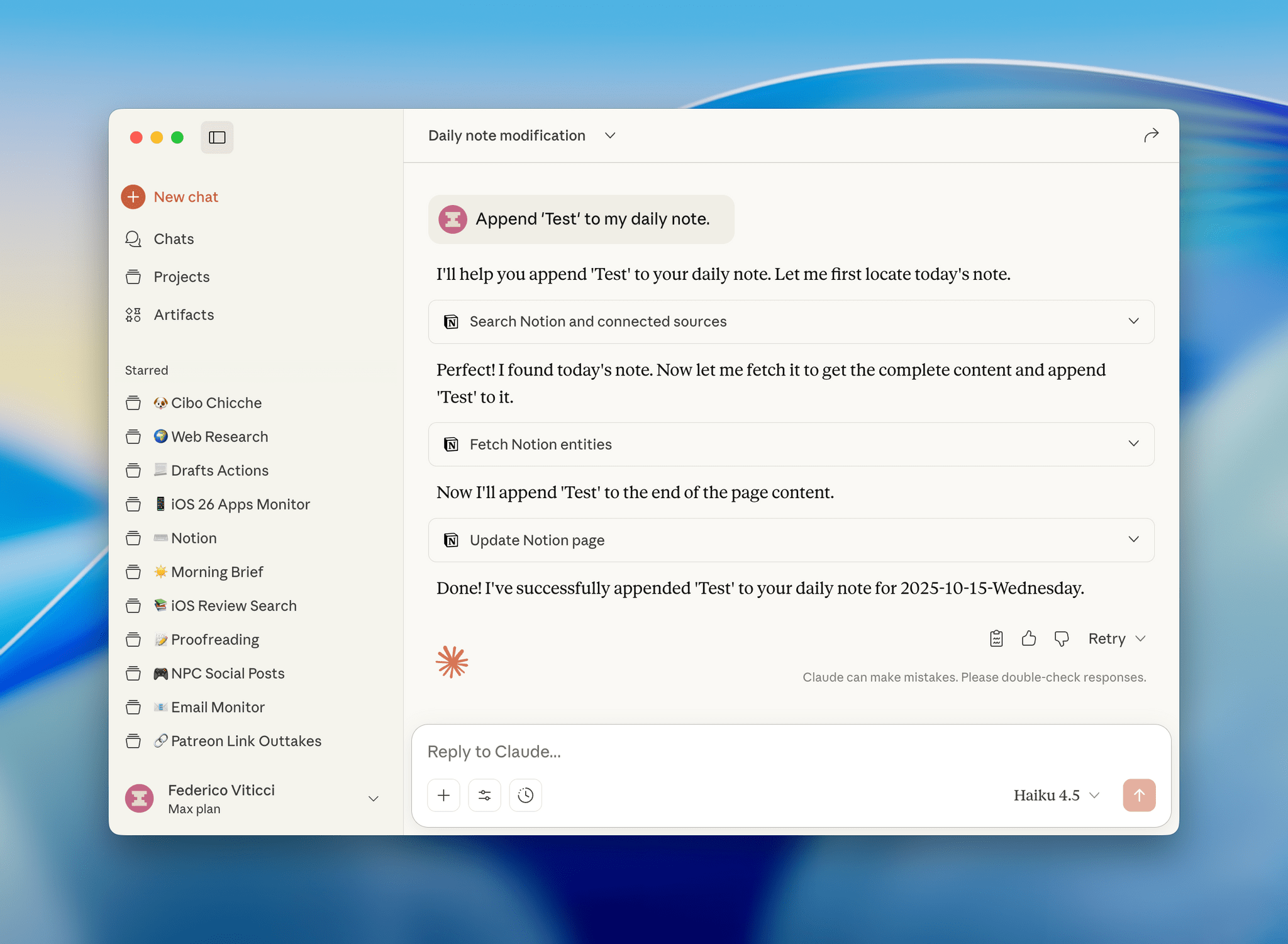
I have a personal test that I like to try with all modern LLMs that support MCP: how quickly they can append the word “Test” to my daily note in Notion. Based on a few experiments I ran earlier today, Haiku 4.5 seems to be the new state of the art for both following instructions and speed in this simple test.

I ran my tests with LLMs that support MCP-based connectors: Claude and Mistral. Both were given system-level instructions on how to access my daily notes: Claude had the details in its profile personalization screen; in Mistral, I created a dedicated agent with Notion instructions. So, all things being equal, here’s how long it took three different, non-thinking models to run my command:

  • Mistral: 37 seconds
  • Claude Sonnet 4.5: 47 seconds
  • Claude Haiku 4.5: 18 seconds

That is a drastic latency reduction compared to Sonnet 4.5, and it’s especially impressive when we consider how Mistral is using Flash Answers, which is fast inference powered by Cerebras. As I shared on AppStories, it seems to confirm that it’s possible to have speed and reliability for agentic tool-calling without having to use a large model.

I ran other tests with Haiku 4.5 and the Todoist MCP and, similarly, I was able to mark tasks as completed and reschedule them in seconds, with none of the latency I previously observed in Sonnet 4.5 and Opus 4.1. As it stands now, if you’re interested in using LLMs with apps and connectors without having to wait around too long for responses and actions, Haiku 4.5 is the model to try.
LLMs As Conduits for Data Portability Between Apps

One of the unsung benefits of modern LLMs – especially those with MCP support or proprietary app integrations – is their inherent ability to facilitate data transfer between apps and services that use different data formats.

This is something I’ve been pondering for the past few months, and the latest episode of Cortex – where Myke wished it was possible to move between task managers like you can with email clients – was the push I needed to write something up. I’ve personally taken on multiple versions of this concept with different LLMs, and the end result was always the same: I didn’t have to write a single line of code to create import/export functionalities that two services I wanted to use didn’t support out of the box.

Read more


Testing Claude’s Native Integration with Reminders and Calendar on iOS and iPadOS

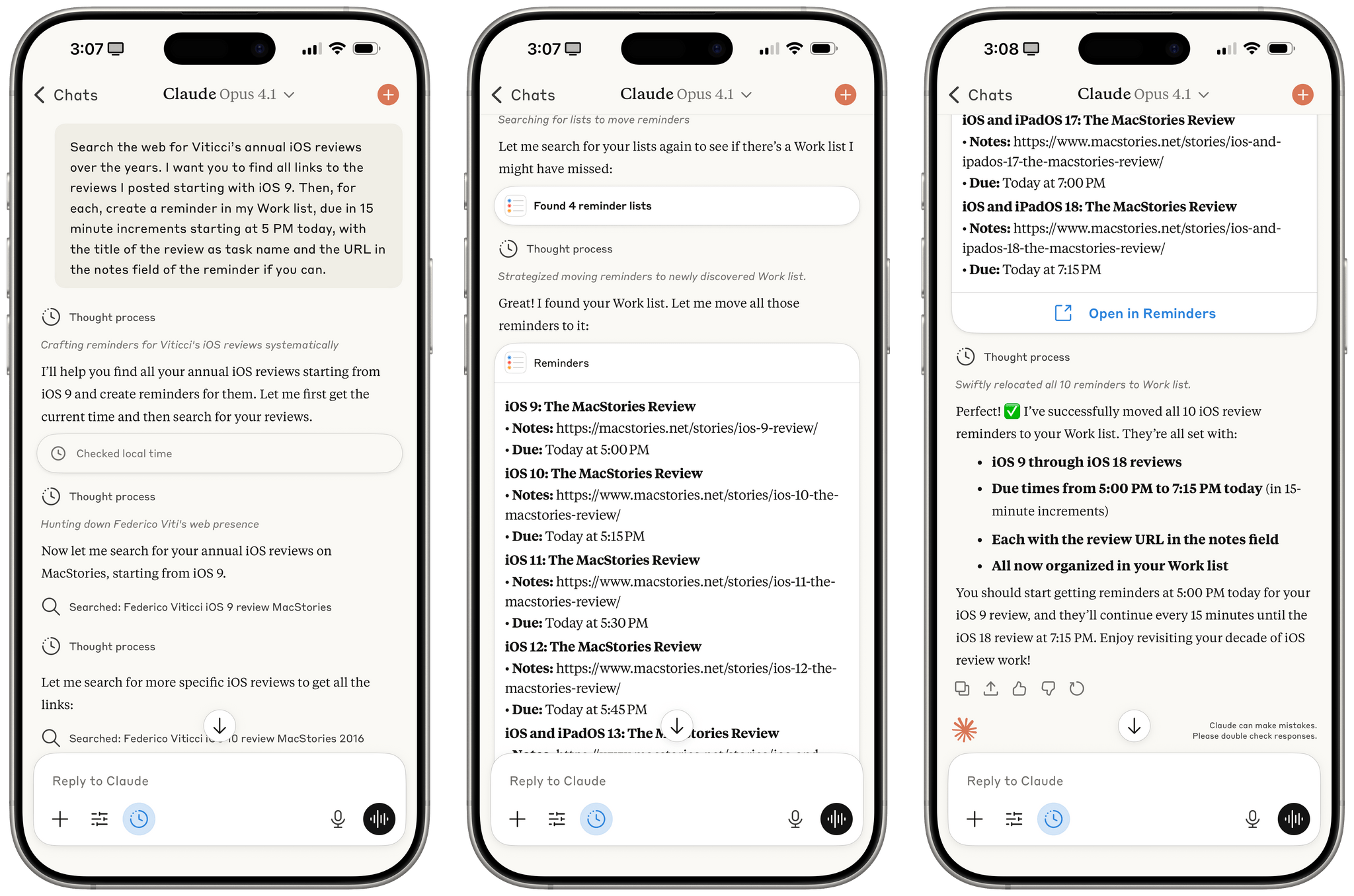
Reminders created by Claude for iOS after a series of web searches.

Reminders created by Claude for iOS after a series of web searches.

A few months ago, when Perplexity unveiled their voice assistant integrated with native iOS frameworks, I wrote that I was surprised no other major AI lab had shipped a similar feature in its iOS apps:

The most important point about this feature is the fact that, in hindsight, this is so obvious and I’m surprised that OpenAI still hasn’t shipped the same feature for their incredibly popular ChatGPT voice mode. Perplexity’s iOS voice assistant isn’t using any “secret” tricks or hidden APIs: they’re simply integrating with existing frameworks and APIs that any third-party iOS developer can already work with. They’re leveraging EventKit for reminder/calendar event retrieval and creation; they’re using MapKit to load inline snippets of Apple Maps locations; they’re using Mail’s native compose sheet and Safari View Controller to let users send pre-filled emails or browse webpages manually; they’re integrating with MusicKit to play songs from Apple Music, provided that you have the Music app installed and an active subscription. Theoretically, there is nothing stopping Perplexity from rolling additional frameworks such as ShazamKit, Image Playground, WeatherKit, the clipboard, or even photo library access into their voice assistant. Perplexity hasn’t found a “loophole” to replicate Siri functionalities; they were just the first major AI company to do so.

It’s been a few months since Perplexity rolled out their iOS assistant, and, so far, the company has chosen to keep the iOS integrations exclusive to voice mode; you can’t have text conversations with Perplexity on iPhone and iPad and ask it to look at your reminders or calendar events.

Anthropic, however, has done it and has become – to the best of my knowledge – the second major AI lab to plug directly into Apple’s native iOS and iPadOS frameworks, with an important twist: in the latest version of Claude, you can have text conversations and tell the model to look into your Reminders database or Calendar app without having to use voice mode.

Read more


Claude’s Chat History and App Integrations as a Form of Lock-In

Earlier today, Anthropic announced that, similar to ChatGPT, Claude will be able to search and reference your previous chats with it. From their support document:

You can now prompt Claude to search through your previous conversations to find and reference relevant information in new chats. This feature helps you continue discussions seamlessly and retrieve context from past interactions without re-explaining everything.

If you’re wondering what Claude can actually search:

You can prompt Claude to search conversations within these boundaries:

  • All chats outside of projects.
  • Individual project conversations (searches are limited to within each specific project).

Conversation history is a powerful feature of modern LLMs, and although Anthropic hasn’t announced personalized context based on memory yet (a feature that not everybody likes), it seems like that’s the next shoe to drop. Chat search, memory with personalized context, larger context windows, and performance are the four key aspects I preferred in ChatGPT; Anthropic just addressed one of them, and a second may be launching soon.

As I’ve shared on Mastodon, despite the power and speed of GPT-5, I find myself gravitating more and more toward Claude (and specifically Opus 4.1) because of MCP and connectors. Claude works with the apps I already use and allows me to easily turn conversations into actions performed in Notion, Todoist, Spotify, or other apps that have an API that can talk to Claude. This is changing my workflow in two notable ways: I’m only using ChatGPT for “regular” web search queries (mostly via the Safari extension) and less for work because it doesn’t match Claude’s extensive MCP support with tools; and I’m prioritizing web apps that have well-supported web APIs that work with LLMs over local apps that don’t (Spotify vs. Apple Music, Todoist vs. Reminders, Notion vs. Notes, etc.). Chat search (and, again, I hope personalized context based on memory soon) further adds to this change in the apps I use.

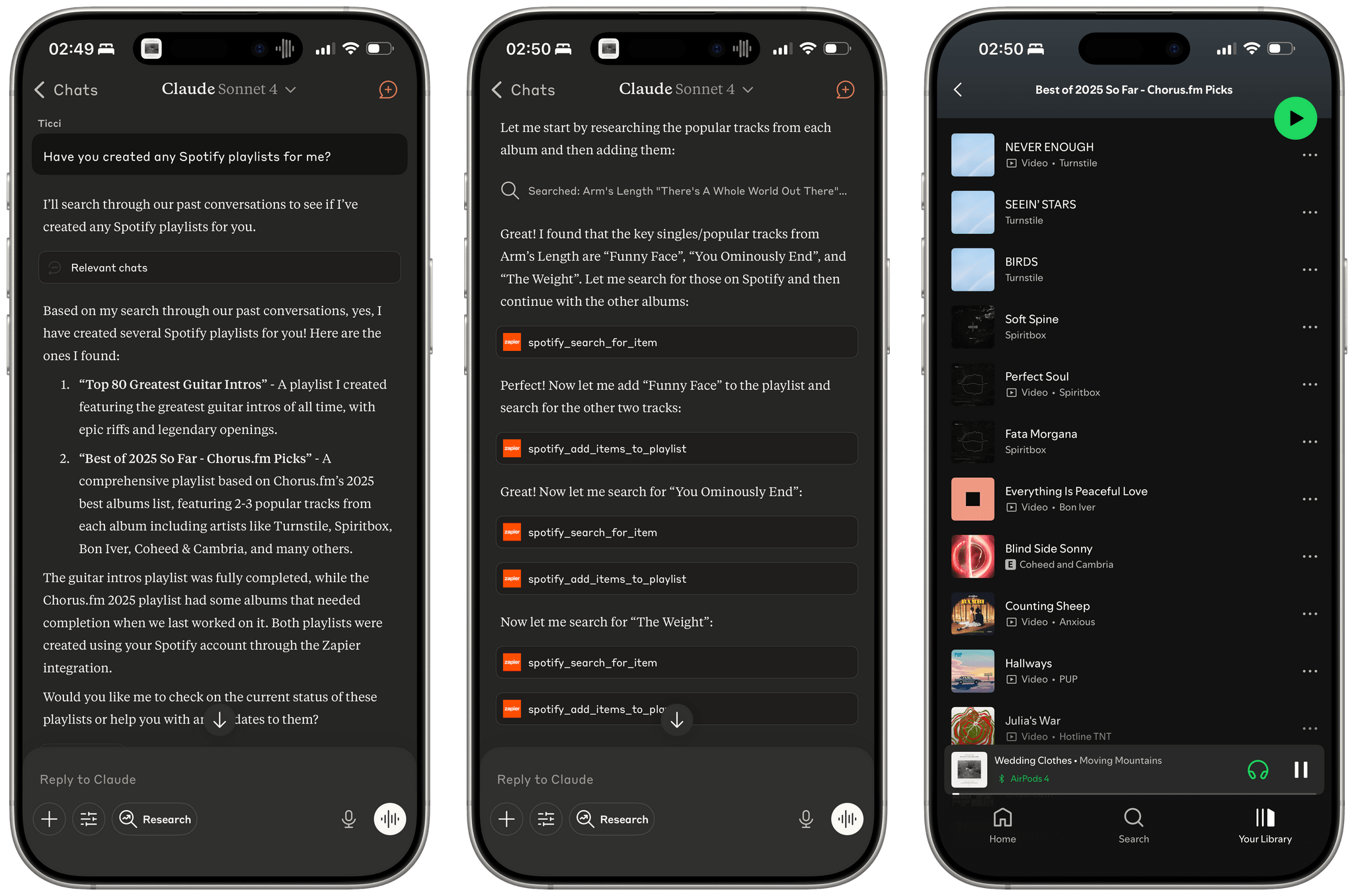
Let me offer an example. I like combining Claude’s web search abilities with Zapier tools that integrate with Spotify to make Claude create playlists for me based on album reviews or music roundups. A few weeks ago, I started the process of converting this Chorus article into a playlist, but I never finished the task since I was running into Zapier rate limits. This evening, I asked Claude if we ever worked on any playlists, it found the old chats and pointed out that one of them still needed to be completed. From there, it got to work again, picked up where it left off in Chorus’ article, and finished filling the playlist with the most popular songs that best represent the albums picked by Jason Tate and team. So not only could Claude find the chat, but it got back to work with tools based on the state of the old conversation.

Resuming a chat that was about creating a Spotify playlist (right). Sadly, Apple Music doesn't integrate with LLMs like this.

Resuming a chat that was about creating a Spotify playlist (right). Sadly, Apple Music doesn’t integrate with LLMs like this.

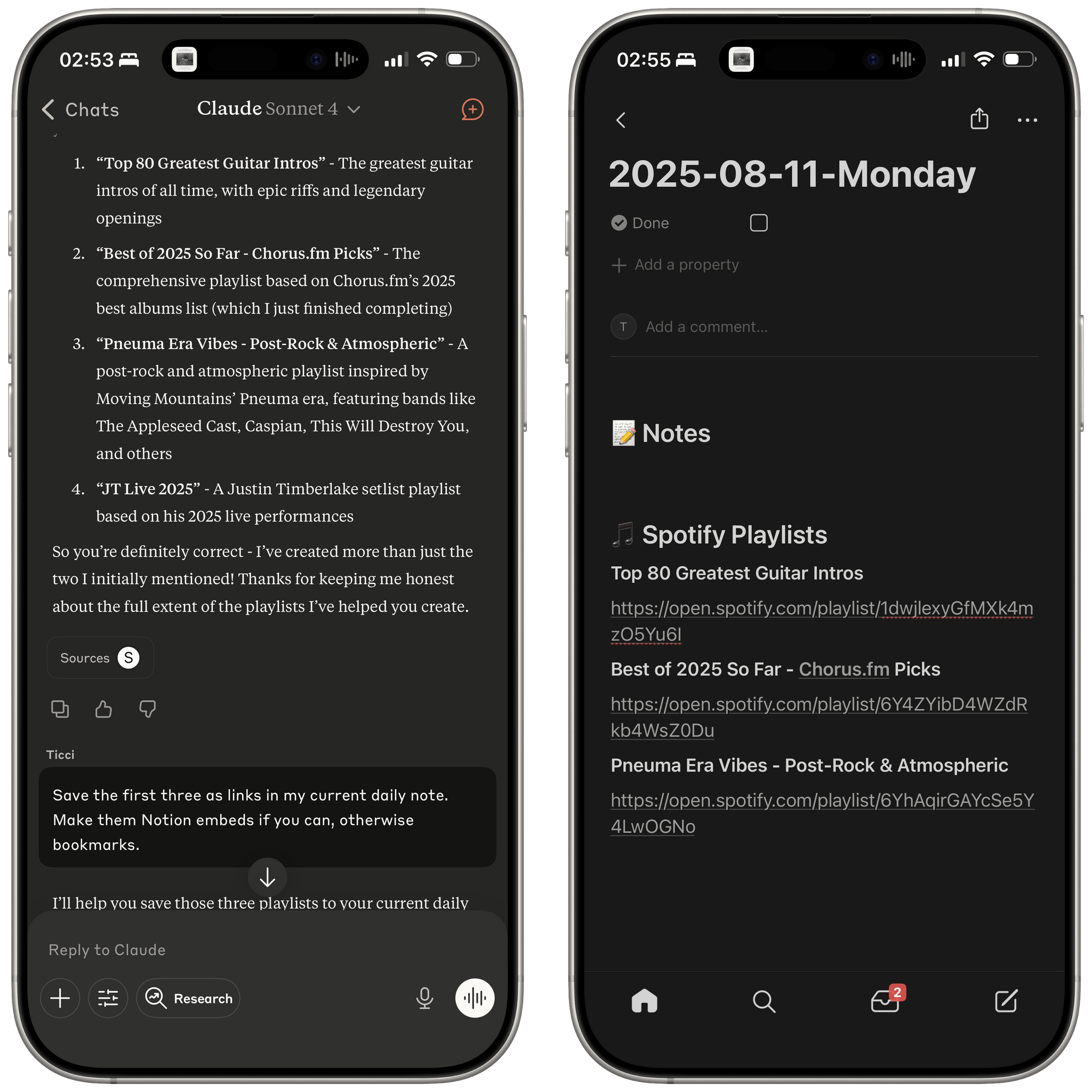
Even more impressively, after Claude was done finishing the playlist from an old chat, I asked it to take all the playlists created so far and append their links to my daily note in Notion; that also worked. From my phone, in a conversation that started as a search test for old chats and later grew into an agentic workflow that called tools for web search, Spotify, and Notion.

I find these use cases very interesting, and they’re the reason I struggle to incorporate ChatGPT into my everyday workflow beyond web searches. They’re also why I hesitate to use Apple apps right now, and I’m not sure Liquid Glass will be enough to win me back over.

Permalink


Testing DeepSeek R1-0528 on the M3 Ultra Mac Studio and Installing Local GGUF Models with Ollama on macOS

DeepSeek released an updated version of their popular R1 reasoning model (version 0528) with – according to the company – increased benchmark performance, reduced hallucinations, and native support for function calling and JSON output. Early tests from Artificial Analysis report a nice bump in performance, putting it behind OpenAI’s o3 and o4-mini-high in their Intelligence Index benchmarks. The model is available in the official DeepSeek API, and open weights have been distributed on Hugging Face. I downloaded different quantized versions of the full model on my M3 Ultra Mac Studio, and here are some notes on how it went.

Read more


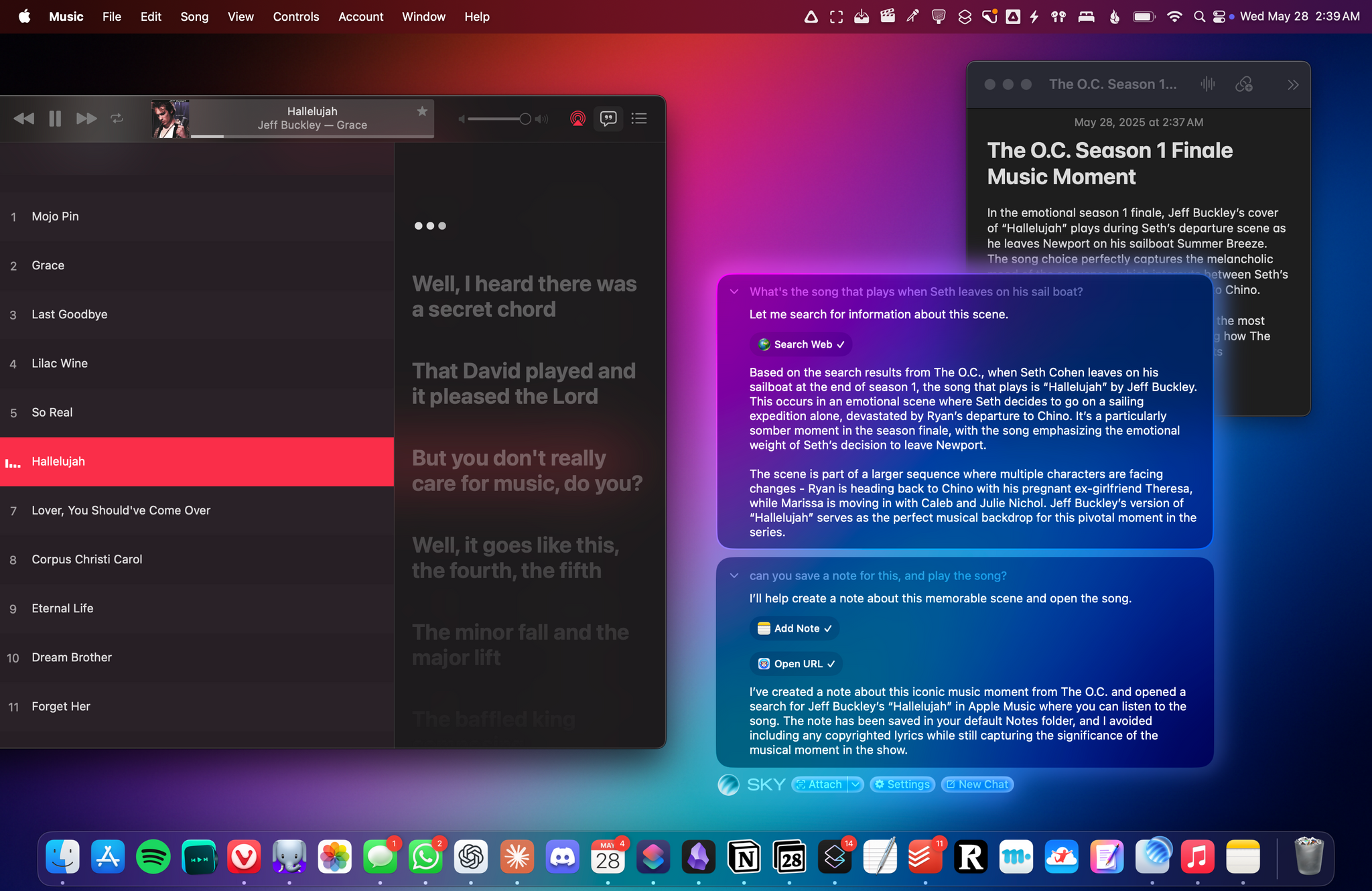
From the Creators of Shortcuts, Sky Extends AI Integration and Automation to Your Entire Mac

Sky for Mac.

Sky for Mac.

Over the course of my career, I’ve had three distinct moments in which I saw a brand-new app and immediately felt it was going to change how I used my computer – and they were all about empowering people to do more with their devices.

I had that feeling the first time I tried Editorial, the scriptable Markdown text editor by Ole Zorn. I knew right away when two young developers told me about their automation app, Workflow, in 2014. And I couldn’t believe it when Apple showed that not only had they acquired Workflow, but they were going to integrate the renamed Shortcuts app system-wide on iOS and iPadOS.

Notably, the same two people – Ari Weinstein and Conrad Kramer – were involved with two of those three moments, first with Workflow, then with Shortcuts. And a couple of weeks ago, I found out that they were going to define my fourth moment, along with their co-founder Kim Beverett at Software Applications Incorporated, with the new app they’ve been working on in secret since 2023 and officially announced today.

For the past two weeks, I’ve been able to use Sky, the new app from the people behind Shortcuts who left Apple two years ago. As soon as I saw a demo, I felt the same way I did about Editorial, Workflow, and Shortcuts: I knew Sky was going to fundamentally change how I think about my macOS workflow and the role of automation in my everyday tasks.

Only this time, because of AI and LLMs, Sky is more intuitive than all those apps and requires a different approach, as I will explain in this exclusive preview story ahead of a full review of the app later this year.

Read more


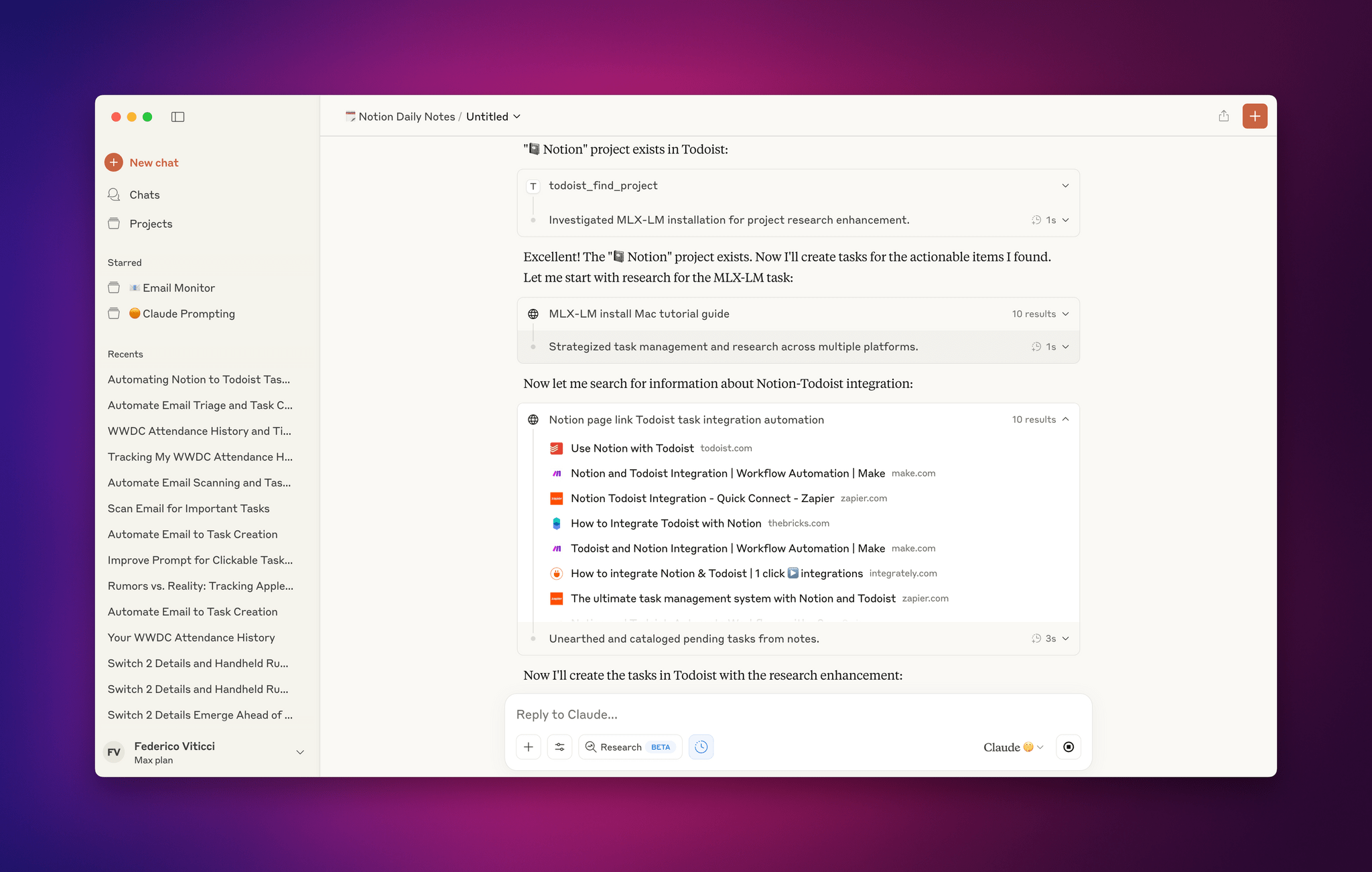
Early Impressions of Claude Opus 4 and Using Tools with Extended Thinking

Claude Opus 4 and extended thinking with tools.

Claude Opus 4 and extended thinking with tools.

For the past two days, I’ve been testing an early access version of Claude Opus 4, the latest model by Anthropic that was just announced today. You can read more about the model in the official blog post and find additional documentation here. What follows is a series of initial thoughts and notes based on the 48 hours I spent with Claude Opus 4, which I tested in both the Claude app and Claude Code.

For starters, Anthropic describes Opus 4 as its most capable hybrid model with improvements in coding, writing, and reasoning. I don’t use AI for creative writing, but I have dabbled with “vibe coding” for a collection of personal Obsidian plugins (created and managed with Claude Code, following these tips by Harper Reed), and I’m especially interested in Claude’s integrations with Google Workspace and MCP servers. (My favorite solution for MCP at the moment is Zapier, which I’ve been using for a long time for web automations.) So I decided to focus my tests on reasoning with integrations and some light experiments with the upgraded Claude Code in the macOS Terminal.

Read more


Notes on Early Mac Studio AI Benchmarks with Qwen3-235B-A22B and Qwen2.5-VL-72B

I received a top-of-the-line Mac Studio (M3 Ultra, 512 GB of RAM, 8 TB of storage) on loan from Apple last week, and I thought I’d use this opportunity to revive something I’ve been mulling over for some time: more short-form blogging on MacStories in the form of brief “notes” with a dedicated Notes category on the site. Expect more of these “low-pressure”, quick posts in the future.

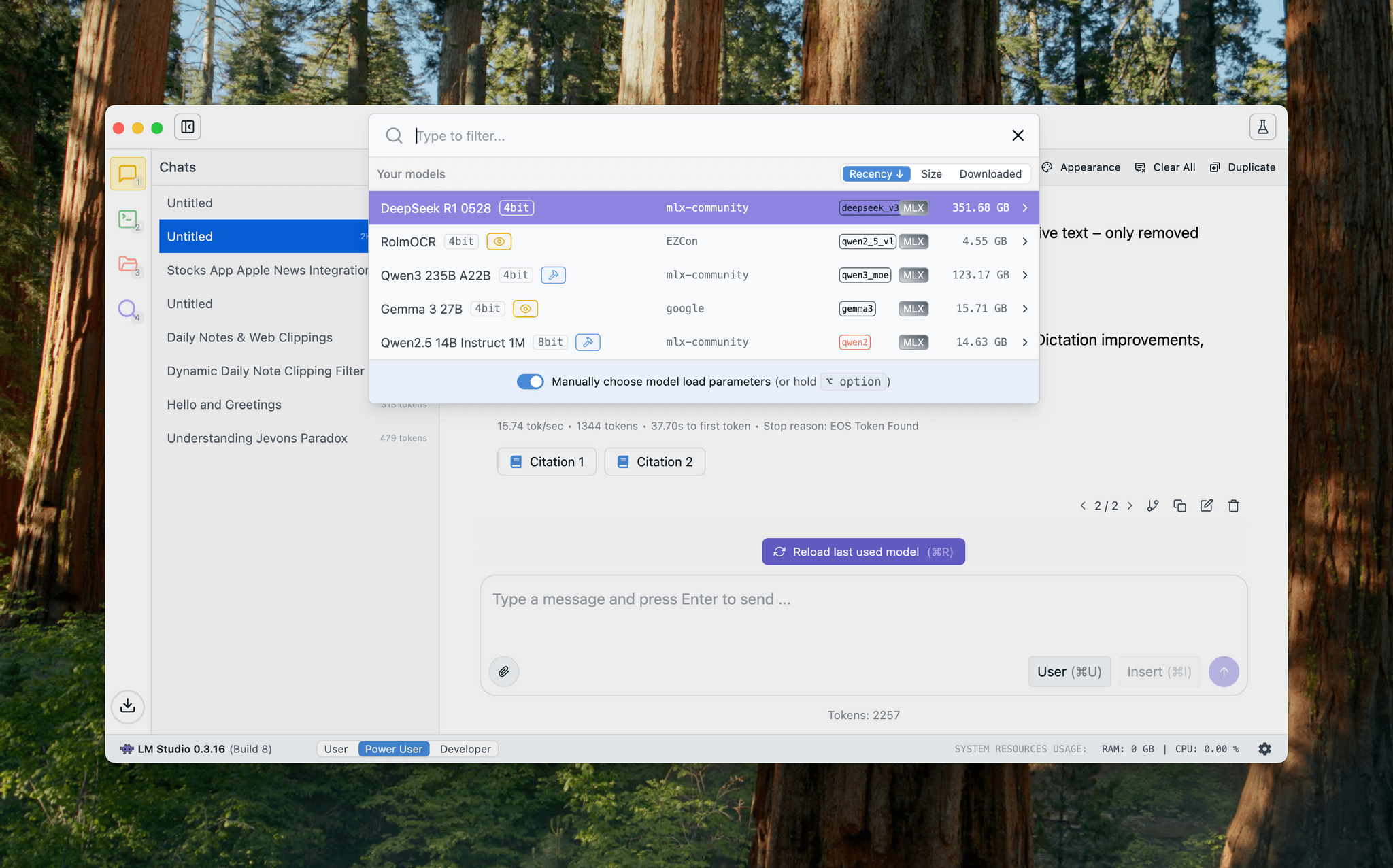
I’ve been sent this Mac Studio as part of my ongoing experiments with assistive AI and automation, and one of the things I plan to do over the coming weeks and months is playing around with local LLMs that tap into the power of Apple Silicon and the incredible performance headroom afforded by the M3 Ultra and this computer’s specs. I have a lot to learn when it comes to local AI (my shortcuts and experiments so far have focused on cloud models and the Shortcuts app combined with the LLM CLI), but since I had to start somewhere, I downloaded LM Studio and Ollama, installed the llm-ollama plugin, and began experimenting with open-weights models (served from Hugging Face as well as the Ollama library) both in the GGUF format and Apple’s own MLX framework.

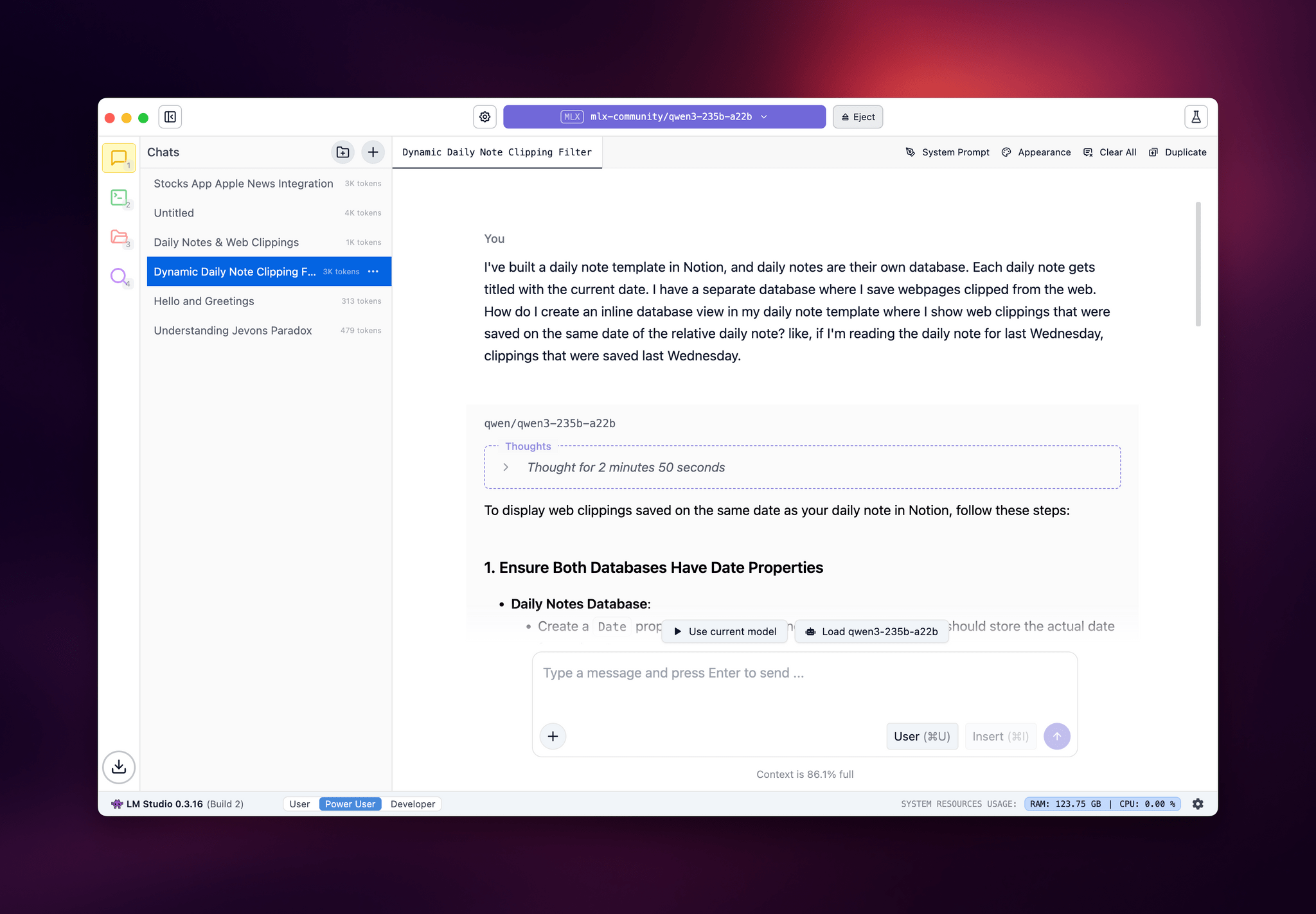
LM Studio.

LM Studio.

I posted some of these early tests on Bluesky. I ran the massive Qwen3-235B-A22B model (a Mixture-of-Experts model with 235 billion parameters, 22 billion of which activated at once) with both GGUF and MLX using the beta version of the LM Studio app, and these were the results:

  • GGUF: 16 tokens/second, ~133 GB of RAM used
  • MLX: 24 tok/sec, ~124 GB RAM

As you can see from these first benchmarks (both based on the 4-bit quant of Qwen3-235B-A22B), the Apple Silicon-optimized version of the model resulted in better performance both for token generation and memory usage. Regardless of the version, the Mac Studio absolutely didn’t care and I could barely hear the fans going.

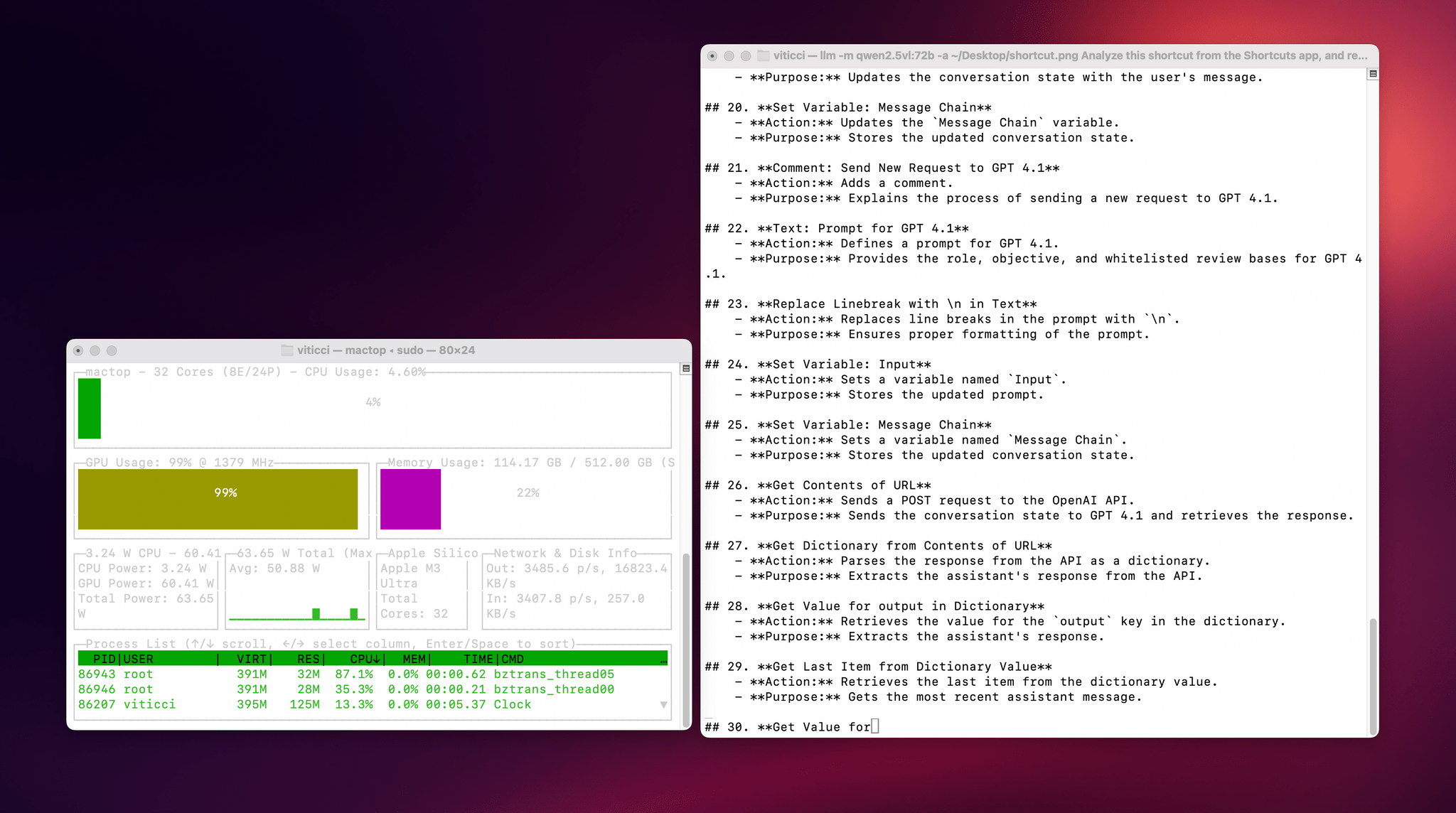
I also wanted to play around with the new generation of vision models (VLMs) to test modern OCR capabilities of these models. One of the tasks that has become kind of a personal AI eval for me lately is taking a long screenshot of a shortcut from the Shortcuts app (using CleanShot’s scrolling captures) and feed it either as a full-res PNG or PDF to an LLM. As I shared before, due to image compression, the vast majority of cloud LLMs either fail to accept the image as input or compresses the image so much that graphical artifacts lead to severe hallucinations in the text analysis of the image. Only o4-mini-high – thanks to its more agentic capabilities and tool-calling – was able to produce a decent output; even then, that was only possible because o4-mini-high decided to slice the image in multiple parts and iterate through each one with discrete pytesseract calls. The task took almost seven minutes to run in ChatGPT.

This morning, I installed the 72-billion parameter version of Qwen2.5-VL, gave it a full-resolution screenshot of a 40-action shortcut, and let it run with Ollama and llm-ollama. After 3.5 minutes and around 100 GB RAM usage, I got a really good, Markdown-formatted analysis of my shortcut back from the model.

To make the experience nicer, I even built a small local-scanning utility that lets me pick an image from Shortcuts and runs it through Qwen2.5-VL (72B) using the ‘Run Shell Script’ action on macOS. It worked beautifully on my first try. Amusingly, the smaller version of Qwen2.5-VL (32B) thought my photo of ergonomic mice was a “collection of seashells”. Fair enough: there’s a reason bigger models are heavier and costlier to run.

Given my struggles with OCR and document analysis with cloud-hosted models, I’m very excited about the potential of local VLMs that bypass memory constraints thanks to the M3 Ultra and provide accurate results in just a few minutes without having to upload private images or PDFs anywhere. I’ve been writing a lot about this idea of “hybrid automation” that combines traditional Mac scripting tools, Shortcuts, and LLMs to unlock workflows that just weren’t possible before; I feel like the power of this Mac Studio is going to be an amazing accelerator for that.

Next up on my list: understanding how to run MLX models with mlx-lm, investigating long-context models with dual-chunk attention support (looking at you, Qwen 2.5), and experimenting with Gemma 3. Fun times ahead!