This Week's Sponsor:

Turbulence Forecast

Know before you go. Get detailed turbulence forecasts for your exact route, now available 5 days in advance.


Posts tagged with "macappstore"

Final Cut Pro X Coming Out Next Week?

According to Japanese blog Macotakara, Apple may start selling the new version of Final Cut Pro, dubbed Final Cut Pro X, in the Mac App Store next week. Originally unveiled at the NAB in Las Vegas back in April, the company already announced that FCP X would be released in the digital store at the lower price point of $299 – without making any mention of additional apps previously included in the Final Cut Pro suite, such as Color or Motion. Apple said Final Cut Pro X would come out “in June”, but didn’t specify any release date.

Apple has announced to release Final Cut Pro X in this June via Mac App Store in price of $299 in NAV Supermeet, event for Final Cut users, at April 2011. And then Apple seems to start to sell Final Cut Pro X from next week as they told.

Macotakara also claims that the first Thunderbolt-enabled accessories will be available next week, with Final Cut Pro X likely capable of taking advantage of the new technology with high-speed data transfers and daisy-chaining.

From Apple’s original announcement of Final Cut Pro X:

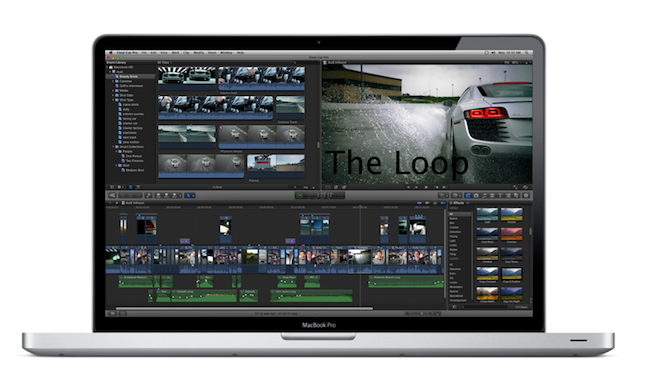
Basing on live updates coming from attendees at NAB 2011, Final Cut Pro X has been built from scratch, and it’s entirely 64-bit. It’s based on technologies like Cocoa, Core Animation, Open CL, Grand Central Dispatch and it focuses on image quality. It features a resolution independent timeline up to 4K for scalable rendering — in fact, it appears the old render dialog is gone entirely as the app uses the available CPU to keep files always rendered. FCP X allows you to edit while you’re importing thanks to its new engine, and it’s also got automatic media and people detection on import, as well as image stabilization.

Apple is promoting the new FCP X as a complete and total rebuild.

Thunderbolt products have been announced by several third-party makers so far, with the most recent demoes at Computex 2011 showing the speedy side of the I/O technology. Apple’s recent update to the Mac line included MacBook Pros and iMacs receiving Sandy Bridge and Thunderbolt upgrades, thus making for more powerful machines better suited for video editing at higher configurations. Similarly, the Mac Pro is also rumored to be getting an update soon to implement faster processors and Thunderbolt ports – the 27-inch iMac, for instance, comes with two Thunderbolt ports to enable complex daisy-chaining and external monitor mirroring.

In the past weeks, several screenshots have surfaced online showcasing parts of FCP X’s interface and features. Macotakara is a usual reliable source of Apple information and product leaks, though details are scarce on this Mac App Store release. [via AppleInsider]



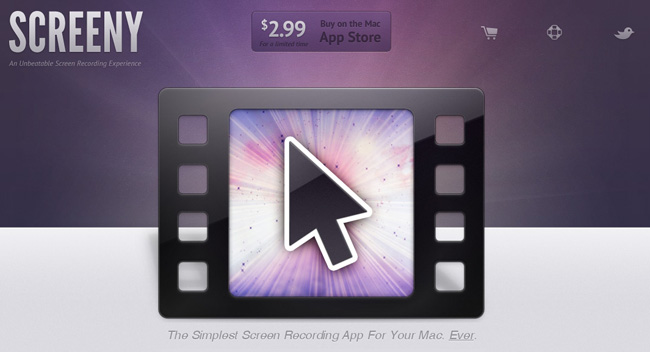
Screeny: Simple Screen Recording for the Mac

In the world of screen recording apps for Mac there are many options, but most are complex and expensive. What if you could have a great screen recording app that was easy to use, had a great UI and was under $20 US? Well, browse no further my friends.

Drew Wilson, the designer developer behind dialoggs, Pictos and Valio, has just released a screen recording application for the Mac called Screeny.

Screeny is an “unbeatable screen recording experience” and could be the easiest one you have ever used as well. Before we go into details, here’s how it works: Launch the app - it lives in your menu bar. Set the capture area. Use the floating control panel, the menu bar shortcut or set a key command to record and boom, you’re done. Read more


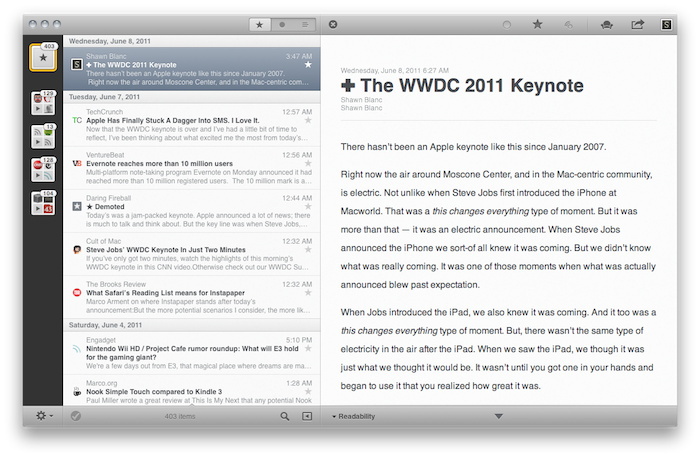
Reeder for Mac: Now Available On The Mac App Store

Over the past eight months, I’ve been following very closely the development of Reeder for Mac, a port of the popular Google Reader client for iOS to the OS X platform. As I was one of the first people to try the original Reeder for iPhone back in 2009, I immediately accepted Silvio Rizzi’s invite to join the beta testing group of Reeder for Mac in September 2010. Lots of things have changed since then. Sure, I never stopped using Reeder for Mac as my default desktop client, but there’s no doubt the app has gone through so many interface changes, design overhauls and feature additions I had to re-calibrate my workflow every time the developer updated something. That’s what you get by beta-testing things, but the evolution of Reeder for Mac was different: from our exclusive preview, to the first public beta and the one we reviewed last month, you can see how the app turned into something completely different from the experience I initially fell in love with. And that’s a good thing – the last full rewrite made Reeder for Mac insanely fast on Snow Leopard and ready to go on Lion. But enough with the beta talk. Read more


Flare for Mac Updated to 1.1 with Many New Features

Back in March when Flare first came out, we said that it “has a fast learning curve, looks great and makes adding effects as simple or complicated as you want.” Version 1.1 was just released and adds even more options to your user experience.

Version 1.1 adds six spanking new presets, including “Daguerreotype”; if you know anything about the history of photography, you’ve heard of this photographic processes from the 1800s. There are many new effects to Flare such as new borders, lightleaks, and more to make your own custom presets for your photos. The Flare blog has more information about all the new effects and presets in 1.1.

Flare is on sale for $9.99 (reg. $19.99) on the Mac App Store, if you want to try it before you buy it, go the Flare website for a free demo. The only limitations to the demo version is that it limits the size of the photo you can work with to something quite small. The registered version and the MAS version have no such limitation.

Outside of intense photo editors such as Adobe Photoshop or Lightroom, Flare is one of the best photo editors for the Mac, and so much easier to use too!

Full release notes can be found here.


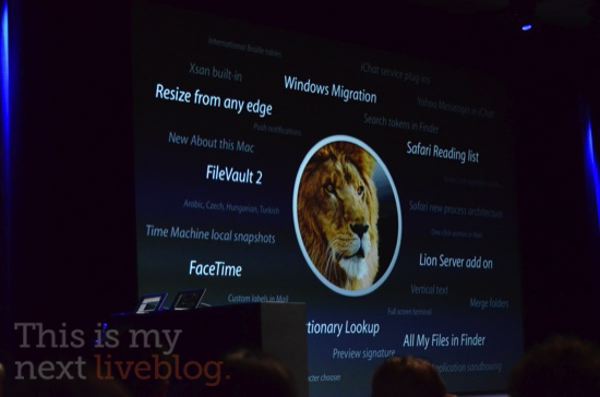
Lion Will Be Mac App Store-only, $29 - Coming In July

At the WWDC keynote, Phil Schiller has just announced that OS X Lion will be available only through the Mac App Store as a 4 GB download. The surprising news comes after rumors of Lion also set to be distributed on DVDs and portable USB keys – that is no longer the case.

With 3000 new APIs and 250 new features, Lion will be released in July at $29 in the Mac App Store. A new developer preview will be available later today.

Photos courtesy of This is my Next.