


We’re back! Here are today’s @MacStoriesDeals on iOS, Mac, and Mac App Store apps that are on sale for a limited time, so get them before they end!
Posts tagged with "macappstore"
#MacStoriesDeals - Monday
BreakTime Helps You Step Away From Your Mac
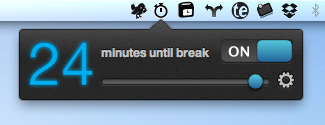
Where Take Five remembers to unpause music that you seemingly forgot about, BreakTime is your queue to get up off your butt and take a brisk walk around the office or grab a bottled water. Featuring a beautiful interface that carefully counts down (perhaps you could use it as a Pomodoro timer in your menubar), BreakTime will carefully interrupt your session so you don’t lose any progress on what you’re working on, while encouraging you to rest your eyes or stretch at your desk.
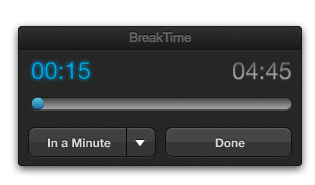
If you happen to walk away from your Mac for a while, BreakTime has Magic Rescheduling™ built in that monitors your keyboard and mouse usage – the next time your return to your Mac, BreakTime will start the timer and smartly determine when it’s appropriate to take a break. Available for $2.99 in the App Store, BreakTime reminds you that sitting all isn’t healthy.
#MacStoriesDeals - Friday

We’re back! Here are today’s @MacStoriesDeals on iOS, Mac, and Mac App Store apps that are on sale for a limited time, so get them before they end!
Palua for Mac Toggles Your Function Keys
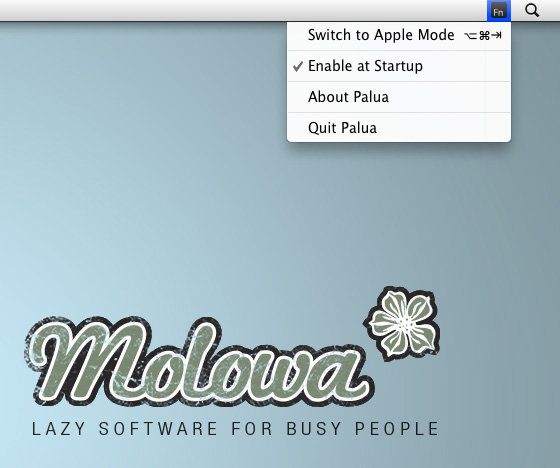
Defaulting to a variety of Apple keys for media, Exposé, and the Dashboard, the functions keys have to be continually activated by holding down the Function (fn) key on your keyboard. Function keys by default offer some powerful functionality; F8 is used to activate Spaces or Yojimbo; the F9 through F11 keys manage windows; and applications such as Photoshop can make extensive use of this top row for various functions. If you are going to be making use of the functions while working in a specific app, Palua for Mac allows you to toggle the function keys on and off so you don’t have to mash the fn key with each command. More interested in getting use out of those function keys than changing the volume? From the menubar or a simple ⌥⌘⇥ (option-command-tab) keystroke, Palua will activate and deactivate the function keys as needed when working in various projects. Used in combination with Keyboard Maestro, you could create some pretty powerful workflows where apps automatically launch and the function keys are activated for immediate use. Palua is available on the Mac App Store for only 0.99 cents, which can be purchased and activated at login so you’ll always have the function keys readily available with a quick keyboard shortcut.
#MacStoriesDeals - Friday

Here are today’s @MacStoriesDeals on iOS, Mac, and Mac App Store apps that are on sale for a limited time, so get them before they end!
#MacStoriesDeals - Thursday

Here are today’s @MacStoriesDeals on iOS, Mac, and Mac App Store apps that are on sale for a limited time, so get them before they end!
#MacStoriesDeals - Wednesday

Here are today’s @MacStoriesDeals on iOS, Mac, and Mac App Store apps that are on sale for a limited time, so get them before they end!
#MacStoriesDeals - Tuesday

Here are today’s @MacStoriesDeals on iOS, Mac, and Mac App Store apps that are on sale for a limited time, so get them before they end!
#MacStoriesDeals - Monday

Here are today’s @MacStoriesDeals on iOS, Mac, and Mac App Store apps that are on sale for a limited time, so get them before they end!