This Week's Sponsor:

Turbulence Forecast

Know before you go. Get detailed turbulence forecasts for your exact route, now available 5 days in advance.


Posts tagged with "macappstore"

Review: Take Five…For Mac!


Now I will admit, I never bought Iconfactory’s Take Five for iOS. Don’t get me wrong it’s a beautiful app but I didn’t see myself using it that much on my iPhone. I’m so use to just using the volume controls or multitasking tray. The point of the app makes a lot of sense though: it’s aimed at letting you restart music that you paused and forgot to turn back on. I received an email a few weeks ago with the subject “Take Five for the Mac Beta,” I knew right away that this would fit into my workflow on my iMac because I get more sidetracked at home with my wife, kids and the television. So now when I want to pause music, I use Take Five for the Mac. Read more


Apple Posts Mac OS X Lion Developer Preview 2

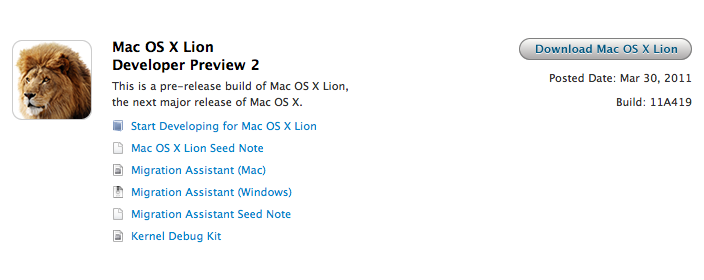
Following a brief fix in Software Update, here comes a new build of OS X Lion. It’s available now in the Mac Dev Center. Build number is 11A419. Once again, the new Developer Preview must be downloaded through the Mac App Store via a redeem code. It’s worth noting that OS X Lion Server has been posted as a separate build this time:

To install the Lion Developer Preview, you’ll need 10.6.7 or the previous developer preview which, again, needs to be updated in Software Update. For those who will need to pause their download from the Mac App Store and resume it, Apple says in the FAQ section:

If you need to interrupt your download for any reason, including changing the network you are connected to or traveling to a new location, ensure that you first Pause your download under the Purchases tab in Mac App Store. After you re-establish your connection, you may Resume your download under the Purchases tab.

While TechCrunch reported a few days ago that Apple would soon release a “GM” version of Lion to developers, it clearly appears that Lion still needs a few more updates before being ready for the golden master status. Several bloggers are speculating that a GM version will actually be released at the WWDC, which will kick off in San Francisco on June 6th.

Changes in the Lion Developer Preview 2 are still unknown. We’ll update this post as we gather more details.

TechCrunch now follows up to their previous report with details on today’s build:

More importantly, this is the build that Apple is considering to be a “GM1″ revision internally, we hear. And yes, it’s said to be much more stable and complete than the previous build.

Having said that, it’s unlikely that this will be the actual “Golden Master” copy. We’re still a solid two months away from Apple’s WWDC event where Lion will be a key area of focus. Apple may attempt to launch Lion there, but more likely is that the release candidates is handed out to developers there.



Giveaway: Ten Copies of DoublePane for Mac Up for Grabs

DoublePane is an app for those maniacs who like to stay on the keyboard, but want complete control over window positions on their Mac. Similar to what you’d get on a Windows 7 machine, you can replicate the Snap functionality with a few keystrokes by snapping windows left or right, and make them fullscreen if you need to utilize the app’s full real-estate. The latest edition of DoublePane allows global shortcuts for every action, and will now restore the window’s original position before you activated the snap. It’s a great menubar utility (especially if you want to keep a web browser and a word processor open for research), and only costs $2.99 in the Mac App Store. The latest features in DoublePane vastly improve the whole snapping experience, and we want to give away ten copies so you have further control over the desktop space on your Mac. Giveaway info and rules can be had after the break.

Read more


Samurai II For Mac: Good, Bloody Fun

For fans of the original Samurai: Way of the Warrior, we ended on quite the cliffhanger. Confronting your demons, things hadn’t turned out exactly as planned. In Samurai II: Vengeance (now on the Mac App Store), the quest for revenge will leave no prisoners. Cel-shaded environments mix with 3D combatants for a hack & slash adventure that takes you through the second chapter of the Samurai story line.

Heads up: there are some graphic screenshots behind the break (those swords can be pretty sharp), where we take a look at how well Samurai II fares with a keyboard or mouse.

Read more


Flare: Photo Editing with Style

The Iconfactory, makers of apps such as Twitterrific, CandyBar, xScope, IconBuilder, iPulse, and Frenzic, are the “World leaders in icon design, custom design services, software, royalty-free stock icons and much more.”

So what app niche could they fill next? How about photo editing. Unless you’re a pixel pro who uses Photoshop, Lightroom or Aperture, there are few options for the semi-pro and amateur out there to dabble in image effects. That’s where Iconfactory’s new app, Flare, comes into play. The Iconfactory worked together with ARTIS Software to bring Flare to the Mac. Read more


Analog for Mac Teases Second Video

Analog for Mac at first glance appears to be a contender for the IconFactory’s run-away success, Flare. With the rise of Instagram, photo editors that allow customers to effortlessly add effects and treatments to their snaps have cropped in numbers on the iPhone, and we’re just starting to see these apps launch on the Mac. I can make a surefire guess that Analog will contend in this arena as well, but to what degree is uncertain. Analog may only focus on aging photos, thus the name. The original teaser video was pretty eye catching, and now Analog is ramping up with a second video and an unspecified April launch. We’ve embedded their latest promotion after the break. There isn’t an email sign-up at getanalogapp.com, but you can follow the secretive team of soon to be photographers at @analogapp on Twitter.

Read more


The DaisyDisk 2 Developer Giveaway

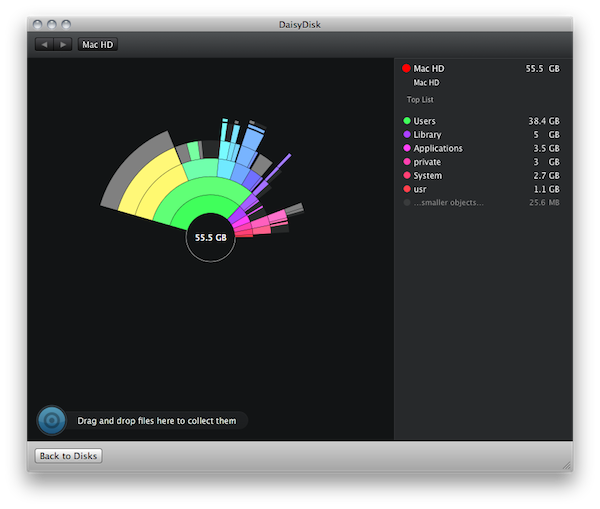
The DaisyDisk Team recently launched DaisyDisk 2, a fantastic visualization tool that’s beautifully designed to help find and free clutter on clogged hard drives. With the UI completely rewritten in Core Animation, tweaks were made and features were installed to turn DaisyDisk from a file scanning machine into a search and destroy monster! Maybe monster isn’t the right word for the kind of elegance DaisyDisk entails, but have you ever seen file scanning as pretty as this? You scan multiple hard disks at once, pinpoint the source of wasted storage space, and remove crud all from the same interface. Managing your filesystem shouldn’t be a priority, but it should be intuitive (and more importantly), useful and fun when it comes to doing the dirty work. The fellas behind this great app sell DaisyDisk for $19.99 with a trail on the web and in the Mac App Store, and you can grab yourself a trial straight from the front page.

So about that giveaway… The DaisyDisk Team wanted to do something very special for our readers consisting of budding developers, designers, and software gurus who aim to create fantastic software for desktops and mobile devices. We’re giving away $500 worth of books open to all of our international readers in the quest for knowledge and further learning.

Read more


Clocky - A Beautiful World Clock App for Mac: Review & Giveaway

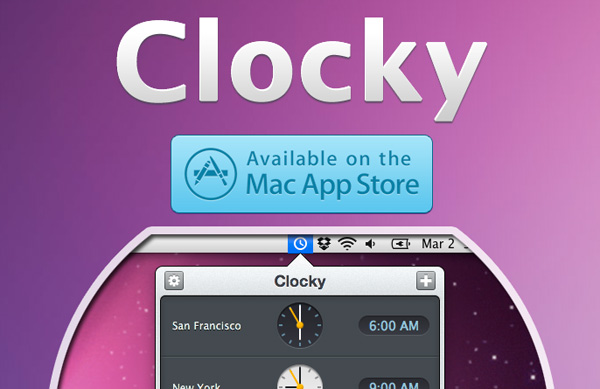
Yesterday I was browsing the new apps in the Mac App Store and came across Clocky, a world clock app that sits in your menu bar. Clocky was developed by Studio Dalton, who also did Lighty for iPhone, a very nice flashlight app. Clocky is already in the Top 100 apps in the Mac App Store and number 12 in Utilities.

Clocky shows the current time in the cities you’ve added, there are 479 to choose from. To add a city, click the ‘+’ sign and use the drop down menu or start typing. Even with almost 500 cities, I found some cities, such as Federico’s town of Viterbo, not on the list. If you want to delete a city, simply select and delete, or drag the clock out of the app. You can also click and drag the clocks to rearrange them. Read more