This Week's Sponsor:

Turbulence Forecast

Know before you go. Get detailed turbulence forecasts for your exact route, now available 5 days in advance.


Posts tagged with "macappstore"

FileMaker’s Bento for Mac Updated to Version 4; iOS Version Updated

Filemaker has released Bento 4 for Mac today, and it’s a major update to the previous version of their popular personal database software. It’s also now available via Apple’s Mac App Store, a first for Bento. It will cost you $49 but if you own a previous version, they will give you a $20 rebate. If you want a ‘family pack’ with 5 licenses, they offer a $99 version of Bento.

New features to Bento 4 include the ability to print labels using Avery and Dymo file formats. Sharing databases is easier with this version as well; the user can export the app’s libraries that are populated with data for other Bento users.

You can also upload a database template to the ‘Bento Template Exchange’ that has over 800 free downloadable templates to use. Bento has also added the ability to use geographical location data, grabbed through Wi-Fi, GPS or cell tower triangulation.

Another new feature adds the ability to lock forms to prevent unnecessary changes from being made to your layout. Improved performance and faster launch times have also been added, along with an easier way to switch from Table to Form view.

Bento for iOS was also updated to version 1.1. Changes include the ability to record voice memos, and sync iCal tasks (when paired with Mac). Multitasking support and better image support for retina displays are also included; here’s the link.

If you want to buy Bento 4 from somewhere other than the Mac App Store, you can always visit an Apple Retail Store or buy it directly from Filemaker’s website.

[via The Loop]
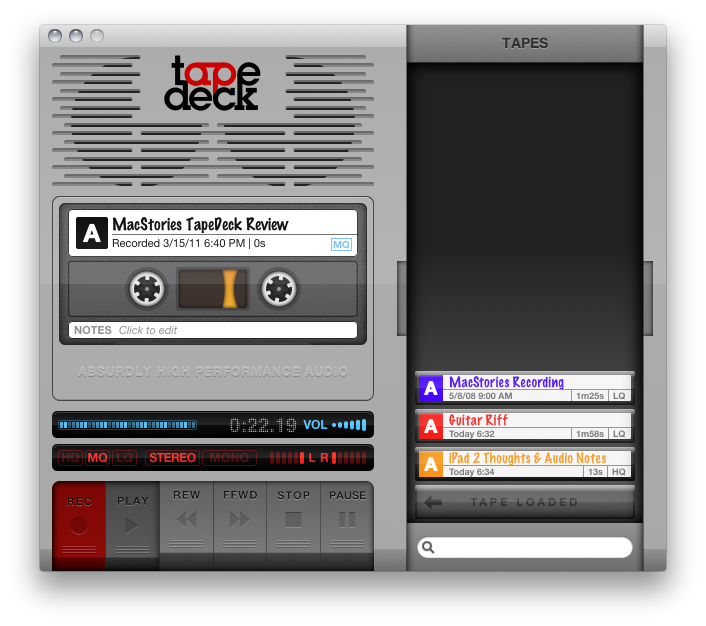

TapeDeck For Mac Records & Captures Audio, Supports Pro Hardware & Monitoring

Much like TinyVox which we looked at recently, you’d think TapeDeck would be its older brother (though the two aren’t related). TapeDeck for the Mac is a cassette deck for OS X, enabling you to quickly label and record audio from the built in microphone or connected pro hardware, and can allow you to monitor (playback) audio as it’s being recorded. If you have the jack for your Mac’s line-in port, you’ll be able to quickly save off audio to a .m4a file which shows up as a cassette in the tap box (the drawer that holds your cassettes). You can organize recordings by color, add notes, select audio quality per recording, and choose either stereo or mono (mono only records audio on the first of the two channels you’re recording to). It’s old school meets… new school?

Read more


DropBook Integrates Facebook With Your Desktop: Review & Giveaway

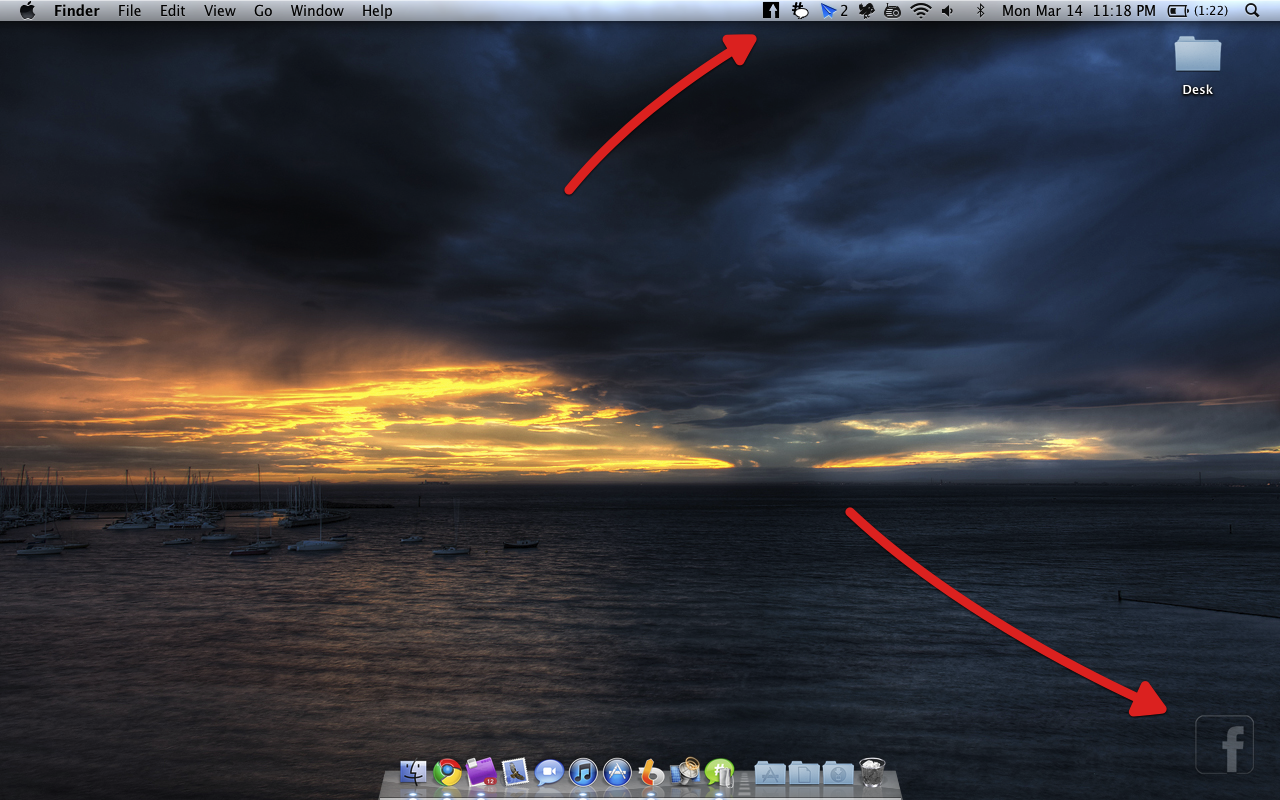
DropBook is a little more difficult to show off than most apps in part because of its deep integration with your desktop and menubar. It isn’t an app that traditionally sits in your Object Dock, rather, you get a translucent Facebook icon that sits in the lower left corner of your screen which you can drag pictures and favicons/URLs into to instantly share content to your wall. As content is dragged into the Facebook icon, a window appears that shows you the attachment or link to your content. If it’s a picture, you can send it to your album of choice including your profile pictures. On your Mac, a lot of content is bound to be bundled in iPhoto, and you can drag multiple selected photos for a multi-upload. You currently can’t add tags to photos, which might be a deal-breaker for those uploading lots of pictures.

Read more


Blue Planet Casts Shadows On Your Mac Desktop

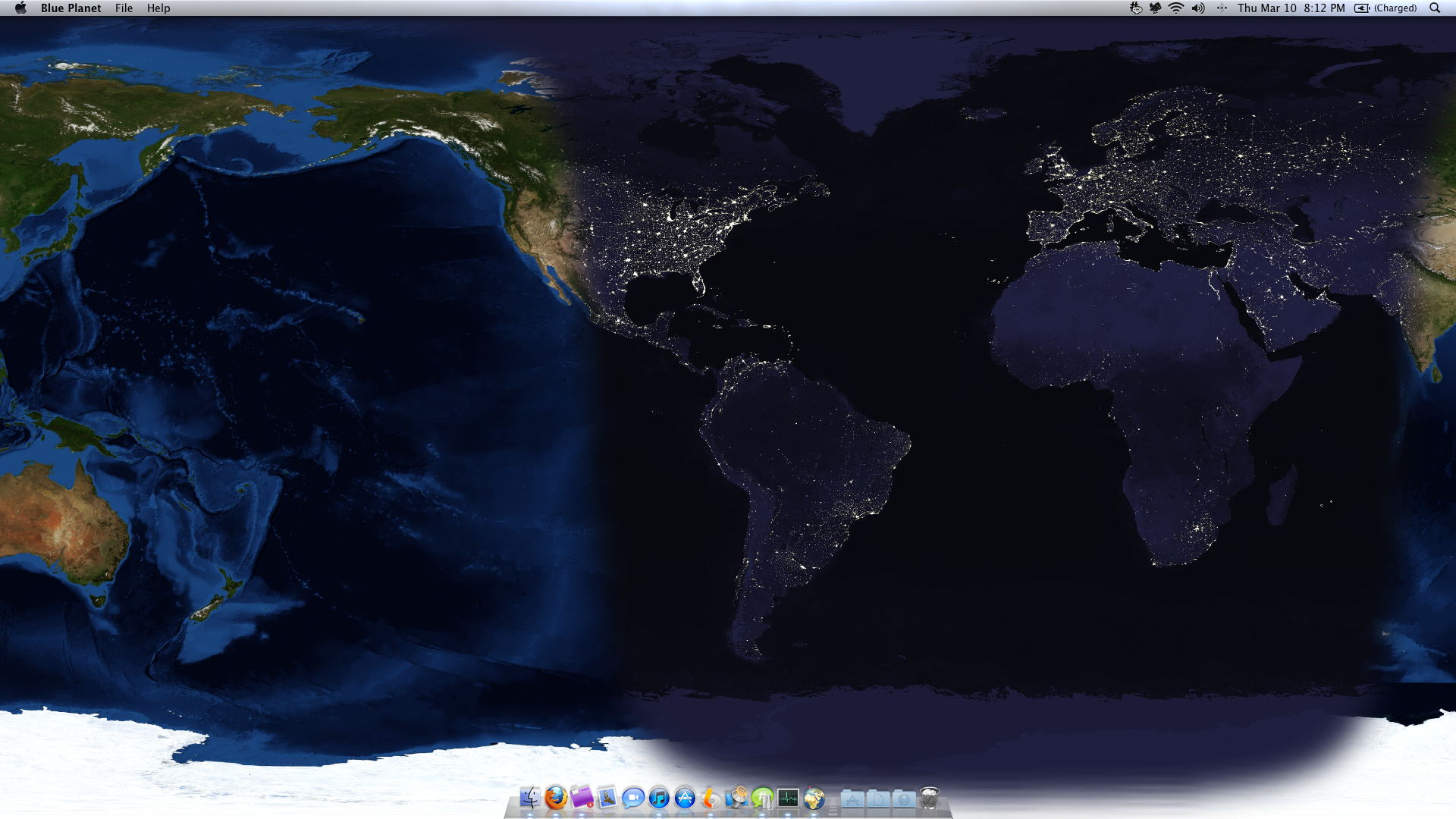
A couple things are very telling of an individual when you first analyze how they use their Mac. Desktop wallpaper in particular is very personal, and Blue Planet for the Mac transforms the desktop into a world theater cast in shadow. Perhaps someone who paints their desktop with glow of sleeping cities finds it almost calming that the world continues to turn as time intended it. Blue Planet covers your desktop in a map of the Earth, overlaying one of four different topographic maps, and enables you to pinpoint your location if location services are enabled. In real time, you can witness the passing of the sun as day turns to night for the small price of $4.99 in the App Store.


Apple Releases Xcode 4 - Coming To Mac App Store Too

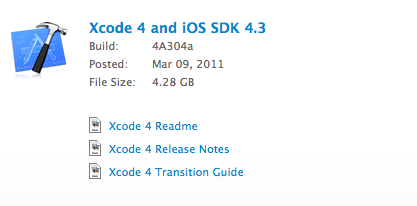
First came iOS 4.3, then Safari 5.0.4 and now Apple just pulled the trigger on Xcode 4. The final release of the new development suite is available for download here.

Xcode 4 is the new version of Apple’s powerful integrated development environment for creating great apps for Mac, iPhone, and iPad. Xcode 4 includes the Xcode IDE, Instruments, iOS Simulator, and the latest Mac OS X and iOS SDKs.

Xcode 4 is a major new version of Apple’s development suite which sports lots of new features and a new single-windowed UI. The first version of Xcode 4 preview was released during the WWDC in June 2010. It appears that Xcode 4 will also be released for $4.99 in the Mac App Store, according to Apple’s Support Center:

Mac and iOS Developer Program members have access to the latest Xcode developer tools, SDKs, and pre-release software. Program members can download Xcode 4 from http://developer.apple.com/xcode.

If you are not a member of either the Mac or iOS Developer Program, you may purchase Xcode 4 from the Mac App Store for $4.99. If you are registered as an Apple Developer, you can download Xcode 3 for free at http://developer.apple.com/xcode.

This should be the link for Xcode once it goes live in the Mac App Store (it isn’t available yet). This is an interesting move for Apple, as it’s clearly aimed at people willing to try Xcode 4 without an Apple Developer account. It also marks (once again) Apple’s transition to the Mac App Store as a unified distribution method for software updates. Here’s a great video overview of the Xcode 4 interface.

Update: As for the $4.99 price of Xcode 4 in the Mac App Store, that might be for the same reason why FaceTime wasn’t released for free: the Sarbanes-Oxley Act. Technically, it would be illegal for Apple to distribute this new free software on Snow Leopard. Same happened years ago with the 802.11n unlocking fee, and recently FaceTime sold at $0.99 in the Mac App Store. Read more


Flickery Giveaway: It’s The iPhoto Alternative For Flickr Fanatics

Flickery for Mac

Flickery for Mac

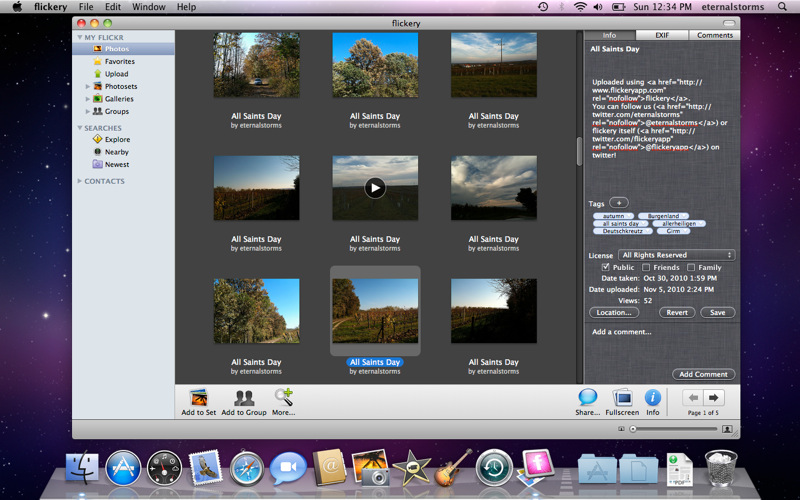
If you want to bring Flickr onto the desktop with minimal fuss, then you may want to look at Flickery. Drag & drop photos into a library that’s synced online, explore community videos and photos, and add all the metadata you want with tags and comments. A neat trick Flickery has up its sleeve is the ability to see local photos from your area based on location – if you’re visiting in Paris or Rome, you might be able to catch up on familiar landmarks with an assumably endless supply of tourist photos. This feature extends so you can click on alternative locations to plan your next photo-venture with just a few clicks (like Localscope where you can browse around manually). Fullscreen mode is available so you can see photographs in their entire beauty, and you can search by text to find exactly what you’re looking for. Federico reviewed Flickery a long while ago, and he found it to be pretty gosh-darned perfect for his volume of iPhone photos. But if you missed out on our earlier giveaway, we’re giving away three more copies this weekend just for you.

Read more


Put Screenshots In Your Sights With Crosshairs For Mac

Want to take screenshots with precision and adjustable controls? Crosshairs for Mac is what you’ll need if you want a friendly menubar utility that slaps screenshots right onto the desktop. Crosshairs is really simple to use:

  1. Click on the menubar icon to activate Crosshairs
  2. Drag the overlay anywhere and achieve a pixel-perfect with the graphic counter
  3. Press the spacebar to take the screenshot
  4. Press the escape key to deactivate Crosshairs

Simple, no? You might be wondering why you’d use Crosshairs over Snow Leopard’s built in screenshot utility, and the answer is simple. With Crosshairs, you can readjust and take multiple snaps consecutively in one row, making readjustments as needed.

There’s quite a few keyboard commands for Crosshairs, and its main purpose is to get dimensions of anything on screen. For pixel pushers measuring apps or windows for Photoshop, Crosshairs conveniently sits above your workspace so you can quickly rule what you need. If you’re working with a dark background, you could always change that overlay from black to white.

You’ll be set back a meager $4.99 in the Mac App Store for an aiming cursor with mad screenshot & measuring skills. Check it out at Giant Comet for more information.


BIT.TRIP BEAT For Mac Is Trip-Tastic

CommanderVideo has given you a paddle, and you’ll have to keep up with the beat in order to succeed in BIT.TRIP BEAT on the Mac App Store. It’s like pong and maybe like brick breaker, where you bounce back various “beats” that are streamed across your display in conjunction with the level’s vibe. These aren’t your traditional ping pong bits either – they’re high intensity, moving bullets that bounce and force players to return a variety of patterns without missing. The more beats you return consecutively, the more rewarding the game gets with higher intensity tunes and occasionally trippier visuals. But like Guitar Hero, if you miss a beat, you’ll face the bleak reality of failure. Color fades into monochrome, and the screen beat is reduced to mere 8-bit blips. If you’re not getting those additional bonus points by chaining those high-pitched returns, it’s game over for CommanderVideo.

Read more