

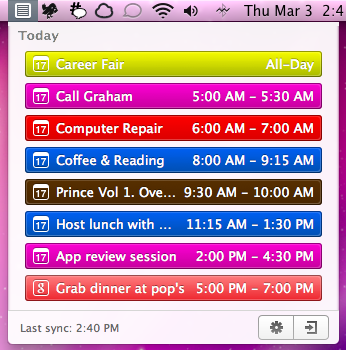
Clean Cut Code is known for making beautiful apps like Cloud Calendar, and it was only a matter of time before they brought some of their talent to the OS X desktop. CalendarBar takes on the inefficiencies of a traditional calendar client by providing a quick list of events in a beautiful timeline that can grab events from iCal, Google Calendar, and Facebook. Clicking on an event takes you to the event listing in its parent application – CalendarBar removes the distraction of busy calendar utilities, but provides shortcuts so you can add entries and gather additional information. The app features a some iOS overtones in its design, most obviously via the settings and exit button that adorn the bottom of the pop-up panel. Launching yesterday, the app is only $1.99 in the Mac App Store.
Posts tagged with "macappstore"
CalendarBar Tucks Event Reminders In Your Menubar
Mac App Store Adds NetNewsWire Lite To Its Catalogue Of Apps
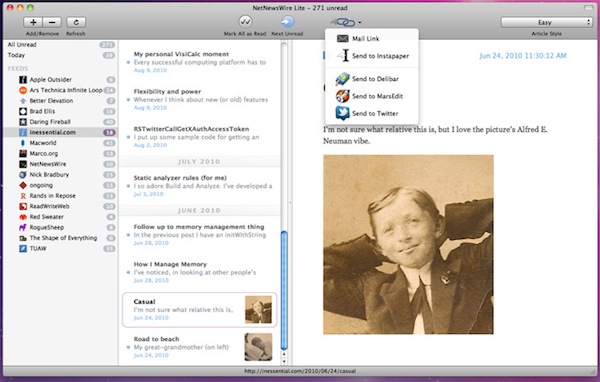
NetNewsWire, one of the best Mac RSS readers has reached version 4.0 and before a full version is completed, a new ‘lite’ edition has been released on to the Mac App Store. Whilst it is limited in a number of respects, it has an improved and refined UI, is free and remains of the better RSS readers on the Mac.
The biggest limitation is that it doesn’t support syncing, that’ll be a big bummer for many of you, but it’s developer Brent Simmons says that will be coming soon in the full edition of NetNewsWire. The other limitations are the lack of starred items, AppleScript support and searching amongst other more minor ones. Simmons does provide users some comfort in saying “That it supports gestures. That you can edit feed names inline. That it launches and quits very fast.
Opera Debuts On The Mac App Store
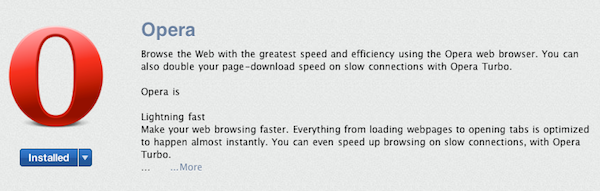
A new release to the Mac App Store today is the Opera web browser that can be downloaded for free. The app seems to be exactly the same as the non Mac App Store version and identifies itself as version 11.01 and build 1206.
The app also includes its Presto layout engine, which would have been thought to be an infringement on Apple’s Mac App Store guidelines that state, “Apps that use non-public APIs will be rejected.” This raises the distinct possibility that browser engines may not fall under the private API category, in which case other browsers could soon be heading to the Mac App Store including Firefox that uses another layout engine called Gecko. Alternatively it is possible that an Apple reviewer has let Opera slip through without realizing, which has happened before with app reviews.
When bringing the Opera browser to the iPhone and iPad, they had run into similar guideline restrictions and were forced to only release Opera Mini that does not use their own browser engine but instead directs traffic through Opera’s servers to compress data. The more fully featured Opera Mobile which is available for Android and other mobile phones could not be released on the iPhone because of its reliance on their own APIs .
Start the Clock! Speed-Up & Chronos Are In This Timely Giveaway
Podcasts and getting things done tend to go hand-in-hand at the office. For those who want to blaze through a podcast session, your iPhone offers the ability to speed up your talking heros for a quicker injection of information. Speed-up brings that same control to your Mac via the menubar, and it was reviewed a while ago as a podcast throttle for your Mac.
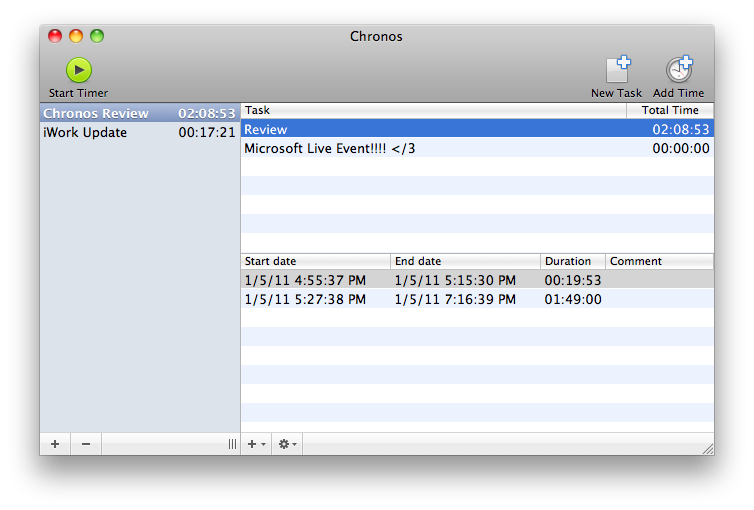
Chronos is also an app we recently reviewed, and continues our time theme by keeping track of various tasks and projects on your Mac. It’s very simple to use, and can accommodate a Mac user as a progress indicator from the dock or menubar.
We’re giving away four copies of each, and we recommend that you check out Speed-up and Chronos in the Mac App Store before clicking past to the giveaway after the break.
OS X Lion and the Mac App Store Distribution Dilemma
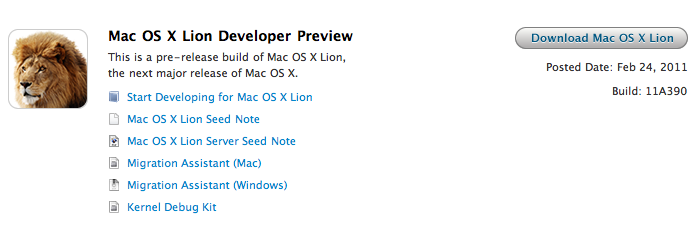
Last week, Apple released the first developer preview of Mac OS X Lion. New and improved OS aside, something set apart Lion from the previous beta releases Apple seeded in the past years: Lion needs to be downloaded through the Mac App Store. That’s right: a 3.6 GB download, available for developers in the App Store infrastructure. How did this happen? Well, the how is easily explainable: developers can log in the Dev Center, request a Lion build and a unique promo code is generated. With the promo code, developers can fire up the Mac App Store and start the OS X Lion installer download. The promo code, as an additional security measure to prevent people from sharing it, can only be used once, on a single machine.
While the method is really clever and brings a bit of fresh air to the developer community (no need to have a download in your browser, you can just leave the Mac App Store do its job), this has raised some questions on the future of Apple’s OS downloads for consumers. Namely, some people are speculating the Lion developer preview is clearly pointing to a summer 2011 featuring Mac OS X 10.7 Lion available only in digital format. Apple is killing the CD, and physical Mac OS purchases. Read more
Buy Todolicious Today, Donate To The New Zealand Red Cross
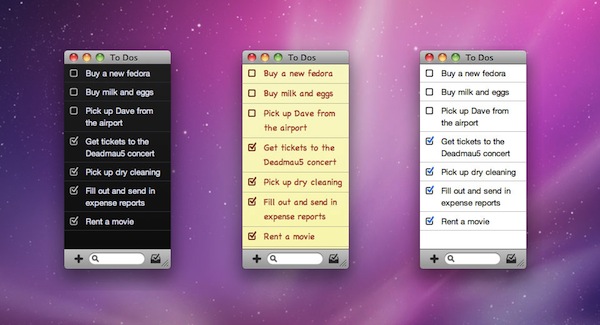
Mac app Todolicious by Mustacheware was one of the first Mac App Store-exclusive apps we covered ahead of the launch of the new Store and, overall, an elegant to-do manager for the Mac that makes it easy to jot down tasks with an intuitive keyboard-based panel you can invoke at any time. With the choice of multiple themes and cute sound notifications for completed tasks, Todolicious still is one of the “best new apps” available in the Mac App Store (also mysteriously not featured by Apple since January 6th).
An update to Todolicious was released today adding a new editing engine and an option to delete completed to-dos, but that’s not what we want to focus on right now. The update is great and adds a bunch of much requested fixes, but what we think is absolutely worth of your consideration is the fact that Mustacheware decided to donate 100% of sales today to the New Zealand Red Cross in response of the earthquake that occurred on February 21. If you buy Todolicious today (February 25), you’ll give your contribution to the victims of the earthquake and, at the same time, you’ll end up with a sweet application on your Mac.
So head over the Mac App Store now, and download Todolicious.
FaceTime for Mac Now Available in the Mac App Store, 720p Video Calling

Ahead of the new MacBook Pros, Apple launched the final version of FaceTime for Mac in the Mac App Store today. It’s priced at $0.99. The new version of FaceTime for Mac will allow 720p video calling Mac-to-Mac with supported Intel models that have a FaceTime HD camera – the new MacBook Pros. New MacBook Pro owners will get the app pre-installed, other users will have to buy it from the Mac App Store.
Video calls require a built-in FaceTime camera, an iSight camera (built-in or external), a USB video class (UVC) camera, or a FireWire DV camcorder; and a 128-Kbps upstream and downstream Internet connection. Making HD video calls requires a built-in FaceTime HD camera and a 1-Mbps upstream and downstream Internet connection. Receiving HD video calls requires a supported Intel-based Mac (for a complete list, visit http://support.apple.com/bk/HT4534).
Full description below. Read more
Store News Is The Easiest Way To Find Mac App Store Deals
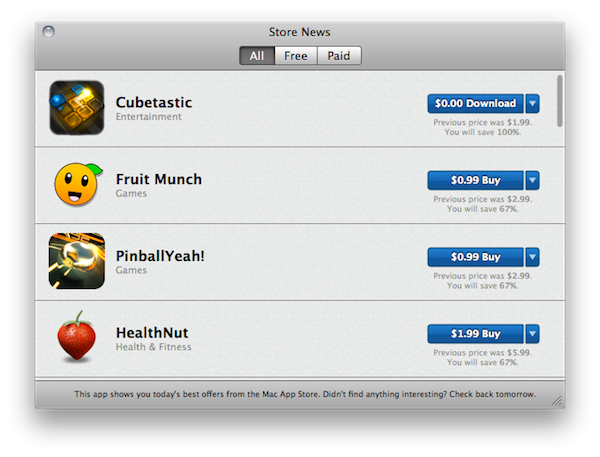
If you’re not a regular #MacStoriesDeals reader (you should be), here’s a nice Mac app that will help you find the best offers available in the Mac App Store. Store News, a free app available here, allows you to check for deals of free and paid apps in a simple to use interface that brings offers and price drops to the desktop.
The app doesn’t seem to rely on the usual AppShopper infrastructure (the one we love and rely on to curate our daily deals section), instead it aggregates what are considered the best offers from the developers. The app is streamlined and comes with three tabs in the top toolbar to switch between all apps, the ones available for free and paid apps. A blue button similar to the Mac App Store “Buy” one will open a new tab in your web browser, allowing you to launch the Mac App Store and download what you want. Store News also displays previous price before the price drop and a percentage of how much you’re going to save with each deal.
Store News is a pretty good way to stay up to date with offers in the Mac App Store. Combined with AppShopper and our Deals posts, it’ll help you achieve the ultimate deals hunter setup on your Mac. Go download it here.
Plants vs. Zombies Now Available In The Mac App Store

While we’re still waiting for Bejeweled 3 to become available on the iPhone and iPad, PopCap Games has released its hugely popular “Plants vs. Zombies” in the Mac App Store. You can find it here at $9.99.
The game, successful on the iOS App Store and firmly positioned in the first spots of the paid software charts, looks like a straight port of the iPad version, made bigger to run on every Mac’s screen. That means you’ll find the 49 zombie-killing plants you know and love, 26 different types of zombies to block from accessing your house and all the strategies and skills you’ve already implemented on the iOS platform. The game, for those unaware of its addictiveness, revolves around the concept of killing a horde of zombies marching towards your property using only seeds, powders and bombs released by…plants. Colorful graphics and funny sound effects, together with a great gameplay, made this game an absolute must-have for iPhone and iPad owners.
Perhaps Plants vs. Zombies for Mac won’t generate the same sales numbers of the iOS counterpart, but if Angry Birds is of any indication – it really looks like users are willing to pay again to play their favorite iPhone games on OS X. Go download the game here, and don’t forget to play The Cranberries’ “Zombie” every once in a while. Just to get in the right mood.