This Week's Sponsor:

Turbulence Forecast

Know before you go. Get detailed turbulence forecasts for your exact route, now available 5 days in advance.


Posts tagged with "video"

Watch Flash Videos On iPhone & iPad, No Jailbreak or Apps Required

Most of web video has been optimized to display just fine on iOS devices, but it’s still annoying to open an article from your favorite blog and find out that the author didn’t use Vimeo’s updated embed code compatible with the iPhone and iPad. Vimeo offers a new embed technology to support iOS devices, but it’s not turned on by default. Just like Vimeo, other services such as Flickr, Megavideo and Dailymotion sometimes struggle in offering video embeds capable of being displayed on Apple’s mobile devices.

The Skyfire browser has been making the rounds recently: an iPhone app that can take any Flash video from any web page, and convert it in seconds to an HTML5-based video you can watch on the iPhone. The app is paid though, and perhaps many users don’t need all of its functionalities. Then, some developers even released tweaks and hacks in Cydia to activate Flash on iOS – with very disappointing results, I have to say. Put simply: either you jailbreak your device to sorta gain access to some Flash content on the web, or you buy Skyfire to convert Flash videos. But there’s no easy way built in Mobile Safari to play that Vimeo embed on the iPhone.

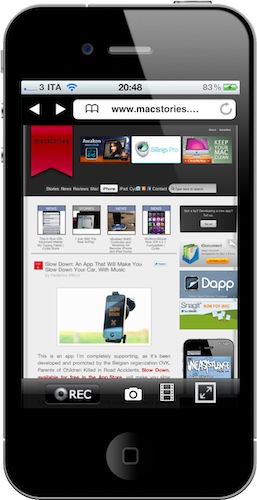
This is changing today, thanks to this neat bookmarklet called iOSFlashVideo I found on iSpazio (Italian) and installed on my iPhone and iPad a few minutes ago. With just the tap on the bookmarks bar, you’ll be able to instantly watch videos from Dailymotion, Flickr Video, MegaVideo and Vimeo through the iOS standard media viewer. It’s very simple to install. Read more



Creepy Guy Destroys iPad, Delivers It To Steve Jobs [Video]

I don’t know what’s going on with mysterious website SayHiToSpace.com. Sure, there’s a countdown in there and even links to email and Twitter, but it’s their Youtube channel that creeps me out. Basically, the first video from SayHiToSpace went viral as it featured a creepy guy finding out that the iPad lacked a camera, then destroying it making a hole in the middle of the device with a water jet.

Here’s the first video:

Read more


Swarm Light: iPhone-Controlled LED Chandelier [Video]

This falls under the category of neat installations powered by an iOS device we have covered so many times here on MacStories. The Swam Light is a $180,000 LED chandelier based on an algorithm originally meant to analyze the behavior of bees. The LED that power the chandelier, in fact, are organized in a series of grids and lit up to display “simulated collective movement” – or, the movement of groups of insects.

What’s cool is that the creators of the installation, rAndom International, developed an iPhone controller in-house to handle operations remotely. The iPhone app can dim lights and switch between the various modes implemented in the Swarm Light.

Check out the video below. [via TUAW] Read more


How To: Install and Run iMovie On The iPad [Tutorial]

The current version of iMovie available in the App Store can’t run on the iPad. Apple specifically built it for the iPhone, and there’s no way to install it on the tablet. iTunes returns an error when trying to do so. As you can guess though, it would be great to be able to edit and manage videos on the iPad: thanks to its larger screen, multi-touch video editing would turn out to be much more comfortable.

Luckily for us, the folks over at iPadevice (Italian) have found a way to install and run iMovie on the iPad, but a jailbroken device is required. If you happen to have a jailbroken iPad running iOS 4.2 and you’ve always wanted to run iMovie on it, check out the tutorial below. Read more


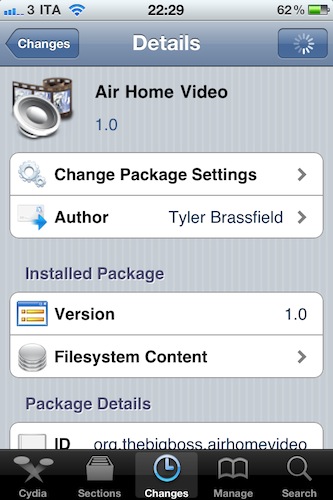
AirPlay Streaming of Camera Roll Videos with Air Home Video

When iOS 4.2.1 came out on November 22nd, several users were disappointed to find out that there was no AirPlay option in the iPhone’s Camera Roll or Photos app. If you have some videos shot with your iPhone and you want to stream them to the new Apple TV, you’ll have to import them into iTunes on your computer first, then sync them back to the iPhone.

There’s no direct Camera Roll -> Apple TV streaming option, and as Daring Fireball’s John Gruber wrote weeks ago, this might be because of the different bitrate of high-def videos recorded on the iPhone. Read more


Air Video Update: Retina Graphics, Multitasking - Still A Must-Have

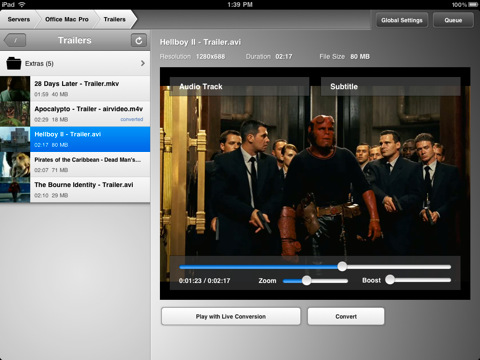
Air Video is one of our favorite iOS apps here at MacStories. Not only does the app come with a nice icon and polished interface, the real deal’s about the functionality: Air Video allows you to effortlessly stream any video from your computer to the iPhone or iPad – even with live conversion. No matter the format, no matter how big the file is (seriously, you can try with music videos or 3GB movie files), Air Video will stream to iOS just fine.

An update to the app was released yesterday, and it’s a pretty sweet update: Air Video 2.4.2 now comes with Retina Display-ready graphics, support for iOS 4.2 multitasking, performance improvements and enhanced file sorting capabilities.

An already must-have app basically got a lot better with these new features, so if you still don’t own Air Video, go buy it right now in the App Store at $2.99. Also, check out a video below of Erica Sadun from TUAW demoing a custom version of Air Video with AirPlay support. We can’t wait for Apple to open up its APIs and allow third-party apps like Air Video to stream to the Apple TV. Read more


This Is How An iPad Goes Crazy

Spotted by 9to5mac and still in development by conradev over at Hackthatifone, Graviboard will basically kill “gravity” on your iPad Springboard. Install it, assign an activation gesture to it and boom – icons will start floating around. You can tilt the device to move the icons, and even drag them around.

We’re not sure if there’s a way back, though. Ok, there is a way back to a normal Springboard, but you don’t have to tell your friend who think his iPad is dead – right? So just watch the video below, and think about the look on your friend’s face when he will see something like this.

Magical.


Mossberg: “Apple TV Has A Limited Selection Of Internet Video Sources”

Mossberg: “Apple TV Has A Limited Selection Of Internet Video Sources”

Walt Mossberg reviews the new Apple TV:

But it has some significant downsides. The most important of these is a very limited selection of Internet video sources. If you want a set-top box that allows you to watch a wide range of video from the Web, Apple TV isn’t it.

Apple TV is now essentially a modestly priced adapter that streams video, audio and photos to your HDTV from three main sources: your own computers, Apple’s iTunes service plus a few other online sources, and content on your portable Apple devices using AirPlay.

He also says AirPlay works great.

Permalink