It’s time to get back to our favorite indie apps that take advantage of Apple’s latest OS features. Today, we’re highlighting: Bear, Gentler Streak, The Outsiders, DoMarks, and Cheatsheet Notes.
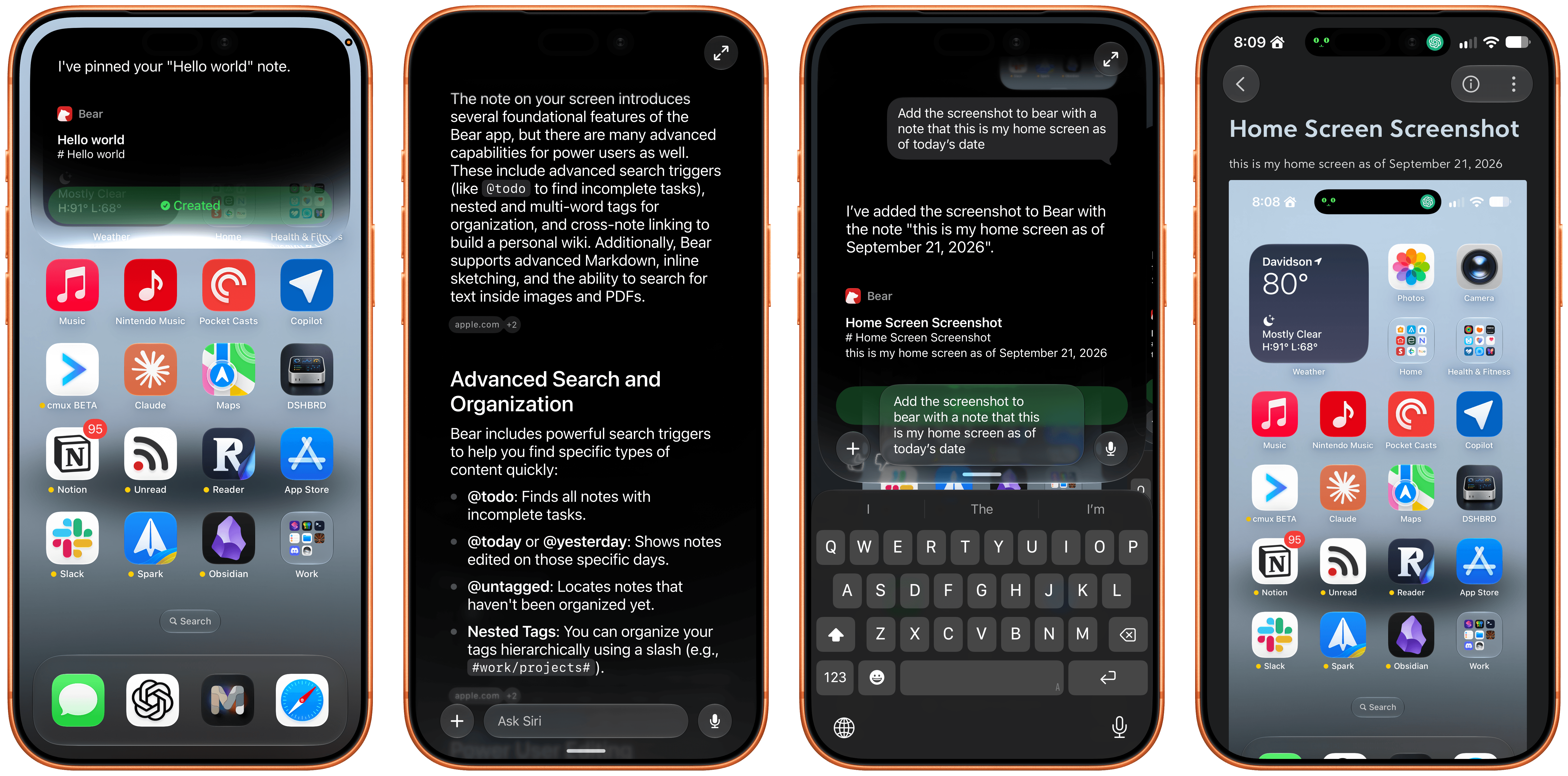
Bear, the note-taking app for iPhone, iPad, Mac, and Apple Watch, just released version 2.10 with several Siri AI features, including actions to:
- Create a new note
- Append text to an existing note
- Append files to a note
- Pin notes
The app also includes onscreen awareness so Siri knows the content of the note you’re looking at without you telling it.
Bear’s new actions make it a compelling way to dictate notes on the go. Simply invoke Siri and start talking. With the ability to start a new note or append to existing notes, you can get quite a lot done with only your voice. One of my favorite uses is annotating screenshots. I take a screenshot, invoke Siri, and in one go, I can ask it to add a new note with my last photo (the screenshot), give it a title, and add a quick note about it. It’s far easier than walking through those steps manually.
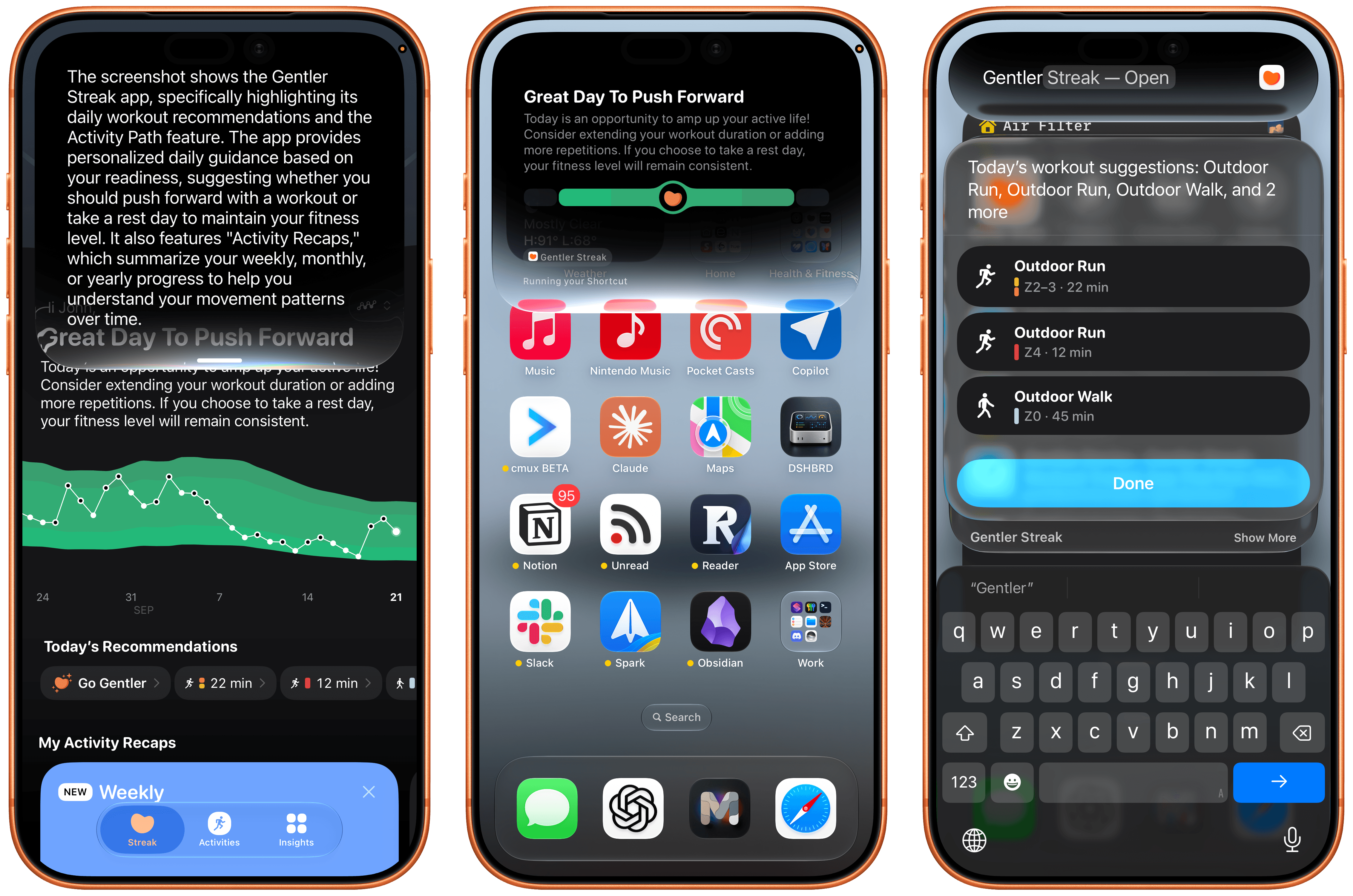
Our iPhones and the Apple Watch can collect and process a lot of health and fitness data for us. My favorite way of making sense of it all is Gentler Streak, which works on the iPhone, iPad, and Apple Watch, making sense of all that data.
One of Gentler Streak’s greatest strengths is its delightful illustrations and clear, meaningful presentation of fitness data. I love browsing my workouts and other fitness data in Gentler Streak, but with the latest release, I’ve come to appreciate the snippets it offers thanks to App Intents, too.
The update lets you access bite-sized snippets of data without opening Gentler Streak, accessing data like today’s workout, your activity status, and suggested activities all from Spotlight or Siri. It’s handy when you’re in a hurry and just want a quick update on something like how well you slept last night. The app also supports onscreen awareness, allowing Siri to explain features of Gentler Streak to you or interpret onscreen data.
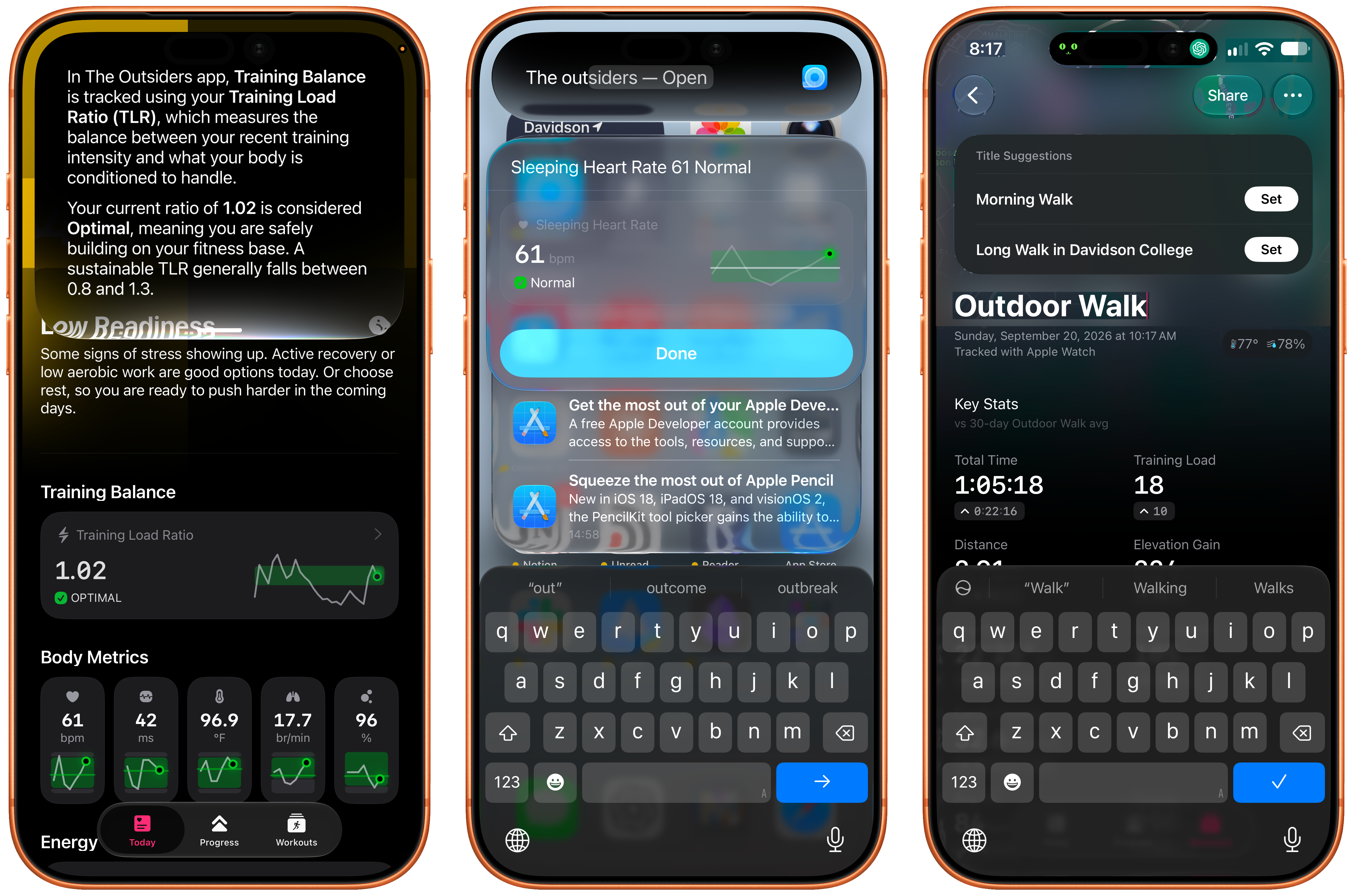
The Outsiders, from the same team as Gentler Streak, is a great complement to it, trading Gentler Streak’s relaxed approach to workouts for a more intense, performance-driven perspective. I’m a big fan of the iPhone app’s colorful design, which, like Gentler Streak, lets you access data like your training readiness, latest workout, body metrics, and sleep data simply by asking for the data “in The Outsiders.” Onscreen awareness allows Siri to explain metrics to you, too.
If you choose to edit a workout’s title, Apple Intelligence kicks in with a suggestion changing something generic like “Evening Workout” into “Evening Commute Through Davidson College,” which sounds much nicer and adds a little hint about where you were and what you did for that workout.
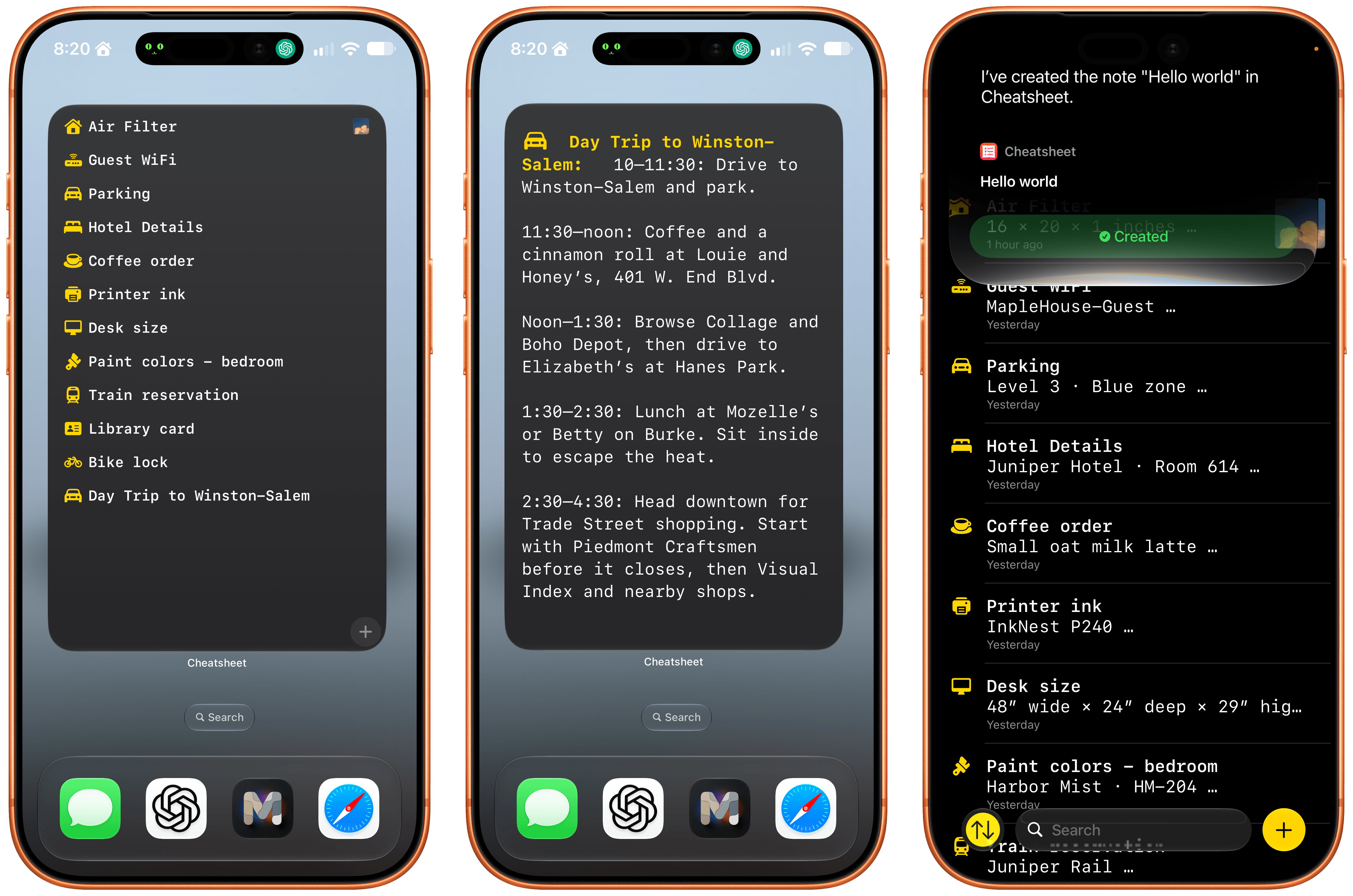
I love how Cheatsheet Notes has evolved over the years from a very basic scratchpad to a beautifully designed and focused note-taking app that adopts all of Apple’s latest technologies. The recent update, which is available for the iPhone, iPad, Apple Watch, and Mac (sold separately) is no exception, incorporating all sorts of Siri AI features, as well as new widgets.
Thanks to Siri AI’s onscreen awareness, you can ask Siri questions about information visible in your notes. You can also append text and images to notes with Siri’s help. The append functionality is especially useful because Cheatsheet is intended for quick notes about things you want to remember, like a parking spot at the airport. Take a quick photo of your parking spot, ask Siri to add it to your Airport Parking note and that’s it.
Cheatsheet has also added extra-large widgets that can display a list of notes, a set of notes tied to action buttons, a shuffling of notes from any folder, or a single note. Of course, the app also supports an extensive list of Shortcuts actions, too.
If you’re looking for a great place to store the sort of information you might otherwise scribble on scraps of paper, check out Cheatsheet Notes. It’s an excellent app and scraps of paper is no way to live.
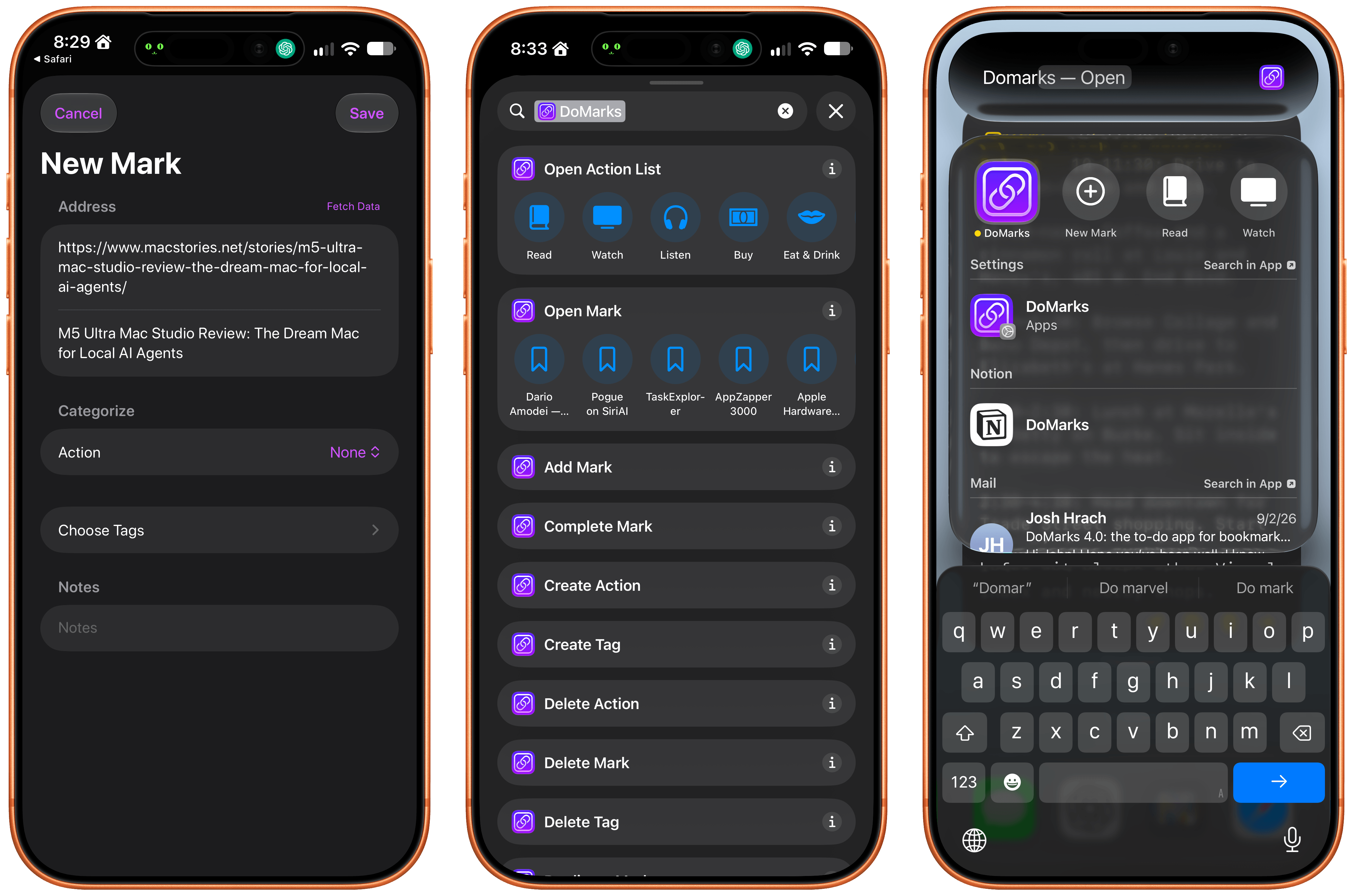
With the release of Apple’s OS updates, DoMarks reached version 4.0. The app is based on the simple idea that people save links to do something with them later. DoMarks makes that easy by helping you assign an action category to each URL you save whether it’s to buy, read, watch, or do something else with the URL. The app fills a role that’s similar to a read-later app and can be used for reading, but the beauty of it is that what you do with the links you save for later is only limited by your own imagination.
With DoMarks’ Siri AI integration, you can save a webpage from Safari simply by asking Siri to save it to DoMarks. You can also ask Siri to open a link by its name or delete it. DoMarks supports onscreen awareness, allowing you to ask questions about a bookmark, too.
Other actions available via Siri, include keyword searches and opening a bookmark. However my favorite action is “Surprise Me in DoMarks,” which will open one of your saved bookmarks at random in Safari. It’s a great way to rediscover interesting spots on the web that I came across long ago, but didn’t have the time to look at. The app has also added a long list of Shortcuts actions that makes powerful automations possible too.
I’m a link hoarder (shocking, I know), and I’ve always found it hard to know what to do with links for things I want to check out later that aren’t reading material. DoMarks is the perfect way to handle those sorts of links, and now, it’s easier than ever to build your collection of bookmarks with Siri’s help.

 Federico