John Voorhees

5429 posts on MacStories since November 2015

John is MacStories' Managing Editor, has been writing about Apple and apps since joining the team in 2015, and today, runs the site alongside Federico. John also co-hosts four MacStories podcasts: AppStories, which covers the world of apps, MacStories Unwind, which explores the fun differences between American and Italian culture and recommends media to listeners, Ruminate, a show about the weird web and unusual snacks, and NPC: Next Portable Console, a show about the games we take with us.

Apple Publishes Vision Pro User Guide and Support Documentation

Apple has created a comprehensive Vision Pro user guide and accompanying support documentation that was published late last week. I’ve spent some time browsing through the user guide, and it’s full of excellent tips to help get people started with the new device. Each section of the guide links to related support documents, which go into more depth about the topics covered. I’ve pinned the page in Safari as I continue to explore everything the Apple Vision Pro can do.

Another page worth bookmarking is a story by Joe Rossignol and Aaron Perris of MacRumors, who compiled a long list of what they describe as ‘nearly all’ of the support documents listed in the Vision Pro user guide. You’ll come across links to these documents in the user guide itself, but if you want to go deeper on a topic and bypass the user guide, MacRumors’ story is a great place to start.


Digging into the DMA

AppStories+ Deeper into the world of apps

AppStories Episode 369 - Digging into the DMA

0:00
41:06

AppStories+ Deeper into the world of apps

This week, Federico and John consider how Apple’s response to the Digital Markets Act will change the world of apps for developers and users in the EU.

Read more


iFixit Disassembles Apple Vision Pro

Source: [iFixit](https://www.ifixit.com/News/90137/vision-pro-teardown-why-those-fake-eyes-look-so-weird).

Source: iFixit.

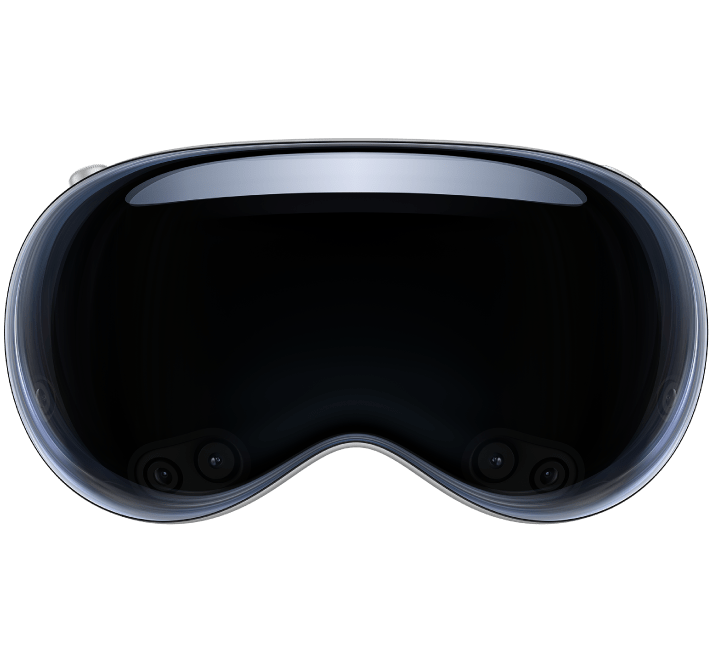
As with myriad other Apple gadgets, the folks at iFixit have pulled apart a Vision Pro to see what makes it work. There’s a lot of tech crammed into a relatively small space, which made the Vision Pro difficult to take apart. But, after heating and prying parts apart, removing brackets, screws, and cables, iFixit made it reached the inner layers to show off all of the Vision Pro’s components, concluding that:

The Vision Pro is insanely ambitious. Yes, it’s heavy, and the glass is fragile, and that tethered battery might get annoying. But Apple has managed to pack the power of a Mac, plus the performance of a new dedicated AR chip, into a computer that you can wear on your face.

Repairability-wise, it’s not great, but on the plus side, some of the connections are quite delightful. You should have seen our teardown team jump up when they realized that the side arms could be popped out using the SIM-removal tool, for example, and the magnetic cushions are yet more user-friendly.

To see the Vision Pro pulled apart step by step, don’t miss the companion video on YouTube:

Permalink


Wallpaper Interviews Apple’s Alan Dye and Richard Howarth

Today, Wallpaper published an interview with Alan Dye, Apple’s Vice President of Human Interface Design, and Richard Howarth, Vice President of Industrial Design. It’s a fantastic read with some great images, including an exploded view of the Vision Pro’s components.

Something I noticed as soon as I unboxed the Apple Vision Pro was how approachable it was. The setup process was easy, well-paced, and felt natural. That carries through to the hardware itself, too, which Dye explained to Wallpaper:

We wanted people around you to also feel comfortable with you wearing it, and for you to feel comfortable wearing it around other people. That’s why we spent years designing a set of very natural, comfortable gestures that you can use without waving your hands in the air. That’s also why we developed EyeSight, because we knew more than anything, if we were going to cover your eyes, that takes away much of what is possible when you connect with people. Getting that right was at the core of the concept of the product because we wanted people to retain those connections in their actual world.

My very early impression is that Apple’s design team accomplished its goal. Howarth puts a slightly different spin on the same message:

There’s a hardness and precision to the front of the product that is completely technical and feels like it’s been sent from the future, but then everything else that connects the product to you is soft and really approachable, so you feel cushioned and there’s not a barrier to putting it on or taking it off. And in fact, it should be a pleasure.’

Nobody is going to confuse the Vision Pro for something that it’s not. Still, the care that has been taken in its design goes a long way toward taking a device that is completely foreign to many people and making it one that isn’t intimidating. That’s something very uniquely Apple and why I’m optimistic about Vision Pro’s long-term prospects.

Permalink

Apple Offers USB-C Enabled Vision Pro Strap to Registered Developers

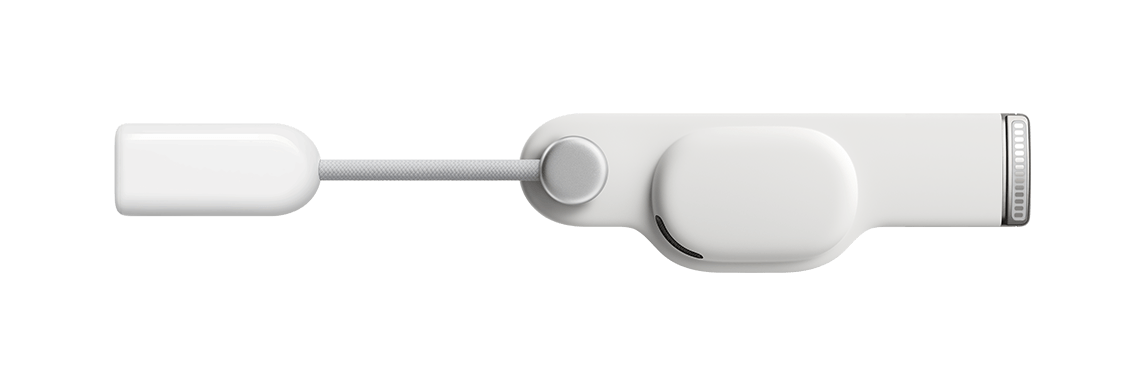
Apple is offering a new Vision Pro accessory to registered developers: a head strap with a USB-C connector for $299. There aren’t a lot of details about the strap, which is designed to be connected to a Mac to accelerate development and testing for the Vision Pro, other than this description that is behind a developer account login:

Overview

The Developer Strap is an optional accessory that provides a USB-C connection between Apple Vision Pro and Mac and is helpful for accelerating the development of graphics-intensive apps and games. The Developer Strap provides the same audio experience as the in-box Right Audio Strap, so developers can keep the Developer Strap attached for both development and testing.

Tech specs

  • USB-C data connection
  • Individually amplified dual driver audio pods
  • Compatible with Mac

Although we haven’t been able to confirm the capabilities of the Developer Strap, USB-C may allow developers to connect the Vision Pro to their network over Ethernet or access external storage, for example.

Why is a USB-C dongle $299? It’s expensive, but as the description makes clear, it incorporates the speaker found in Vision Pro’s right strap, which it replaces, explaining at least part of the cost.


Tucked Away Nearby: A Refinement of my Desk Setup

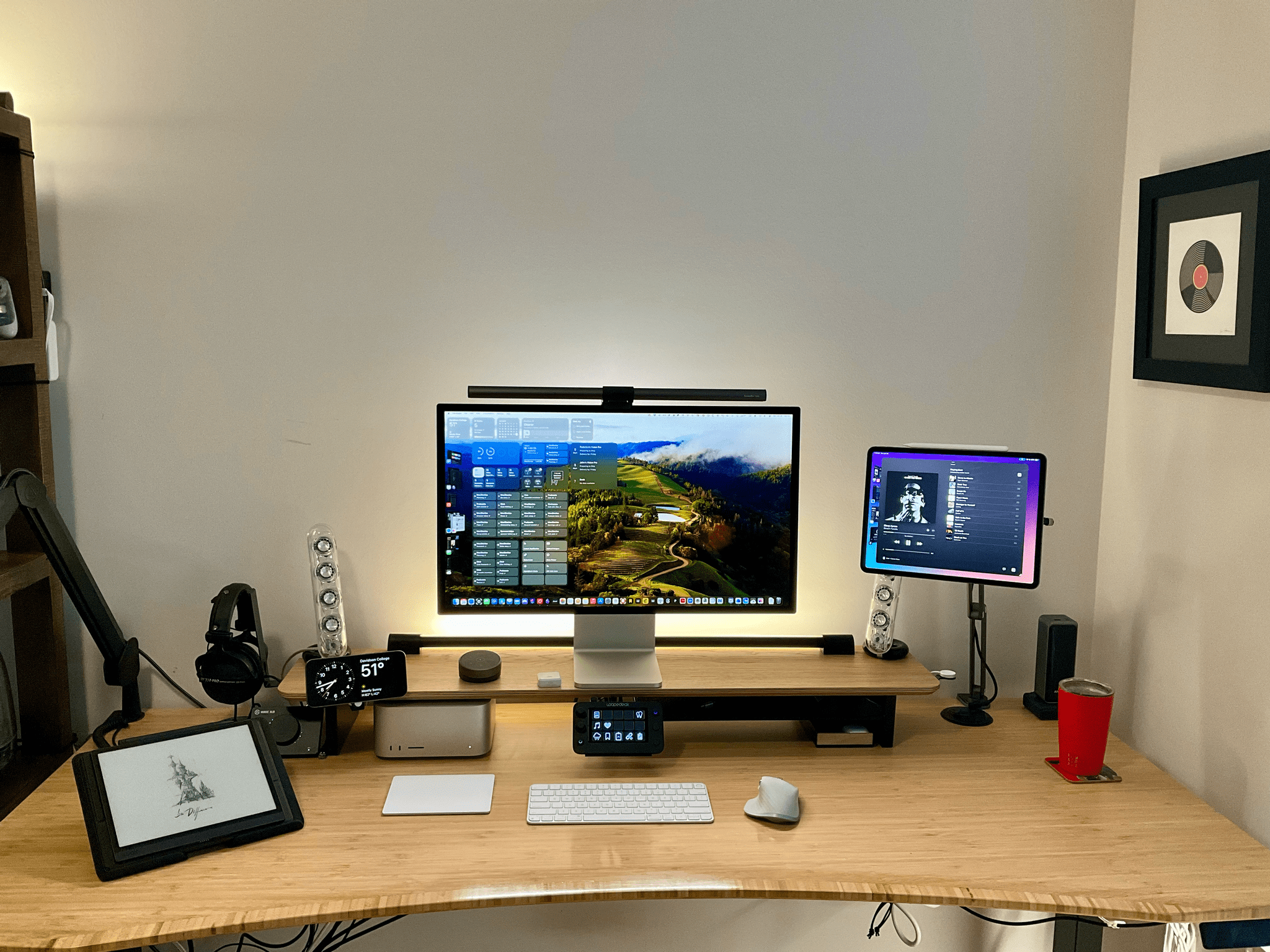
When Federico and I published our setups last November, I was happy with mine, but there was still something that bothered me. Every day, I wound up with too much stuff strewn across my desk. At the same time, some of the things I use most days felt annoyingly out of reach. These weren’t monumental annoyances, but they were daily distractions that led me to leave things on my desk for long stretches of time where they were in the way. So, I started thinking about ways to improve my setup again.

What I realized is that I had nowhere to put any of the little things I use each day, so they’d end up all over my desk, which then snowballed into a bigger mess. The solution was to bring those little things closer but create places for them that are out of the way. At the same time, I made a greater effort to tuck cables and wires out of the way where I can’t see them, which has also helped cut down on clutter.

The centerpiece of this revised setup is a Balolo Setup Cockpit. There are a lot of companies that make desk shelves, but they never appealed to me because I’ve always been able to adjust my Studio Display to a comfortable height without one. I could tuck things under the shelf, but I needed more than that.

What I like about the Balolo shelf is that it has a system of attachment points on the underside of the shelf for adding accessories that have allowed me to get more off my desk and out of the way. It’s turned out to be the perfect floating, modular extension of my old setup that makes a long list of small adjustments that add up to a big difference overall.

Read more