John Voorhees

5429 posts on MacStories since November 2015

John is MacStories' Managing Editor, has been writing about Apple and apps since joining the team in 2015, and today, runs the site alongside Federico. John also co-hosts four MacStories podcasts: AppStories, which covers the world of apps, MacStories Unwind, which explores the fun differences between American and Italian culture and recommends media to listeners, Ruminate, a show about the weird web and unusual snacks, and NPC: Next Portable Console, a show about the games we take with us.

Apple Music Replay Is Out, but for a Deeper Look at Your Music Habits, Try Last.fm

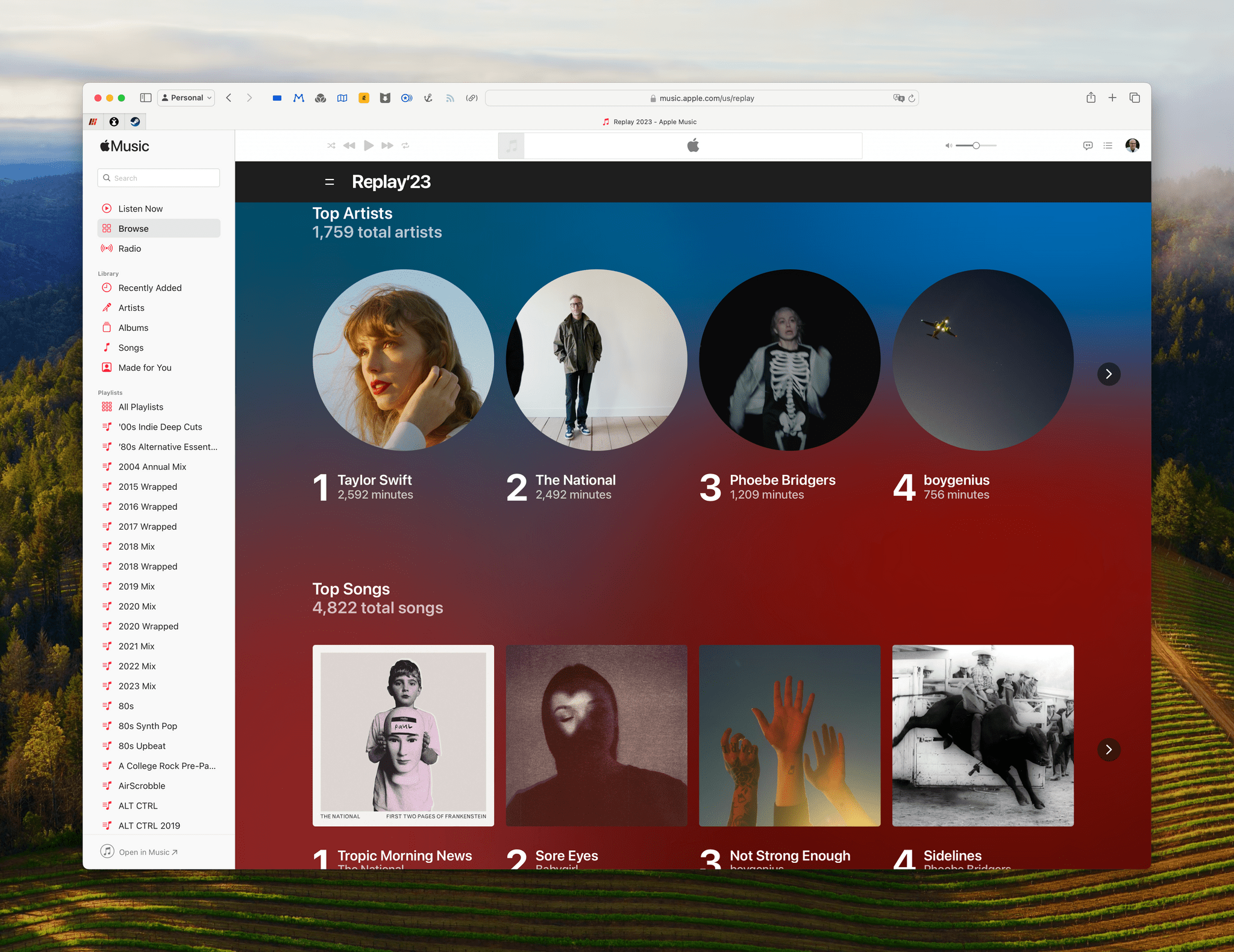
Yesterday, Apple released Apple Music Replay, its annual recap of Apple Music subscribers’ listening habits. The site is beautifully designed with images of artists coming to life with video when you’re not scrolling the page. Included this year are:

  • A highlight reel
  • Top artists
  • Top songs
  • Top albums
  • Top genres
  • Top playlists
  • Top radio stations
  • Listening milestones

As I scroll through my lists, there isn’t anything surprising here. I could have guessed my top artists, songs, and albums and put at least the top five or so in the correct order, which goes to the heart of what I and others have faulted Apple Music Replay for in the past.

The site looks great, and the listening milestones, which explain things like the fact that I crossed 25,000 minutes of listening in early August, are interesting, but they don’t go deep enough. I’d like to know things like which of the artists that I didn’t listen to prior to 2023, did I listen to the most in 2023? What’s a favorite album or band from years ago that I rediscovered? How did the genres I listened to evolve over the course of the year? Which artists took off in my regular rotation compared to past years? There are a million questions that could be answered by Apple Music that aren’t, and that’s a shame.

Spotify does a better job at surfacing interesting data with Wrapped, but if you’re like me and prefer other aspects of Apple Music, sign up for Last.fm, use one of the many excellent indie apps, like Marvis Pro, Soor, Albums, Longplay, Doppler, and Air Scrobble that support the service, and then enjoy your weekly, monthly, and annual reports in Last.fm’s app or on its website.

To view your own Replay 2023 statistics, visit replay.music.apple.com.

Play 2.0 Adds YouTube Channel Support, Folders, and a New Premium Subscription

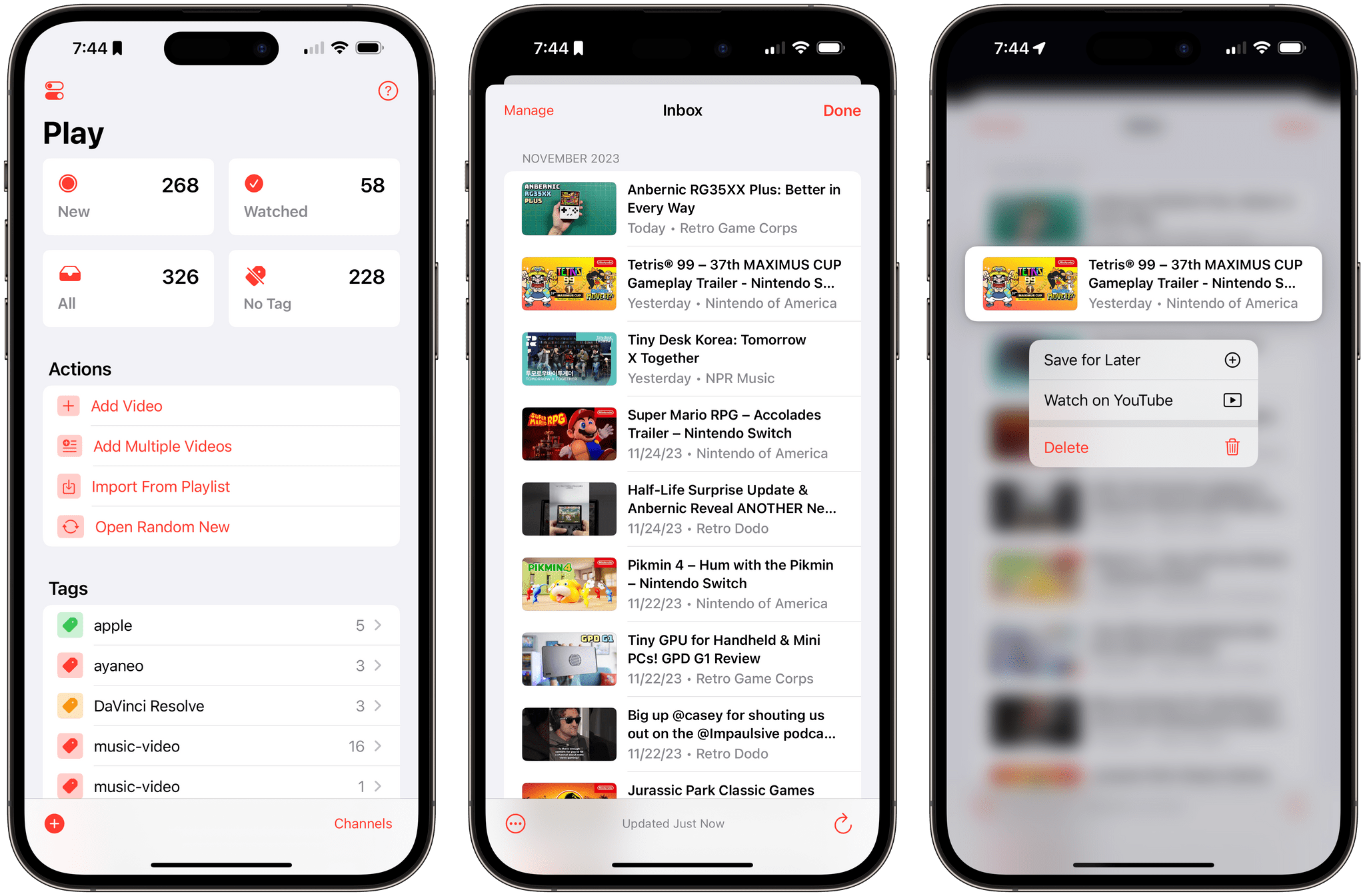
Marcos Tanaka’s Play has become the way I watch YouTube, which isn’t something I expected would happen as much as I’ve enjoyed the app since its launch early last year. The app, available on the iPhone, iPad, Mac, and Apple TV, started as a way to save YouTube links to watch later. That made Play indispensable for keeping track of videos in a way that is similar to how I save articles I want to read later in Matter.

With version 2.0, Marcos has transformed Play from a utility where I save links for later to how I find videos and watch them in the first place. The big difference is that Play now allows users to manage YouTube channels inside the app. I still come across YouTube links on social media, iMessage conversations, on the Club MacStories Discord server, and elsewhere that I add to Play using its excellent share sheet integration. However, with support for YouTube channels, I now have a chronological list of everything published by my favorite channels delivered to an inbox where I can quickly pick the ones I want to watch, which is wonderful.

If that sounds a lot like RSS, that’s because it is. That’s how I prefer to scan my favorite websites for articles to read, and now, it’s how I’m watching my favorite YouTube channels.

Read more


AppStories, Episode 361 – Nerding Out for the Holidays (Part 2)

This week on AppStories, we conclude our tour of their geeky holiday projects.

Sponsored by:

  • Notion – Do your most efficient work with Notion AI. Try it free today.
  • Vitally – A new era for customer success productivity. Get a free pair of AirPods Pro when you book a qualified meeting.

On AppStories+, Federico and I address follow up from the first part of Nerding out for the Holidays.

We deliver AppStories+ to subscribers with bonus content, ad-free, and at a high bitrate early every week.

To learn more about the benefits included with an AppStories+ subscription, visit our Plans page, or read the AppStories+ FAQ.

Permalink


MacStories Unwind: The Untold Story of Turkey Pardons

AppStories+ Deeper into the world of apps
0:00
20:16

AppStories+ Deeper into the world of apps


This week on MacStories Unwind, it’s Thanksgiving weekend in the US, which means it’s time for Federico to quiz me about American traditions and for us to share a couple of TV show recommendations.

Federico Has Questions About Thanksgiving

Federico’s Pick:

John’s Pick:

MacStories Unwind+

We deliver MacStories Unwind+ to Club MacStories subscribers ad-free and early with high bitrate audio every week.

To learn more about the benefits of a Club MacStories subscription, visit our Plans page.


Introducing the New MacStories Setups Page

Federico's setup (left) and John's (right).

Federico’s setup (left) and John’s (right).

Setup optimization is a never-ending journey at MacStories. We’re always looking for the fastest, most efficient, and often, most portable way to do everything in our lives. The result is constant change. Hardware and apps are swapped in and out of our systems and workflows frequently.

We write or talk about our setups in a bunch of different places, which we realize can make it hard to keep up with the most current version of what we’re using. That’s why we’ve dedicated macstories.net/setups/ to our setups. That way, the next time you wonder, what was that pair of headphones Federico mentioned on AppStories or that giant battery pack John wrote about for Club MacStories, you’ll have a place where you can quickly find the answer. You’ll find a link to the new Setups page in the navigation bar at the top of the MacStories homepage, too.

Our new Setups page is what Apple might call ‘a living document.’ We’ll update it periodically throughout the year with changes we make with links to everything that’s still being sold somewhere.

Speaking of links, many of the ones you’ll find on the Setups page are affiliate links. If you buy something using those links, MacStories, Inc. will receive a small commission. You can learn more about how MacStories uses affiliate links in our privacy policy.

Also, if you have any questions about the gear and apps listed on the Setups page, feel free to reach out on Mastodon using @viticci or @johnvoorhees, or ping us on Discord.