Federico
AppStories Episode 314 - Mastodon Clients for iOS and iPadOS
0:00
47:25
47:25
This week, Federico and John cover the iPhone and iPad Mastodon apps they’ve been testing and share what they like and don’t about each.


 Mastodon Clients for iOS and iPadOS
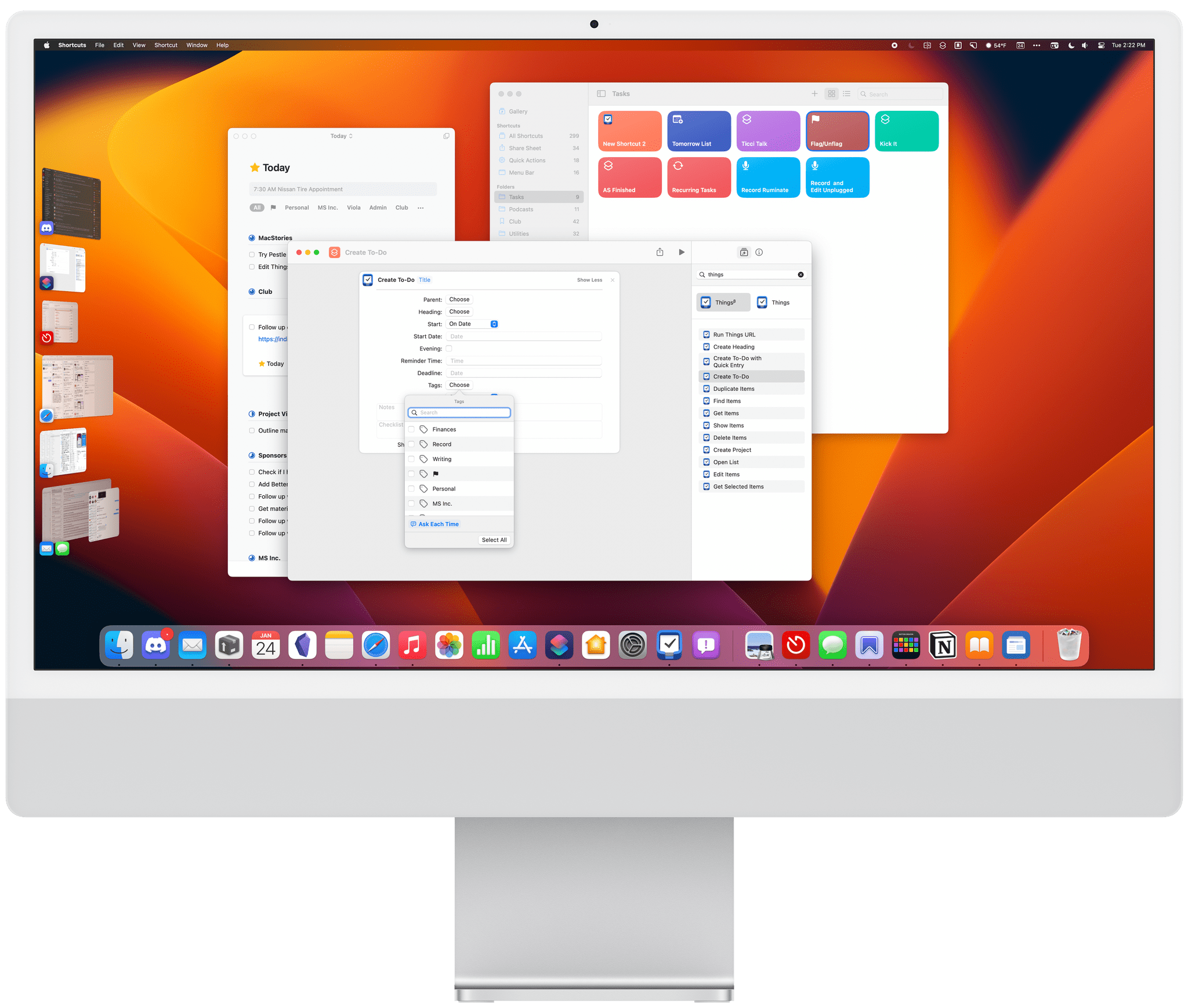
  More Fun with Things’ New Shortcuts Actions
 Yesterday, I reviewed the new Shortcuts actions introduced by Things 3.17. It’s a fantastic release that greatly expands the ways you can control the app with Shortcuts. I shared three shortcuts as part of the review, but I have a couple more to add today: Recurring Tasks Ticci Talk Recurring Tasks is my workaround...
Touchscreen Macs, AR/VR, Winter Photography, and ‘Reverse Rosetta’ Here are the highlights from the Club MacStories Discord this week:
Roman kicked off an excellent conversation about touchscreen Macs. Anticipation for an Apple AR/VR headset was stoked this week by Mark Gurman’s latest reporting for Bloomberg, with Zereta kicking the discussion off last weekend. FlohGro shared some beautiful winter photography the Club’s always-active...
App Debuts Linea Sketch The Iconfactory’s sketching app for the iPhone and iPad was updated this week with a beautiful new feature called Organic Ink. The new pen stroke creates a rougher, more organic look that is pressure- and tilt-sensitive. The update also expands import and export options allowing for multiple file imports at once, support...
Interesting Links FlohGro has shared some useful shortcuts to import highlights from Readwise Reader and share them with other apps in Markdown. I’m going to use these myself. (Link) The lighter, faster Mac Catalyst version of WhatsApp for Mac is now available for everyone to download. (Link) Mate Marschalko figured out a clever workaround to integrate...
DJ John and Federico the App Explorer [[unplugged_artwork]] This month, John takes Federico back to his pre-podcast days behind a microphone as a DJ at WXDU, and Federico shares a trio of apps he’s been testing recently. John DJs WXDU Apparently, WXDU’s studio has gotten a big upgrade since John was a DJ More on WXDU Duke’s East Campus...






This week on MacStories Unwind, John takes listeners to the coast of Ireland for The Banshees of Inisherin, and Federico adds some song and dance to everyone’s day with Matilda the Musical.
John’s Pick:
Federico’s Pick:
Things 3.17 is out for iPhone, iPad, and Mac with greatly expanded support for Shortcuts. That opens up a much wider variety of possible automations than ever before. It’s a lot to take in at once, but I’ve been playing with these actions since the end of last year, so I thought I’d highlight what each does and share a few shortcuts that I’ve built with them.
At the highest level, these are the kind of Shortcuts actions I like best. They work across all of Apple’s platforms and include parameters and predicate filtering, which allow users to build fine-tuned shortcuts that either weren’t possible before those features were added to Shortcuts or would have required users to jump through many more hoops to achieve.
When you start exploring Things’ Shortcuts actions keep in mind that they operate on more than just tasks. When you see ‘items’ referred to in the actions, that could any of the primary components of the app, including projects, headings, tasks, areas, or checklists. Not all actions support all item types, and each item has a unique set of properties that can be accessed depending on the action, so it’s worth experimenting to understand everything that can be accomplished.
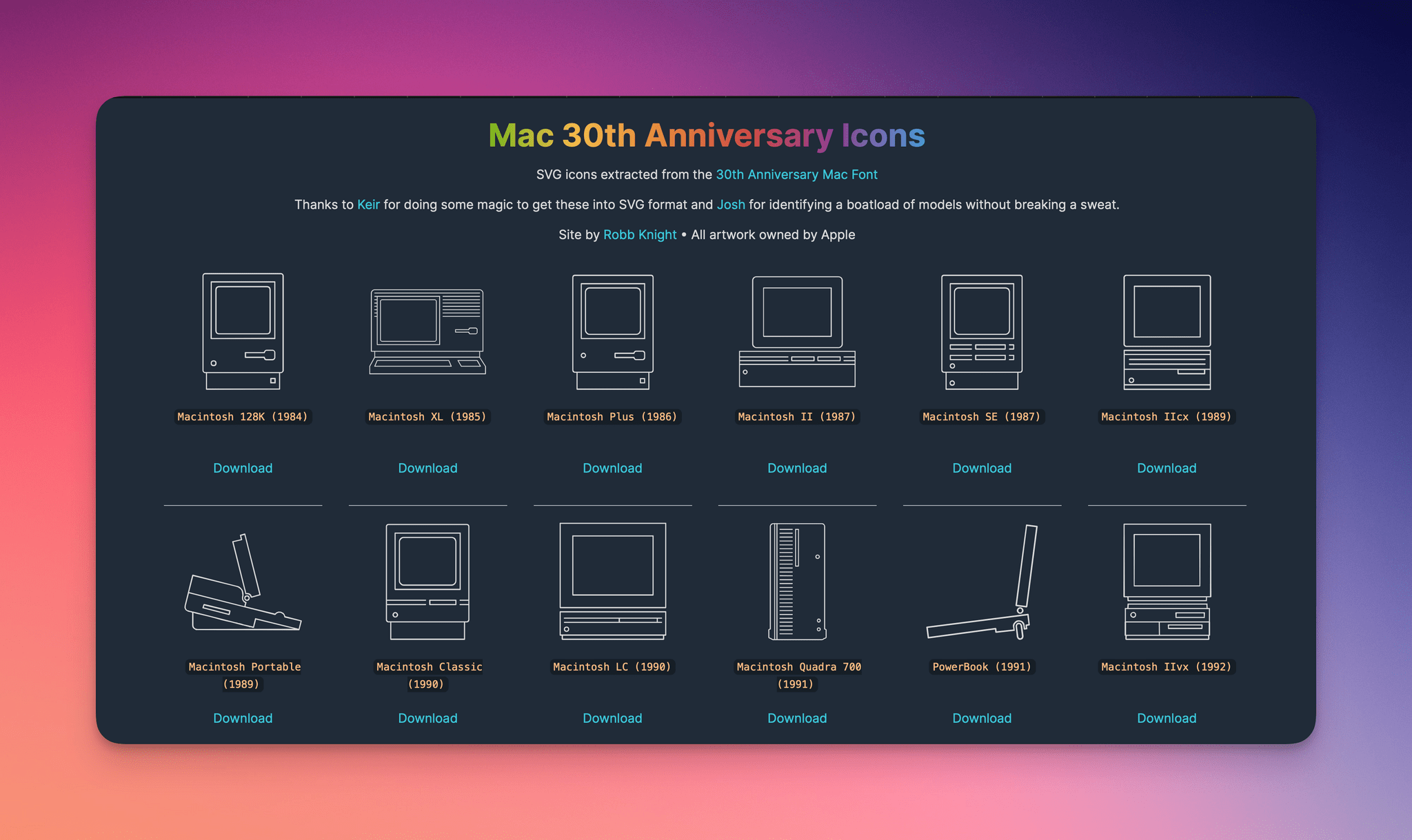
In 2014, for the 30th anniversary of the Mac, Apple celebrated with a mini site featuring the stories of the people behind the computer and its users. As part of that event, Apple created a special font of line-drawn versions of every Mac from its introduction on January 24, 1984 through 2014.
Robb Knight, my co-host on the Ruminate podcast, has had that font sitting on his Mac for years until yesterday when he released it as a series of downloadable SVG images with the help of friends Keir Ansell and Josh Calvetti.
I love this sort of project. The line drawings of these Macs look great and, as SVGs, are suitable for a wide range of projects. Robb has a long list of other interesting projects worth checking out on his website, including Alfred workflows, a Mastodon bookmarklet, a Mac utility to eliminate trackers from URLs, and a set of tools for Micro.blog to name a few.