Collecting My macOS Review Tools
...

 Collecting My macOS Review Tools
Interesting Links
App Debuts
Collecting My macOS Review Tools
Interesting Links
App Debuts As I explained in my macOS Tahoe review, one of the biggest disappointments was how few third-party Control Center controls I had access to at launch. That was surprising to me given how many developers support Control Center on the iPhone and iPad.
So, I spent a lot of time investigating the issue without reaching a satisfactory answer until yesterday. The short story is it’s a bug, and there’s a workaround until it can be fixed by Apple, but here’s the rest of the back-story that didn’t make it into my macOS Tahoe review and how to sidestep it.
 iOS, iPadOS, and macOS 26: The MacStories Reviews
 This week, Federico and John discuss their annual OS reviews. Federico digs into the details of iOS and iPadOS 26, while John considers what macOS 26 Tahoe means for users.
On AppStories+, John updates listeners on what he bought after last week’s Apple event and why.
We deliver AppStories+ to subscribers with bonus content, ad-free, and at a high bitrate early every week.
To learn more about an AppStories+ subscription, visit our Plans page, or read the AppStories+ FAQ.

I’m going to cut to the chase – I like macOS 26 Tahoe a lot. No, it’s not perfect, and yes, I wish Apple had done even more, but that’s the case every year.
What I love about Tahoe is its balance. It’s not the sort of thing you can draw up a set of specs or a table of pros and cons for. It just feels right.
The heart of why Tahoe works is that it meets users where they are better than the typical annual release. If you’ve been using macOS for years and prefer to follow a beaten path through its features, you can. You may stumble across a new feature now and then, and you’ll notice visual differences thanks to Liquid Glass, but I’ve been moving between macOS Sequoia and Tahoe all summer long, and when I’m not seeking out what’s new, everything simply feels familiar and comfortable. That’s a good thing for an OS that’s relied upon by millions of people to get their work done.
But you’re probably wondering how I can say that given the Liquid Glass design and online drama surrounding it over the summer. The thing is, whether you’re a Liquid Glass fan or foe, it’s just not as big of a deal on the Mac as it is elsewhere. I’ll explain what I like about Liquid Glass and what I don’t, but it hasn’t moved the needle at all when it comes to my daily work.
What has moved the needle are the new features available in Tahoe. They won’t get in the way of your existing workflows, but if you’re interested iprn exploring new and better ways of getting things done, there’s a lot to like about this update. That’s why I’m such a big fan of macOS 26: it’s a release that walks a careful line between the familiar and the new. There’s no adjustment period, but there are plenty of new features to explore that I think will make a big difference in the way MacStories readers use their Macs.
So join me for a tour off the beaten path to explore what you can expect to discover in macOS 26 Tahoe.
App Debuts
Previously, On MacStories
Interesting Links 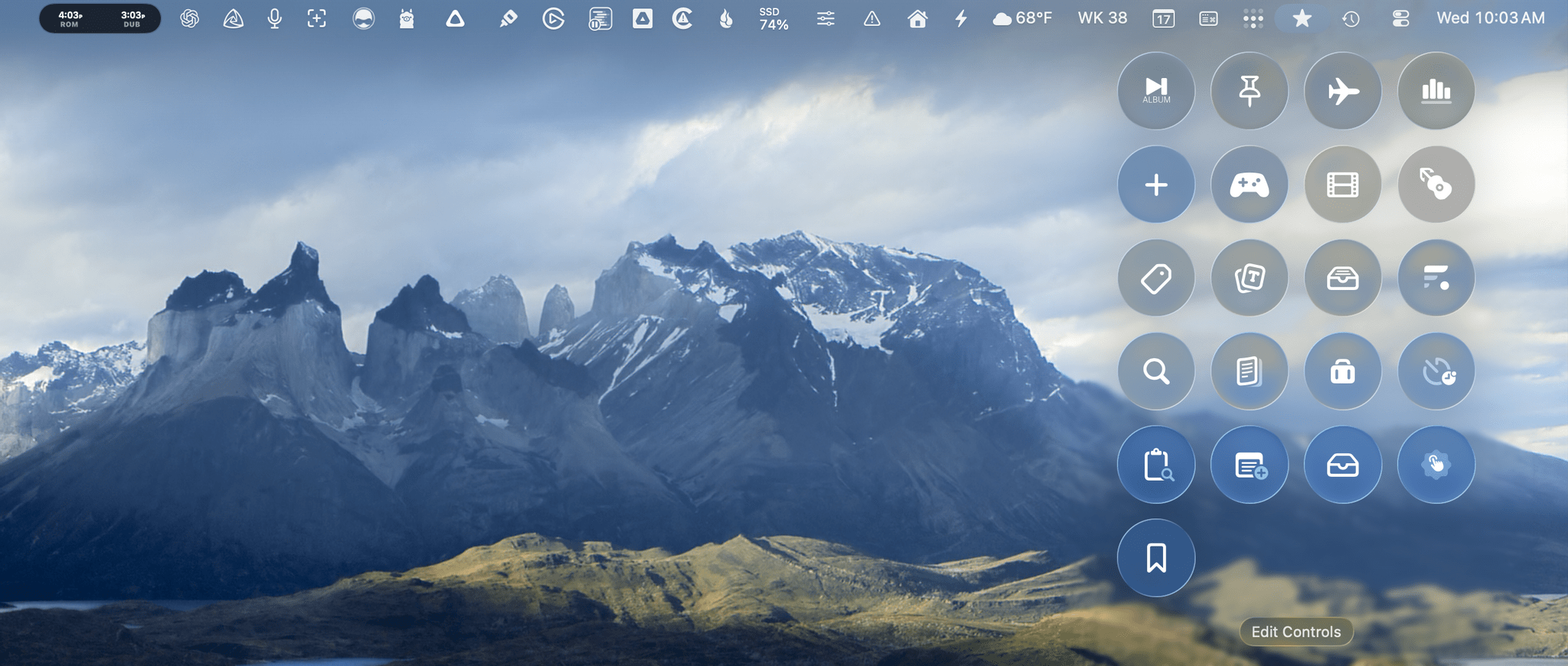
 Federico
](https://cdn.macstories.net/banneras-1629219199428.png)