CARROT Weather 5.6 is out today with a handful of excellent new features that pick up where previous updates have left off, with more ways to customize the app and make it your own.
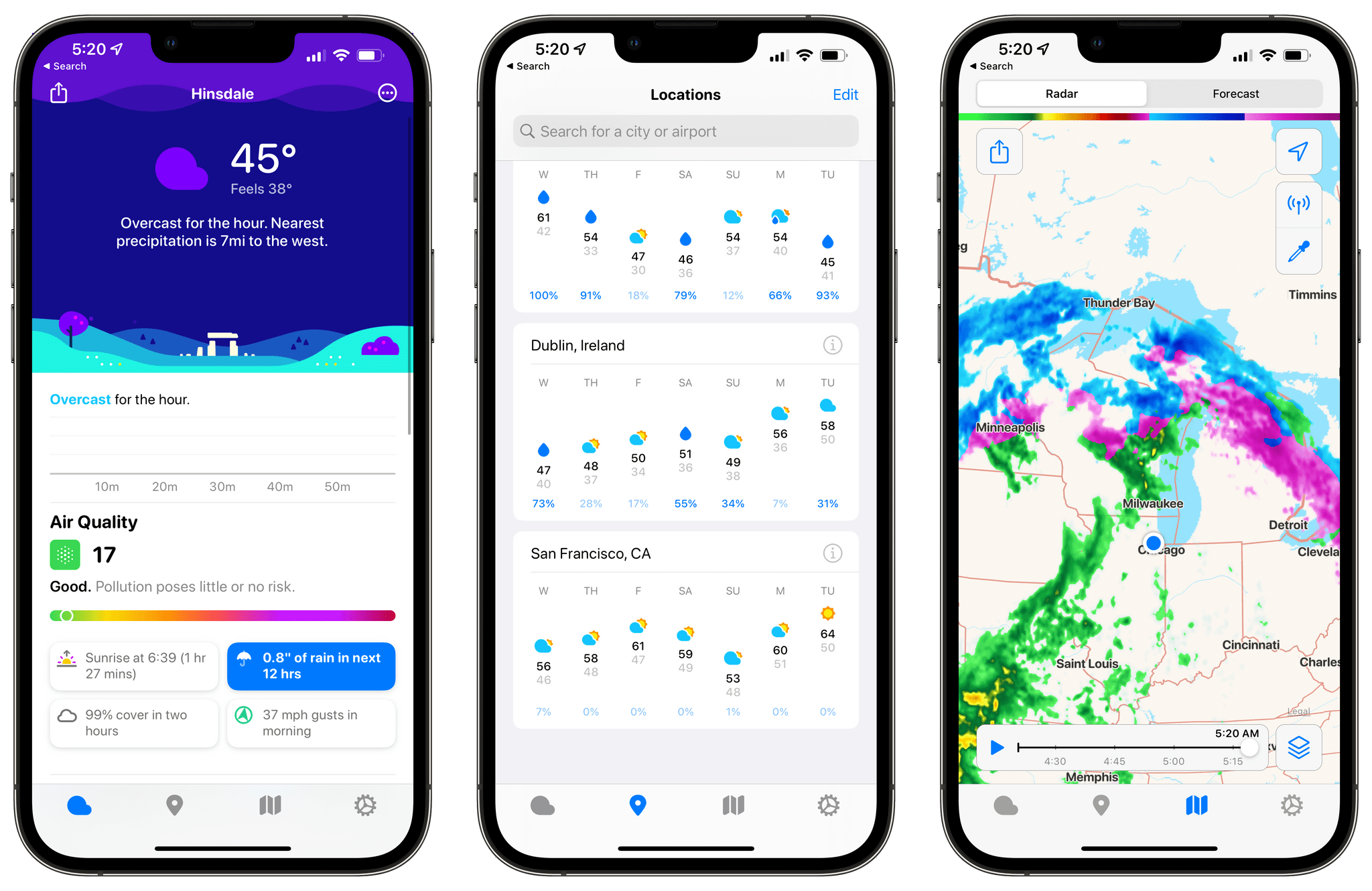
My favorite new feature is Locations Lists. From CARROT Weather’s Locations tab, you can search for the weather in any city you like. That works well for one-off checks of conditions somewhere else, and CARROT saves your most recent searches at the bottom of the Locations tab making it easy to rerun a search. Locations can also be saved as favorites.
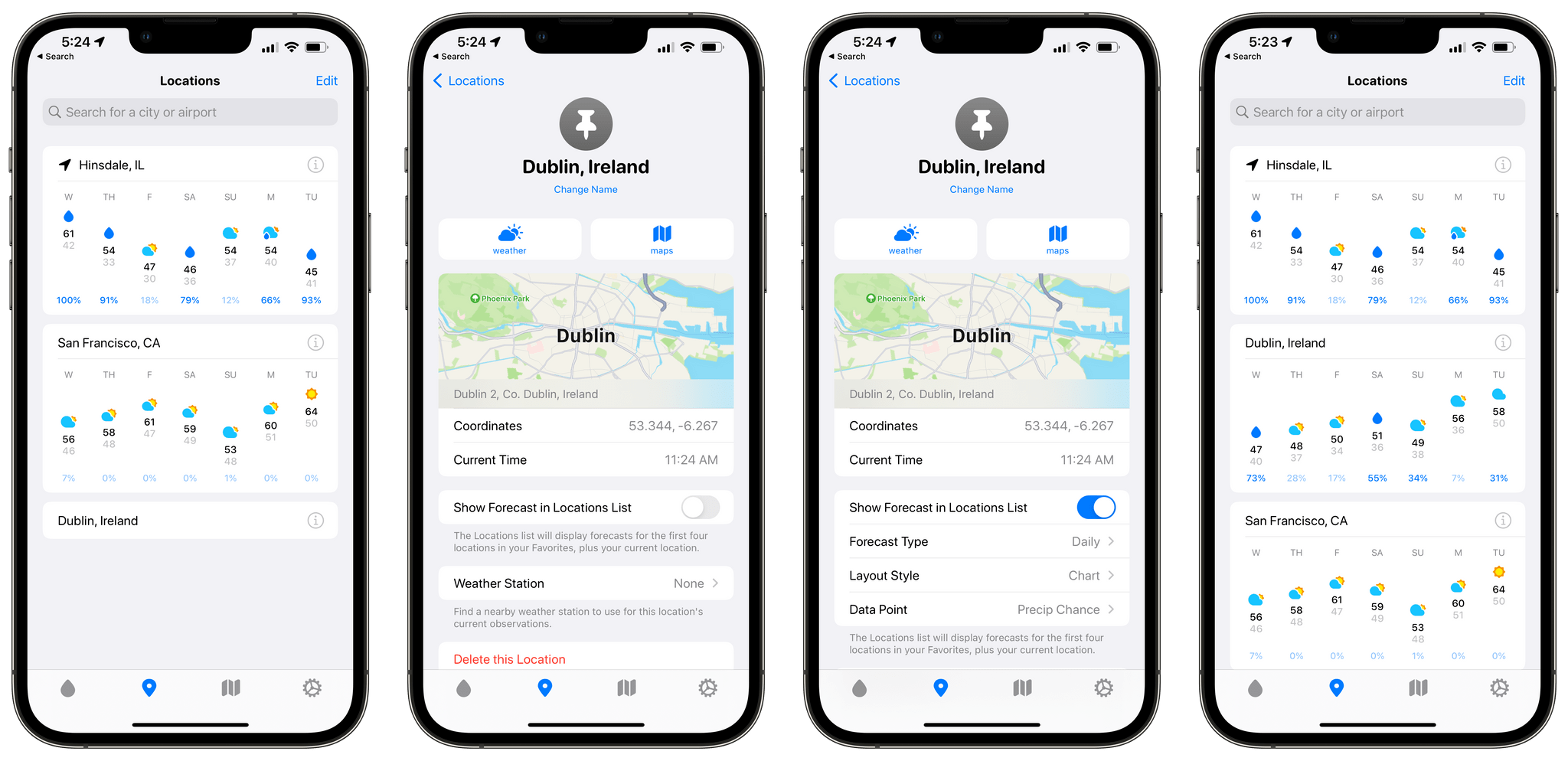
Location Lists extend CARROT Weather’s location-based functionality further by letting you go beyond a simple list of favorite locations. Tap the Info button next to a place you’ve marked as a favorite, and you can choose to ‘Show Forecast in Locations List.’ Doing so opens up additional options, including an hourly or daily forecast, a chart or stack layout, and a choice from among many data points to highlight alongside the forecast. Once a location has been set up the way you want, you’ll see a card-like UI for each city you’ve added with the data you’ve chosen. Whether you’re keeping tabs on a destination for an upcoming trip or just want to know if the weather is nice where a friend or family member lives, the new Locations List provides an excellent overview without requiring you to tap into the details of each city. In the future, I’d love to see Location List forecasts added to CARROT Weather’s set of Home Screen widgets.
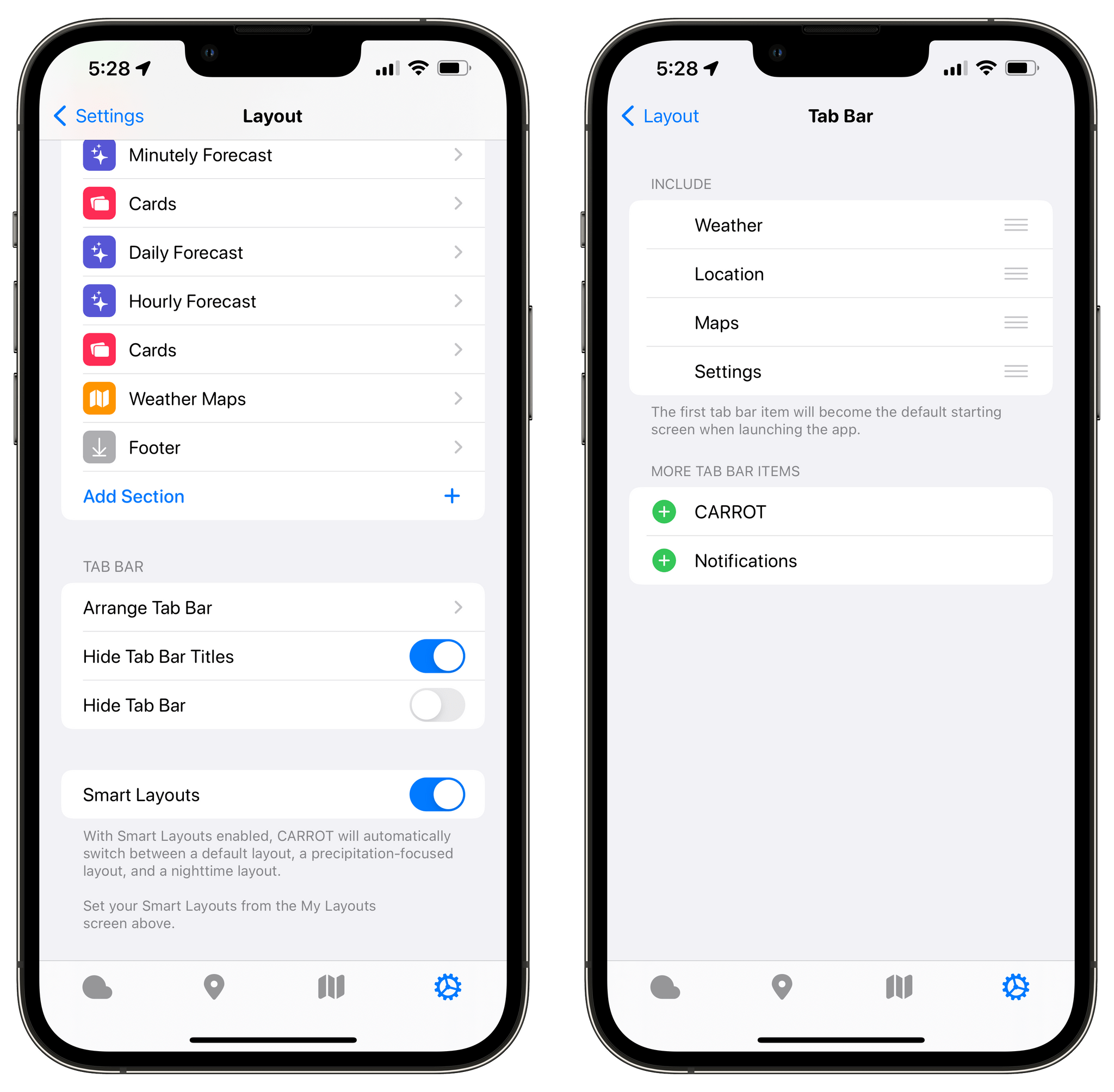
I used to hide CARROT Weather’s tab bar, but the new Locations List has given me a reason to keep it visible, making it easier to access my favorite locations and features like the app’s weather maps. The tab bar is now customizable, so you only need to display the tabs you use in the order you prefer. Just visit the Layout settings and choose Arrange Tab Bar to customize it.
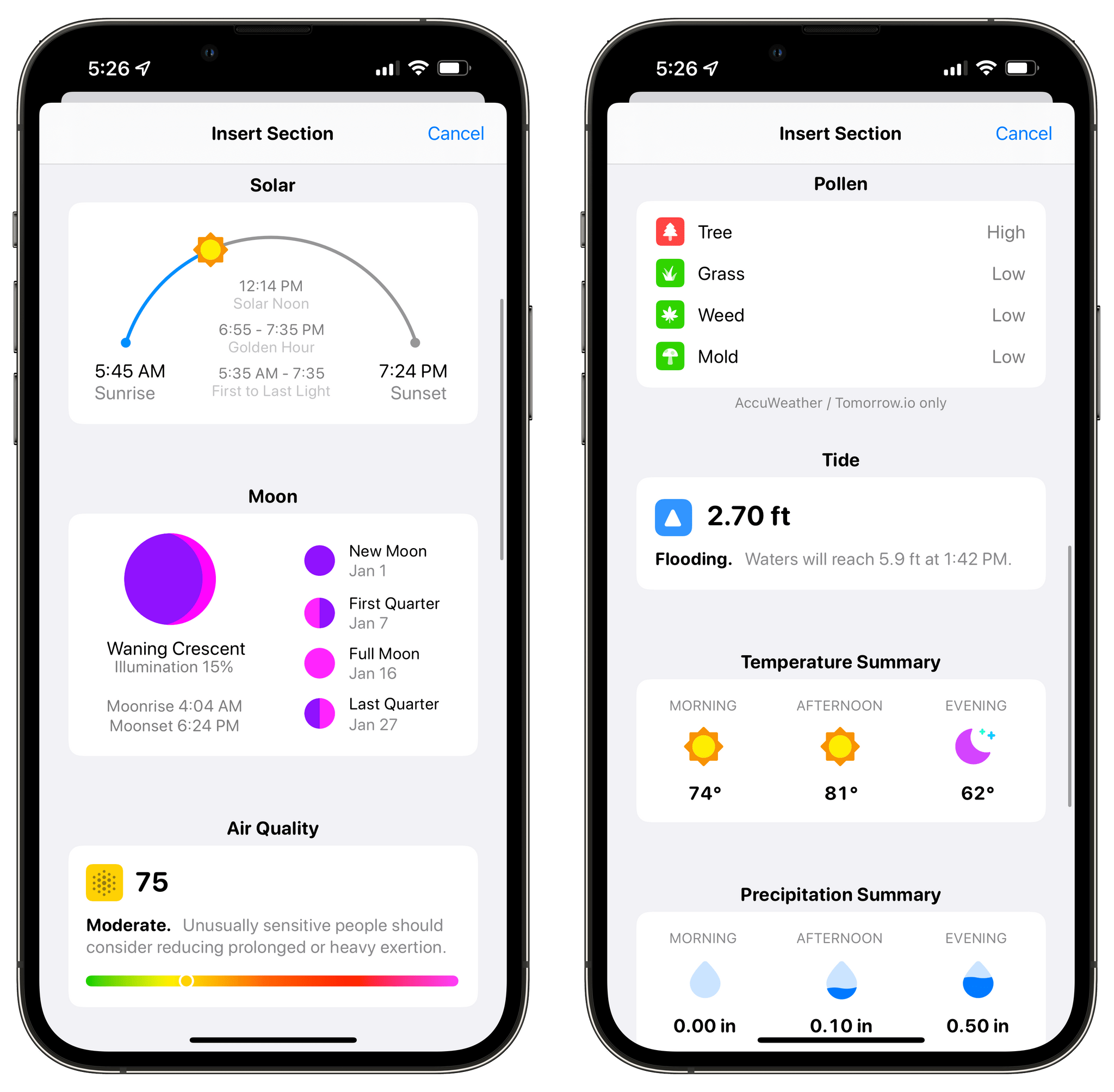
CARROT Weather’s Layout sections continue to expand with version 5.6 too. The latest update includes Solar, Moon, Air Quality, Pollen, and Tide sections. CARROT Weather already offered ways to surface the information in these new sections as data points. However, with the new Layout sections, you get more detailed and glanceable information than before.
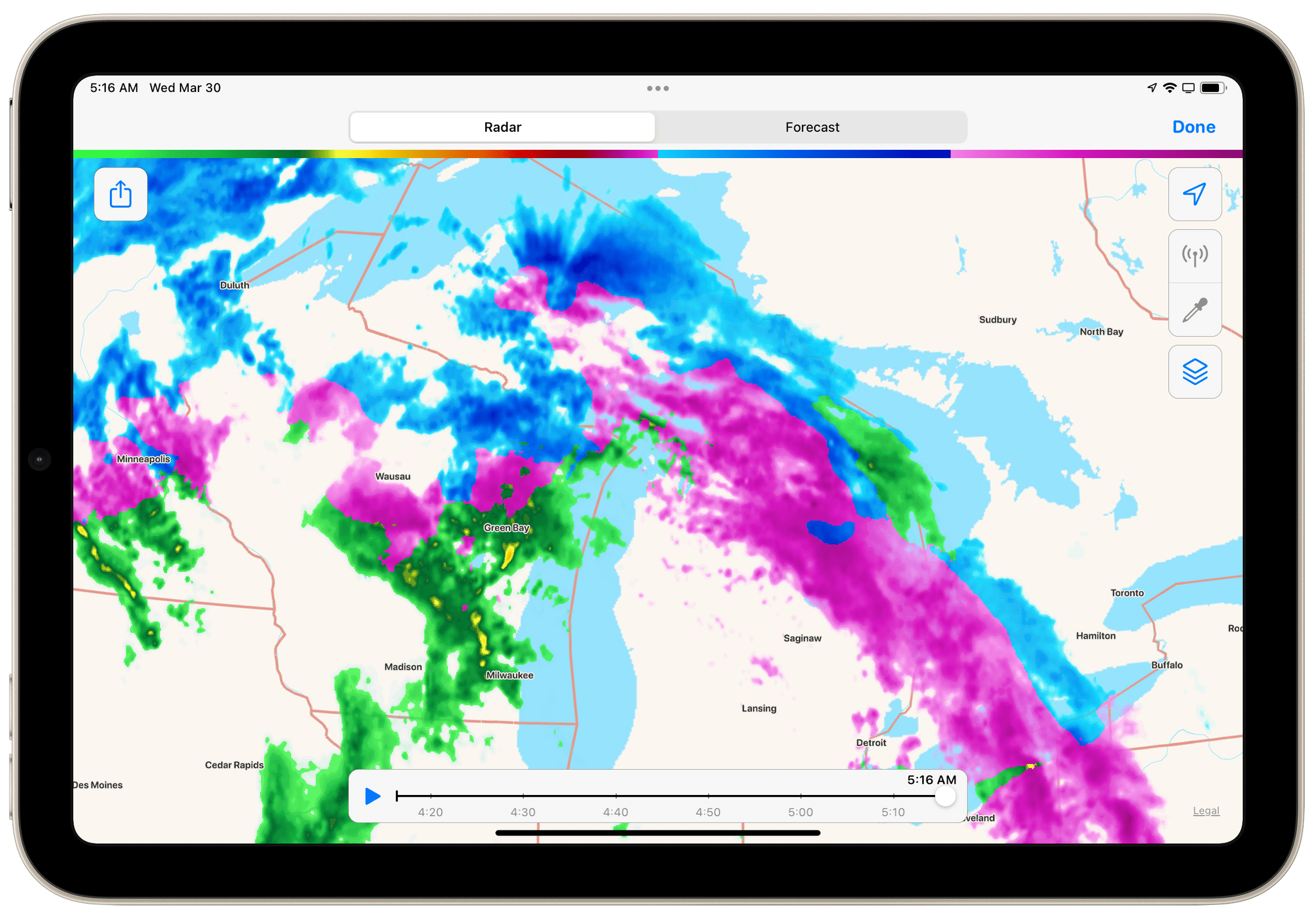
The maps and radar functionality have also been expanded. Maps now show when a wintery mix of precipitation is falling. Fortunately, we’re nearing the end of that kind of weather in the Chicago area, so I haven’t seen a wintery mix in CARROT’s weather map here. However, the good people of Wisconsin and Michigan are enjoying a bright pink wintery mix this morning, so you can see what that looks like in the screenshot above. The radar feature also reports hail and debris from tornados that are detected, which I’d prefer not to see any time soon, but I’m also glad it’s available.
With the latest update, I’ve added daily forecasts to my Locations List for the cities where my kids live. I’ve also added Pollen and Air Quality sections to my weather layout, which will be handy as the weather warms up and I head outside more. I’ve also simplified my tab bar to mirror how I use the app, which makes one-handed use easier.
It’s remarkable how much customization is now available in CARROT Weather. Version 5.0 was a big leap forward, but Brian Mueller has continued to refine the app and add new and interesting options that have taken the app’s personalization to a new level that I love.
CARROT Weather is available as a free update on the App Store. The app offers multiple subscription tiers, with different features at each level, which you can read more about in the app’s Settings.




 Federico