John Voorhees

5429 posts on MacStories since November 2015

John is MacStories' Managing Editor, has been writing about Apple and apps since joining the team in 2015, and today, runs the site alongside Federico. John also co-hosts four MacStories podcasts: AppStories, which covers the world of apps, MacStories Unwind, which explores the fun differences between American and Italian culture and recommends media to listeners, Ruminate, a show about the weird web and unusual snacks, and NPC: Next Portable Console, a show about the games we take with us.

Pixelmator Pro Updated with Background Removal, Subject Selection, and Select and Mask Tools

Mac image editor Pixelmator Pro continues its streak of releasing machine learning-based tools that feel like magic, with a release that the Pixelmator team calls Abracadabra appropriately enough. The release of version 2.3 features tools to remove the background of an image, select just the subject of a photo, and a new Select and Mask feature for making fine-tuned selections.

I started with these images.

I started with these images.

When I first saw a demo of what Pixelmator 2.3 could do, I was a little skeptical that the features would work as well with my photos as the ones picked to show off the new tools. However, Pixelmator Pro’s new suite of related features is the real deal. With virtually no work on my part, I grabbed a photo of Federico and me from my trip to Rome, selected us, and after making a few refinements to the selection to pick up more of Federico’s hair (mine was perfect), I cut out the background, and replaced it with a photo I took in Dublin days before. After compositing the photos on separate layers, I color-matched the layers using ML Match Colors, so they’d fit together better.

The final composed image.

The final composed image.

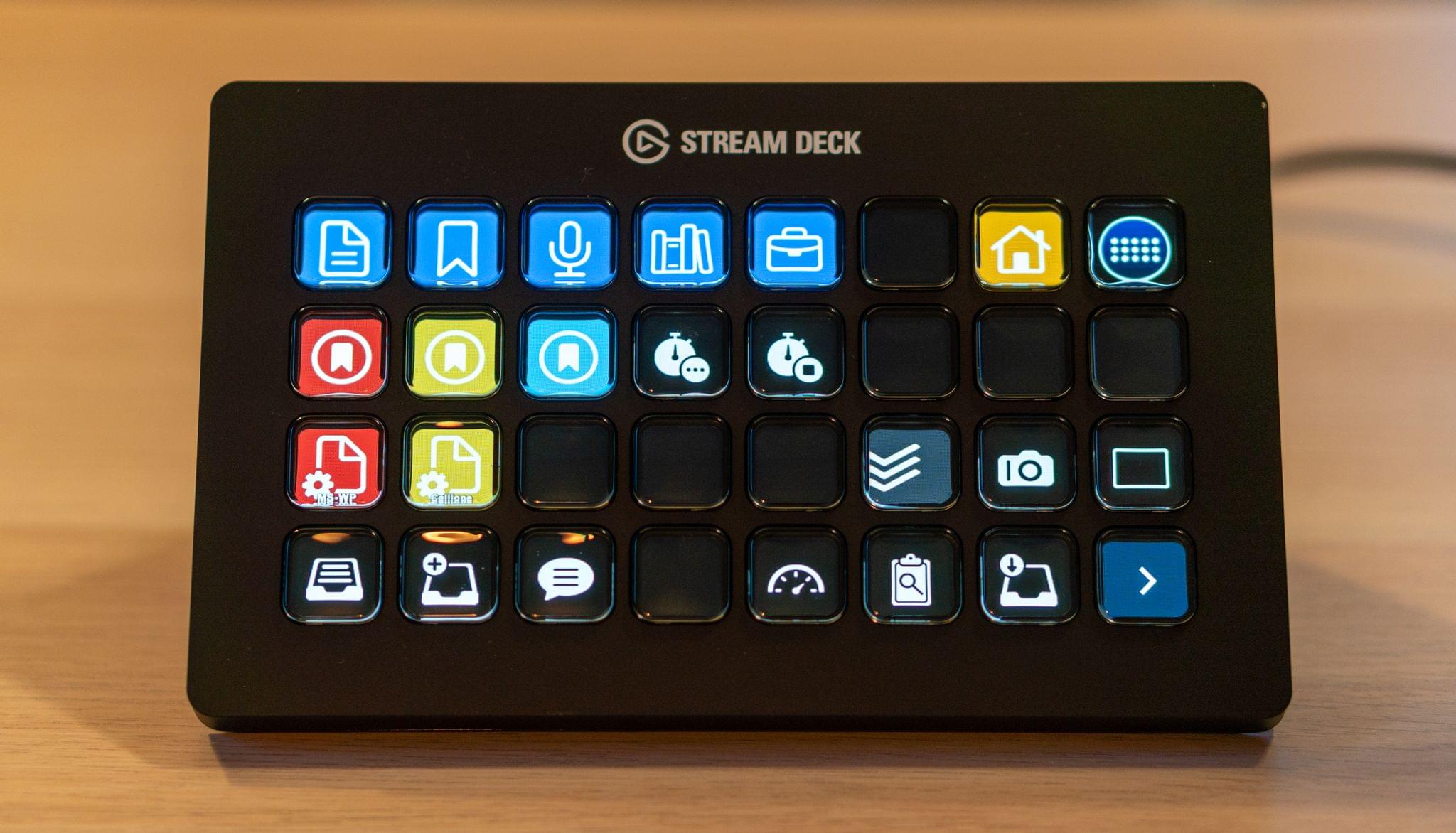
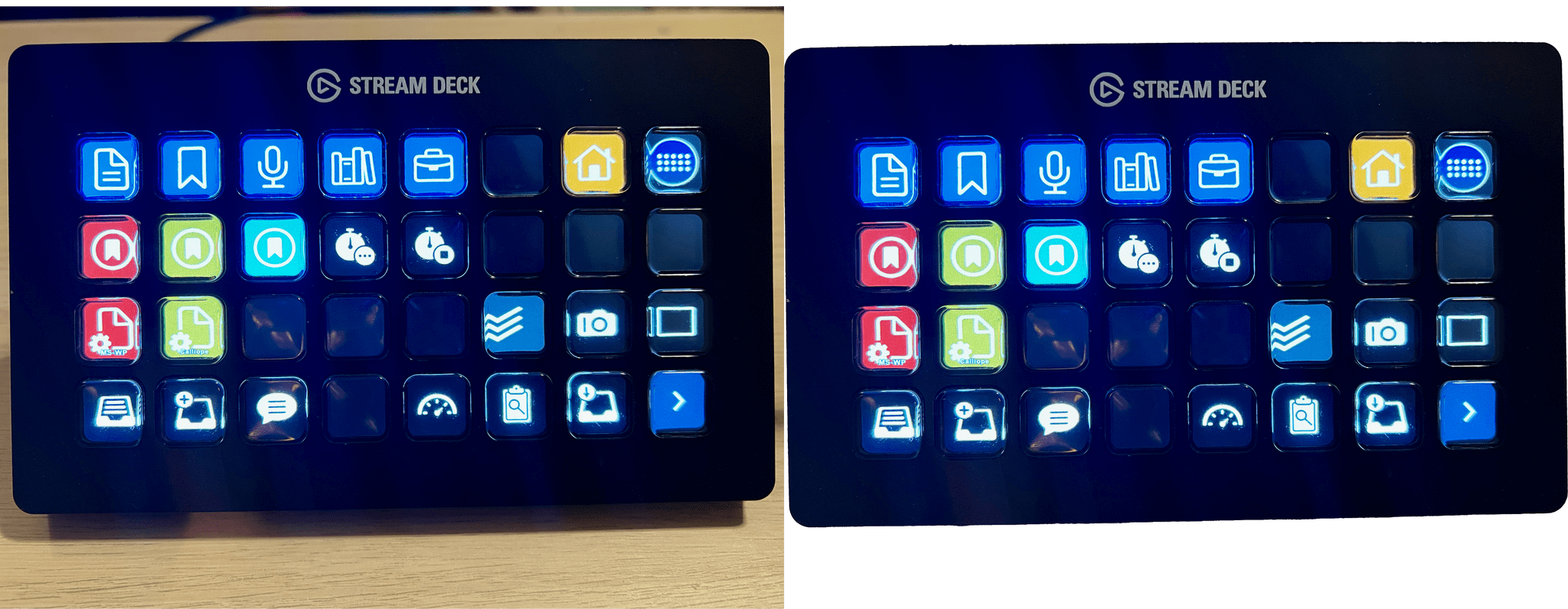
The results aren’t perfect – the lighting and perspective are a little off – but those are issues with the photos I chose, not the tools I used. The photo of Federico and me was taken after the sun had set and was artificially lit, while the Dublin Canal was shot on a sunny morning, yet the composite image works incredibly well. What’s remarkable is what I was able to accomplish in just a few minutes. I also removed the background from one of the photos I took recently for my Stream Deck story, which worked perfectly with no additional work needed, which has interesting implications for product photography.
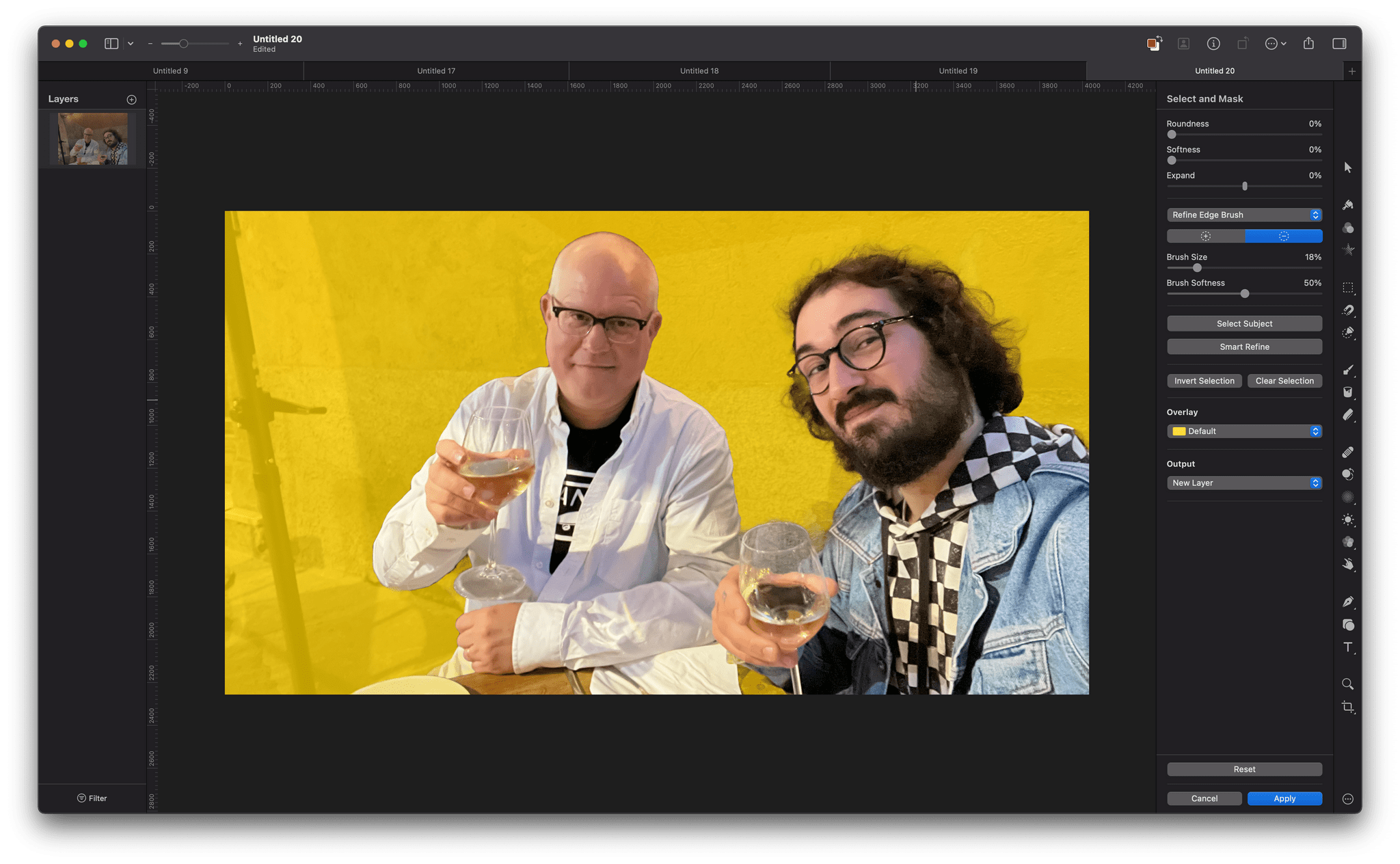
Remove Background takes advantage of Apple’s Core ML framework and works in just a few seconds. Select Subject works similarly but selects the subject of an image instead of erasing the background behind the subject. If you look closely at the masked selection below, you can see how well Pixelmator Pro did picking up the edges to get selection details like hair without any additional work by me. However, if an image needs a little selection touch-up, the Refine Edge Brush and Smart Refine feature make that sort of work easy too.
Pixelmator Pro’s new tools are available elsewhere in macOS, too, as Finder Quick Actions, Shortcuts actions, and AppleScript commands. I covered Pixelmator Pro’s Shortcuts actions earlier this fall, and they are some of the best available among Mac-only apps, so it’s fantastic to see those automation options continue to expand.

Pixelmator Pro has long been one of my must-have Mac apps. I don’t spend a lot of time editing images, but when I do, I appreciate that Pixelmator Pro makes the process easy and produces excellent results regardless of your experience with image editors.


David Smith Tests the Apple Watch Series 7’s Battery Life in the Scottish Highlands

David Smith recently spent three days hiking in the Scottish Highlands. He took his Apple Watch Series 7 along to see how its battery life fared on long hikes.

Smith, who recently wrote about the battery sipping Coros Apex Pro, a dedicated ‘adventure watch,’ put the Series 7 in Theater and Airplane modes to conserve battery life and hit the trail. The Apple Watch performed better than expected:

The result was surprisingly solid. For a day where I tracked a 16mi hike over the course of 5½ hours, the watch only used around 27% of its battery. This was using the built-in workout app with route recording active. So it uses around 1.7%/mile. On my second day I put it in ‘Power Saving Workout’ mode, which doesn’t record heart rate data as quickly. This used 23% for a 14mi hike, or around 1.6%/mi…which was actually less of a difference that I’d have guessed. So I just left it in regular workout mode from then on.

For comparison the Coros watch I was wearing on my other wrist did the entire 3 days/45miles of the trip using only 20% of its battery (around 0.4%/mile) so still dramatically better.

As Smith concludes, Apple’s investment in improving the brightness of the Series 7’s always-on display has had the nice side effect of making multiple-hour workouts possible without immediately needing to recharge the watch. Also, even if you don’t have an all-day hike planned, Theater and Airplane modes are good to keep in mind when you want to extend the battery life of your Apple Watch.

Permalink

Shortcuts for Mac Deep Dive

AppStories+ Deeper into the world of apps

AppStories Episode 250 - Shortcuts for Mac Deep Dive

0:00
48:09

AppStories+ Deeper into the world of apps

This week, Federico and John explain how Shortcuts for Mac differs from other automation tools, cover some of the roadblocks they’ve hit, and discuss how they’re adapting existing shortcuts to the Mac and building all-new ones.

Read more


MacStories Unwind: Shortcuts and the Stream Deck, a Tweetbot Update, Lots of Music Recommendations, and a Tech Documentary

AppStories+ Deeper into the world of apps
0:00
36:56

AppStories+ Deeper into the world of apps


This week on MacStories Unwind:

MacStories

Club MacStories

  • MacStories Weekly
    • A tip for simplifying Shortcuts and Alfred integration
    • Federico’s Obsidian shortcuts for appending text and webpage links to a section of his Dashboard note
    • Details on how John is using the Stream Deck,
    • An interview with BetterTouchTool developer Andreas Hegenberg

AppStories

Unwind


AppStories, Episode 249 – More iPhone, iPad, and Mac Tips

This week on AppStories, we dive back into our favorite iOS and iPadOS 15 and macOS Monterey tips.


On AppStories+, John is back home, which means we’re resuming our normal routines, John covers the gear relied on while traveling to Rome, and Federico shares his first impressions of the M1 MacBook Pro and Shortcuts for Mac.

We deliver AppStories+ to subscribers with bonus content, ad-free, and at a high bitrate early every week.

To learn more about the benefits included with an AppStories+ subscription, visit our Plans page, or read the AppStories+ FAQ.

Permalink