

Canvas Canvas, which was shown off by Apple at its October event, uses the LiDAR scanner in the iPhone 12 Pro and Pro Max to create 3D scans of any room. I’ve been impressed with the accuracy of the scans. The app guides you as you scan a room making sure you don’t miss...
 John’s Holiday Gift Guide
Throughout the year, I try lots of tech gear. A lot of that is for reviews that wind up on MacStories, but just as often, something catches my eye that I think could improve my work setup. Other times, it’s just something fun that I decide I can’t live without. This year has been no...
Now Through Monday, Get the MacStories Shortcuts Icons and Perspective Icons for 40% Off
The MacStories Shortcuts Icons and Perspective Icons, which have proven to be a big hit with MacStories readers since they were launched, are available for 40% off now through Monday, November 30th. The MacStories Shortcuts icons feature 400 glyphs in four color combinations for a total of 1600 icons designed specifically for Shortcuts users....
Dictation on the Mac
Dictation on the Mac isn’t new, but the dedicated button on the M1-based MacBook Airs is. The new Airs add Spotlight Search to F4, Dictation to F5, and Do Not Disturb to F6. It’s a small change, but one that makes all three features easier to access. I’ve never used dictation much on my Mac,...
macOS Big Sur: Widget Roundup
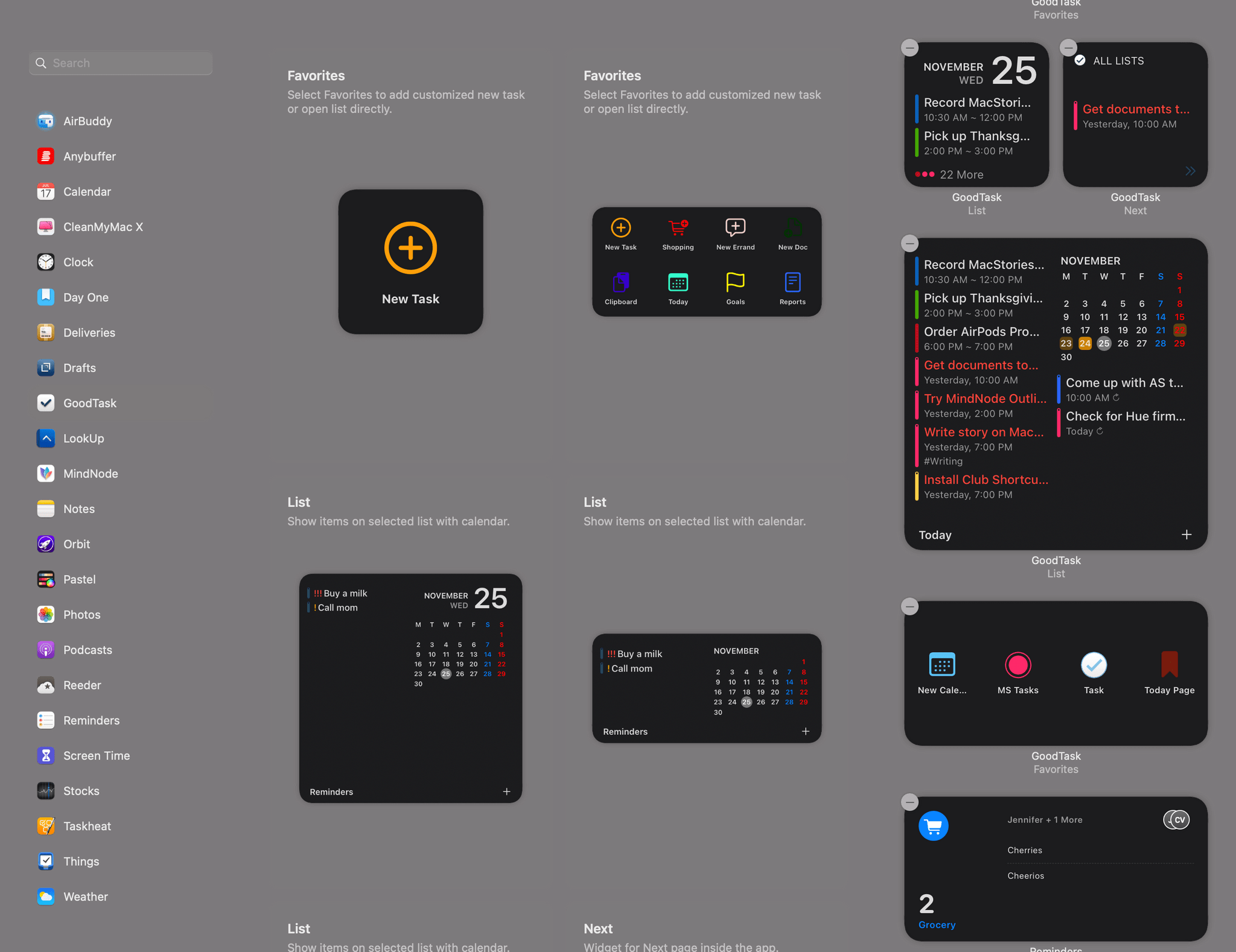
Developer adoption of new macOS features is often a little slower than it is on iOS and iPadOS. However, that hasn’t been the case with Big Sur widgets. Apple wisely took the same SwiftUI-based system used for creating widgets on the iPhone and iPad and implemented it on the Mac, providing a relatively simple approach for developers to bring their existing widgets to the Mac. The result has been an immediate explosion of widget options for Mac users.
Over the course of the summer and fall, I tried several different widgets as I ran the Big Sur betas. A few of those widgets — which have been in development the longest and were highlighted in my Big Sur review — remain some of my favorites and are recapped below. However, many more terrific widgets have been released since and deserve consideration as well, so let’s dig in.
AppStories, Episode 195 – App Store Changes and Apple’s Evolving Relationship with Developers→
 App Store Changes and Apple’s Evolving Relationship with Developers
 Federico
AppStories Episode 195 - App Store Changes and Apple’s Evolving Relationship with Developers
0:00
39:51
39:51
This week Federico and John break down the App Store Small Business Program, other App Store and developer changes announced in 2020, and consider what else Apple could do to make the App Store a better place for developers.
MacStories Unwind: The App Store Small Business Program, M1 Macs, Music Awards, Photography, and Home Screen Shortcuts






Sponsored by Downie – Easily Download Videos From YouTube and Thousands of Different Sites
This week on MacStories Unwind:
MacStories
- This Holiday Season, Give the Gift of Club MacStories
- Apple Reduces App Store Commissions to 15% for Small Businesses Starting Next Year
- Apple M1 Mac Review Roundup: Big Performance and Battery Gains
- Apple Launches an Embeddable Web Players for Podcasts
- Winners of the Second Annual Apple Music Awards Announced
- GitHub Reinstates youtube-dl, Commits to New Policies for Protecting Developers
- Sebastiaan de With Reviews the iPhone 12 Pro Max Camera
- Custom Shortcut Icons No Longer Open the Shortcuts App First in iOS 14.3 Beta 2
- iOS 14.2, JIT, and Emulation at Full Performance
Club MacStories
- MacStories Weekly
- Crossy Road
- Today ReScheduler shortcut updated to take advantage of ‘native’ edit reminder action
- Big Sur widget tips (John)
- What the M1 means to the native vs. web app debate
AppStories
Unwind
- Federico’s Picks:
- John’s Pick:
Native Mac Apps Will Be Fine
Earlier this week, I was listening to John Gruber and Ben Thompson’s excellent podcast Dithering when Thompson made an interesting point about Mac software that I hadn’t considered. During the November 13th episode, “The Mac’s Differentiation,” Thompson argued that the M1 Mac has leveled the playing field between native Mac apps and web apps, setting...