YouTube is being updated to support 4K streaming on the Apple TV 4K for the first time, although it’s limited to 30fps and doesn’t support HDR. The speculation is that higher frame rate, HDR content could be forthcoming in an update to the Apple TV hardware.
First spotted by 9to5Mac over the weekend, The Verge confirmed on Monday with Google that 4K streams are indeed rolling out to Apple TV 4K users, although they are not yet live for everyone. While at least some 4K content is also available on select iPhone models already, including my iPhone 11 Pro Max, The Verge notes that it’s not yet available on all iPhones and iPads with compatible resolutions. When asked about iPhone and iPad 4K compatibility, Google told The Verge that YouTube would support 4K content on the iPhone and iPad soon.
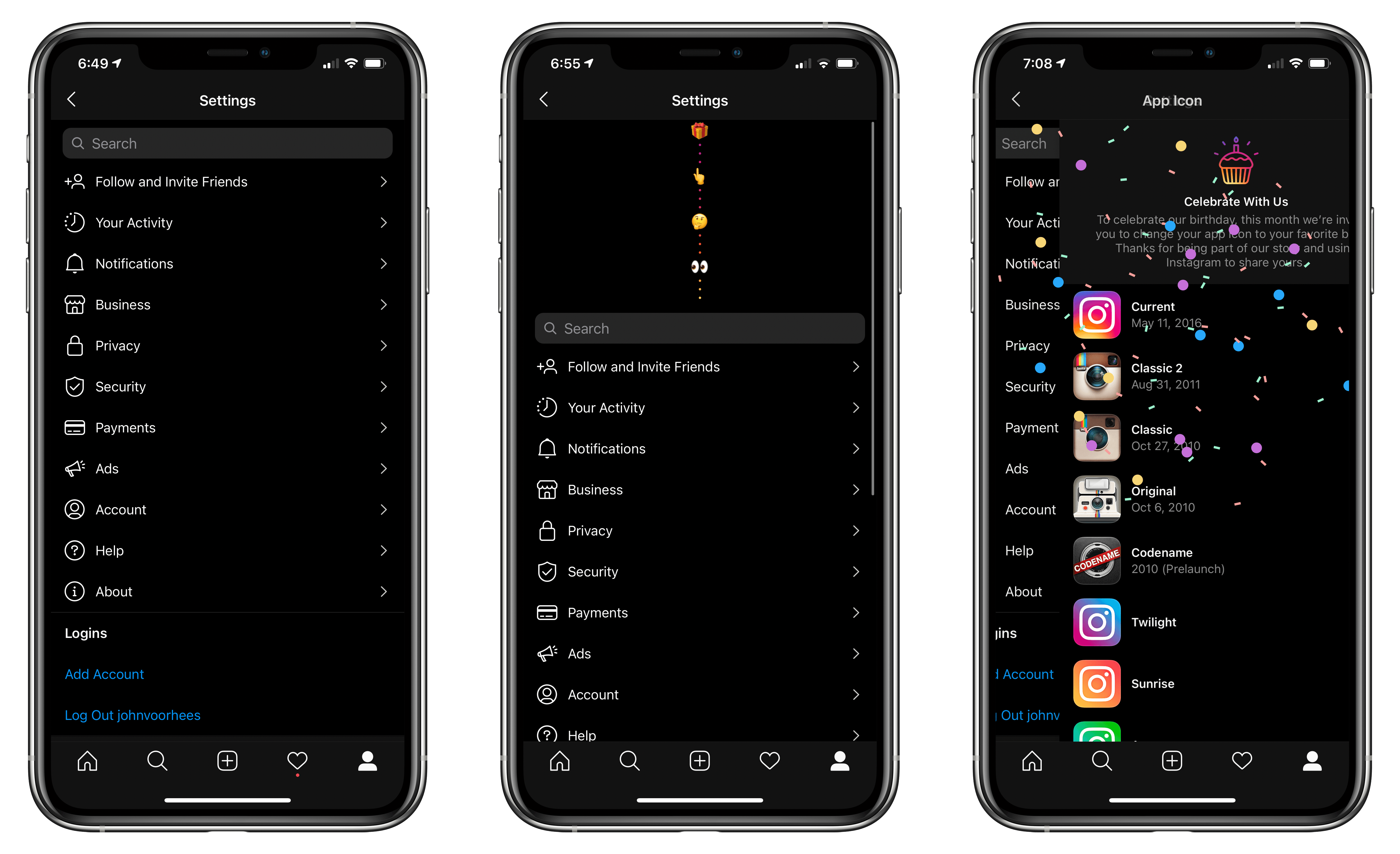
As of today, Instagram has been on the App Store for ten years. To celebrate, the app has brought back classic icons from its past as well as variations on its current icon as an in-app Easter egg.
As The Verge reports, the icons can be accessed by going to Instagram’s settings view and then long-swiping down on your iPhone’s screen until a series of emoji appear. Keep swiping until confetti rains down, and the icons are revealed. Like me, you may also have to restart your iPhone for your Home Screen changes to take effect. In total, there are a dozen icons to choose from, excluding the default option.
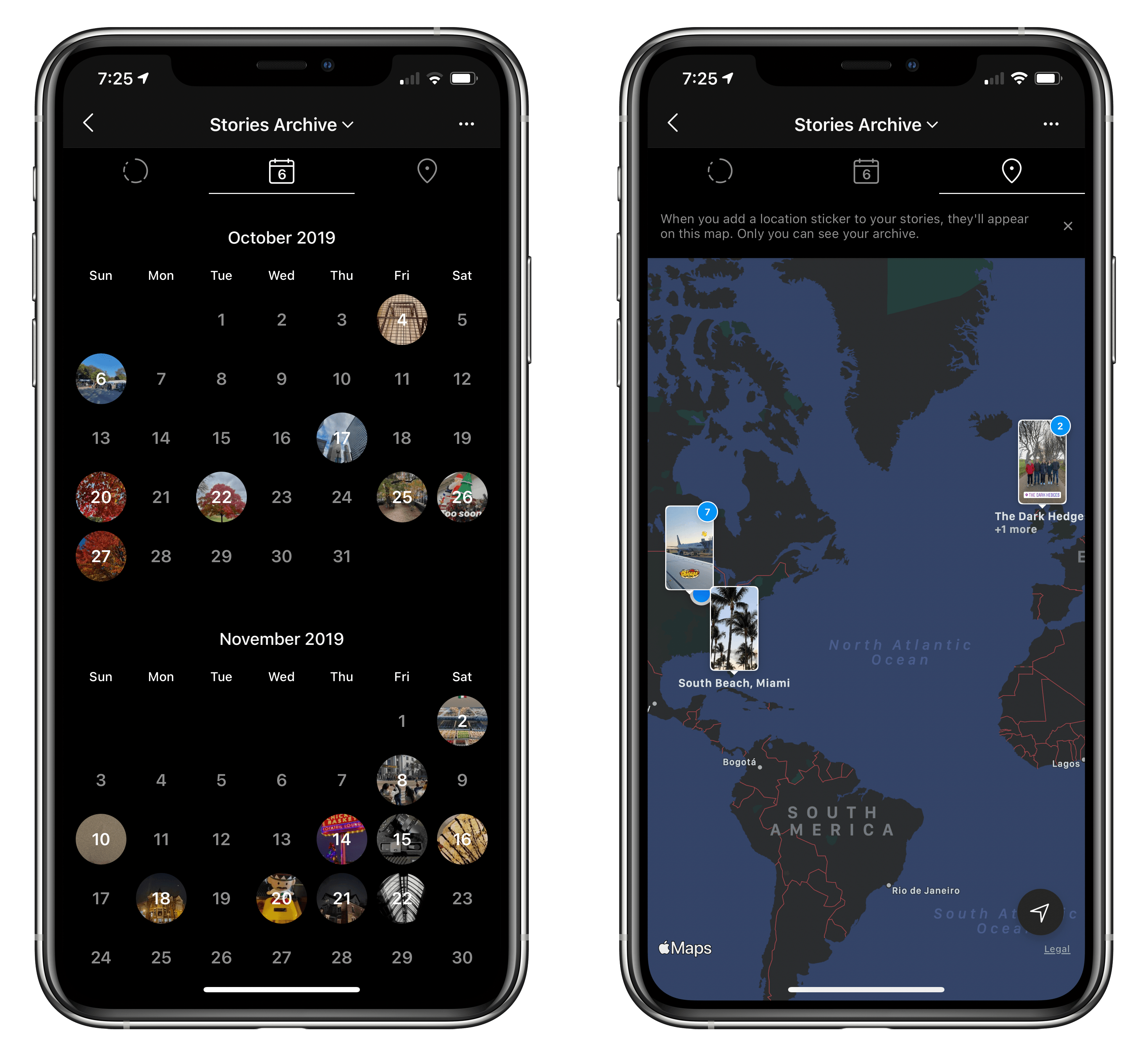
According to TechCrunch, Instagram has released a couple of other features too. From your profile page, you can access three years of archived Stories from a private calendar or map view. For National Bullying Prevention Month in the US, Instagram is also testing a feature that automatically hides comments similar to others that have already been reported by users as abusive. Warnings to people who post offensive comments are also being expanded to alert repeat offenders that their comments may be hidden from view or their accounts deleted.
This week, Federico and John tour music widgets, one of their favorite categories, exploring the many widgets they’re using to listen to music and follow their favorite artists.
Read more
Sponsored by: YOUMAKER – Maximum Protection, Minimum Bulk
This week on MacStories Unwind:
- Monthly Log
- Federico on how he uses Sour’s Magic Mixes
- John’s first impressions of the Nike edition Series 6 Apple Watch
- Ryan switches to Todoist
- MacStories Weekly
- 10 more Giveaways
- Tempo: Workout Log for Runners
- A collection of apps with widgets
- An interview with Tanmay Sonawane, developer of Poor
- Mail and Twitter tips
- AppStories
Unwind
- Federico’s Pick:
- John’s Pick:
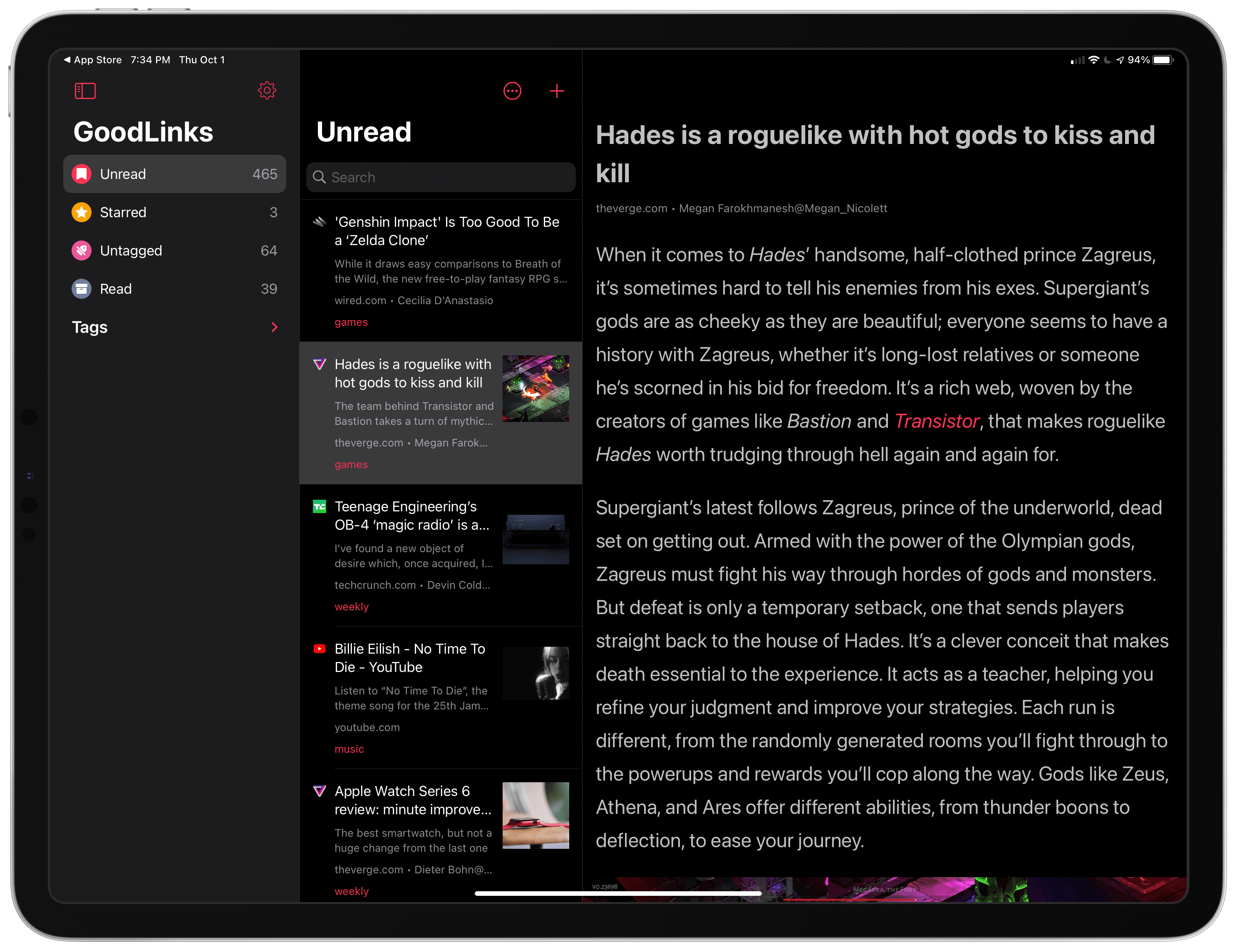
GoodLinks has only been out since June, but it quickly became my go-to read it later app that I dip in and out of every day. That position has only been reinforced with its frequent updates in the months following release, including its most recent update which adds a new three-column iPad layout, widgets, and new keyboard shortcuts.
The new iPad sidebar design is particularly well-suited to GoodLinks. The first column, which can be hidden, allows users to navigate between Unread, Starred, Untagged, Read, and Tags. The Tags section is collapsible, which declutters the sidebar when you don’t need to view a specific tag.
The second column is the article list that displays the favicon for each post, its title, a short excerpt, image, site and author information, and associated tags. The top of the second column features a button to sort from oldest to newest and vice versa, and one to add new links.
Read more
Question: I can’t figure out how to set Philips Hue app scenes at home using Siri. I can do this within the Hue app, but I want to use “Hey Siri” to set those scenes too. By scene, I mean Hue app scenes like Bright, Read, and Tokyo. I also want to bundle Hue scenes...
You wouldn’t know it from the screenshot above that I’ve been running a lot more this summer, but I have. Life has gotten in the way in recent weeks, but running has become a terrific way during the pandemic to get outside and get beyond the immediate environs of my neighborhood. I’ve also always found...
I’ve got two tips today. The first relates to Smart Mailboxes on the Mac and my frustration that they aren’t available on the iPhone or iPad. Smart Mailboxes work like Smart Playlists in Music. They are saved searches for messages that meet certain criteria. One way to use Smart Mailboxes is as a way...
Mastermine I’ve been going through a classic game phase lately, which is undoubtedly why Mastermine caught my eye. The game is a variant of the classic Minesweeper game. The twist with this modern take on the game is that it’s played in three dimensions on the surface of a cube. There are multiple difficulty...





 Federico