Federico
AppStories Episode 182 - Exploring Apple’s 2020 Gaming Updates
0:00
45:35
45:35
This week Federico and John explore Apple’s 2020 gaming updates, including deeper controller support and a refreshed Game Center, which are coming this fall.


 Exploring Apple’s 2020 Gaming Updates
  A Sweat Solution: Powerbeats Pro for Runners
 Since the spring when the pandemic began, and I’ve been stuck at home, I started running more. However, now it’s August, and here in the Midwest the weather is hot and humid – not ‘down-South humid,’ but pretty oppressive most days. Running is something I’ve done since high school. I know a lot of...






Sponsored by: Tinderbox 8 – Visualize, Analyze, and Share Your Ideas
This week on MacStories Unwind:
I’m perpetually confounded by Apple’s approach to gaming. For every encouraging development like Apple Arcade last year and the controller and Game Center announcements at WWDC this year, there’s a story like the blocking of Microsoft’s xCloud service from the App Store and the ongoing legal dispute with Epic. As uneven as Apple’s recent and long-term history with gaming has been, though, it’s clear that the company understands that games are a lucrative part of the App Store as it continues to introduce new gaming enhancements to its OSes. This year’s updates center on deeper game controller support and a refreshed Game Center experience.
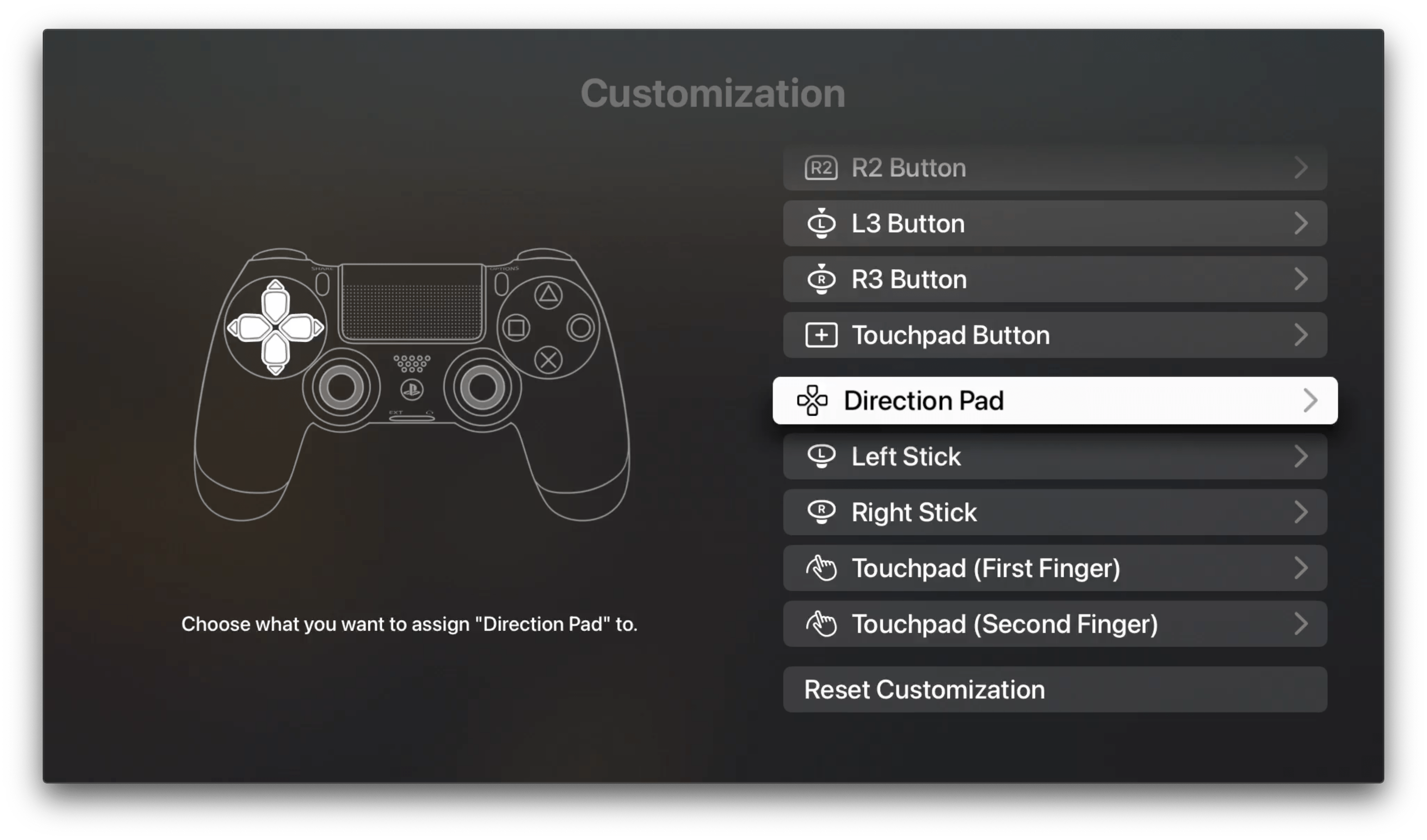
Last year saw the surprise introduction of support for Microsoft’s Bluetooth-enabled Xbox controllers and the Sony DualShock 4 controller on Apple devices. As I wrote at the time, the initial integration of the controllers was excellent, and a substantial improvement over most of the expensive MFi controller options previously available. As a result, it’s no surprise this year that Apple has extended its support for controllers, even further expanding coverage to new controllers and adding support for features like haptics, rumble, motion, lights, and special input options. Apple is also adding support for button and other input remapping on iOS, iPadOS, and tvOS, but curiously not macOS.
The other pillar of Apple’s gaming story is Game Center, which hasn’t seen much love in recent years. Game Center debuted alongside iOS 4 in 2010, but with iOS 10 the dedicated Game Center app was eliminated, relegating Game Center functionality like leaderboards and achievements to APIs that developers could incorporate directly into their apps. Game Center isn’t returning as a standalone app in 2020. Instead, it is receiving a significant makeover that raises its profile in games and on the App Store, creating the potential to make gaming on Apple devices more social than in the past.
This week on AppStories, we continue the MacStories Summer OS Preview Series by interviewing Vidit Bhargava, the creator of LookUp, a dictionary app available on iOS, iPadOS, macOS, and watchOS, about design, Mac Catalyst apps, and a whole lot more.
https://staging.macstories.net/podcasts/appstories/episodes/181/embed/
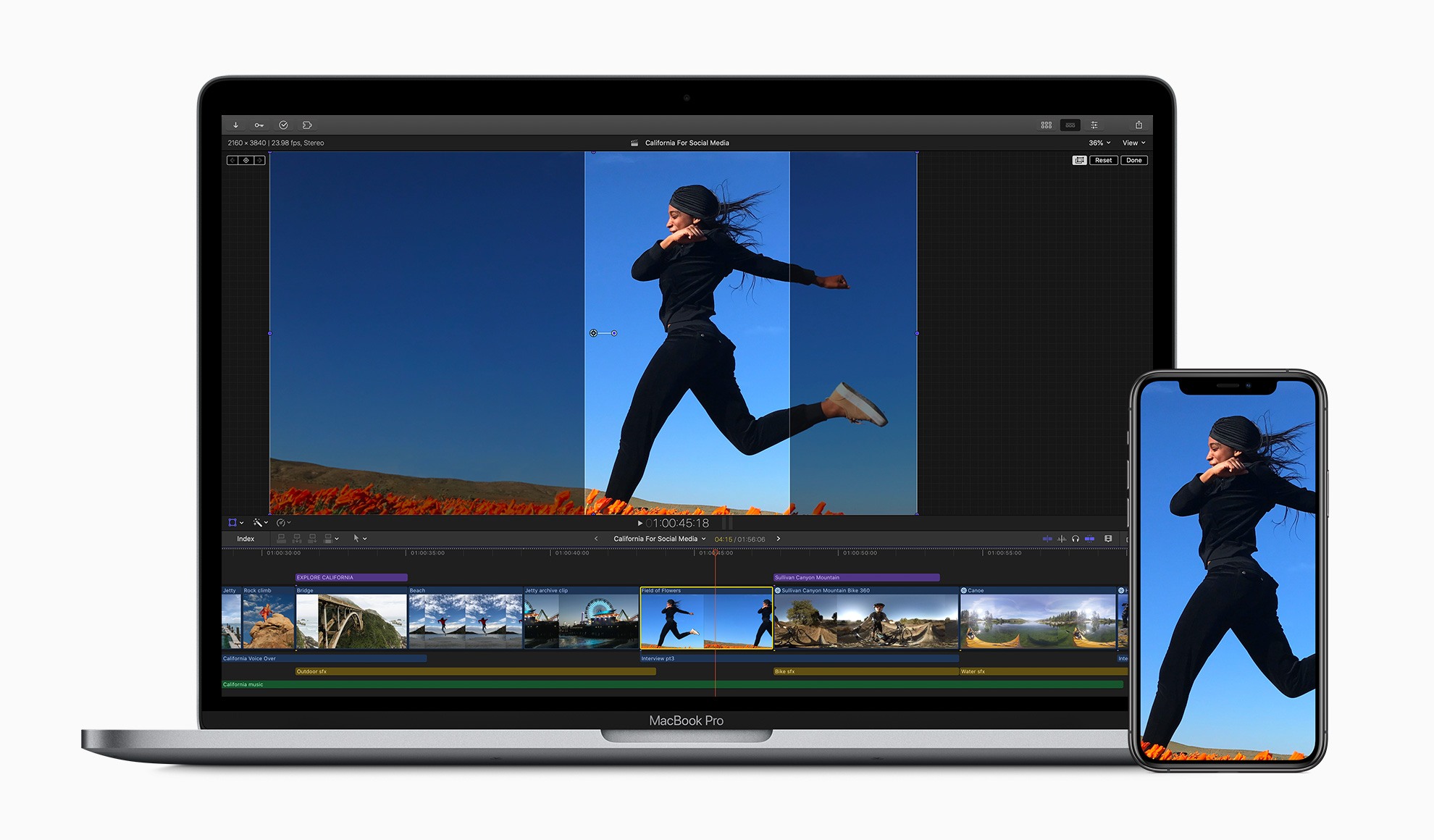
In a press release today, Apple announced that it has updated its video editing app Final Cut Pro X to version 10.4.9 as well as Motion and Compressor.
The update to Final Cut adds several features designed to improve the editing process including:
With Motion, third-party 3D models are now available when creating effects and graphics. The app also adds a new customizable Stroke Filter that can automatically outline an object or text using its alpha channel. Compressor has been updated too with custom LUT effects and the ability to convert log-encoded video to SDR or HDR footage using Camera LUTs.
I’m a fairly light user of Final Cut Pro X, but one of the things that I found most frustrating about it in the past was the app’s lack of support for popular social media formats, so I’m glad to see that creating square and vertical video will be easier now. I expect that many video creators will be equally happy with the improvements to proxy workflows and integration with cloud-based apps like Frame.io, which has become very popular.
The updates are free for existing users. New users can purchase Final Cut Pro X for $299.99 and Motion and Compressor for $49.99 each on the Mac App Store. The three apps are also available as a bundle to education users for $199.99. More information about the updates is available on Apple’s Final Cut Pro X webpage.
An Interview with Vidit Bhargava
This week Federico and John continue the MacStories Summer OS Preview Series by interviewing Vidit Bhargava, the creator of LookUp, a dictionary app available on iOS, iPadOS, macOS, and watchOS, about design, Mac Catalyst apps, and a whole lot more.
Sponsored by: Airmail Pro – Fast, Customizable Email on All Your Devices
This week on MacStories Unwind:
Q&A Question: What are some budgeting apps you recommend? (Johann Tan, @JohannKTan)
On the iPhone or the iPad, you can’t go wrong with Spend Stack, which is beautifully designed and makes organizing your finances simple. Spend Stack is organized around the idea of lists. Whether you want to track the cost of a big home...