John Voorhees

5429 posts on MacStories since November 2015

John is MacStories' Managing Editor, has been writing about Apple and apps since joining the team in 2015, and today, runs the site alongside Federico. John also co-hosts four MacStories podcasts: AppStories, which covers the world of apps, MacStories Unwind, which explores the fun differences between American and Italian culture and recommends media to listeners, Ruminate, a show about the weird web and unusual snacks, and NPC: Next Portable Console, a show about the games we take with us.

Billboard Profiles Apple Music Lead Oliver Schusser

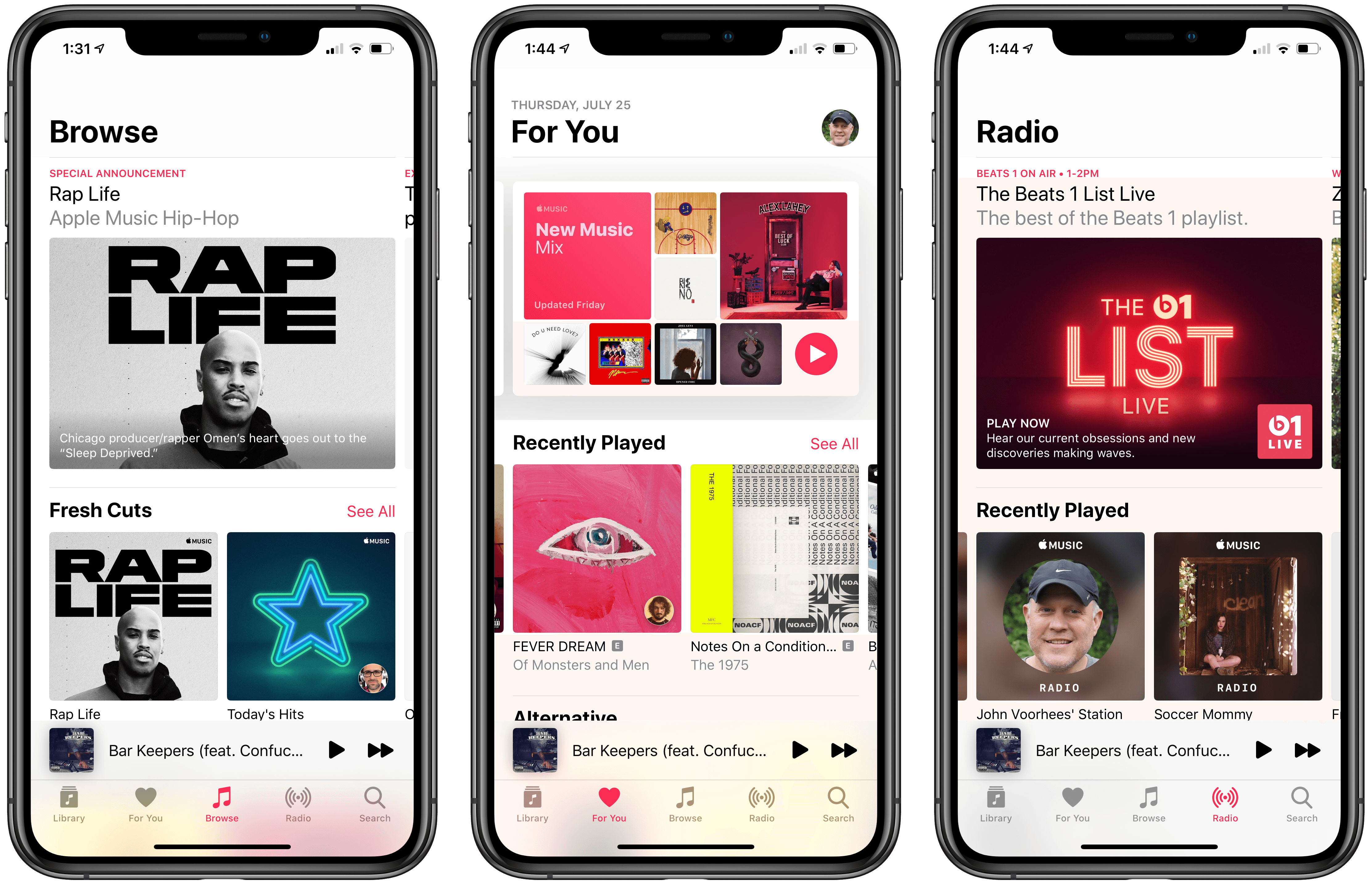
Billboard has an in-depth profile of Oliver Schusser, who has been running Apple Music for the past 15 months. You may not have heard Schusser’s name before, but he’s been at Apple since 2004, first working to expand iTunes in Europe. With Jimmy Iovine taking on a consulting role at Apple Music and Robert Kondrk moving to a product and design role, Billboard explains that Schusser was tapped to grow the streaming service.

The profile, which also includes interviews with Jen Walsh, the director in charge of Shazam and Beats 1, and Rachel Newman, the global senior director of editorial, emphasizes the service’s focus on editorial over algorithmic content:

“You hear Tim talk a lot about humanity – how we’re at the crossroads between the liberal arts and technology,” says Oliver Schusser. “It’s got to be both.” The new leader of Apple Music (the Tim in question would be his boss, Apple CEO Cook) is relaxing in his sun-drenched corner office at the company’s Culver City, Calif., headquarters on a June morning, explaining – in his typically measured way – why the service he oversees hasn’t gone all-in on algorithms. “That’s just not the way we look at the world,” continues Schusser. “We really do believe that we have a responsibility to our subscribers and our customers to have people recommend what a playlist should look like and who the future superstars are.”

Among other changes Schusser has implemented since taking the reigns of Apple Music, Billboard emphasizes the shift away from annual feature releases timed around Apple hardware releases noting the mid-year of top 100 charts and new personalized playlists. Those changes caught my eye in particular because unlike software tied to hardware advances or operating system changes, services, which have become increasingly important to Apple, demand ongoing attention to remain in the forefront of the public’s mind to retain existing customers and sign up new ones.

The approach is a departure for Apple, but one we’ve begun to see more often with ongoing improvements to Siri and mid-year updates to Shortcuts, for example. Apple Music’s advances may not get a lot of attention from the software and hardware-focused tech press, but in my experience, Apple Music has steadily improved since its debut, developing into an excellent way for me to enjoy my favorite bands and discover new ones.


Permalink

StayGo USB-C Hub: First Impressions

The two devices that first got me interested in USB-C hubs were my iPad Pro and MacBook Pro. With the iPad, the attraction was a single device that could connect an external display, support Gigabit Ethernet networking, and read photos from an SD card with the promise of external storage support in iOS 13. For my 2016 13” MacBook Pro, I wanted a way to easily connect legacy USB-A devices, jump on my wired network, copy photos from SD cards, connect to an external 4K display, and leave other USB-C ports open for devices I only occasionally connect to my Mac.

One of the trickiest aspects of picking a hub is finding one with ports that fit your use cases the best. On top of that, not all connections are created equal. As Federico explained in his story on his iPad setups late last year, there are a variety of USB flavors that support different data speeds and power delivery amounts as well as HDMI ports that refresh 4K video at different rates.

Since early this year, I’ve been using the HyperDrive Slim 8-in-1 USB-C Hub, which has:

  • 1 USB-C port with Power Delivery, but that isn’t Thunderbolt-compatible
  • 2 USB-A 3.1 ports with 5Gbps throughput
  • an Ethernet jack
  • Mini DisplayPort (4K at 30Hz)
  • HDMI (4K at 30Hz)
  • an SD card slot
  • a microSD card slot

I haven’t had a need for the Mini DisplayPort connection on the Slim 8-in-1 much, but the hub has handled my other needs well as I detailed in my review. However, one of the biggest problems with the HyperDrive hub is that it has a short built-in cable that can’t be removed. The trouble is that at about 16 centimeters long, the short cord causes the hub to dangle from the side of my MacBook Pro when it’s elevated on Twelve South’s Hi-Rise stand and my iPad Pro when it’s in the Viozon stand I use to write. Both setups look messy and put stress on the cable that I worry will cause it to fail eventually.

That’s why I was intrigued when Twelve South told me they were working on a way to solve the problem. The solution is the company’s new StayGo USB-C hub, which Twelve South sent me to try.

Read more


Flighty: A Pro-Level iOS App for Frequent Travelers

Good flight tracking apps are few and far between. Simply by having a top-notch design, Flighty is superior to most of its competition. There’s more to the app than superior design though. Flighty combines smart design choices with traveler-centric features to generate a comprehensive picture of every flight you track. The result is a pro-level travel app that’s an excellent fit for frequent travelers.

That said, Flighty isn’t for everyone. The app is free to download and use to track basic flight details. However, much of Flighty’s value lies in its granular level of flight detail, extensive push notification options, and inbound flight tracking, which require an expensive subscription.

You can try Flighty’s pro features free for 14 days, after which the subscription costs $8.99/month or $69.99/year, which is currently $49.99/year for a limited time. That’s more than any other flight tracking app I’ve tried, but I expect many travelers who spend lots of time in the air will be willing to pay monthly or annually.

Fliers who don’t need push notifications or the level of detail Flighty’s subscription offers can still track basic flight data with the free version of the app. However, as I’ll explain in greater detail below, the prominence of banners advertising the app’s pro subscription doesn’t make that a good option.

Read more


Video Game Narrative Design and Writing Science Fantasy Novels with Carrie Patel (Part 2)

Today on Dialog, we are joined by video game narrative designer and novelist Carrie Patel for the conclusion of our conversation. This week, we cover where Patel finds inspiration, planning a novel, the writing process, the benefits of having a publisher, balancing writing and a full-time job, and a lot more.

You can find the episode here or listen through the Dialog web player below.

Sponsored by:

  • Astropad Studio – Turn your iPad into a professional graphics tablet. Get started today wit http://hullopillow.com/dialog h a 30-day free trial.
  • HealthView – A dashboard for Apple Health.

Next week, we’ll begin our final interview of this first season of Dialog with a very special guest, Pierce Brown, the author of the Red Rising series of novels who will join us the same day that Dark Age, the latest installment in his series, is published.

Permalink

Pixelmator Pro for Mac Adds an Apple Photos Extension, New Zoom Tools, and Other Features

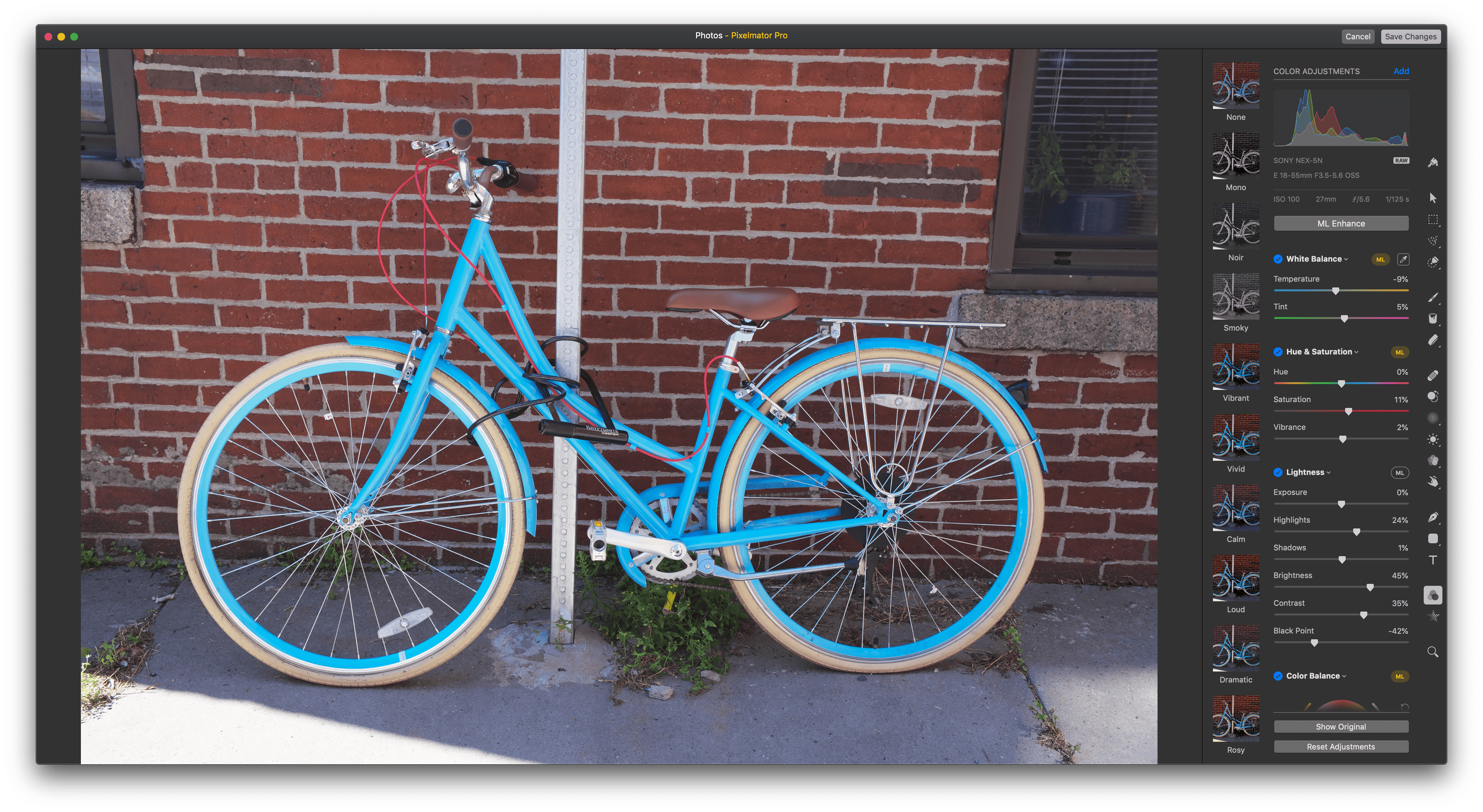
Pixelmator Pro released a significant update today that integrates the Mac app with Apple’s Photos app using a full-featured extension, adds enhanced zoom functionality, new cropping options, and more.

Pixelmator Pro is one of my favorite image editors on the Mac, but until today, I typically edited images in it that I pulled from an SD card or exported from Photos. That’s no longer necessary because Pixelmator Pro has been updated with a Photos extension that lets you use all of the app’s tools directly within Photos.

Photos extensions allow third-party developers to integrate their apps with Photos. Few of the photo editing apps I’ve used work with Photos though, which is a shame because Pixelmator Pro shows how much can be done with a Photos extension.

Read more


Apple Releases iOS 12.4 Update with Improvements to Apple News, iPhone Migration Tool, and Other Changes But No Apple Card

Apple has released iOS 12.4 with improvements to Apple News, a new iPhone migration tool, support for the HomePod in Taiwan and Japan, and a fix for the security flaw in the Apple Watch’s Walkie-Talkie app.

With the release of version 12.4 of iOS, downloaded magazines in the My Magazines section of the News app are now available for reading online and offline. The catalog of publications in Apple News includes newspapers like the Wall Street Journal, which previously weren’t listed in the catalog. There’s also a new option to clear downloaded magazines from Apple News by selecting History → Clear → Clear All.

In addition to the changes to News, the update introduces an iPhone migration tool that allows users to wirelessly transfer data from an old to a new iPhone during the setup process, support for the HomePod in Taiwan and Japan, and a fix for the security flaw in the Walkie-Talkie Watch app.

It was widely anticipated that iOS 12.4 would introduce the Apple Card, the credit card the company announced in March, but based on early reports, it looks like users will have to wait a while longer before signing up for the card.


How Travel Affects The Apps and Gear We Use

AppStories+ Deeper into the world of apps

AppStories Episode 121 - How Travel Affects The Apps and Gear We Use

0:00
34:46

AppStories+ Deeper into the world of apps

This week, Federico provides an update on the progress he’s made on his iOS 13 review, and then he and John dig into how travel affects the apps and gear they use.

Read more